In this step, provide the company details under which your SMS registration will be filed. The exact fields can vary by country and are shown on the page for the country you are configuring, but the information serves the same purpose across markets.
The SMS provider uses these details to verify your company and compares them with the documents you upload in the next step. Make sure the information you enter here matches your official documents to avoid issues during registration review.
Your company name must match the name on your uploaded documents exactly, including the legal suffix.
For example,
Insider One Store Ltd.andInsider One Store Limitedcan be treated as different names during an automated check. Use the exact form that appears on your official documents.The same applies to your address. Enter the address exactly as it appears on your trade registry record rather than using a different version from your website.
What you provide
Detail | What it is used for | Where to get it |
|---|---|---|
Legal entity name | Your registration is filed under this name, and the name is matched against your documents. | Your trade registry record, including the legal suffix |
Corporate website | The SMS provider reviews the website to confirm your business and the type of messages you plan to send. | Your live public website, not a landing page |
Business address | Verifies where your company operates and is matched against your documents. | The address on your company registration |
Headquarters address | Requested only if your headquarters address differs from your business address. | Your registered headquarters address |
VAT or tax number | Confirms that your company is registered as a taxpayer in the relevant jurisdiction. | Your tax certificate. In Türkiye, this is your 10-digit vergi numarası. |
Whether you have a local legal entity | Determines which documents you are asked to provide in the next step. | Select the option that accurately reflects your business structure, as the required document list is based on this information. |
Corporate website requirements
The SMS provider reviews the website address you enter. Your website should include your brand name, physical address, contact details, and a privacy policy that covers SMS messaging.
A website that is under construction, consists only of a landing page, or does not identify your company can result in a registration rejection. If your privacy policy does not cover SMS messaging, update it before submitting your registration to help avoid additional review steps.
IYS registration for Türkiye
IYS (İleti Yönetim Sistemi, Commercial Electronic Message Management System) is Türkiye's national message and consent system. Companies that send commercial messages in Türkiye must register with IYS and record the consents they collect there. Your IYS Code identifies your company in the system and connects the consents sent through Insider One with your company.
Where to find your IYS Code: You receive your IYS Code when you register on
iys.org.tras a Service Provider. You can also find it in your IYS panel under your company details. IYS registration is not instant, so start the process early if you have not already completed it.Your IYS integrator is separate from your SMS provider. IYS consent data is transferred through integrator companies rather than through a direct connection. This is separate from the provider that delivers your SMS messages.
If your integrator is Mobildev or UzmanCRM, consent changes can be synchronized through the integrations already available in Insider One. Configure the integration under InOne > Components > Integrations > External Integrations. You need to be an Administrator or an Editor with PII access.
Once the integration is connected, opt-in and opt-out changes collected through Insider One Lead Collection forms and native email and SMS unsubscribe methods are automatically synchronized with IYS.
Consent changes made through APIs, CSV uploads, SDKs, or your own CRM are not synchronized through these integrations. Make sure these consent changes reach IYS through your own integration flow.
If you use a different IYS integrator, arrange the data flow directly with that integrator before going live. For the manual integration option, refer to External Platform Integrations: IYS for the related integration guide. 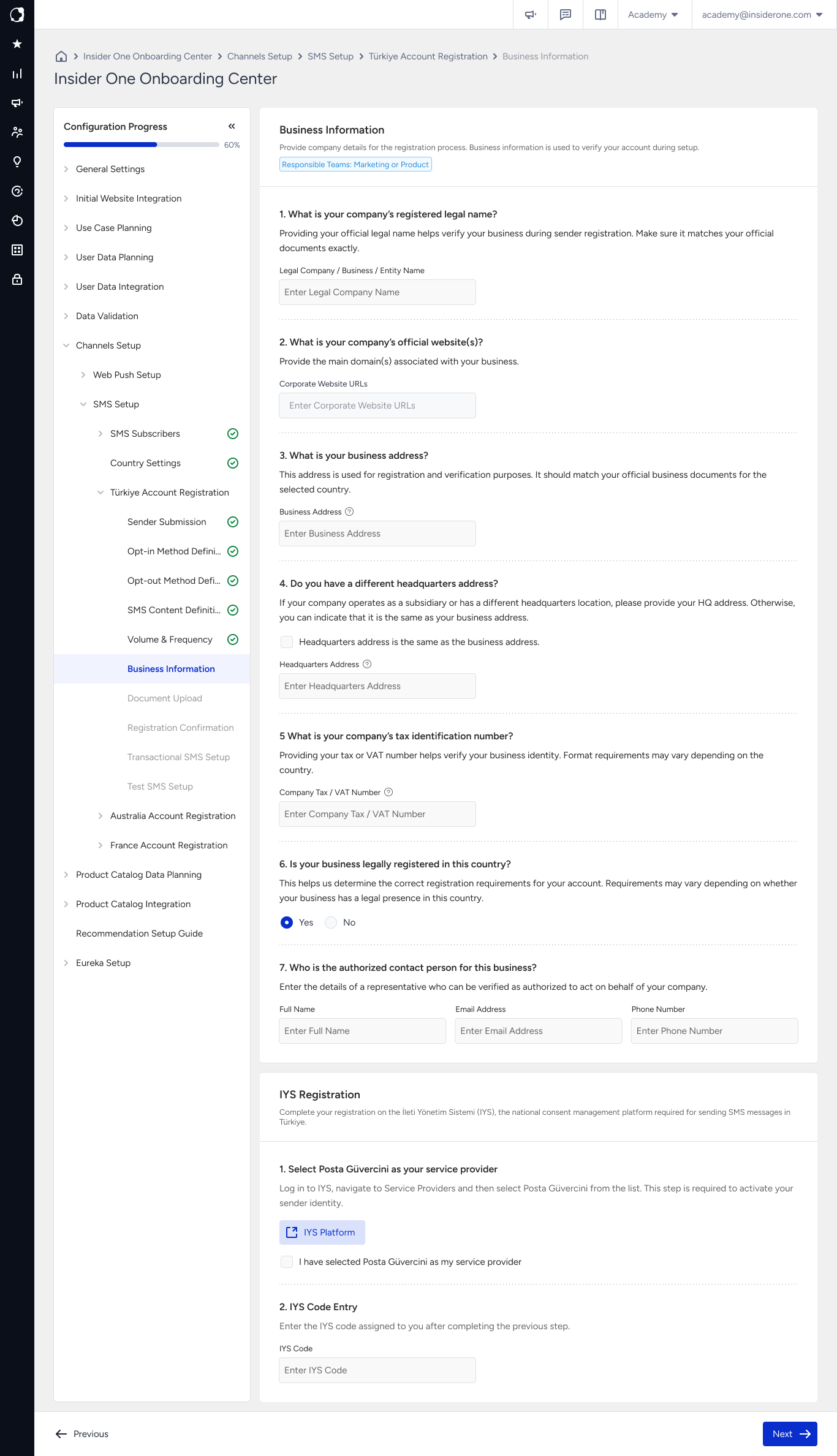
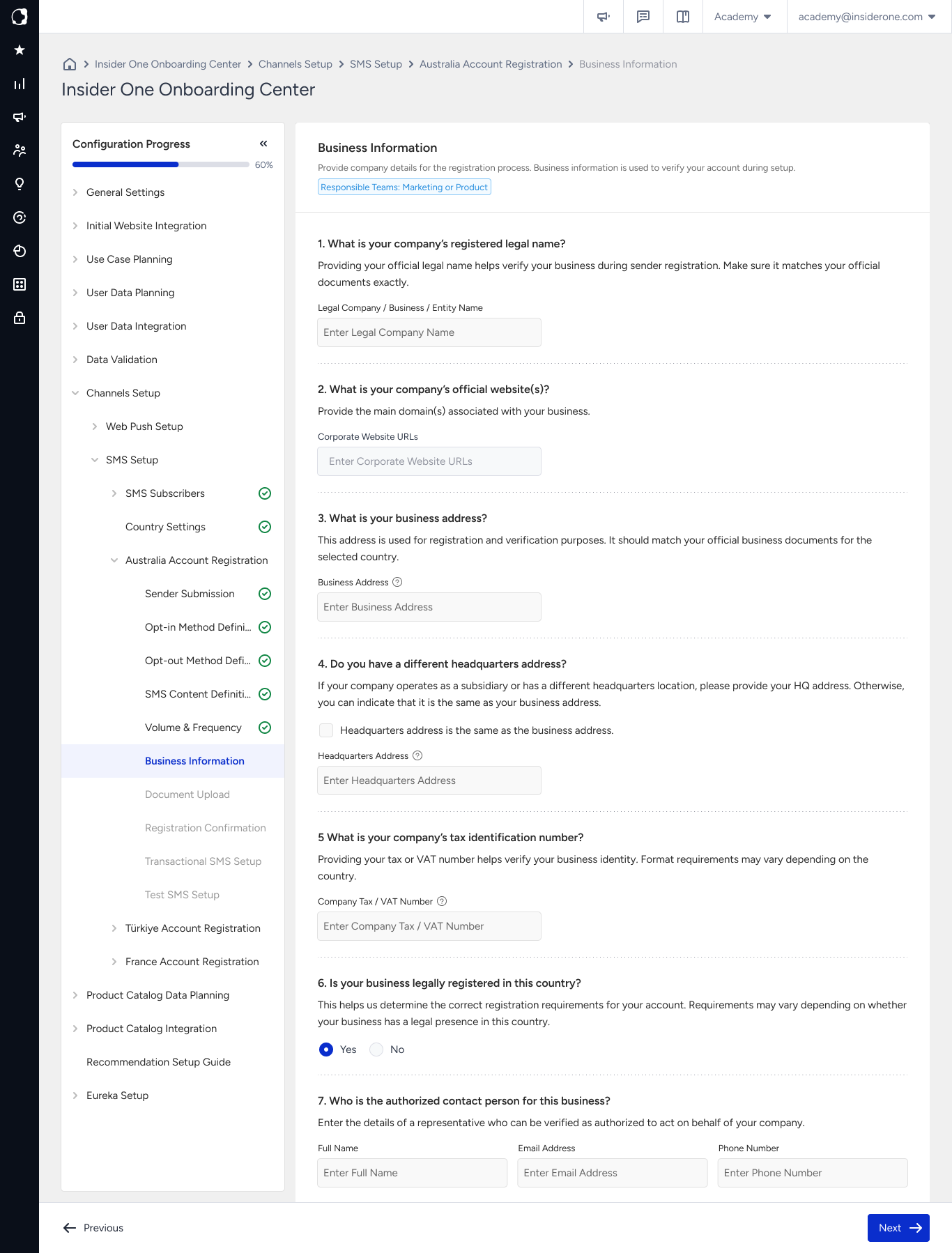
Australia
For Australia, complete the business registration and authorized contact fields displayed on the page. Make sure the information matches your official company records.
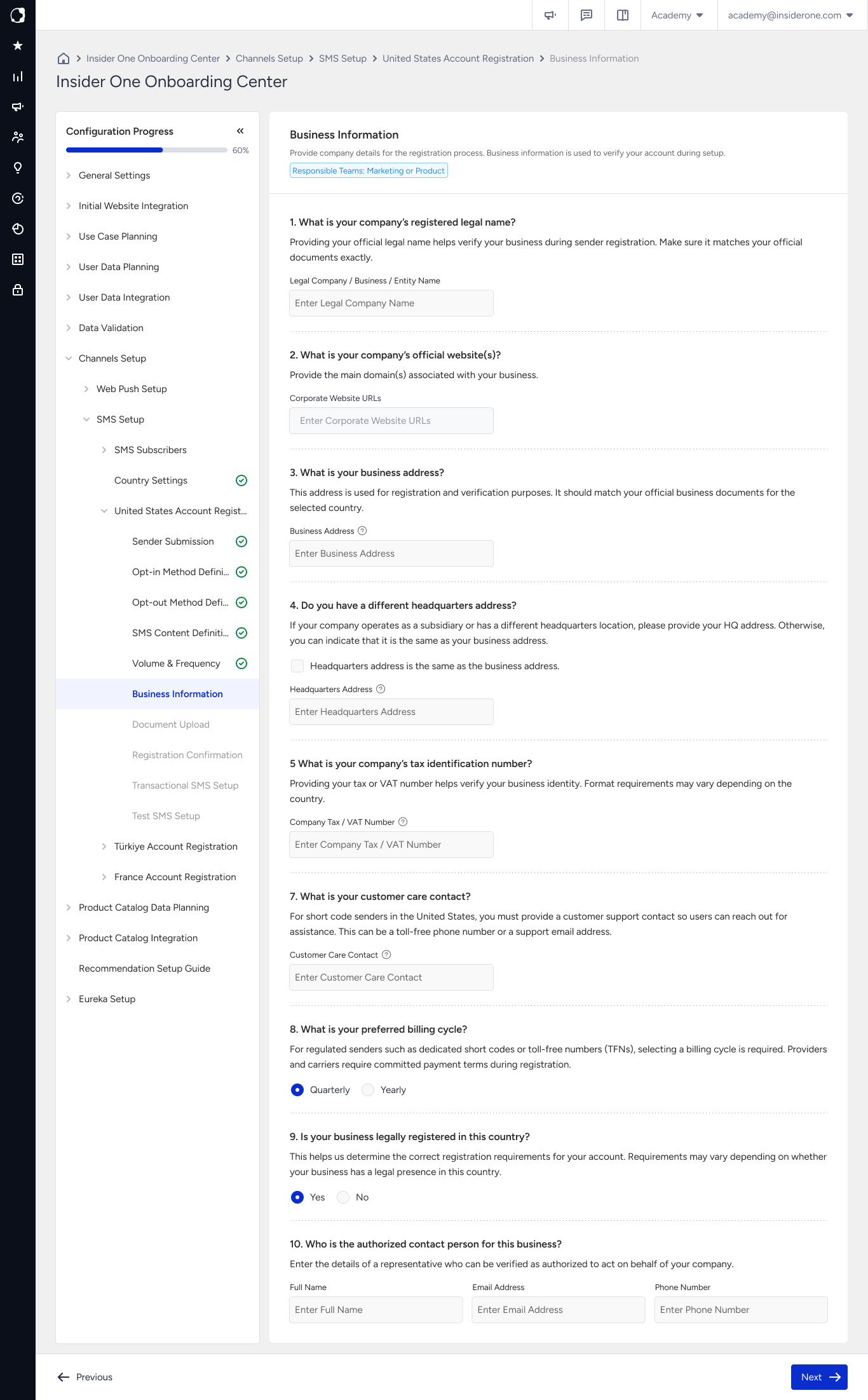
United States of America
For the United States, you also need to provide a customer care contact for short code senders and select a preferred billing cycle. Complete all other business registration and authorized contact fields displayed on the page.
Common mistakes
Entering your trading name instead of your legal entity name: The brand name your customers recognize can differ from the name on your official registration documents. Use the legal entity name shown on your documents.
Entering a website that does not identify your company: Make sure the reviewer can find your company name and address on the website so it can be used to verify your business.
Entering company details from memory: Keep your trade registry record and tax certificate available while completing this step so you can enter the details exactly as they appear on your official documents.
Next step
Continue to the Document Upload step, where you upload the documents required for your country. The company names you enter in Business Information are the names your uploaded documents are checked against.