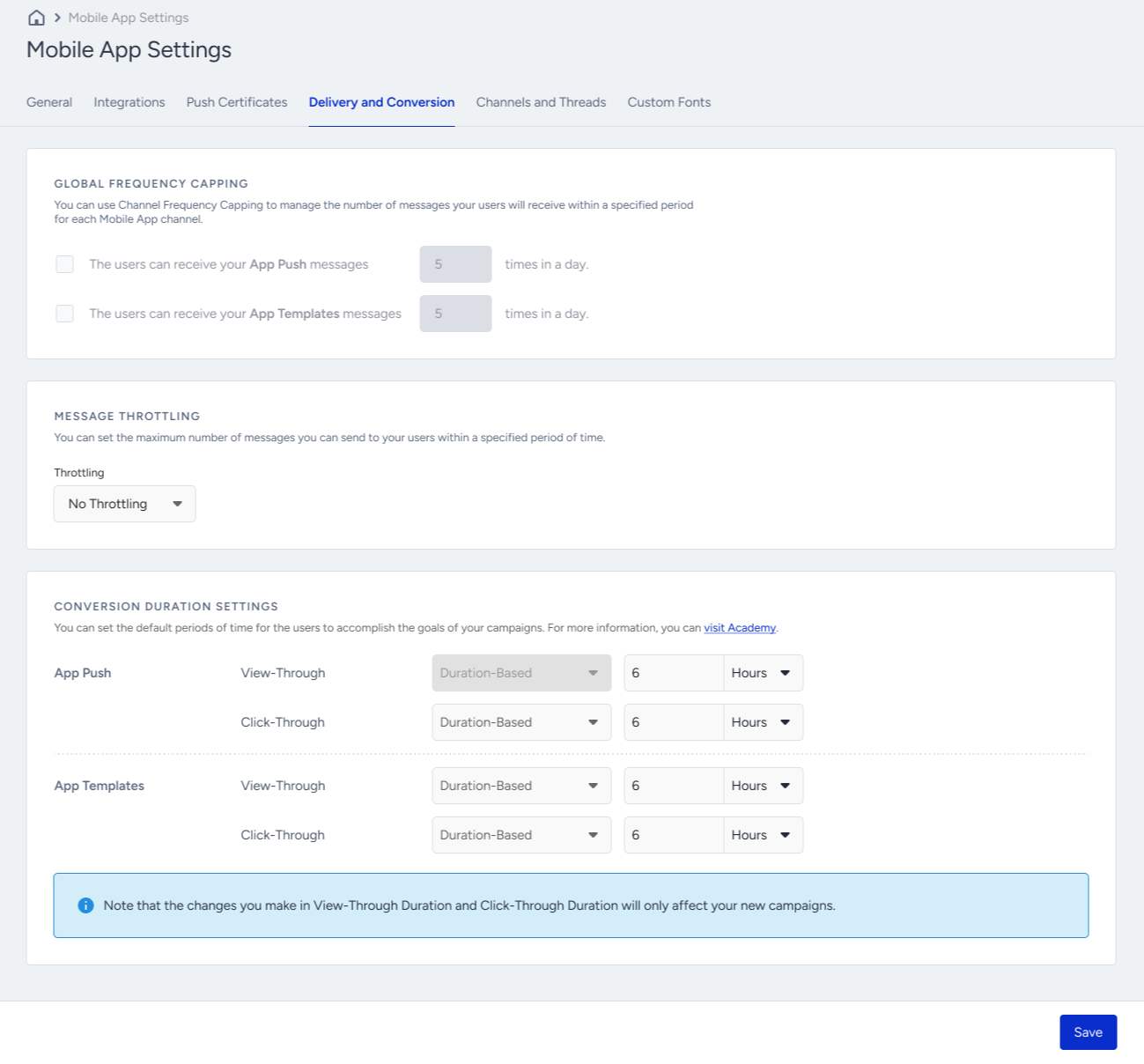
The Delivery and Conversion tab help you configure settings for frequency capping, throttling, and conversion duration.
Global Frequency Capping
You can configure different frequency capping options for your push notifications and app templates. You can enable/disable frequency capping and set the maximum number of messages a user will receive in a day.
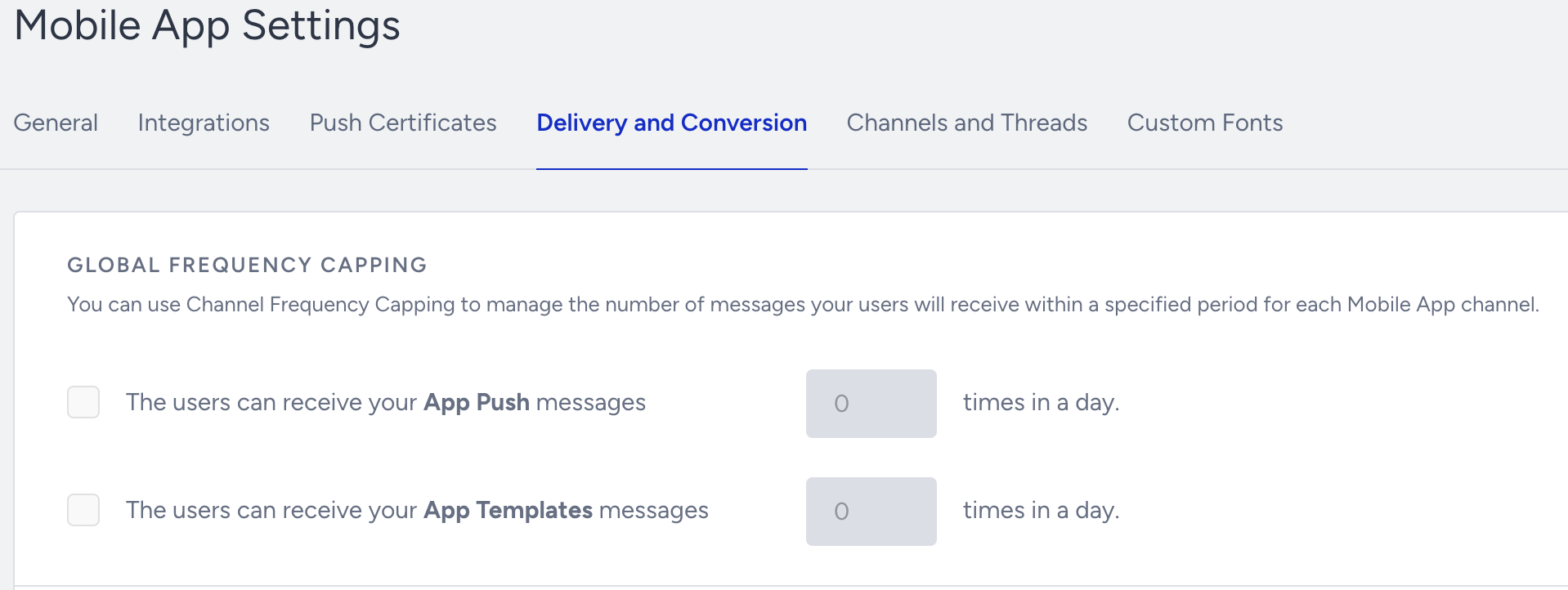
The Global Frequency Capping Settings apply to all app push and app template campaigns in Architect journeys.
The Global Frequency Capping is synced with the Channel Frequency Capping in Inone Settings > Advanced Settings, and vice versa. Once you make a change in either, it is reflected to the other settings.
Message Throttling
You can select fast delivery or one of the options listed in the dropdown for your delivery throttling. Throttling enables you to control the number of messages you send.
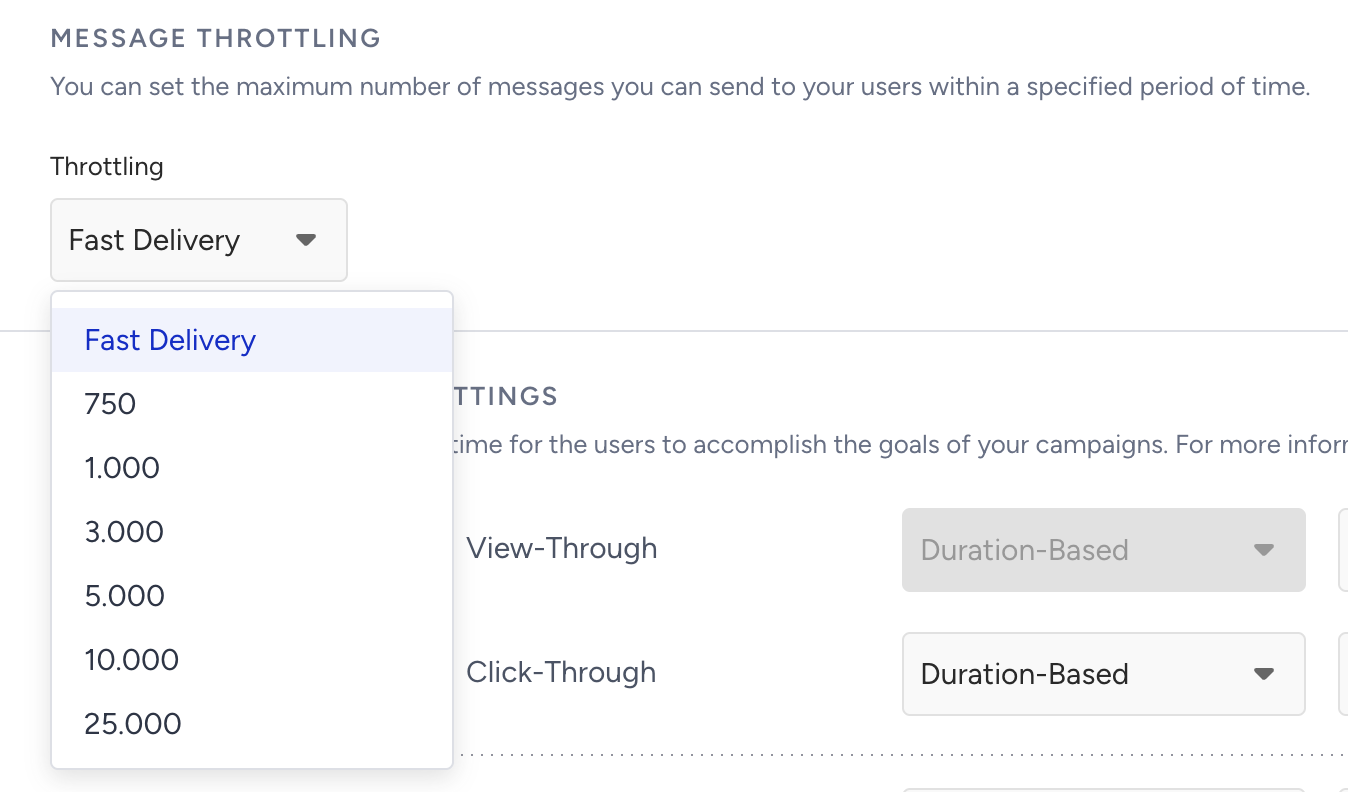
The message throttling does not apply to the app push campaigns in Architect journeys.
Conversion Duration Settings
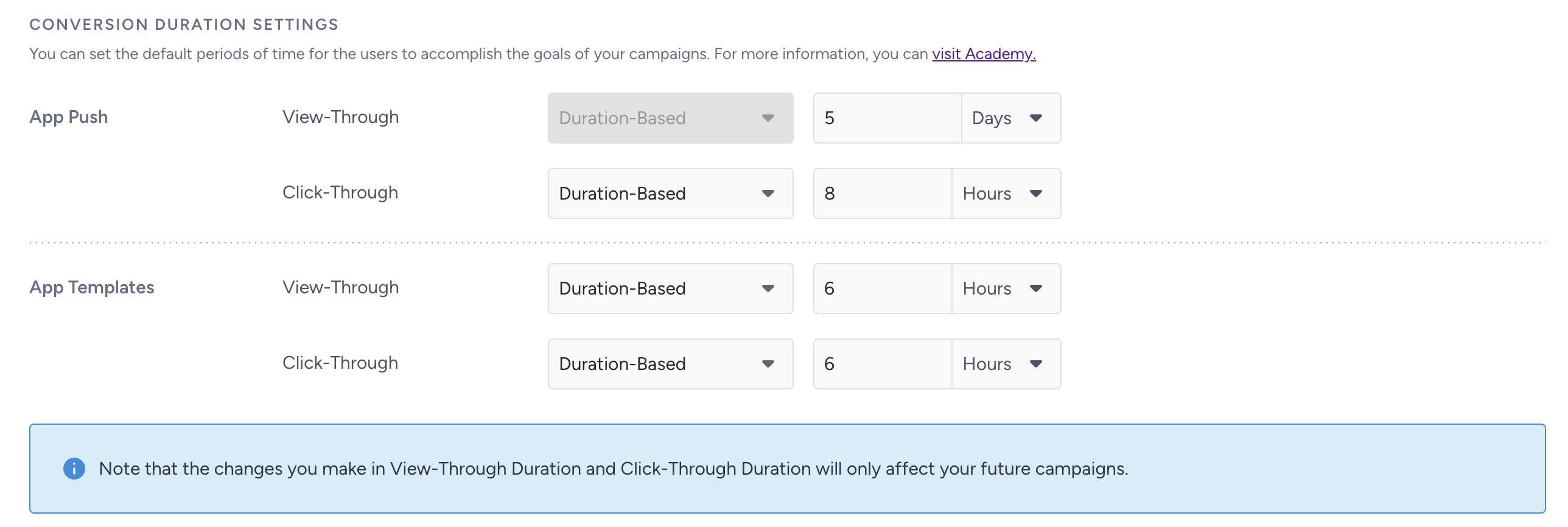
You can set the default periods of time for the users to accomplish the goals of your campaigns.
Promotional Opt-in Preferences
If this option is enabled, App Push campaigns are, by default, sent only to users whose Promotional Opt-in value is true. Promotional push notifications are not delivered to users whose consent is false or has never been set.
This setting does not apply to Architect App Push channel.
When this option is disabled, the change only affects newly created campaigns. Existing active campaigns keep their original targeting
.png)
You can bypass this filter on a per-campaign basis, allowing campaigns that must be delivered regardless of promotional consent.
This option requires minimum iOS 16.1.0, Android 17.1.0, Flutter 5.3.0, React Native 9.0.0, and Cordova 4.1.0 SDK versions.
The user's promotional consent is stored as a new default user attribute at the profile level (not per device). If a user has not opted in, promotional push notifications are not sent to any of their devices.
You can set this value as a boolean (true or false) using the SDK method. The value is synchronized like other default user attributes.
If the attribute has never been set, the user is treated as not opted in; null is not considered true.
When the Promotional Opt-in is enabled, you can Bypass Promotional Opt-in on the Segments step. If you bypass it, the campaign ignores users' promotional consent preferences and is sent to all users defined by the Delivery and Conversions settings.
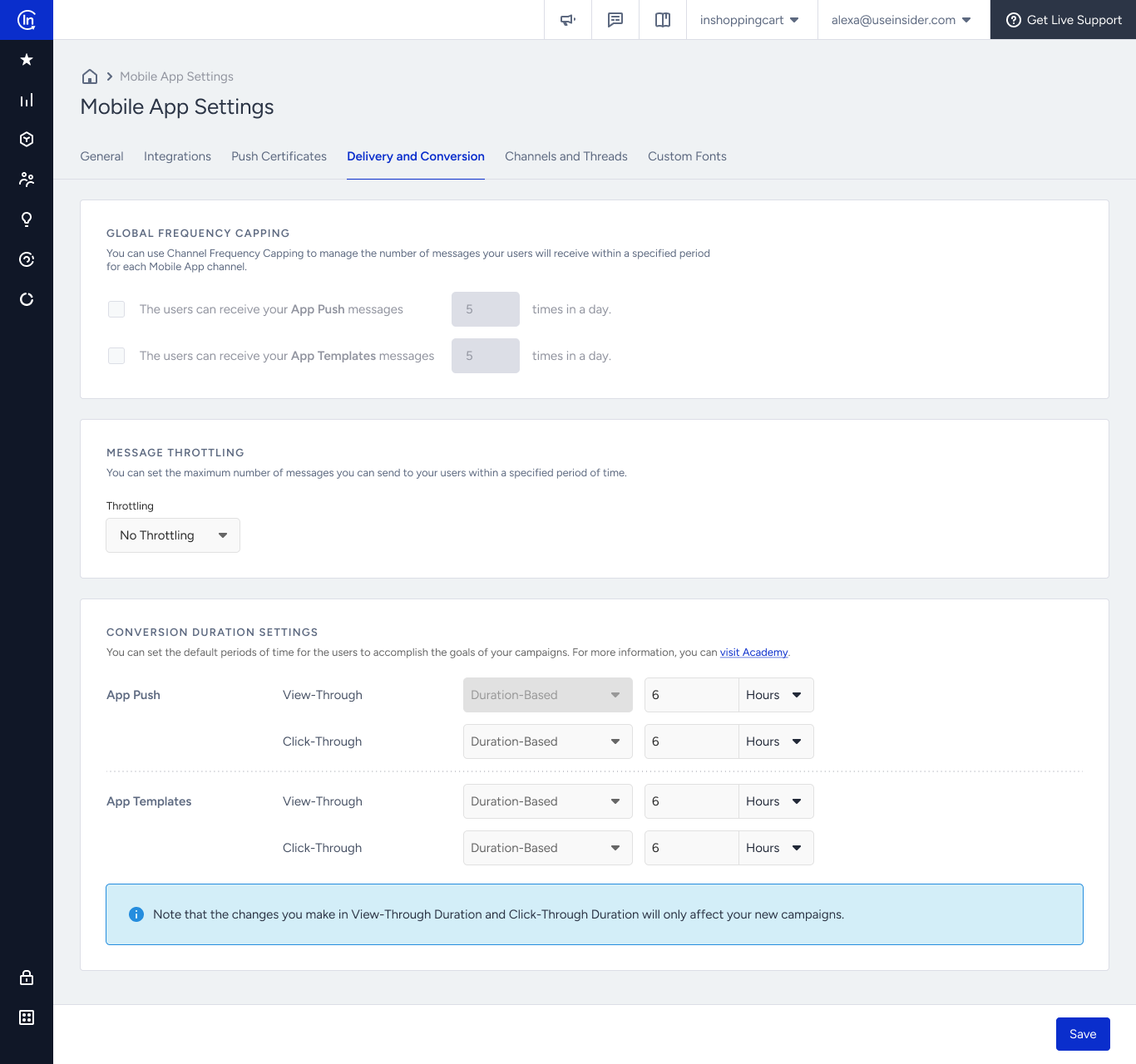
The Delivery and Conversion tab help you configure settings for frequency capping, throttling, and conversion duration.
Global Frequency Capping
You can configure different frequency capping options for your push notifications and app templates. You can enable/disable frequency capping and set the maximum number of messages a user will receive in a day.
The Global Frequency Capping Settings apply to all app push and app template campaigns in Architect journeys.
The Global Frequency Capping is synced with the Channel Frequency Capping in Inone Settings > Advanced Settings, and vice versa. Once you make a change in either, it is reflected to the other settings.
Message Throttling
You can select fast delivery or one of the options listed in the dropdown for your delivery throttling. Throttling enables you to control the number of messages you send.
The message throttling does not apply to the app push campaigns in Architect journeys.
Conversion Duration Settings
You can set the default periods of time for the users to accomplish the goals of your campaigns.
Promotional Opt-in Preferences
If this option is enabled, App Push campaigns are, by default, sent only to users whose Promotional Opt-in value is true. Promotional push notifications are not delivered to users whose consent is false or has never been set.
This setting does not apply to Architect App Push channel.
When this option is disabled, the change only affects newly created campaigns. Existing active campaigns keep their original targeting
You can bypass this filter on a per-campaign basis, allowing campaigns that must be delivered regardless of promotional consent.
This option requires a minimum SDK version.
The user's promotional consent is stored as a new default user attribute at the profile level (not per device). If a user has not opted in, promotional push notifications are not sent to any of their devices.
You can set this value as a boolean (true or false) using the SDK method. The value is synchronized like other default user attributes.
If the attribute has never been set, the user is treated as not opted in; null is not considered true.
When the Promotional Opt-in is enabled, you can Bypass Promotional Opt-in on the Segments step. If you bypass it, the campaign ignores users' promotional consent preferences and is sent to all users defined by the Delivery and Conversions settings.