The Conversation Summary by AI feature allows agents to quickly generate a summary of chatbot conversations when a conversation is handed over to them. This provides a concise overview of the client’s issue, saving time by eliminating the need to review the entire conversation history.
In this guide, you will find answers to these questions:
Activate the Generate Summary feature
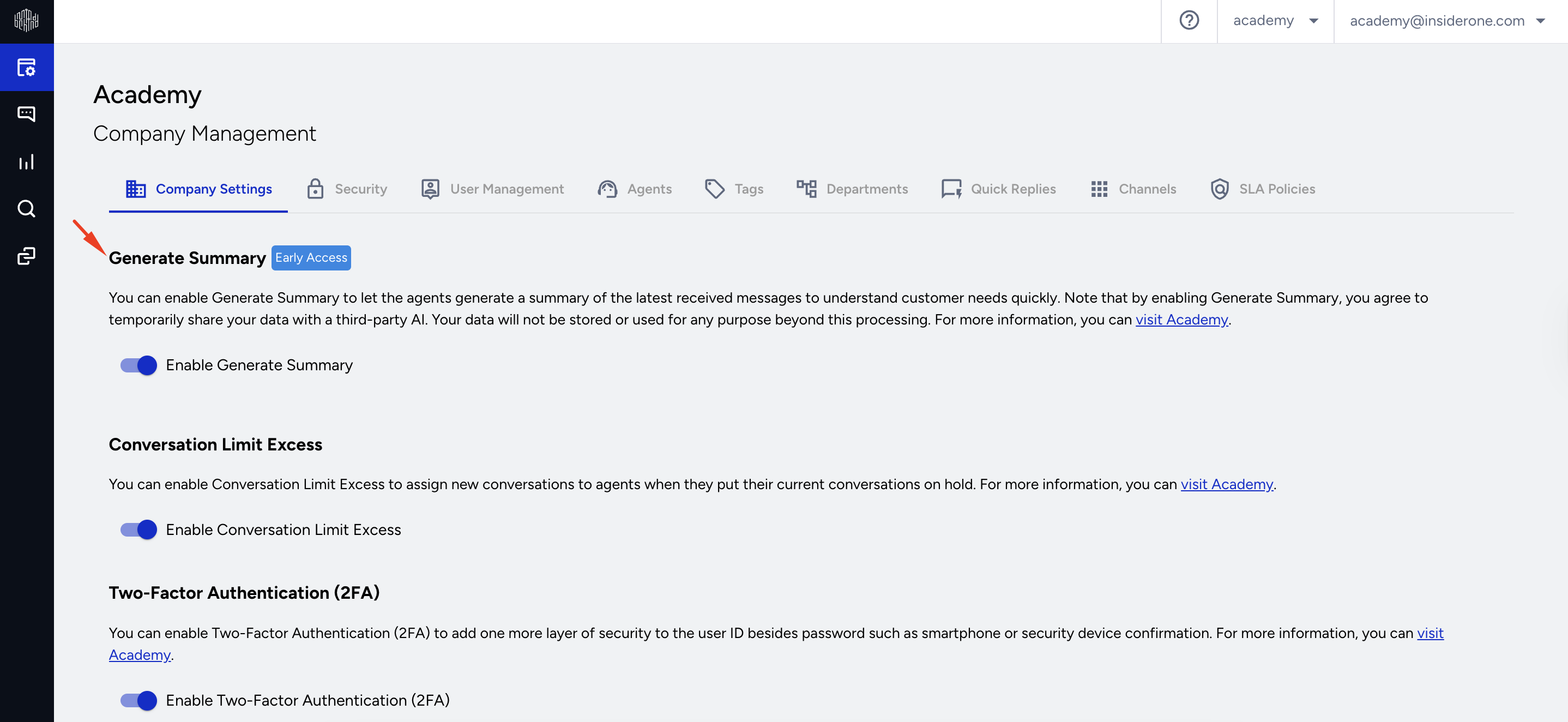
To start using this feature, first, you should activate it from the Company Settings page.
These controls define the feature's operation, including Activation Settings and Message Count requirements.
Account administrators can enable the Conversation Summary by AI feature using the Generate Summary toggle on the Company Settings page.
Message Count Requirements
A summary is generated only when a chatbot conversation contains at least five messages and no more than 200 messages.
How does the Conversation Summary by AI work?
Only the agent assigned to a conversation can generate a summary using the Generate Summary button on the Agent page.
To generate an AI-powered conversation summary, click the three dots menu and select Generate Summary.
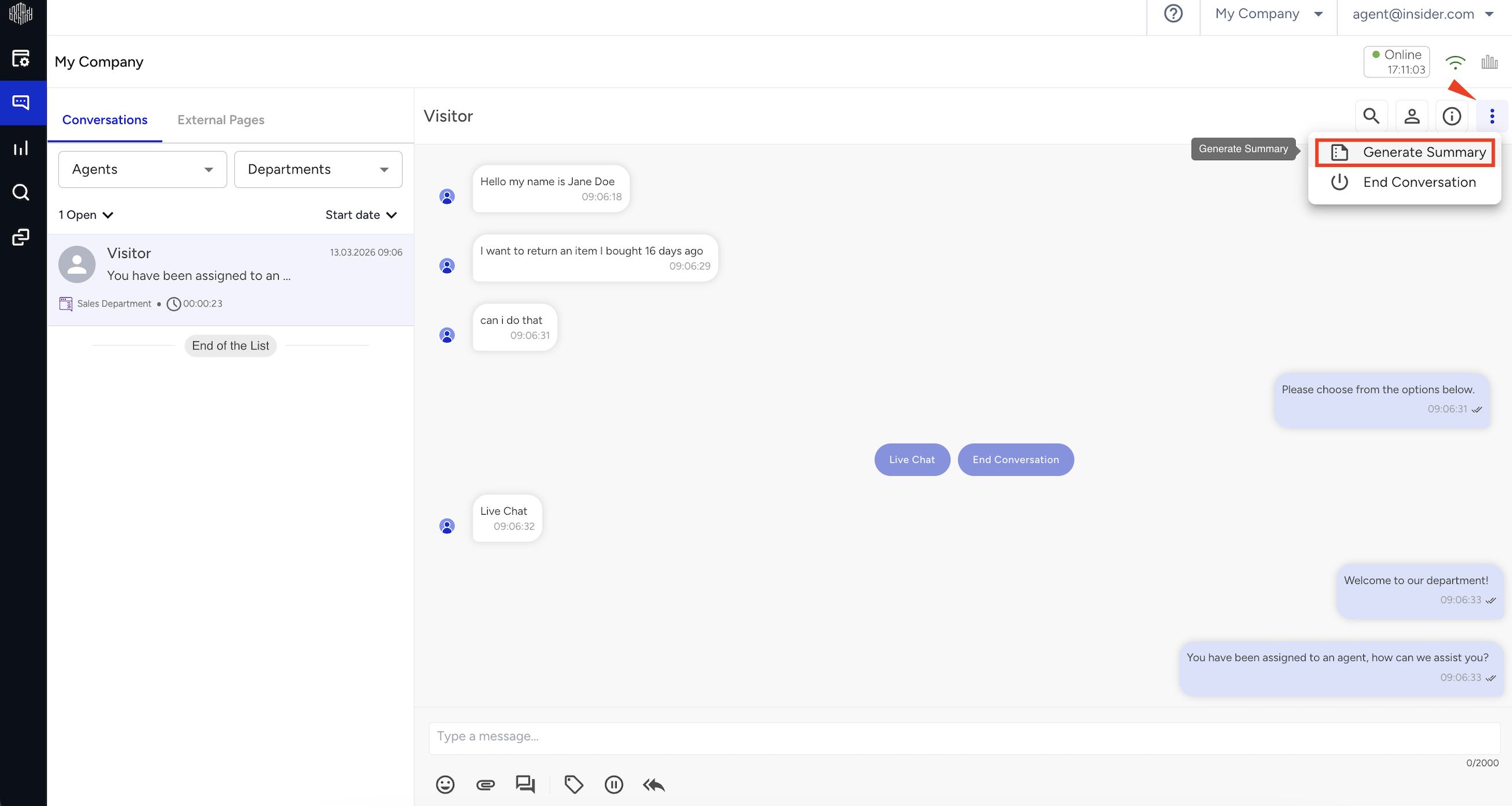
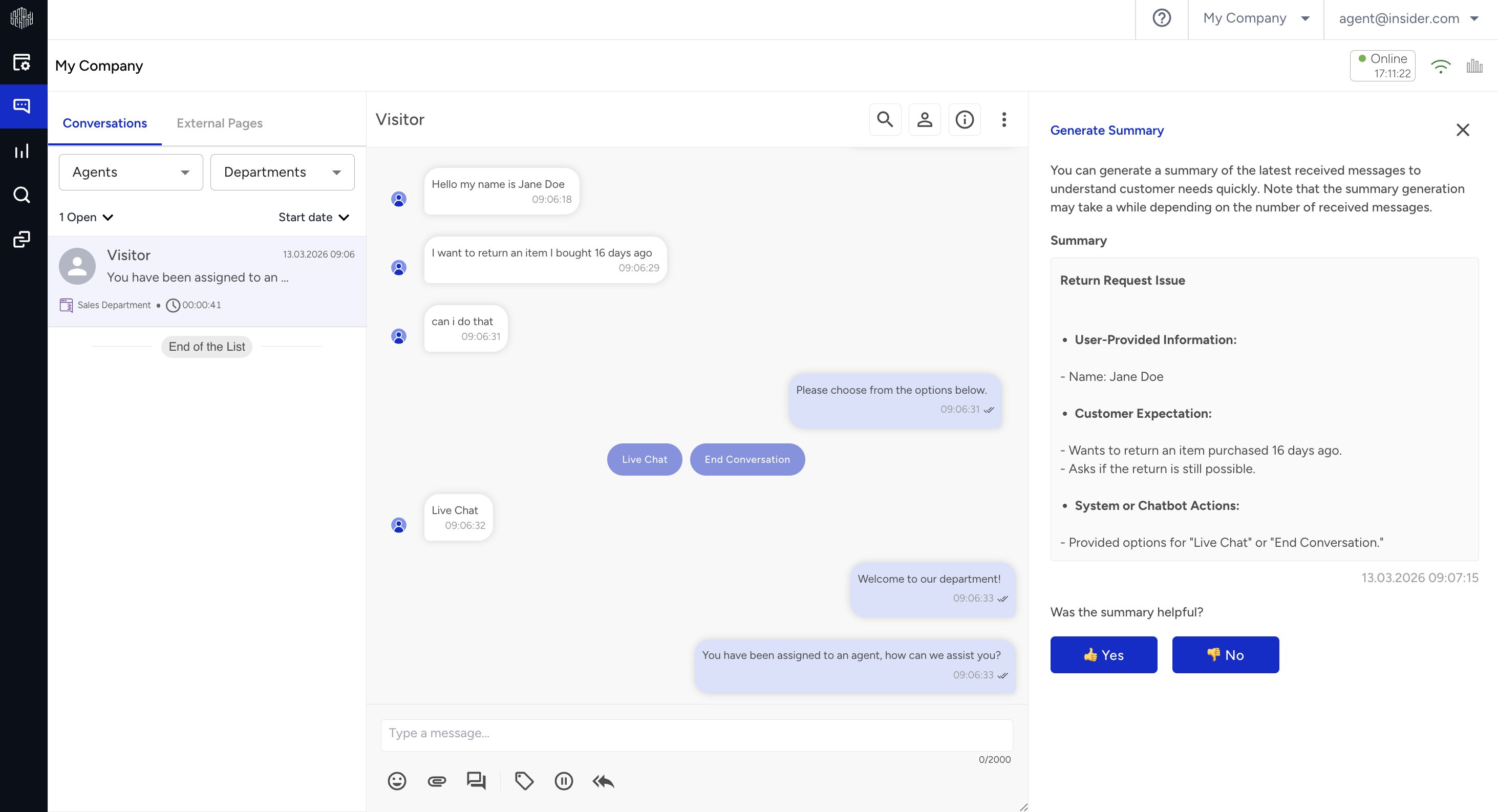
After clicking the Generate Summary button, the AI-generated summary appears in the following format:
User-provided Information: A summary of the information shared by the user during the conversation.
Customer Expectation: A summary of the customer’s request or expectation expressed during the conversation.
System or Chatbot Actions: If the chatbot performs a query using the information provided by the user and returns a response related to that information, this interaction is included in the summary under this section.
Feedback Mechanism
Agents can provide feedback on the generated summary by answering "Was this helpful?" with "Yes" or "No."
If they select "No," they will have the option to specify why the summary was not helpful by choosing from the following reasons:
Too long
Too short
Inaccurate
Unclear
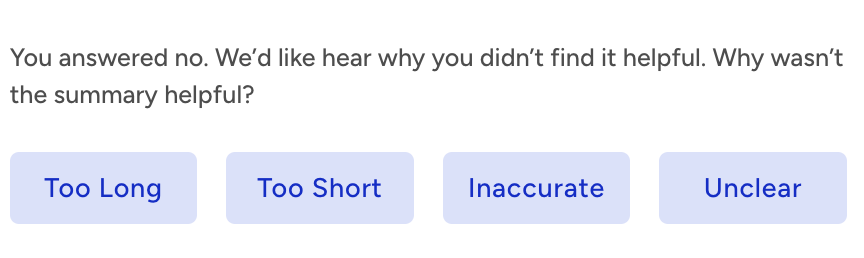
This feedback will be used to improve AI-generated summaries over time.
Admins can view the generated summary, but cannot give feedback or see feedback provided by agents.
GDPR Compliance and Data Storage
Your data is shared but not stored by the third party and is subject to contractual agreements. It is never used for AI model training. User information remains secure and compliant with GDPR through the compliance agreements by Microsoft, Google, and Amazon.