Conversation Distribution Mode determines the order in which waiting conversations are assigned to agents who work across multiple departments. As an Account Admin, you can select one of two distribution modes in Company Settings. The selected mode applies across your company.
Only the Account Admins can configure Conversation Distribution Mode in Company Settings.
How conversations are distributed to agents
Each conversation is first assigned to a department and then routed to an available agent in that department. If an agent belongs to only one department, they receive conversations from that department in the order the conversations entered the queue.
If an agent belongs to two or more departments, Conversation Distribution Mode determines which department's conversation is assigned to the agent next.
Volume-Based (Default)
Volume-Based distributes an agent's available capacity across their departments based on the number of conversations waiting in each department. A department with a larger queue receives a larger share of the agent's capacity, while a department with a smaller queue receives a smaller share.
Use Volume-Based when your departments handle similar conversation volumes or when you want busier departments to receive more of a shared agent's capacity.
FIFO (First In, First Out)
FIFO assigns conversations based on the order in which customers entered the queue, regardless of which department they are waiting in. The size of each department's queue does not affect the assignment order.
For example, if a customer has been waiting for 10 minutes in a department with a smaller queue and another customer has been waiting for 2 minutes in a department with a larger queue, the customer who has waited for 10 minutes is assigned first.
Use FIFO when you want conversations across departments to be prioritized by waiting time rather than queue size.
Set the conversation distribution mode
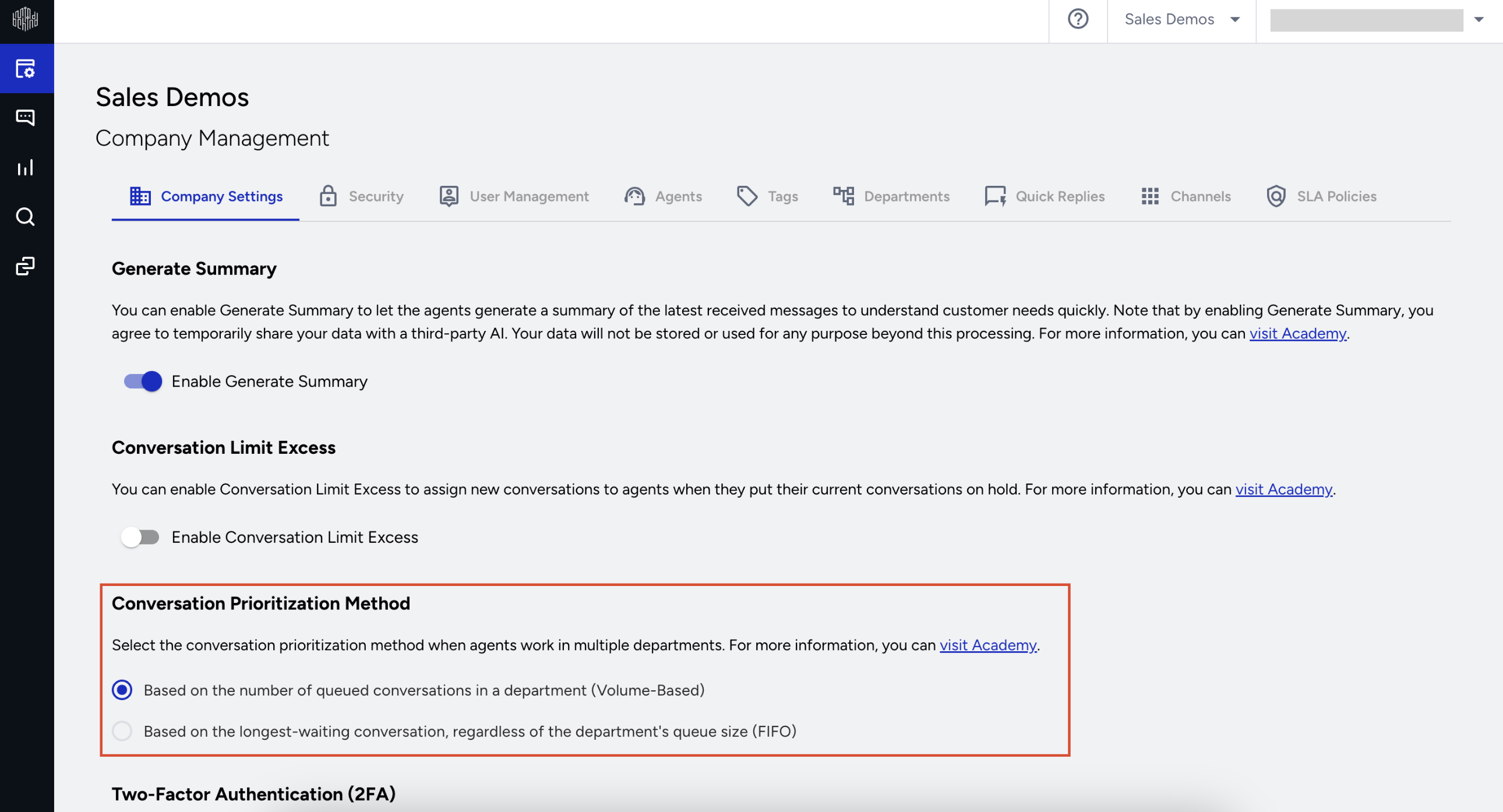
Navigate to MindBehind Live > Company Settings > General.
Find the Conversation Distribution Mode section.
Select Volume-Based (Default) or FIFO (First In, First Out).
Choose the right mode for your company
Use the following table to choose the distribution mode that best matches how your departments handle conversations.
Your situation | Recommended mode |
|---|---|
Your departments handle broadly similar conversation volumes. | Volume-Based (Default) |
You want a busier department to receive a larger share of a shared agent's capacity. | Volume-Based (Default) |
One department is much busier than another, and customers in the department with the smaller queue are waiting too long. | FIFO (First In, First Out) |
A department represents a distinct business line that needs to maintain its own response standard. | FIFO (First In, First Out) |
You can switch between the two modes at any time. This allows you to try a mode, monitor how conversations are distributed, and switch back if needed.
How this setting affects conversation distribution
Conversation Distribution Mode applies only to agents who belong to two or more departments. Agents who belong to a single department receive conversations the same way under both modes.
The selected mode does not change how many conversations an agent can handle at the same time. Your existing agent capacity settings continue to apply.
The selected mode does not change how conversations are routed to departments. Channel deployments, internal handovers from a flow, and forwarding between departments continue to work the same way.