Generating your InOne panel publishes your latest changes and makes them live on your website. Any changes you save in the panel, including campaign updates, segment changes, and account configuration, are not applied to your website until a generation is completed.
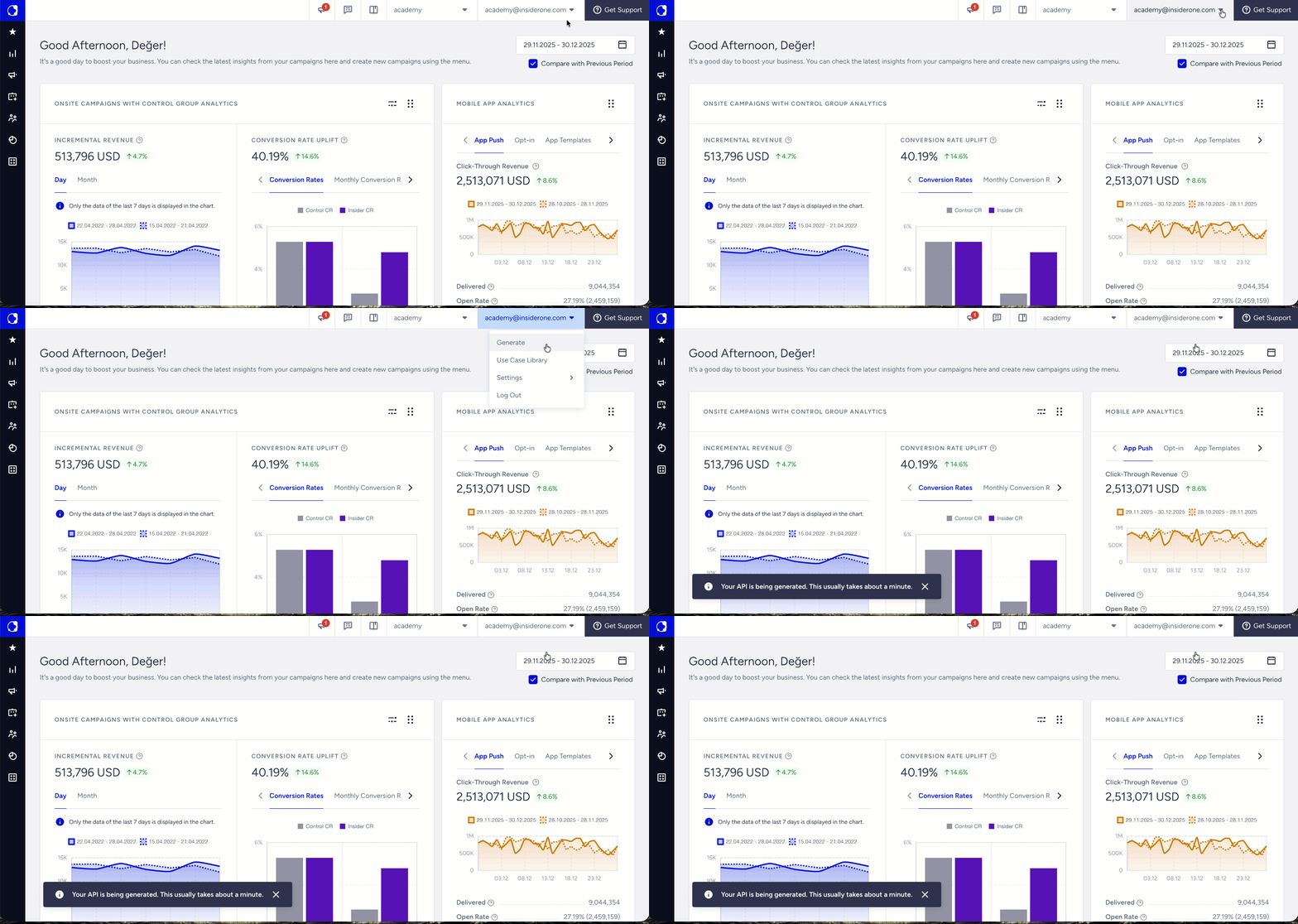
To generate your panel:
Hover over your username in the top right corner.
Click the Generate button.
Wait for the confirmation notification to disappear before testing your changes on the website.
Auto-generate
The InOne panel auto-generates every two hours. If you save changes and do not manually generate, those changes will be published at the next scheduled auto-generate cycle.
If you need your changes to go live immediately, always trigger a manual generation after saving. Do not rely on auto-generate for time-sensitive campaign launches or urgent fixes.
Script Integrity exception
If your website uses Script Integrity, the standard Generate flow described above does not apply. Script Integrity locks the Insider Tag version on your website. Changes are not published automatically or on a schedule.