Suggested readings: Architect Channel Web Push, Architect Channel: Use Web Push, Architect Web Push Analytics
When you are at the Web Push element on the canvas, you can click the Go to Analytics button to view this channel's analytics.
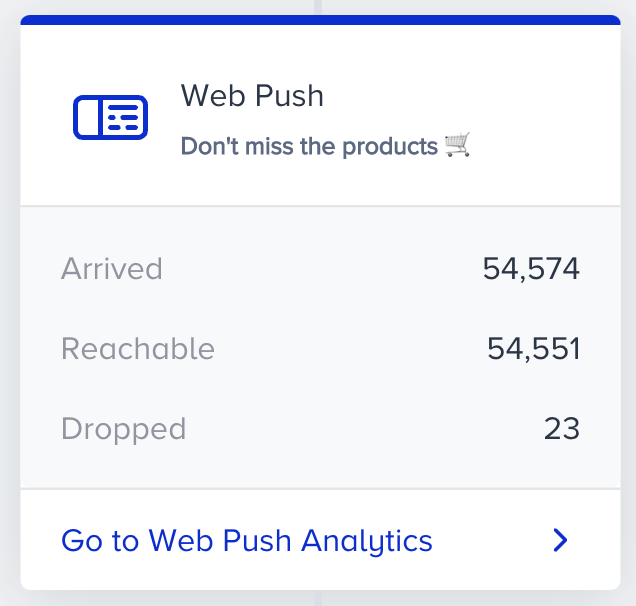
To filter the Web Push metrics, you can:
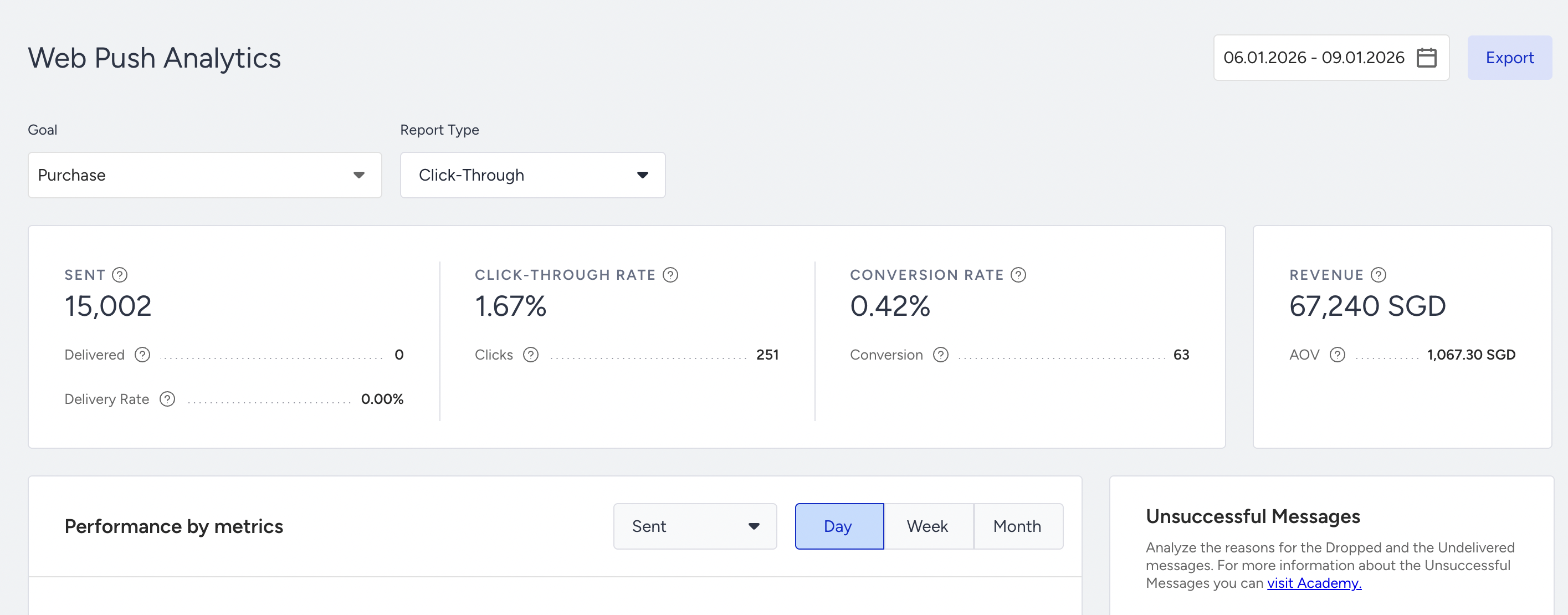
- Select a goal to evaluate your web push conversions and conversion rate metrics using the dropdown at the top left corner of the page.
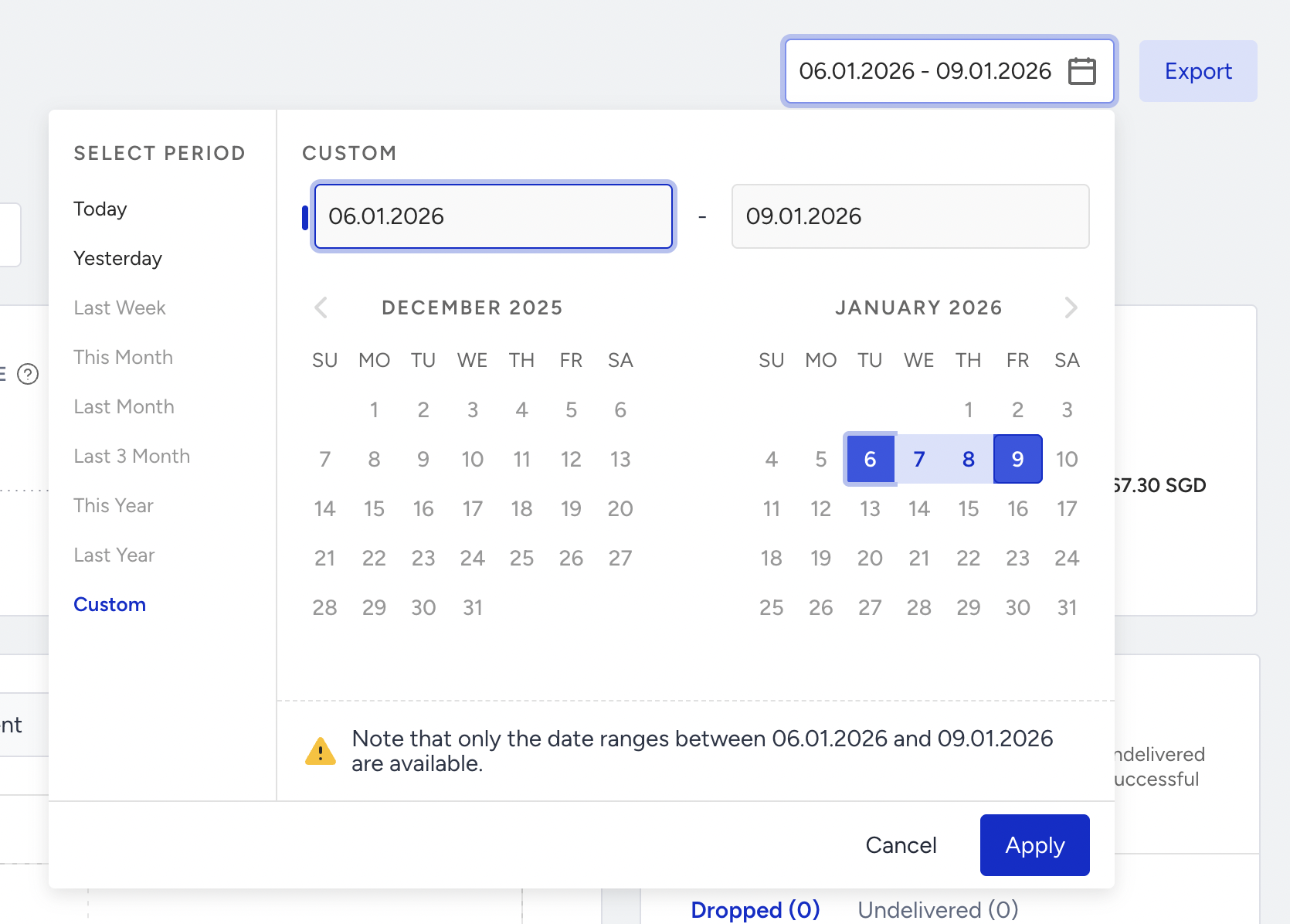
- Select a time range using the date picker on the top right corner of the page.
You can also click the Export button to export your report in Excel format.
You can also use the Architect Channel Analytics API to export your results.
Narrowing down your results, you can see the following metrics:

You can see the sent, delivered, delivery rate, click-through rate, clicks, conversion rate, conversions, revenue, and average order value based on the selected date range. For example, selecting "last month" will compare the last month to the previous month. Selecting 7 days on the date picker will compare the selected 7 days to the previous 7 days.
- Sent: The number of messages successfully transferred to the service provider to be addressed to the recipients.
- Delivered: The number of messages successfully transferred to the recipients.
- Delivery Rate: The percentage of the Delivered to the Sent messages.
- Clickthrough Rate: The percentage of the Clicks to the Delivered messages.
- Clicks: The total number of times that the users clicked the links in your messages.
- Conversion Rate: The percentage of the Conversions to the Delivered messages. Conversion rate changes according to the Conversion Goal selection on the dropdown.
- Conversions: The number of successful goal accomplishments. Conversions change according to the Conversion Goal selection on the dropdown.
- Revenue: The value of the purchases made via your messages.
- Average Order Value: The revenue division by the number of purchases made via Web Push.

The charts section displays the daily, weekly, or monthly details on a line chart based on your time range selection and the metric you can select from the dropdown.
The last section of this page allows you to view the following web push-related details of the campaigns that you send on a specific date range separately for desktop and mobile devices:
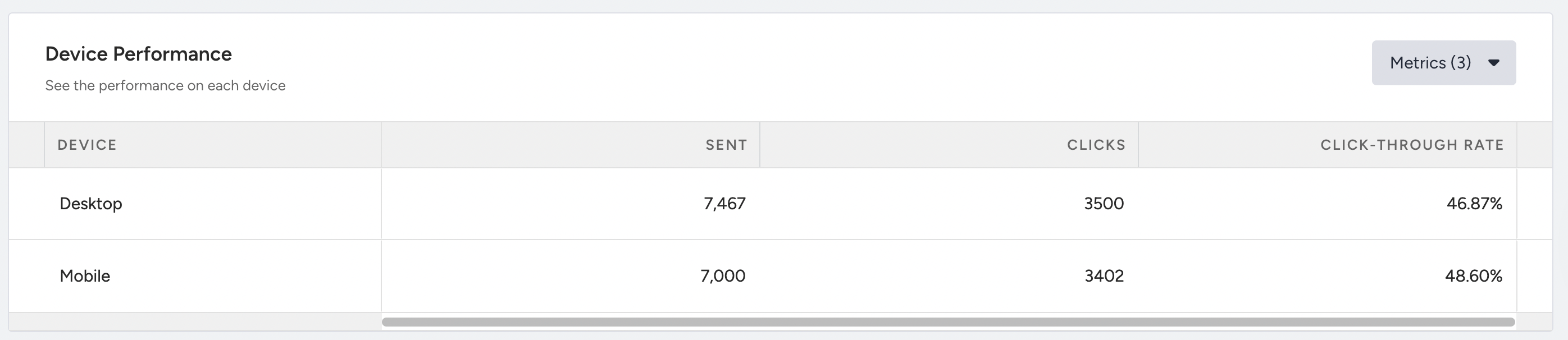
The Click Metrics display the clicks and click-through rate for the elements of the message.
