Expressions let you calculate a custom attribute from a user's data, for example, the number of days since their last purchase or their average order value. Once an expression is published, the attribute it produces behaves like any other user attribute, and you can use it in two places across InOne: segmentation and dynamic content.
This guide uses one running example. A retention marketer has defined an expression called Days Since Last Purchase that returns the number of days since each customer last purchased. The sections below show how to target and personalize a win-back campaign with it.
Before you begin:
Publish the expression you want to use. Until an expression is published, its calculated attribute does not appear in the segment or dynamic content lists. See Create an Expression.
Use expressions in segmentation
Calculated attributes from expressions are available as attribute filters in dynamic segments across all supported channels. They behave like any other attribute filter, so you can apply equality, range, and comparison operators depending on the data type of the expression's output.
In Standard Segments, two modules work directly with expressions:
Expressions. Target users based on the value of an expression you published. You choose the expression, an operator, and a value.
Data Comparison. Target users based on a comparison between two attributes or expressions, rather than between one attribute and a fixed value.
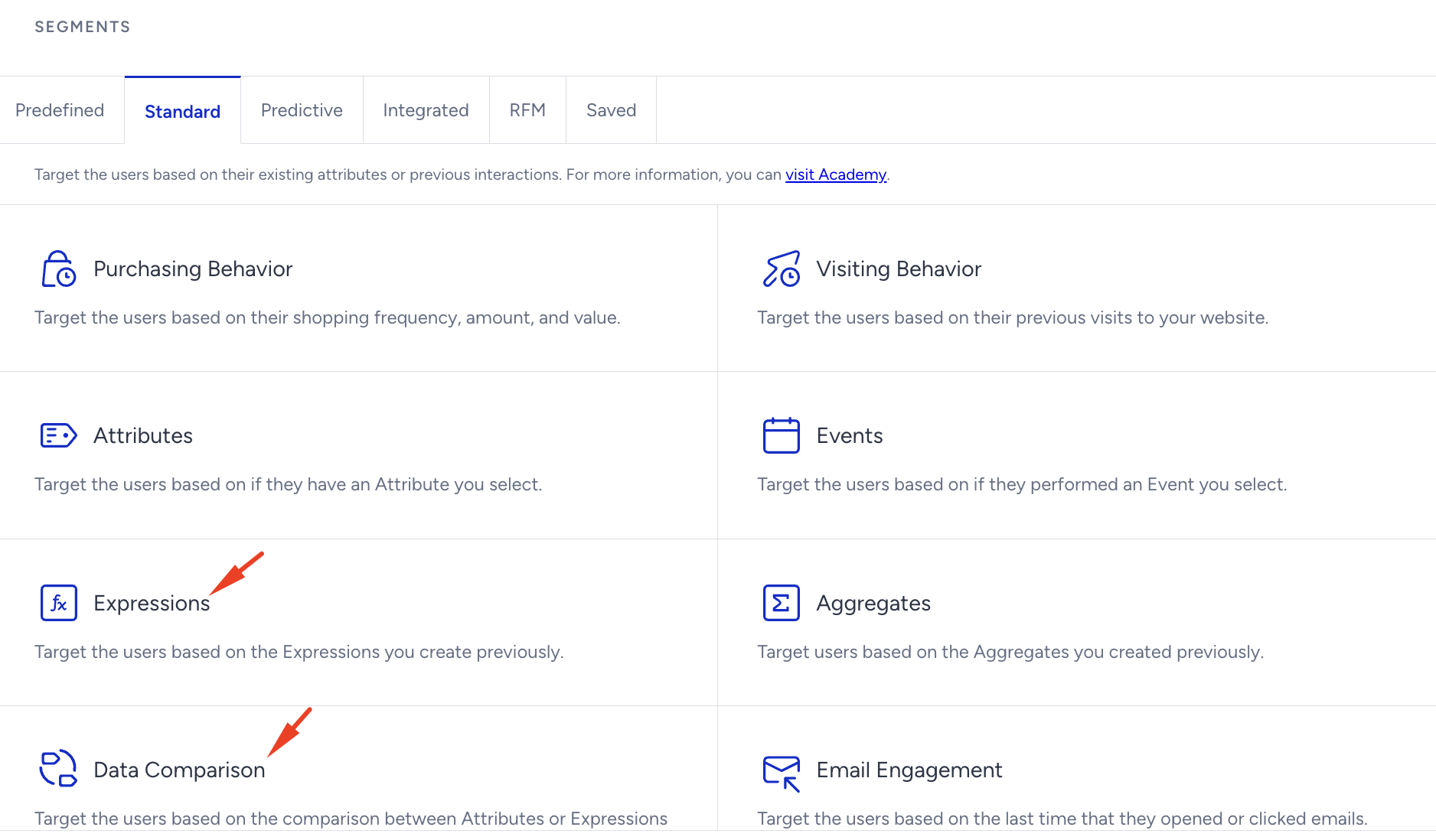
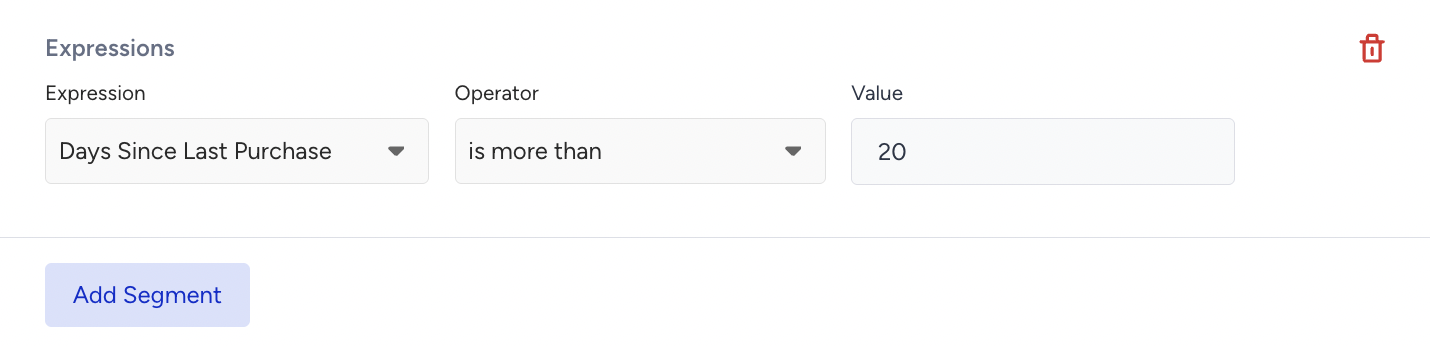
Example: Target lapsed customers with the Expressions
The marketer wants to reach shoppers who have not purchased in a while.
The expression Days Since Last Purchase is published and returns 30 for a given profile.
In the Segments step, select the Expressions module, then choose days_since_last_purchase.
Apply a filter such as is more than 20. This profile qualifies and joins the segment, which now holds lapsed customers ready for a win-back campaign.
Example: Find overdue customers with the Data Comparison
A fixed threshold treats every customer the same, but a loyal weekly shopper and an occasional seasonal buyer are not "lapsed" at the same point. Data Comparison solves this by comparing two values against each other.
Alongside Days Since Last Purchase, the account also has an attribute Avg Repurchase Cycle, the customer's typical gap between orders.
In the Segments step, select the Data Comparison.
Compare Days Since Last Purchase against the Avg Repurchase Cycle, and target users with Days Since Last Purchase greater than the Avg Repurchase Cycle.

This reaches customers who are overdue relative to their own buying rhythm, which is a more precise win-back audience than a single cutoff applied to everyone.
Expression-based segmentation logic is currently available in the Email, Web Push, App Push, WhatsApp, SMS and Architect products.
Use Expressions in Dynamic Content
A calculated attribute can be inserted as dynamic content in a campaign. When the campaign is delivered, InOne resolves the attribute to each user's own value, so one content block personalizes to every recipient without building a separate campaign per customer.
To use it, select the Expressions from the dynamic content dropdown in your content block.
Example: personalize the win-back email
Continuing the same campaign, the marketer wants the email to name how long it has been since each customer's last order.
For a given customer, Days Since Last Purchase returns 30.
In the email content block, select Days Since Last Purchase from the dynamic content dropdown.
The email can now open with "It has been 30 days since your last order," and each recipient sees the number that applies to them.
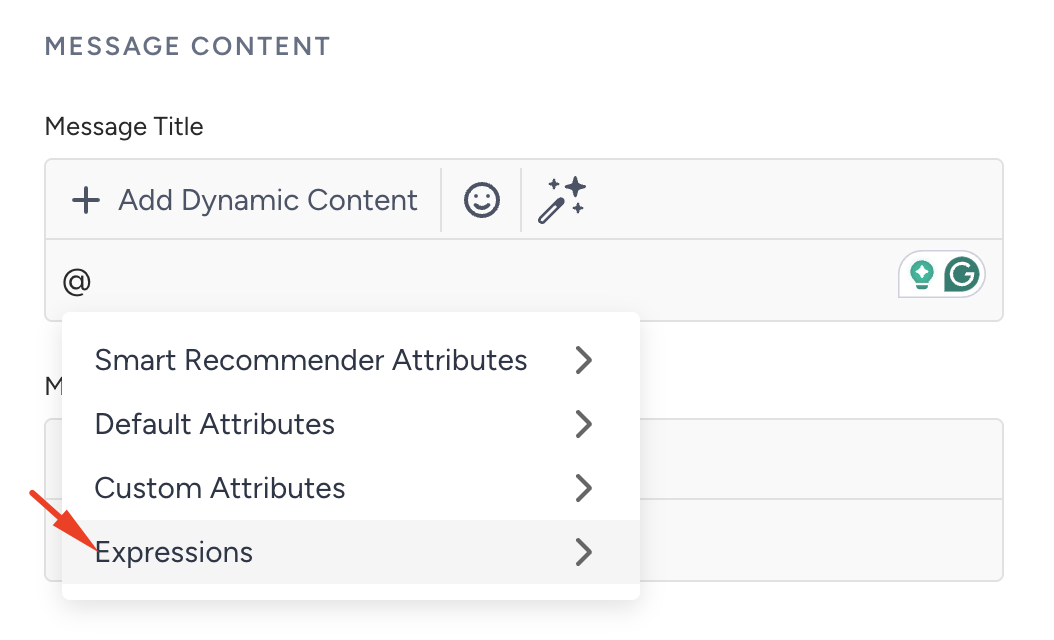
This turns a generic reminder into a personalized nudge and pairs naturally with the lapsed customer segment built above.
Expression-based dynamic content logic is currently available in the Email, Web Push and Architect products.
View Expressions in User Profiles
An expression becomes a calculated attribute on the user profile, and from that point it behaves like any other attribute wherever reporting accepts profile attributes. You build the formula once; Insider One evaluates it across the relevant user profiles, and the resulting value is available without a separate data ingestion step.
Every published expression appears on the profiles it applies to, so you can confirm what it resolved to for a specific user.
Go to User Profiles and open the profile you want to inspect.
On the Overview tab, click View All User Attributes.
Select the Expressions tab.
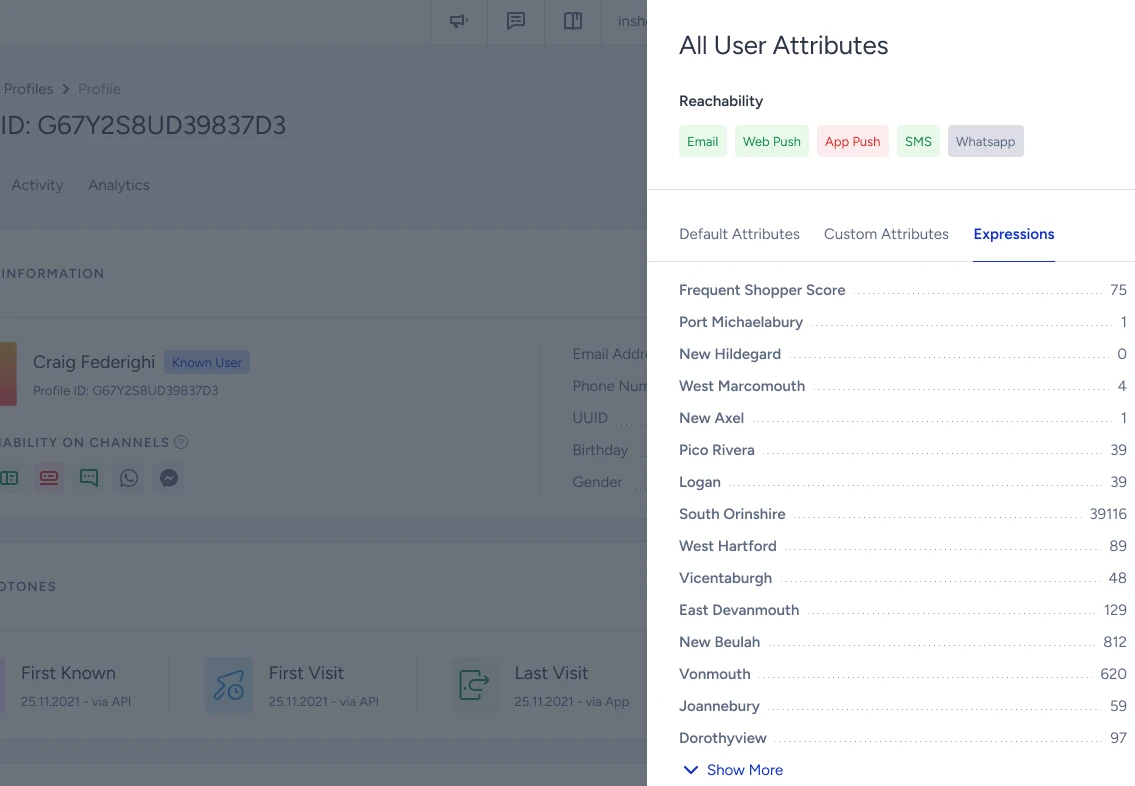
The tab lists each calculated attribute on that profile with its current value, next to the Default Attributes and Custom Attributes tabs. Use this to verify that an expression is resolving as intended before you rely on it in a segment or a campaign.
Current limitations
The following capabilities are not yet supported. Contact the Insider One team if you need further assistance:
Editing or deleting a published expression is not supported. To change an expression, create a new one.
Selecting PII-marked attributes as expression inputs is not supported.
Boolean logic within expressions is not supported. Expression formulas are limited to numeric and string operations.