Expressions are most effective when you need a value that cannot be ingested directly; one that must be derived from existing data at runtime. The examples below cover the two most common patterns: date arithmetic and string concatenation.
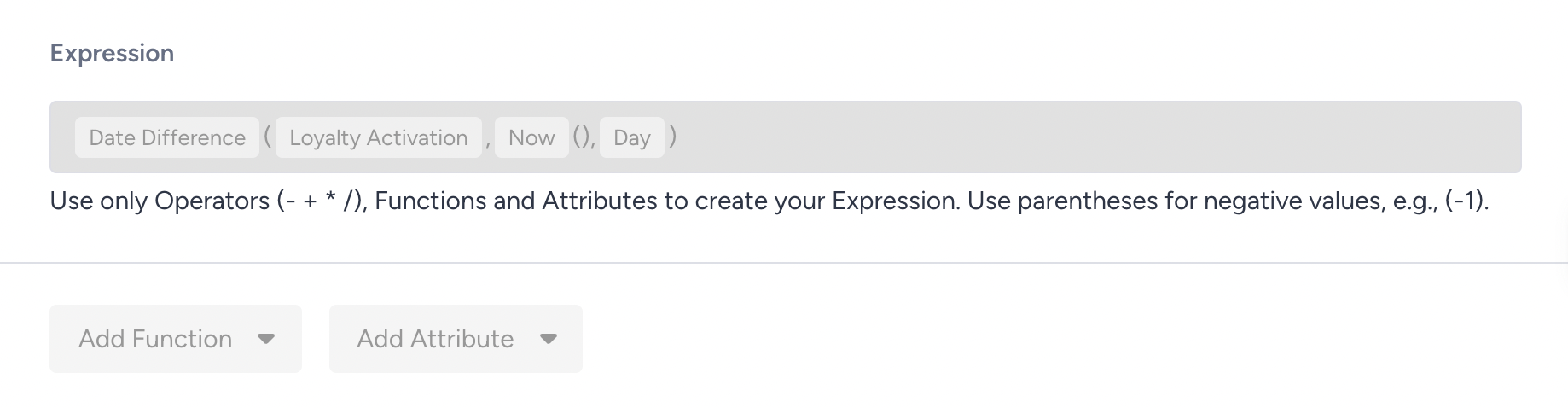
Date difference: days since loyalty activation
Pattern: Calculate how many days have passed since a date attribute on a profile, such as a user's Loyalty Activation Date.
Why use it: A raw Loyalty Activation Date tells you when someone joined, but not how long ago that was, which is what most lifecycle campaigns actually key off. Turning it into a live "days since activation" number lets you welcome members in their first week, celebrate milestones like day 30 or day 365, and re-engage members whose enrollment is aging without activity, all from a single attribute you can segment on and personalize with.
How it works:
The expression compares the current date with the Loyalty Activation Date attribute on the profile.
If both dates are valid, it calculates the difference in days and stores it as a new calculated attribute.
The value recalculates each day, so it always reflects the current number of days.
Example:
Today's date: June 1
Loyalty Activation Date: May 1
Calculated days since activation: 31
The value 31 is written to the user profile under the name you assigned when creating the expression. From that point, it behaves as any other attribute, available for segmentation, dynamic content, or reporting.
String concatenation: combining city and country
Pattern: Join two or more string attributes into a single combined attribute on a store profile.
Why use it: City names are not unique. "London" could be London in the United Kingdom or London in Ontario, and "Paris" could be France or Texas. If you store only the city, your campaigns and reports cannot tell these apart. Combining city and country into one Store Location attribute gives you a single, unambiguous label that you can drop into campaigns, segment on, and group by in reporting, without maintaining a third field by hand.
How it works:
The expression reads the Store City and Store Country attributes on the store profile.
It joins them into a single string and stores the result as a new Store Location attribute.
Updating either source attribute automatically updates the combined result.
Example:
Store City: London
Store Country: United Kingdom
Calculated Store Location: London, United Kingdom
With this label in place, a store-locator email can show "Visit our Izmir, Türkiye," a segment can target stores in a specific country, and location reports group cleanly by full location instead of by an ambiguous city name.
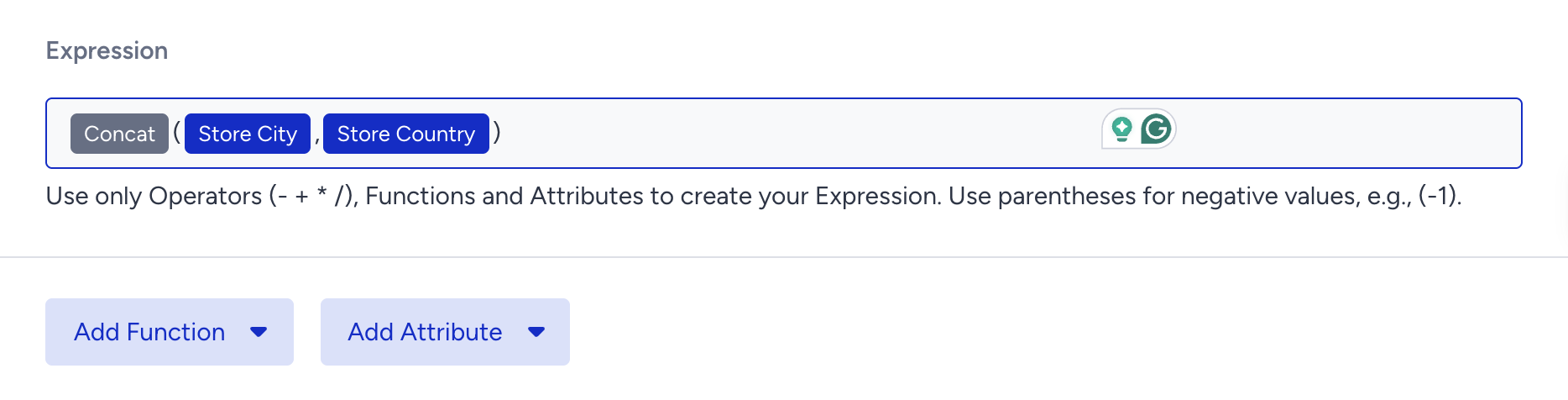
This expression is configured on a store profile, not a user profile. Verify the correct profile scope is selected in the expression builder before saving.