Web Push notifications offer a powerful way to engage users across different stages of the customer journey—from acquisition to re-engagement and retention. Whether you're looking to broadcast urgent updates, target high-intent users based on real-time behavior, or recover lost sales, Insider One’s Web Push solutions provide flexible formats to meet a wide range of business goals.
In this article, you’ll explore the core use cases for:
Single Push: Ideal for sending announcements or promotions to broad or segmented audiences.
Trigger Push: Engage users in real time based on their on-site behavior.
Welcome Push: Greet and engage new visitors.
Cart Reminder Push: Recover abandoned carts and drive conversions.
Back in Stock Push: Notify users when previously unavailable products are back.
Price Drop Push: Alert price-sensitive users when products they’re interested in change in price.
Web Push API: Integrate push notifications into your custom workflows via API.
Each use case is designed to help you deliver personalized, timely, and context-aware messages—ultimately increasing engagement, conversions, and customer satisfaction.
Single Push
Single Push allows you to send push notifications to multiple users at once. Since its notifications might have a broader reach, you can send them to a larger user base.
With a Single Push, you can send messages to your users, target your entire user base, and transmit them quickly. For example, if you are a publisher, you can send a Single Push to inform your users immediately about important news. If you're a retailer, you can send a single push notification to notify your users about a limited-time discount, driving more conversions.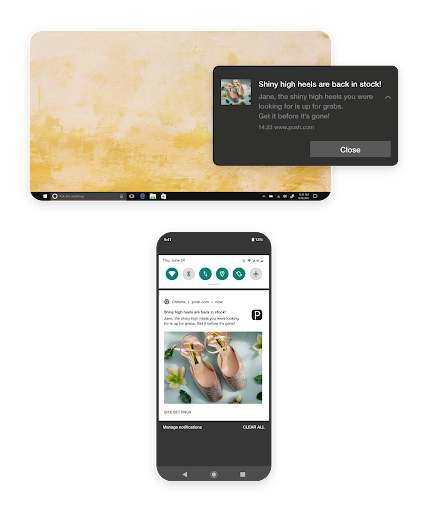
Thanks to the Single Push, you can also send Web Push notifications to a segmented set of users you defined. It allows you to offer your customers a more personalized experience. By tailoring your messages to your target segment, you can prevent users from receiving messages that don't address their interests. As a consequence, you can expect a higher CTR and fewer unsubscribers. Furthermore, you can create use cases that fit your target audience.
For example, you can send a Single Push with a discount coupon only to users who haven't visited your website in the last three months, to try to regain potential customers. You can also retarget users who haven't engaged (viewed or clicked) with a previously sent Web Push notification. In addition, you can use predictive segmentation to target different audiences based on their interest in a category, product, or custom-created attribute.
Trigger Push
Trigger Push is an onsite Web Push notification based on the rules you have created. It is triggered by the users' real-time behavior on your website. Therefore, you can engage with your customers and increase your ROI.
For example, you can send a thank-you message to users who just completed a purchase using a rule based on the page URL. You can create exit-intent campaigns to re-engage customers who recently stopped browsing your product pages. You can send pushes based on the weather in your customers’ locations. Or you can target customers who opted in for Web Push notifications to inform them about the benefits of staying opted in..png)
Welcome Push
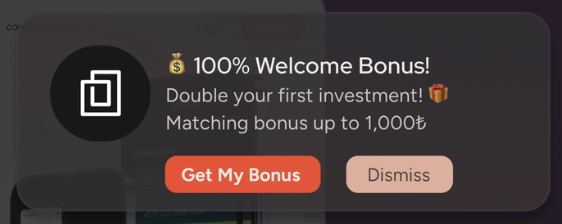
Welcome Web Push is a notification sent immediately after a user opts in to receive browser alerts. Because it triggers at the moment of highest intent, it allows you to make a powerful first impression and guide new visitors directly into your onboarding flow.
For example, you can send an instant discount code to turn a new subscriber into a first-time buyer while they are still browsing. You can link to a "Top Picks" collection to showcase your brand’s best-selling products. You can share a "Getting Started" guide to help users navigate your platform. Or, you can simply reaffirm the value of staying opted in by highlighting the exclusive deals they’ll receive in the future.
Cart Reminder Push
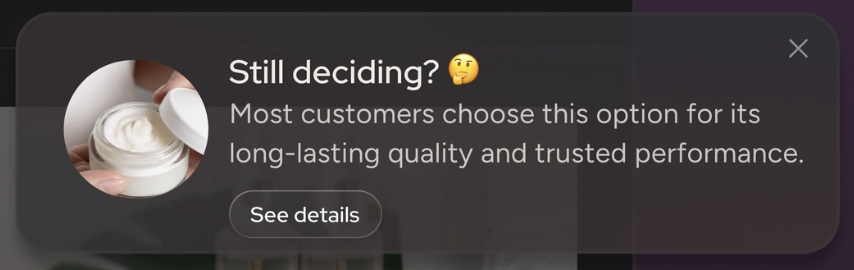
Cart Reminder Push is also an onsite Web Push, like the trigger push, that sends a notification to users who added a product to their cart but didn't buy it.
With just a few clicks, you can set the duration between the add-to-cart action and the trigger time for the reminder message, drawing cart abandoners' attention to finish what they started. It’s a simple and effective way to recover carts and increase revenue accordingly.
Back in Stock Push
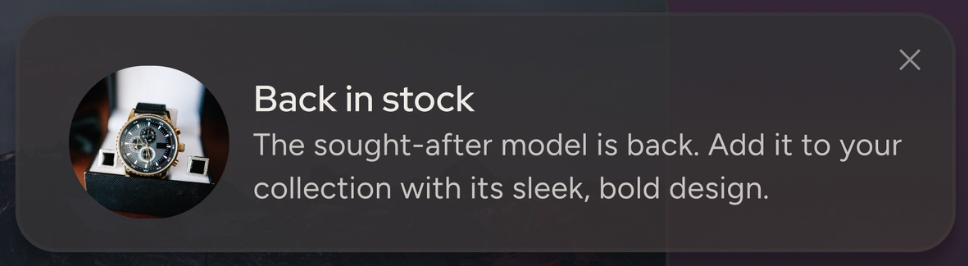
You can use Back in Stock Push to notify users that the products are back in stock. In the Rules step, you set the campaign's rules based on the user's visit information, including the time and day.
Imagine a customer visiting your website to find a product they want to buy, but are frustrated because you don't have it in stock. This scenario is likely to happen, especially on discount or major commercial days like Black Friday or Singles’ Day. With the Back in Stock Push, you can automatically contact users once the product they visited is back in stock. This way, you can remove the frustration caused by out-of-stock products and retarget customers already in your conversion funnel.
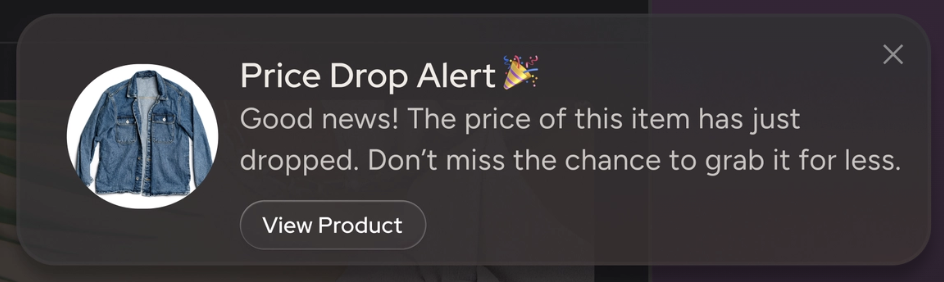
Price Drop Push
You can use Price Drop Push to notify users about product prices that are decreasing or increasing. In the Rules step, you choose the type of Price Drop Push (increased or decreased), the percentage, and the user's visiting information.
This is a great push type to target users interested in buying your products but with limited budgets (or who cannot afford the product's current price). Based on the conditions you set, you can automatically target users who have previously visited a specific product once its price has changed. For example, you have new arrivals of jeans and send a push message to your users so they can browse them. Some users might like the products but want to wait for a discount. To the season's end, you might want to offer a discount on jeans to clear your stocks for the new season. With the discount, users who have previously browsed your jeans will receive an automatic Web Push message and be redirected to your conversion funnel.
Web Push API
Insider One's Web Push API allows you to send Web Push notifications from your system using Insider One technology, either by writing code or using a tool. With the API, you can send push notifications with custom user attributes tailored to your needs.
You can also refer to the Web Push Best Practices for more Web Push examples.