In this step, you can manage your unsubscribe lists, unsubscribe groups and unsubscribe pages.
For each Global Unsubscribe, Unsubscribe Groups, and Unsubscribe Pages, you will be asked if you want to configure them. If you select Yes, you will need to visit the respective page to configure your Global Unsubscribe, Unsubscribe Groups, and Unsubscribe Pages.
You can import the list if you have one, or add it manually. You can also skip this step and complete it later. You can complete your configurations following:
Once you have imported or created your Global Unsubscribe, Unsubscribe Groups, and Unsubscribe Pages, you will see the number of users, groups, or pages in their respective fields
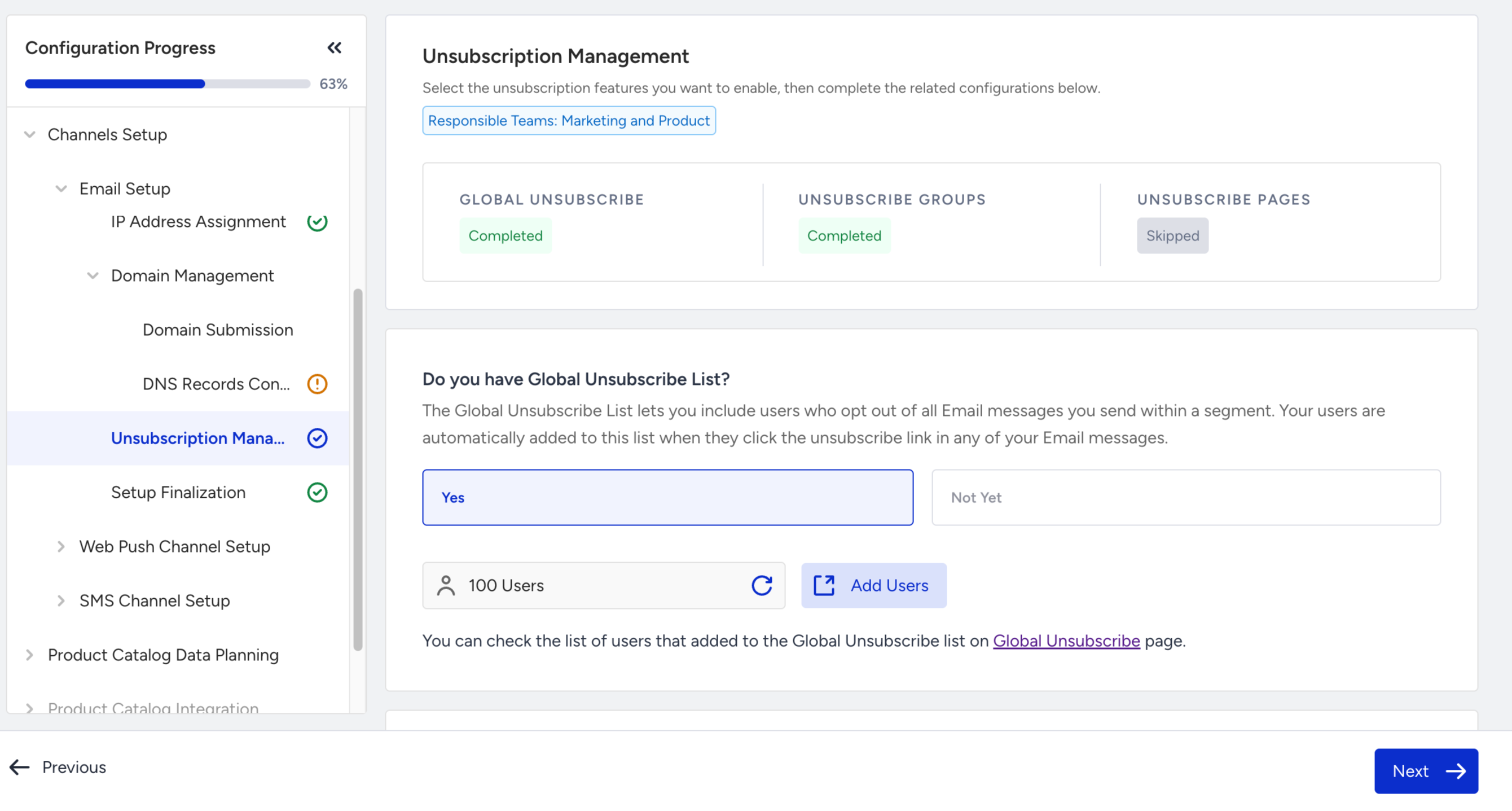
You can select Not Yet for your Unsubscription configurations to skip this page. However, it is highly recommended that you configure them, as it might be required while creating email campaigns.