The Warm Up Planning step allows you to define the maximum daily email volume for each of your verified sender domains. Based on these values, Insider One automatically generates an optimized warm-up schedule that gradually increases your daily sending volume to help build sender reputation and improve deliverability.
Email providers evaluate sender reputation over time. A sudden increase in sending volume may trigger filtering or blocking. A structured warm-up plan:
Gradually increases your daily email volume.
Helps inbox providers recognize you as a trusted sender.
Improves long-term deliverability.
For further details about the importance of a warm-up plan, refer to Email Warm-Up.
Set up warm-up plans for your domains
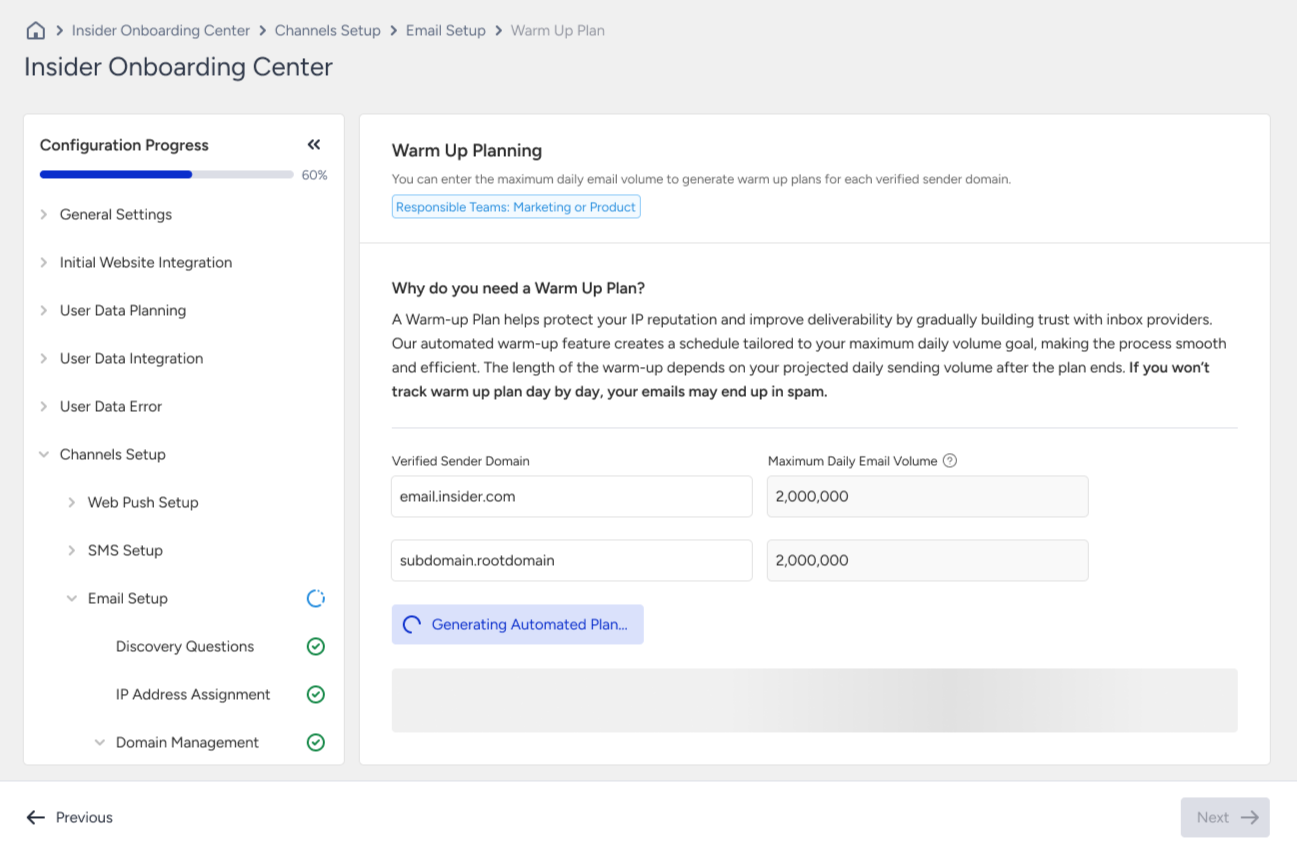
When you visit the Warm Up Planning step, you will be prompted to enter the Maximum Daily Email Volume for each of your verified sender domains. Only verified sender domains appear in this step.
Insider One asks you to define the maximum number of emails you plan to send in a single day. Using this value, it generates a gradually increasing warm-up plan that helps you reach your target daily volume without compromising your sender reputation or deliverability performance.
When entering values, keep in mind that the total daily volume across all sender domains cannot exceed your Monthly Email Volume. You can view your Monthly Email Volume in the IP Address Assignment step.
Only Administrators or users with edit permissions can enter or update volumes.
After entering the daily volume for each verified sender domain:
Review your inputs.
Click the Generate Warm Up Plan button.
Insider One will automatically generate your warm-up schedule based on the volumes you define.
The plan gradually increases your sending activity over time and ensures a safe progression toward your maximum daily capacity.
Once generated, your warm-up plan will be displayed in a table format for each verified domain.
In the schedule, you can see the daily sending targets that should be followed during the warm-up process, the starting volume (how many you would have sent so far), and the total volume at the end of the day, so that you can view in total how many emails have been sent so far.
If needed, you may adjust your daily volume values and generate a new plan before finalizing it.
After carefully reviewing the schedules for your verified sender domains, you can either Request Customized Plan or Confirm Automated Plan.
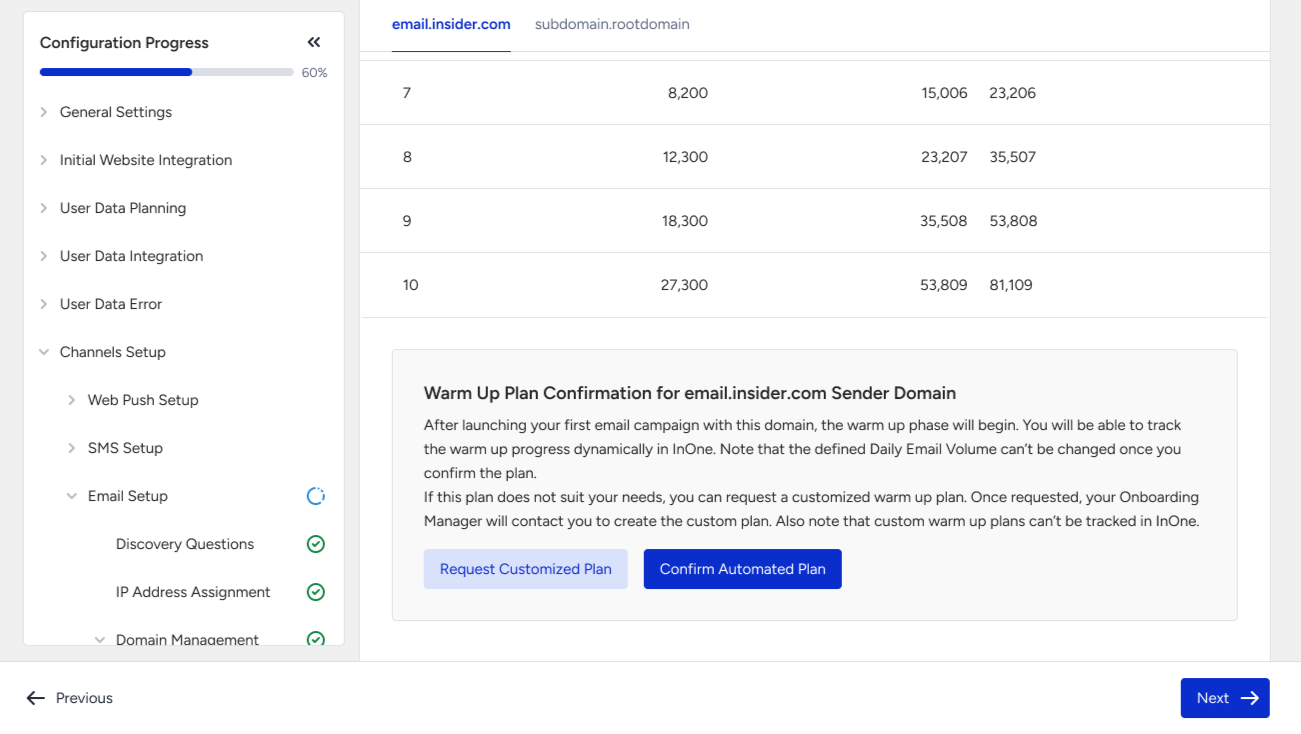
Insider One recommends continuing with the Automated Plan unless you are coming from a different email service provider (ESP) and using the same domain, using an ISP domain directly (e.g., gmail.com, yahoo.com), or had deliverability or blacklisting issues previously.
Customized Warm Up Plans cannot be tracked directly on the InOne panel.
After confirmation
If you continue with the Automated Plan for your domain(s), you can track your warm-up schedule directly within the InOne panel. You will see which warm-up day you are currently on, the status for each day (completed, in progress, interrupted, or not started), and the daily sending activity recorded during the warm-up period.