You can use tags to keep your SMS campaigns organized and easy to manage across teams and reporting views.
Why use tags
Locate and filter specific campaigns faster on the SMS campaign listing page.
Keep campaigns structured by grouping them by topic, goal, or team.
Apply tag-based filters when reviewing analytics or exporting campaign data.
Add tags to your campaign
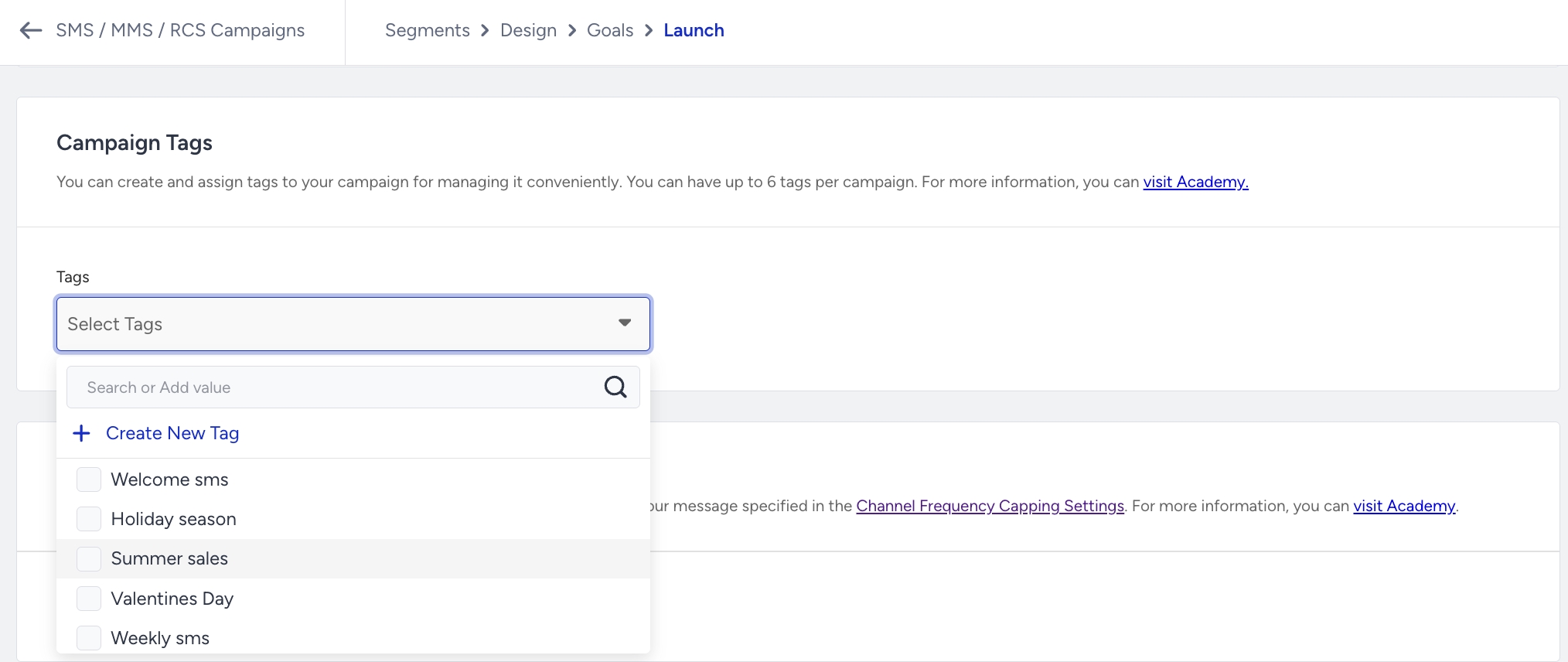
Tags are added in the Launch step when setting up your SMS campaign. At this stage, you have two options:
Pick an existing tag: Choose from tags already saved in your account.
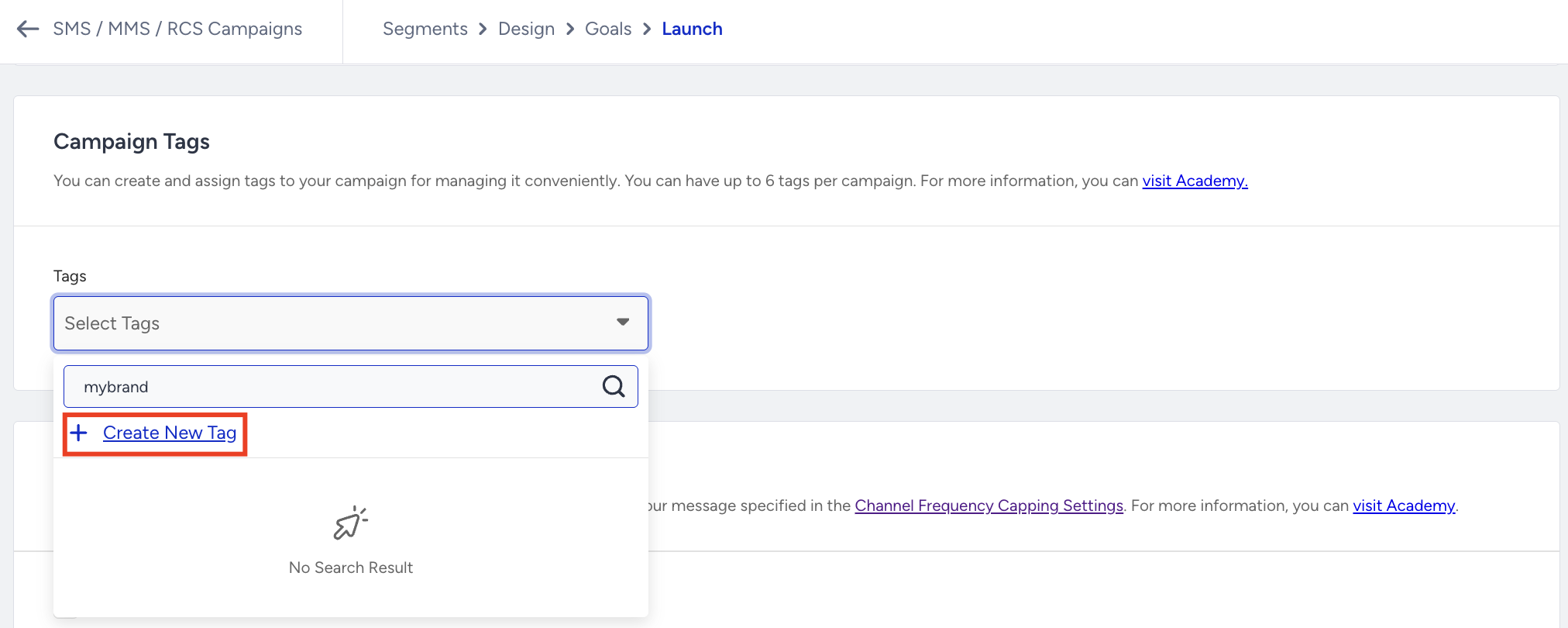
Create a new tag: Type a new tag name and save it for use across future campaigns.
Where tags appear
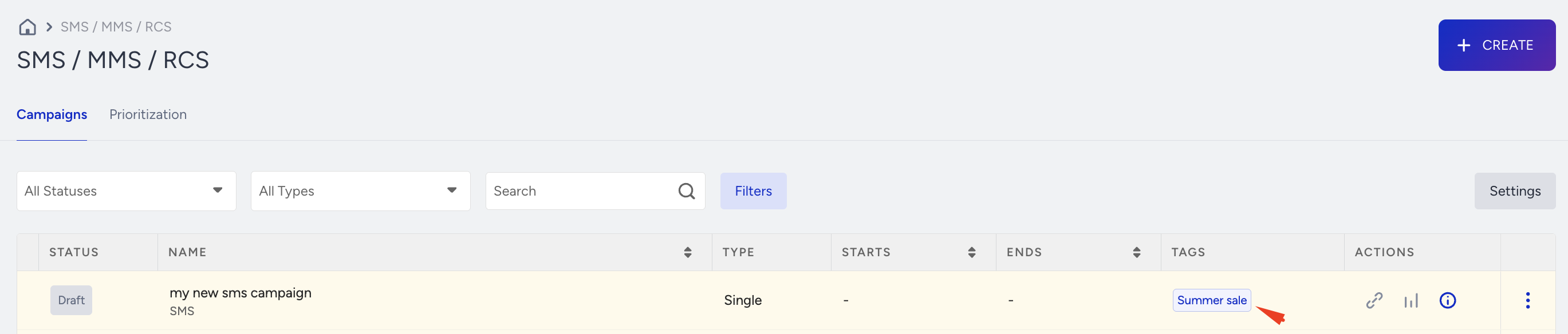
Once added, tags are visible in two places:
The Tags column on the SMS campaign listing page.
The overall SMS analytics view, where you can filter and sort campaign results by tag.
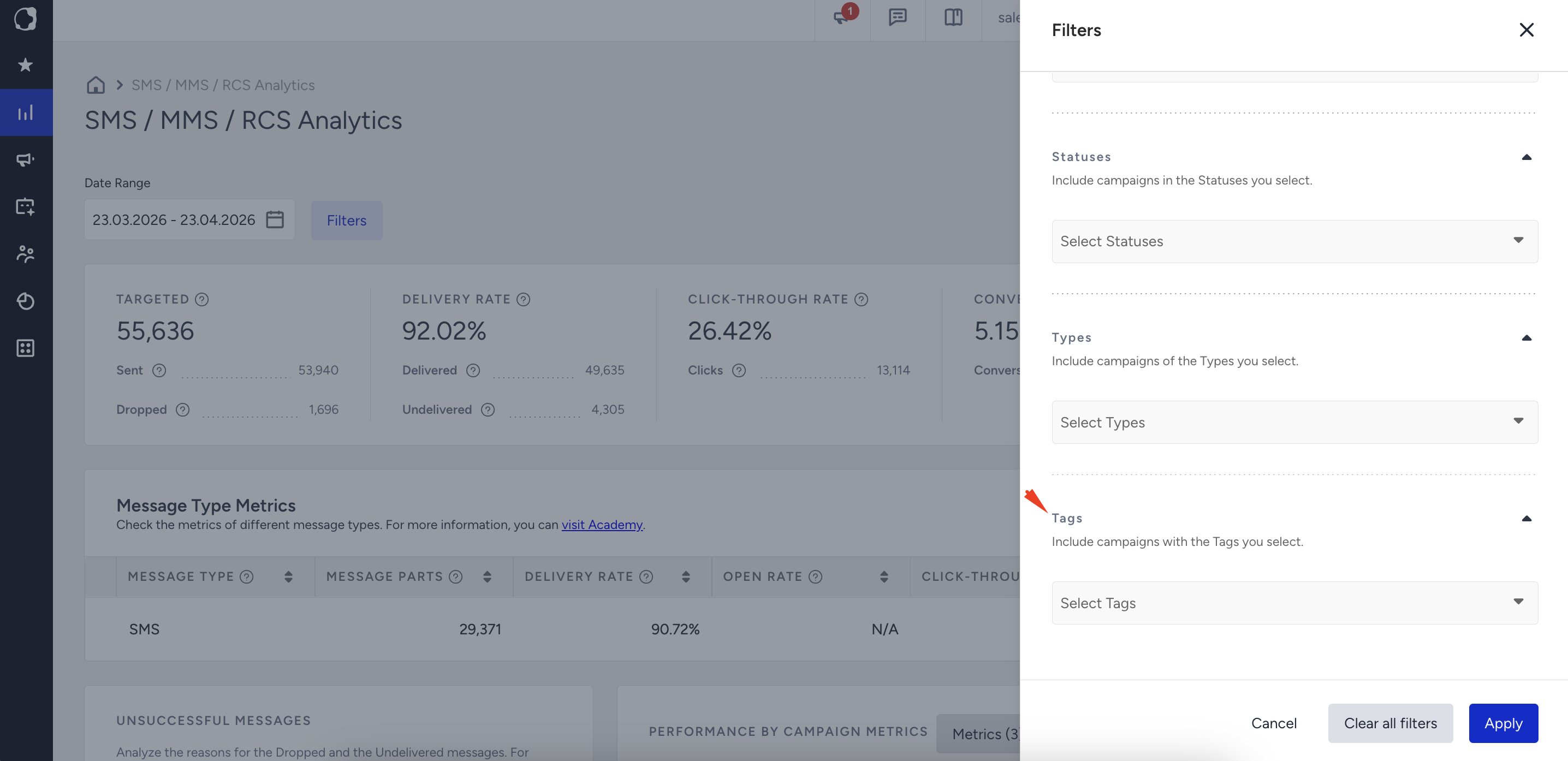
You can also use tags to narrow down results when exporting reports.