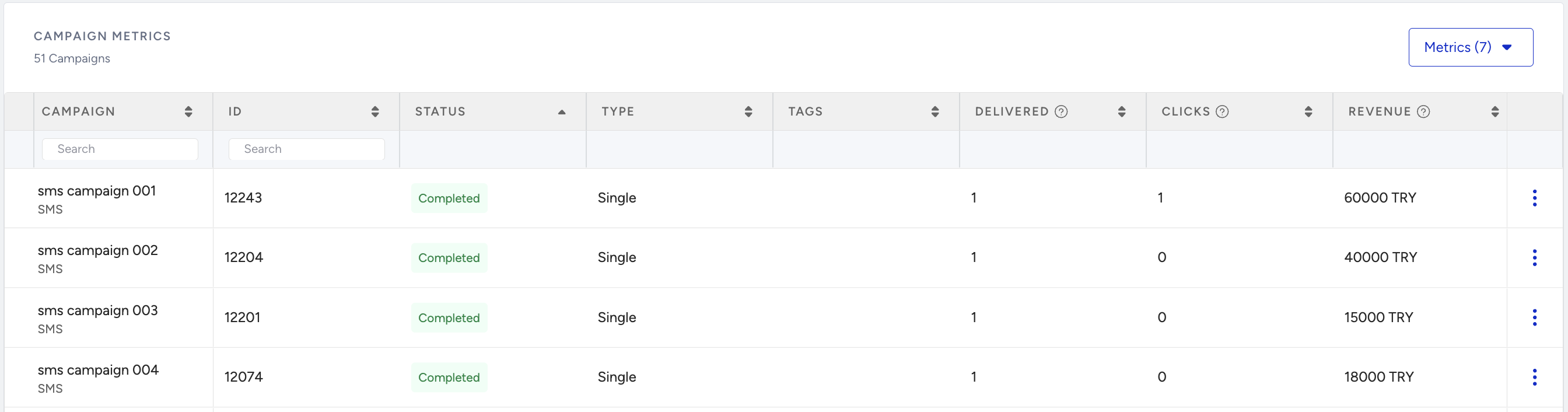
You can visit the SMS Analytics page to understand your campaign performance better. You can track all the performance metrics about the analytics by filtering the desired duration, campaign type, and campaign status. You can export these results via email.
This guide provides details about:
To reach Overall SMS Analytics, navigate to Reports > SMS Analytics > SMS/MMS/RCS Analytics.
Filter and export your results
At the top right of the page, you can find the Filters button to filter the overall results by desired Period, Message Type, and Status, as well as the Export button to export the results. 
You can select a period on the date picker to filter campaigns by time.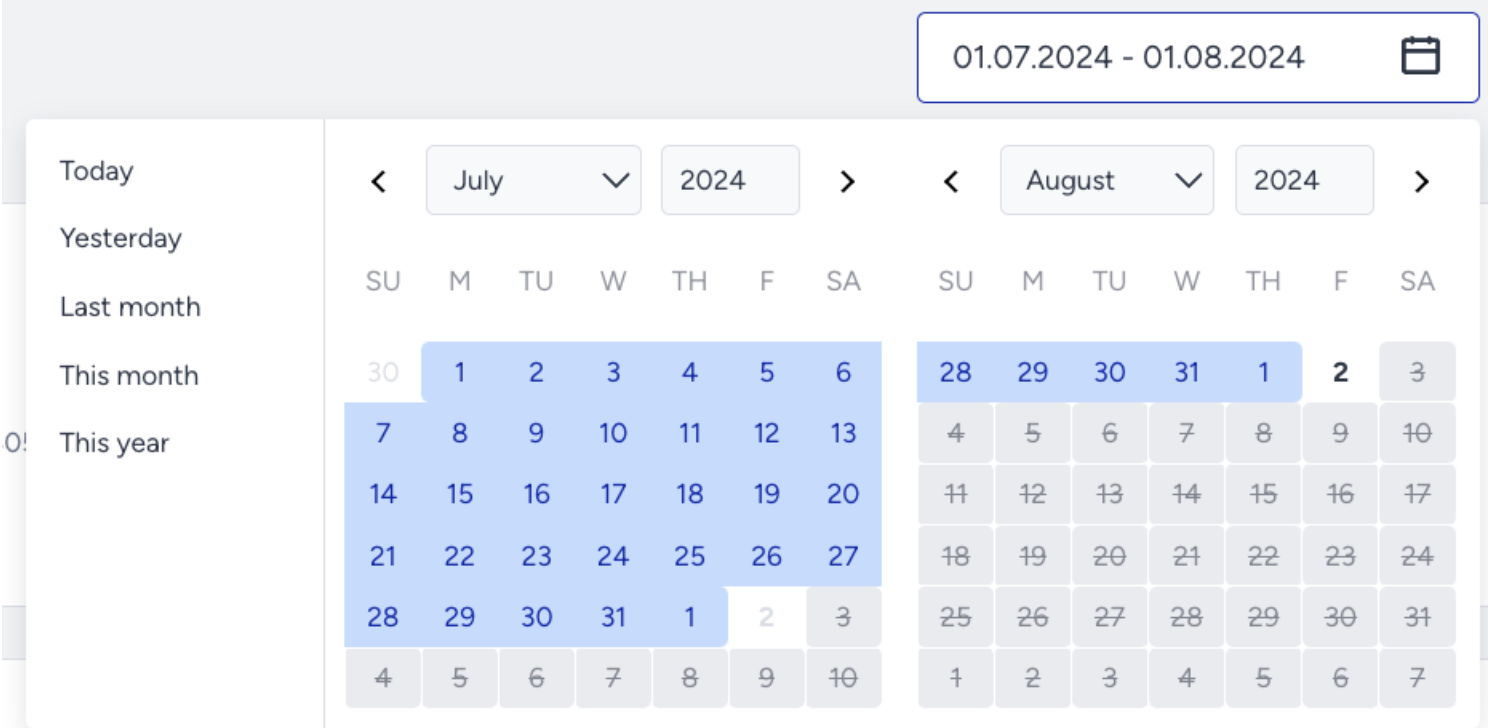
The Filters menu allows you to select filters for Message Type, Campaign Type, Status, and Tags.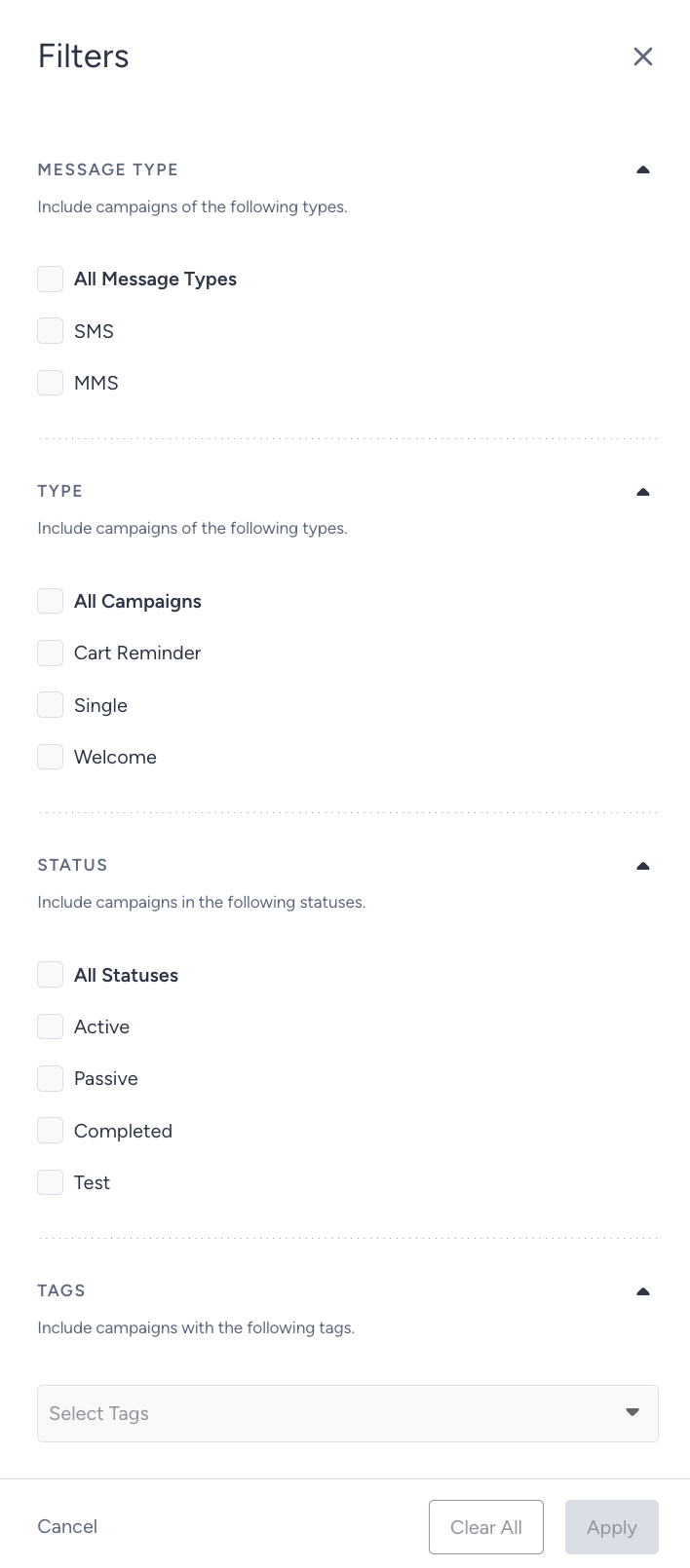
Click on the Export button to export your report. 
It will be sent to your email address as an Excel file. 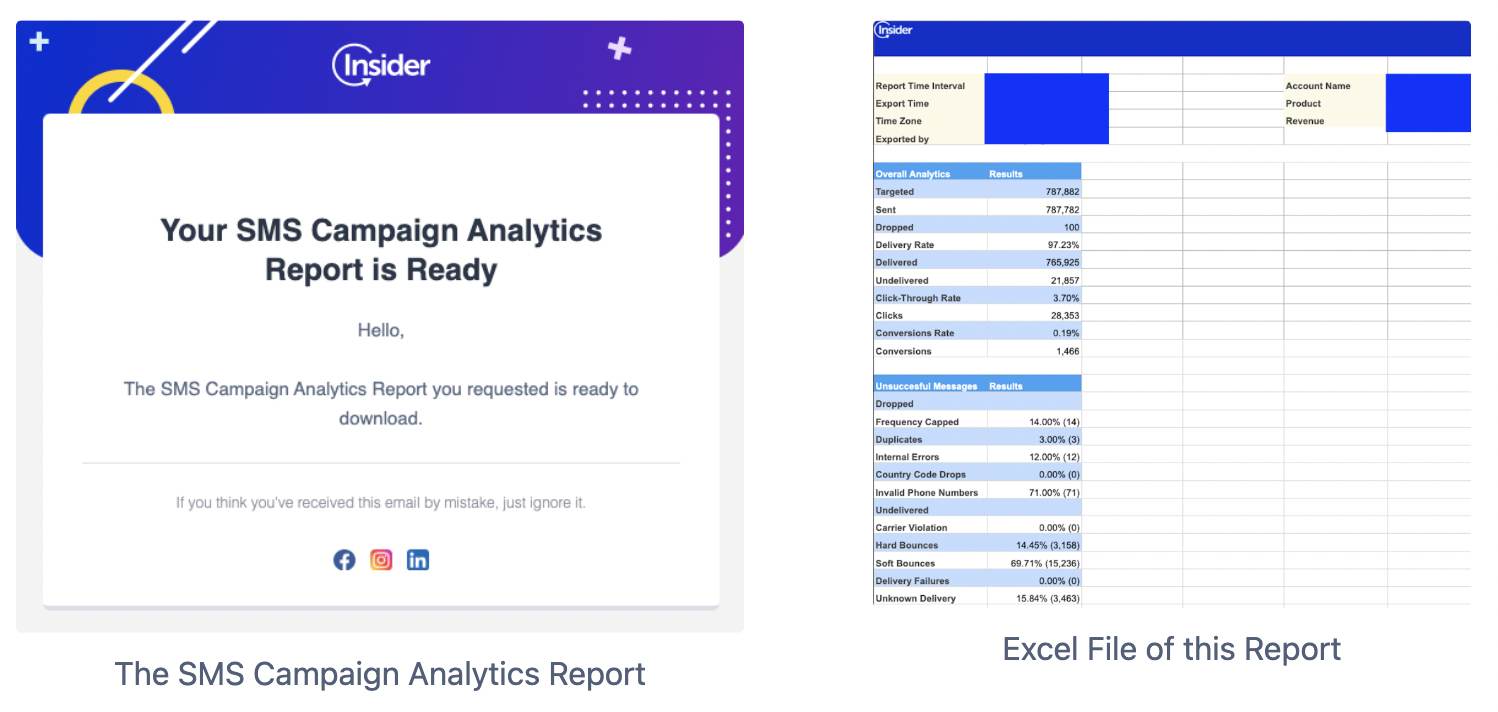
Top Metrics
You can see the top metrics of your campaigns in your selected period and applied filters.

Targeted: The total number of recipients in your target audience generated based on the segmentation of your campaign.
Sent: The total number of SMS messages successfully transferred to the service provider to be addressed to the recipients.
Dropped: The total number of SMS messages that weren’t transferred to the service provider to be addressed to the recipients.
Delivery Rate: The percentage of Delivered messages to Sent SMS messages.
Delivered: The total number of SMS messages successfully transferred to recipients.
Undelivered: The total number of SMS messages that weren’t addressed to recipients by the service provider.
Click-Through Rate: The percentage of Total Clicks to the Delivered SMS messages.
Clicks: The total number of times recipients clicked on the links in your SMS message.
Conversion Rate: The percentage of Conversions to the number of Delivered SMS messages.
Conversions: The number of successful goal accomplishments within the specified duration after a user clicks the link in the message. If the goal is achieved within the time interval set in the Goals step, the campaign is logged as a conversion.
Conversions for SMS campaigns will be credited only to the last eligible campaign clicked within the attribution window. If a user clicks multiple SMS campaigns and makes a purchase, only the last eligible campaign will be credited. If no eligible campaign is found, the conversion will not be attributed.
Revenue: The total value of purchases made via your SMS messages.
Message Type Metrics
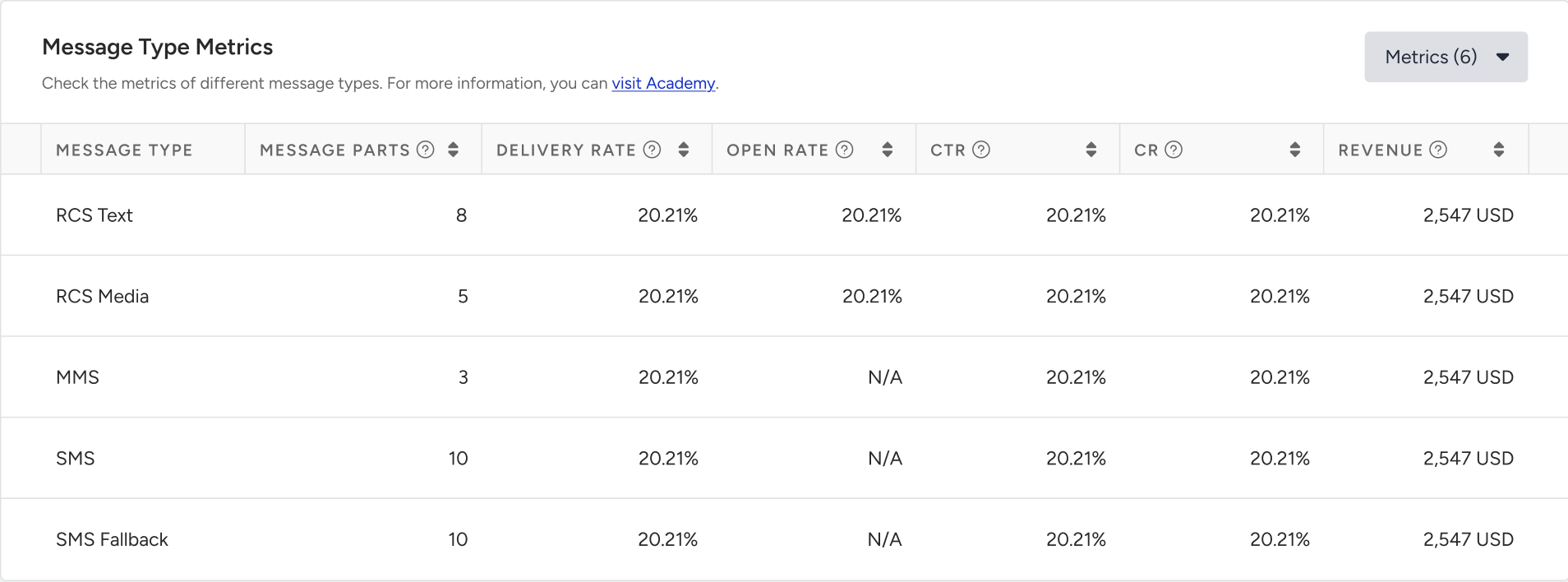
This table displays performance metrics for each messaging type used in your campaigns, including RCS Text, RCS Media, MMS, SMS, and SMS Fallback.
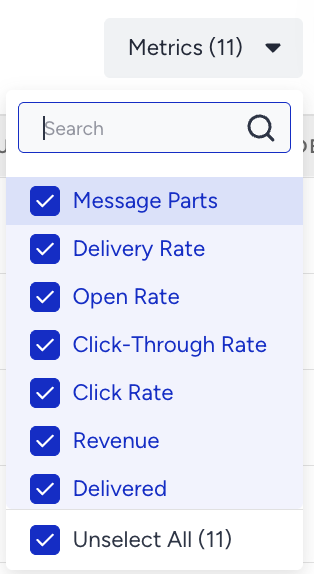
You can use the Metrics dropdown to customize the view and analyze specific indicators such as Message parts, Delivery Rate, Open Rate, Click-Through Rate, Click Rate, Revenue, Delivered and Undelivered Messages, Opens, Clicks, and Conversions.
Unsuccessful Messages
Many different reasons might lead to unsuccessful messages. Under Unsuccessful Messages, you can visualize and analyze the main reasons for the Dropped and the Undelivered messages.
Dropped Messages
Dropped messages are the total number of SMS messages that weren’t transferred to the service provider to be addressed to the recipients.
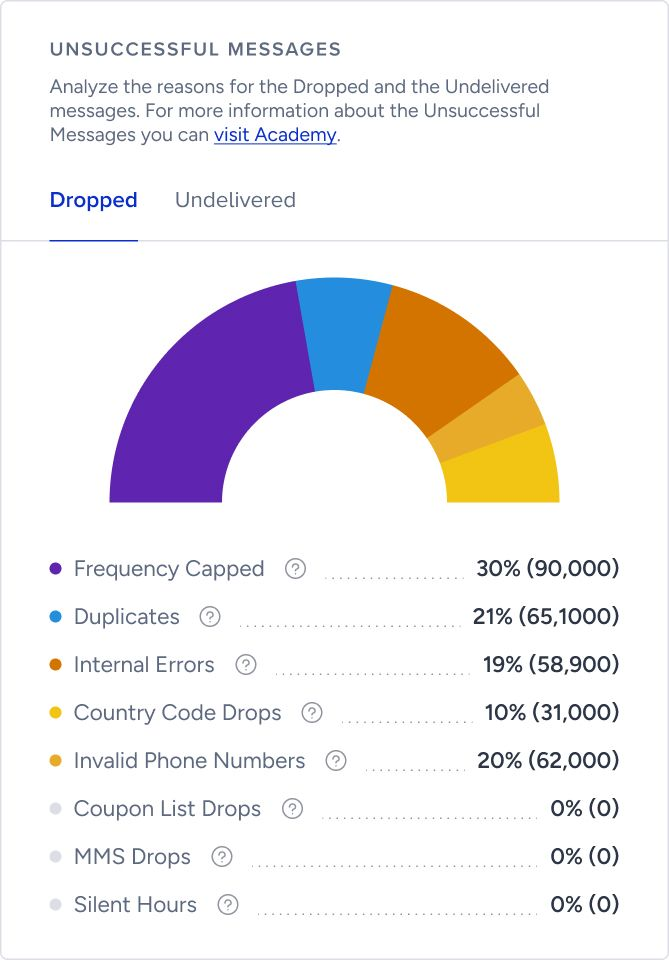
Frequency Capped: The percentage (and the number) of Dropped messages due to the Channel Frequency Capping settings.
Duplicates: The percentage (and the number) of Dropped messages due to duplicate recipients in the audience.
Internal Errors: The percentage (and the number) of Dropped messages due to various internal system issues(bugs, server problems, technical malfunctions).
Country Code Drops: The percentage (and the number) of the Dropped messages due to the phone numbers with country codes other than those specified in your contract.
Your messages will be dropped/not sent if phone numbers have country codes other than the ones specified in your contract. If you believe country code drops are more than expected, you should check your segment/data and ensure that your data is not included in your contract with Insider One. You can use the User Profiles > Filter > Standard > Events options. Moreover, you can control your contract with the Insider One team, and if you would like to send to more countries as specified in your contract, you can add new countries to a new contract.
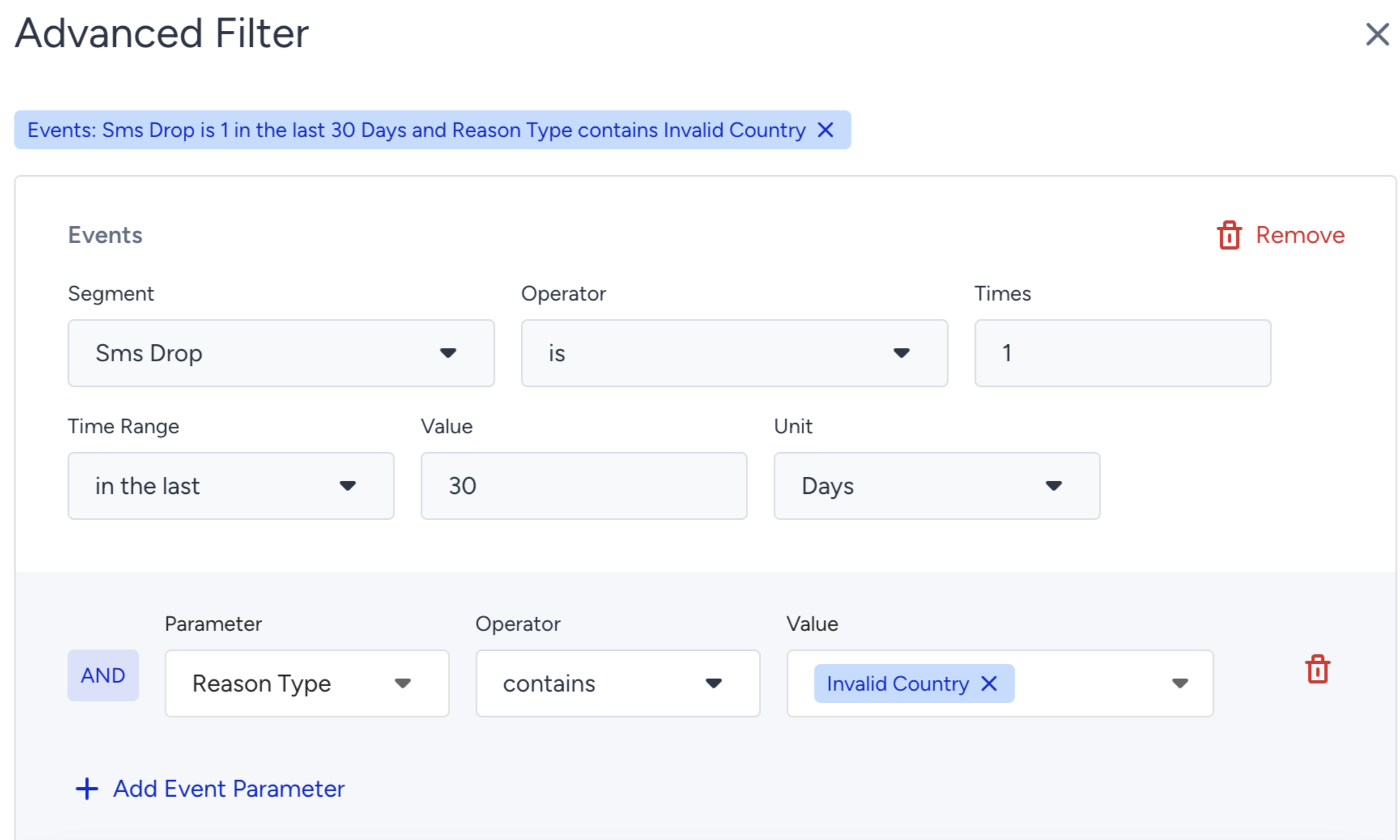
Invalid Phone Numbers: The percentage (and the number) of Dropped messages due to phone numbers being in a non-standard format.
Coupon List Drops: The percentage (and the number) of Dropped messages due to insufficiently dedicated coupons in the selected coupon lists.
Silent Hours: The percentage (and the number) of Dropped messages due to preventing the delivery of messages for a period of time by enabling Silent Hours.
MMS Drops: The percentage (and the number) of Dropped messages due to mobile devices that do not support MMS messages.
If you have MMS campaigns in your contract, refer to MMS for further details.
Due to updates in IYS regulations, your current IYS integration will no longer function after March 31, 2025. Insider One will stop tracking the IYS permission process and will no longer retain analytics data related to IYS reasons. If you have any questions, contact the Insider One team.
Undelivered Messages
Undelivered Messages are the total number of SMS messages that weren’t addressed to the recipients by the service provider.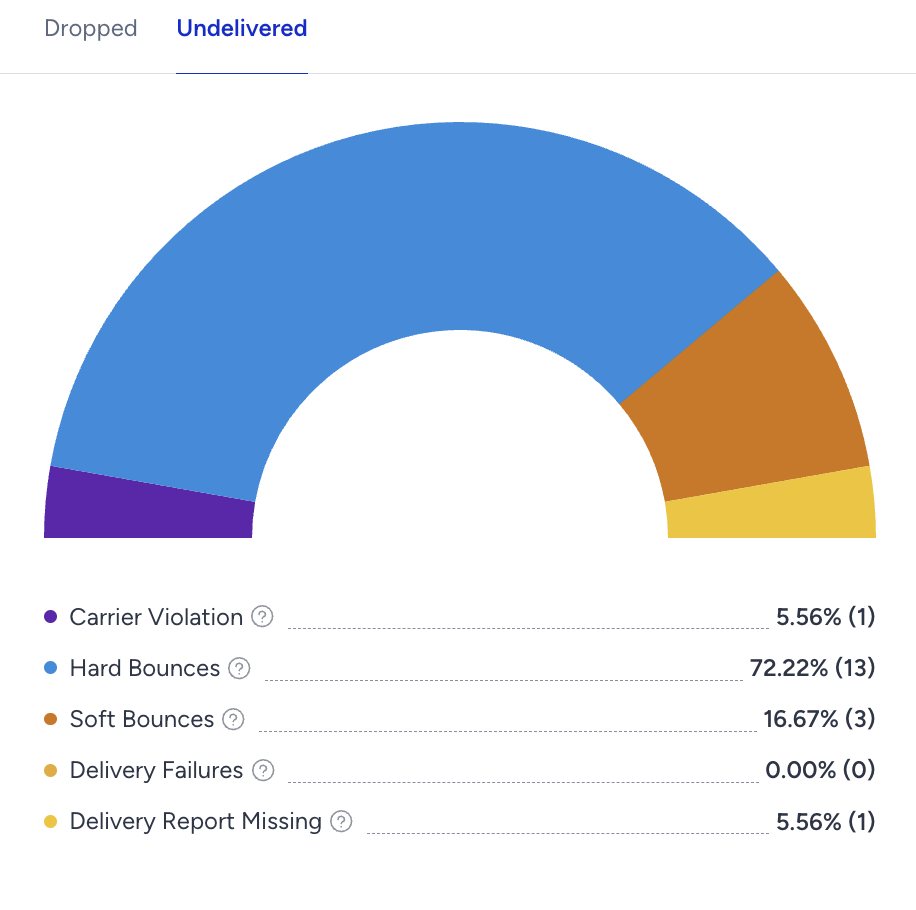
Carrier Violation: The percentage (and the number) of Undelivered messages due to content or spam filtering by the service provider.
Hard Bounces: The percentage (and the number) of Undelivered messages since recipients’ phone numbers are not in use. You can find below the possible reasons for a Hard Bounce:
Unknown Number: The destination number you are trying to reach is unknown and might no longer exist.
Message Blocked: The destination number you are trying to reach is blocked from receiving this message due to blacklisting.
Landline or Unreachable Carrier: The destination number is unable to receive this message because it is trying to reach a landline or an unreachable carrier.
Soft Bounces: The percentage (and the number) of the Undelivered messages since the recipients are unreachable.
Unreachable Phone: The destination phone you are trying to reach is switched off or unavailable at the moment.
Roaming: You are trying to reach the number that is roaming at the moment and cannot accept the message right now.
Delivery Failures: The percentage (and the number) of Undelivered messages due to technical issues on the service provider side.
Delivery Report Missing: The percentage (and the number) of Undelivered messages due to no delivery reports received from the service provider.
Performance by Campaign Metrics
You can track your selected campaign metrics daily, weekly, and monthly on this graphic. It covers different insights about your completed campaign. By default, it comes with Sent, Delivered, and Clicks options. In addition, you can add more metrics (Targeted, Conversion) under the Metrics button. 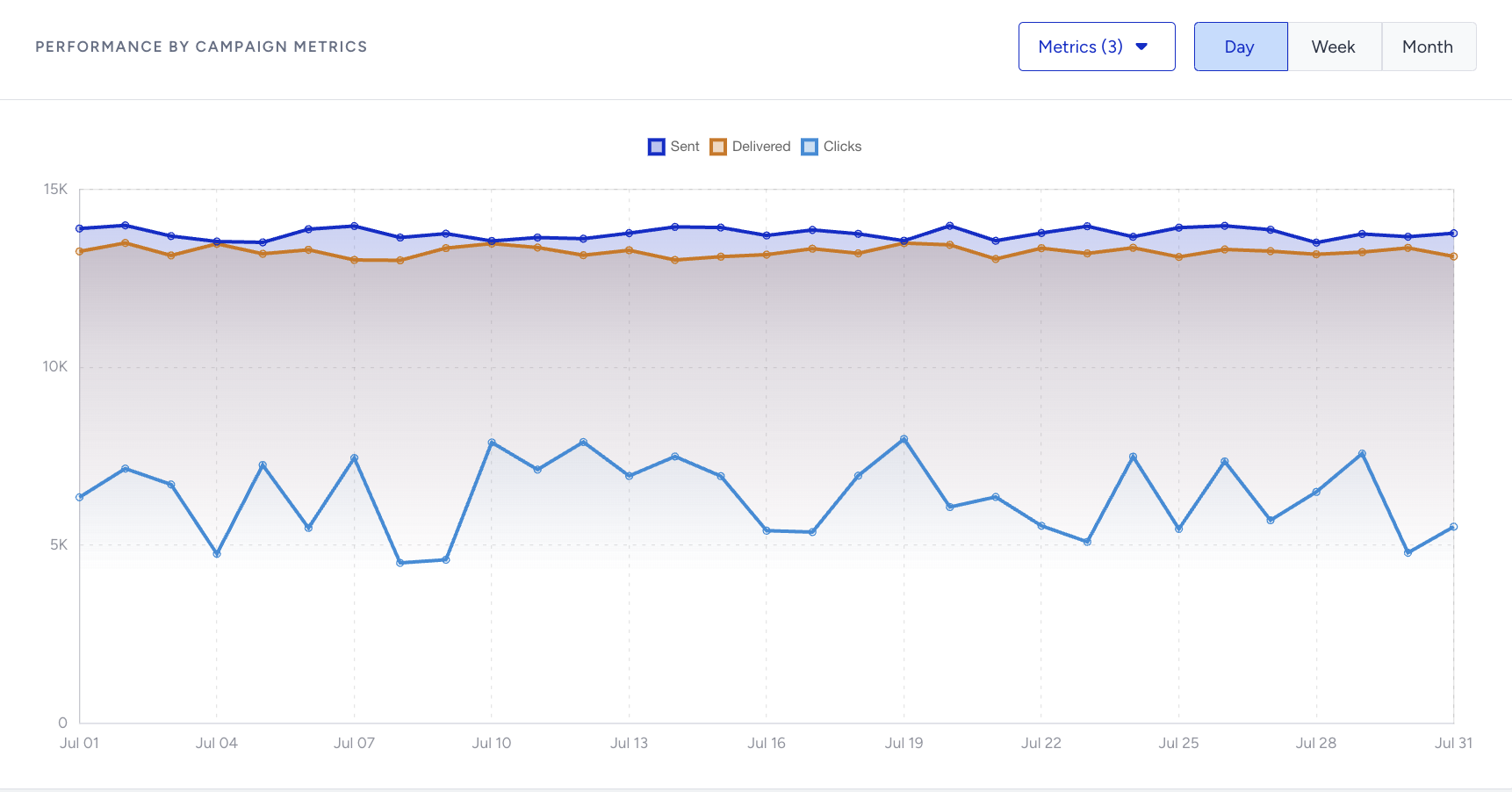
Campaign Metrics
In this detailed table, you can track all the results of your completed campaigns within your selected period. You can sort and filter the results and get insights about each campaign’s success. By default, it comes with essential metrics like ID, Campaign Type, Campaign Status, Tags, Delivered, Clicks, and Revenue. In addition to these metrics, you can add any metrics listed in the dropdown menu when you click the Metrics button.