After you complete the Opt-in Configuration step, continue with the Service Worker Integration step, also known as setting up browser push notifications, to set up the Web Push channel.
If your opt-in type is Custom opt-in, the Service Worker is integrated via Insider One API. You can continue with the Setup Confirmation step.
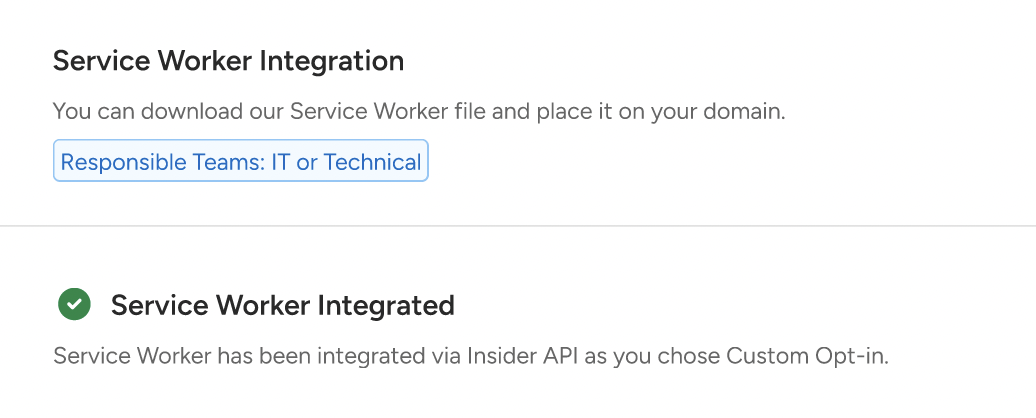
If your opt-in type is Native Opt-in, you continue with the Service Worker integration.
Single Domain
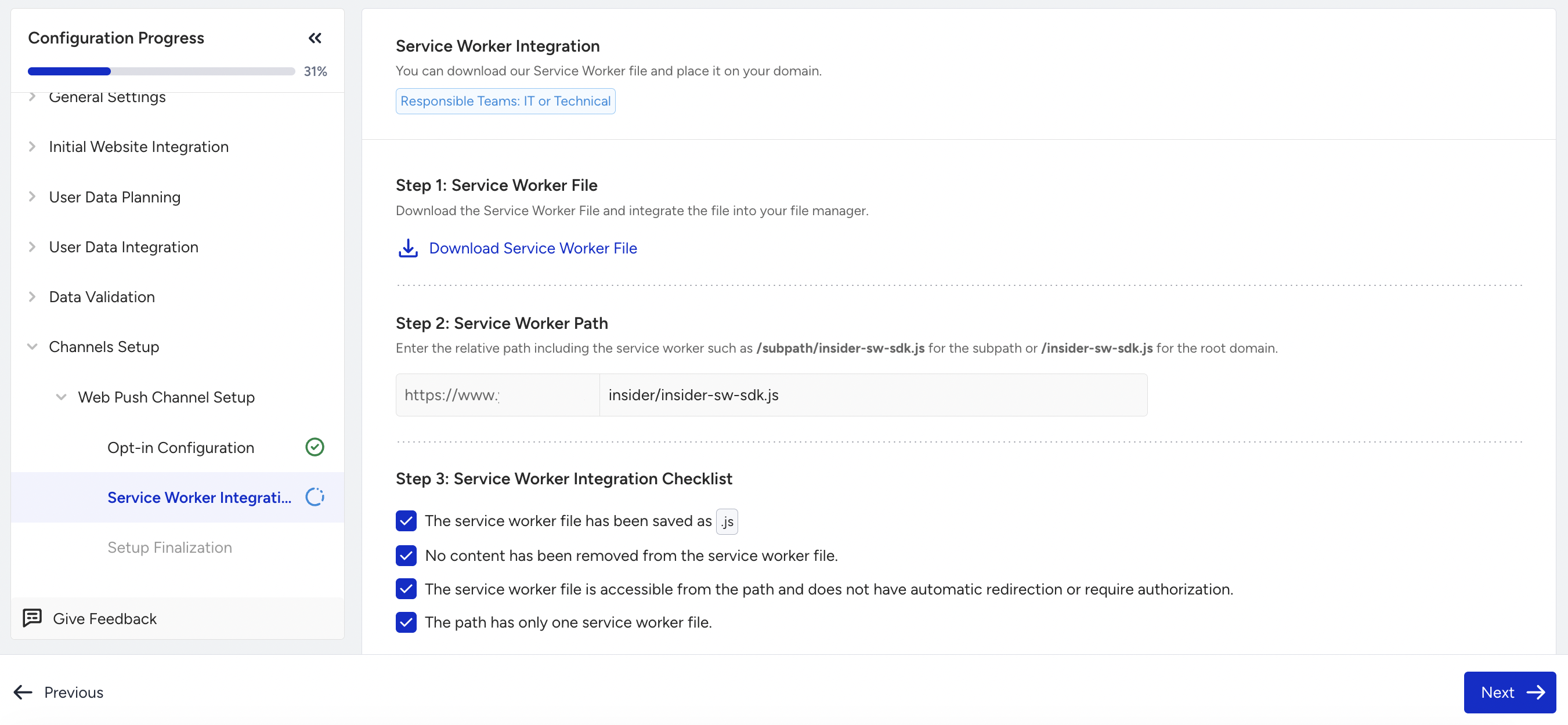
To integrate the Service Worker when you have a single domain,
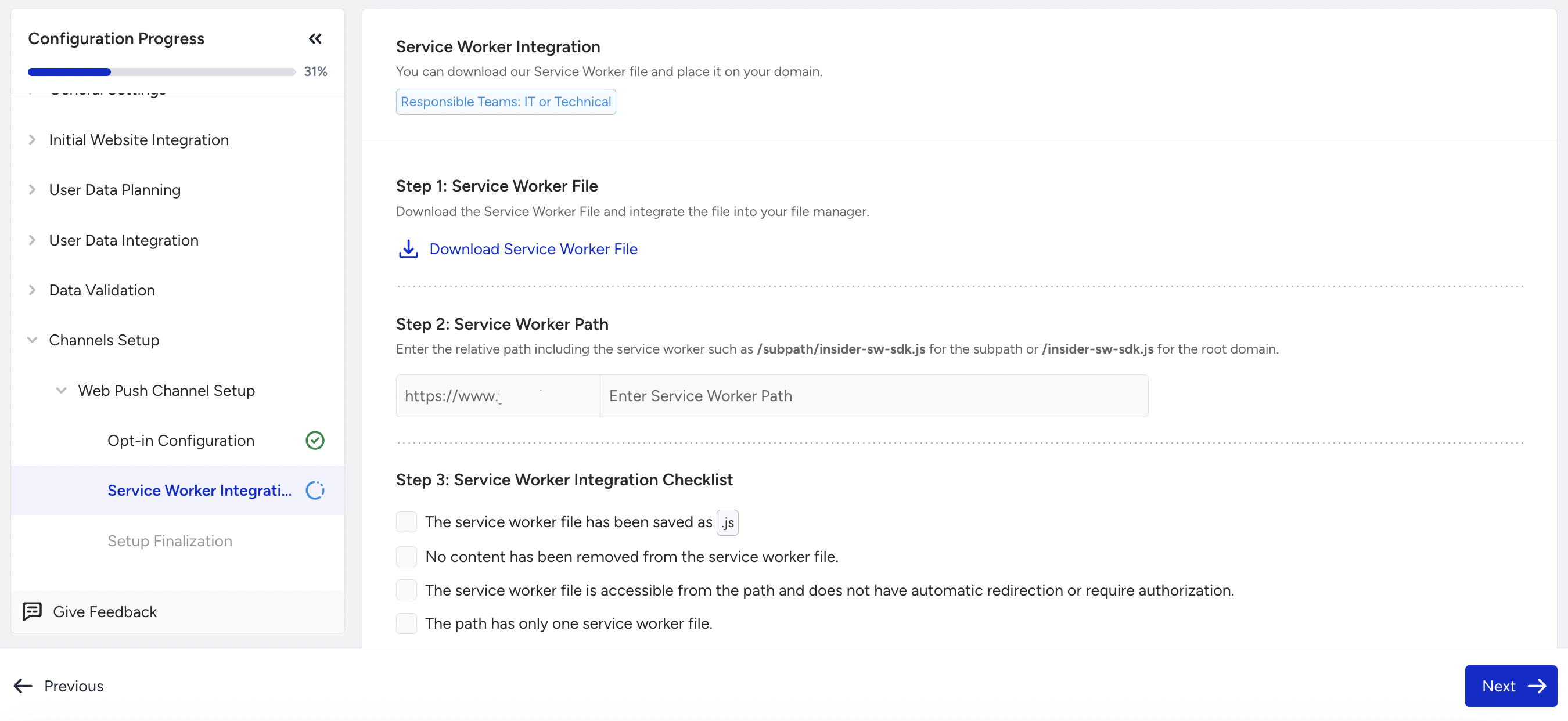
Download the Service Worker File and integrate it into your file manager. We recommend proceeding with this file to avoid potential errors.
Enter the Service Worker Path for the subpath or the root domain.
When you have entered all the necessary information, use the checklist to verify that all configurations are complete. Then, click the Next button to finalize the setup.
Multiple Domains
To integrate the Service Worker when you have multiple domains,
Download the Service Worker File and integrate it into your file manager. We recommend proceeding with this file to avoid potential errors.
Select the domains that you add to your Service Worker file.
Enter the Service Worker Path for the subpath or the root domain. Remember to add the Service Worker to the same path for all the domains.
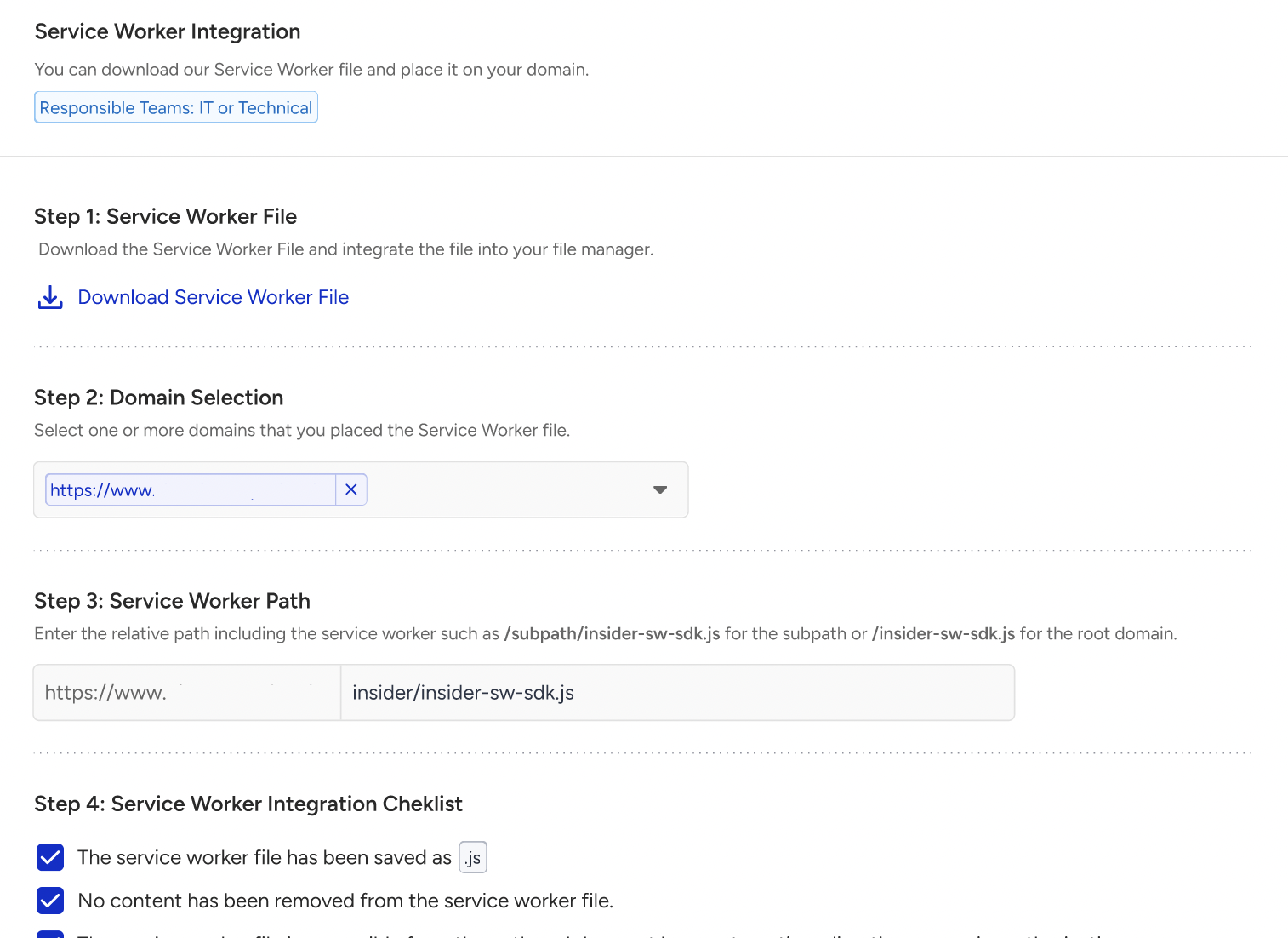
When you have entered all the necessary information, use the checklist to verify that all configurations are complete. Then, click the Next button to finalize the setup.
When you install Insider One on your Shopify store, Insider Service Worker is automatically installed in the background on the /apps/insider/insider-sw-sdk.js path. Go to Web Push > Web Push Settings > Setup Settings to configure this custom path for your account.
Service Worker paths and origins
A Service Worker must be hosted on the same origin as the pages that register it. An origin is the protocol plus the hostname, so https://www.example.com/en/ and https://www.example.com/fr/ share one origin, while https://fr.example.com is a separate one. See FAQ About Web Push Integration and Service Worker for hosting and custom-path requirements.
Browsers store notification permission per origin, not per path. If a visitor allows or blocks notifications on one locale path, the same choice applies to every other path on that hostname.
If different locales or sections of the same hostname use separate InOne panels, contact the Insider One team to confirm a supported setup before launch. Using a different Service Worker path for each panel doesn’t by itself keep their Web Push subscriptions separate.