You can activate the opt-in and test/confirm your setup to finalize the Web Push integration.
Native Opt-in
To finalize your setup and test it, first activate the opt-in. Then, you will see that the Start Test button is enabled.
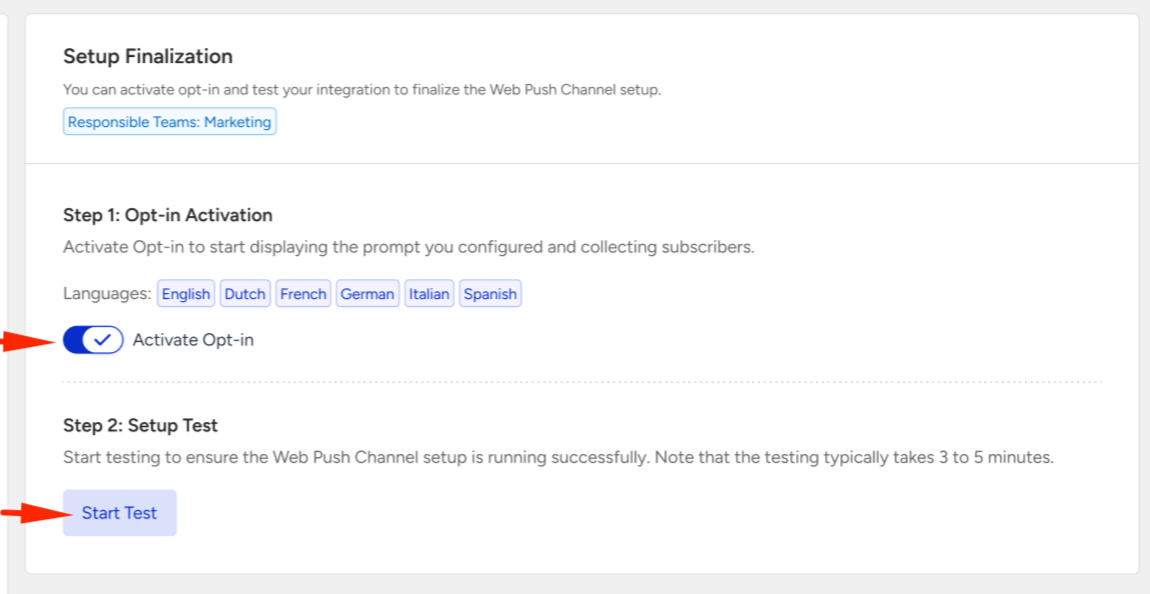
Testing your setup might take up to three minutes. During testing, the Setup Settings page is disabled, so you cannot change any configuration until testing ends.
If you add multiple domains, you see the setup status for each one. If your setup fails, a warning box will appear under each domain, guiding you through the error and explaining how to resolve it.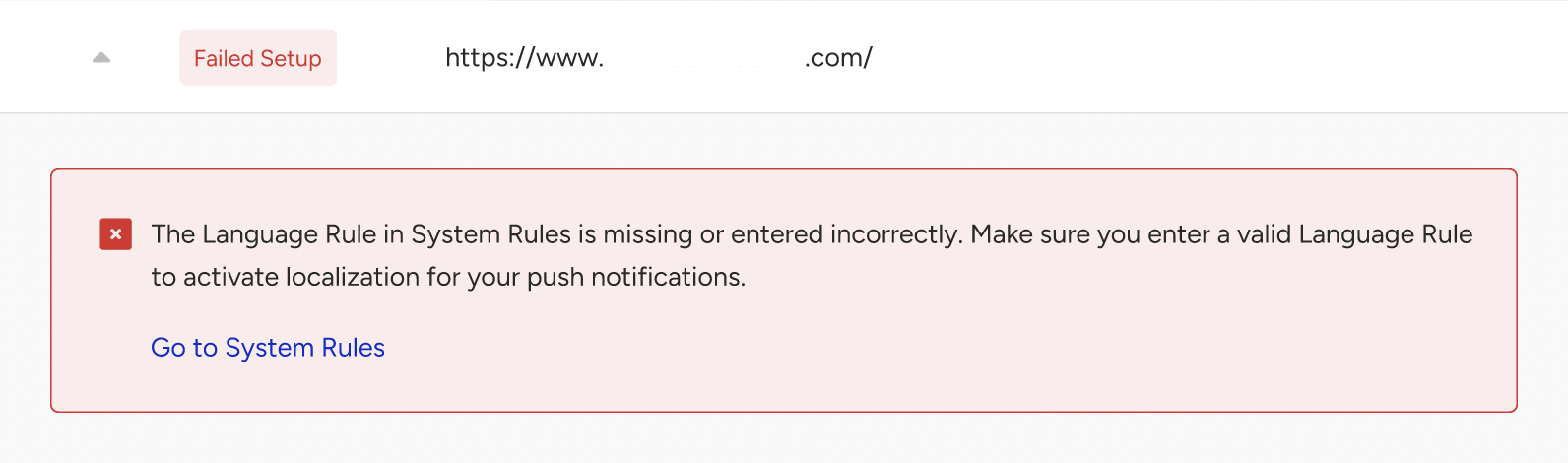
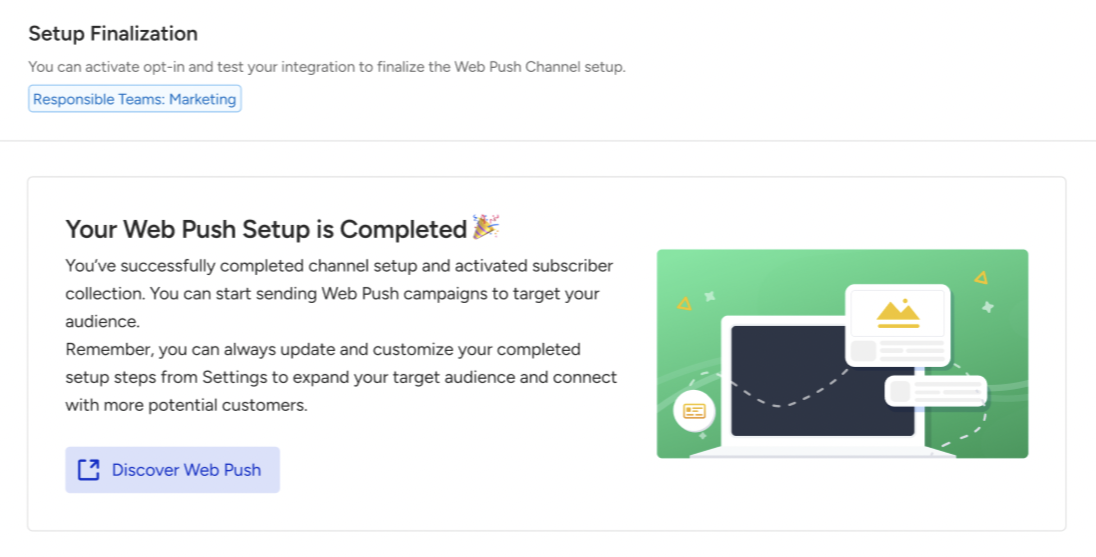
After you fix the error, you can retest your setup. Once you complete the setup, you can launch Web Push campaigns.
List of Errors
The errors you might face while testing your Native Opt-in or Service Worker integration are:
Problem | Solution |
|---|---|
The Language Rule in System Rules is missing or incorrectly configured. | Ensure that the Language Rule exists among System Rules and is appropriately configured. Check your System Rules. |
The SSL certificate of your website is missing or invalid. | Ensure that the SSL certificate exists and is up to date. If you wish to continue without an SSL certificate, select 'Custom' as your opt-in type. Check your Opt-in Configuration settings. |
The Service Worker file is unreachable. | Ensure that the Service Worker is installed on your website and that the path is specified correctly. Check your Service Worker Integration. |
The Service Worker file has been placed in an inaccessible path. | Ensure that the Service Worker is placed on a public path and that the path is specified correctly. Check your Service Worker Integration. |
The Service Worker file has been placed in an automatically redirected path, preventing the script from loading due to a browser security block. | Ensure the Service Worker is located in a path without redirections for proper loading, and that you have specified the path correctly. Check your Service Worker Integration. |
The Service Worker content is different from what was intended or has been corrupted. | Make sure the content calls |
The Service Worker content type, as sent by the server, does not match the expected type. | Make sure the server is serving application/javascript for the JavaScript file. |
The Service Worker file fails to provide the correct response due to a server error. | Check the server configuration. |
A JavaScript file is deleting Local Storage keys. | Review and modify the JavaScript file to prevent this issue and make sure that Local Storage remains intact. |
Custom Opt-in
To finalize and confirm your setup, first activate the opt-in. Then, the Confirm Setup button will be enabled.
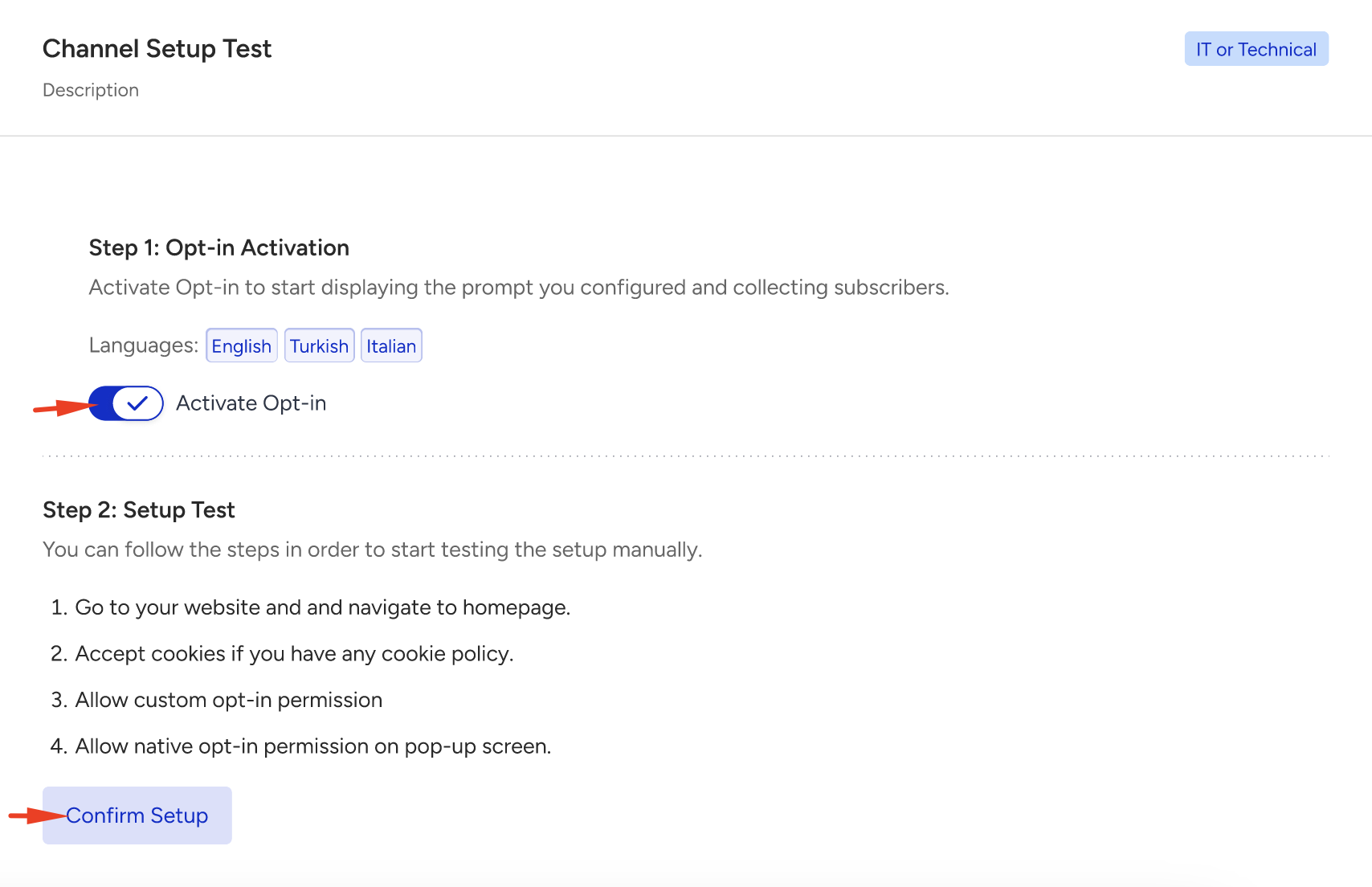
Since the type is Custom Opt-in, you need to test the integration manually. After applying the steps, click the Confirm Setup button.
You can start launching Web Push campaigns once you have completed the setup.