A Recommendation Strategy is a configuration setup you create and assign to campaigns to deliver highly personalized and relevant product recommendations to users. These strategies are reusable, with standard components created once, and can be applied across multiple campaigns.
You first create Smart Recommender Strategies on the Recommendation Strategies page, then assign them to your campaigns in the Design step of the campaign creation flow. You can also create a new strategy while creating a campaign.
Recommendation Strategies Listing Page
Navigate to Recommendation > Recommendation Strategies. It is the page where you can create and list recommendation strategies. Created strategies are listed here. You can search and filter the listed recommendation strategies by status and algorithm. 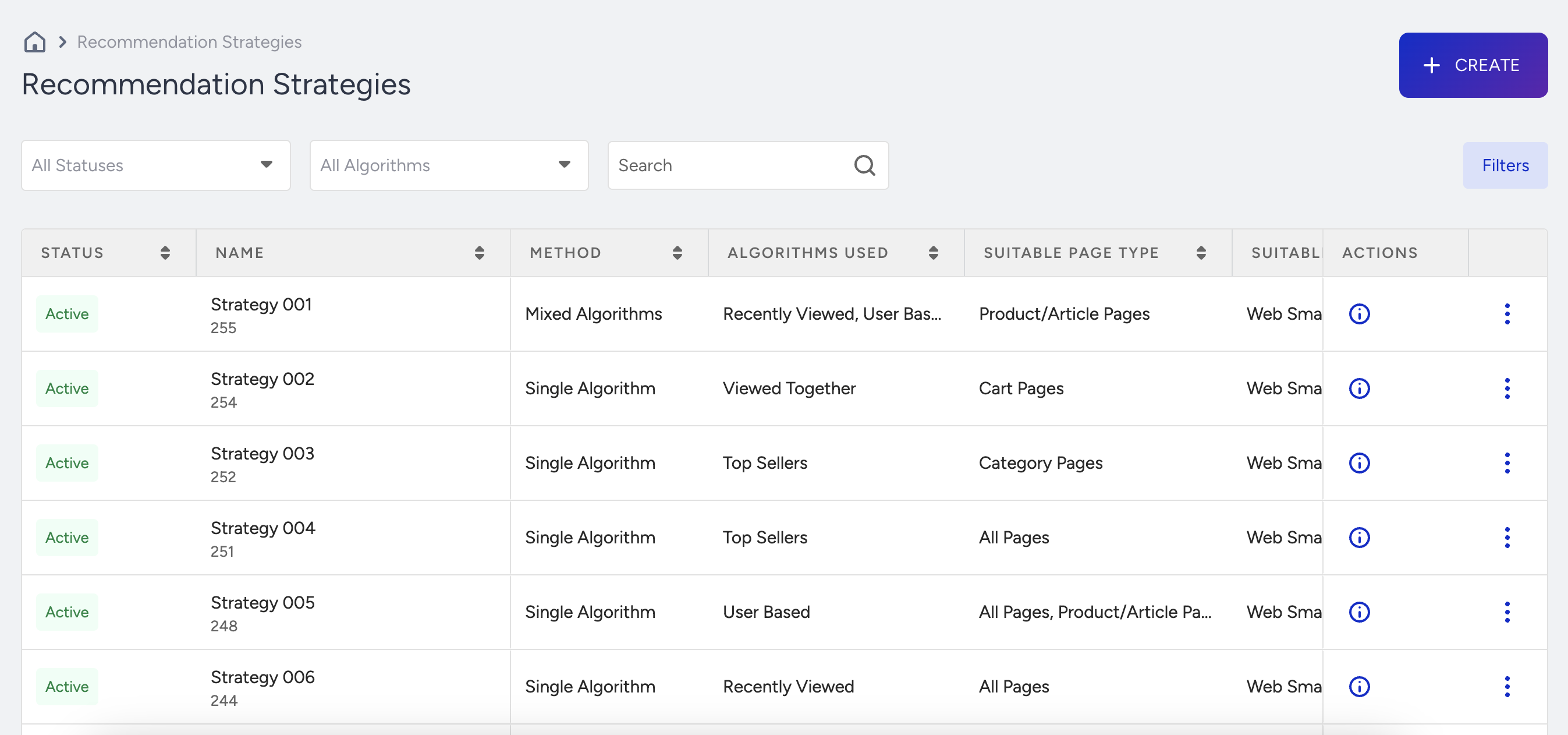
You can see the strategy details when you click the View Details.

Create a Recommendation Strategy
To create a Recommendation Strategy:
- Click the Create button on the listing page.
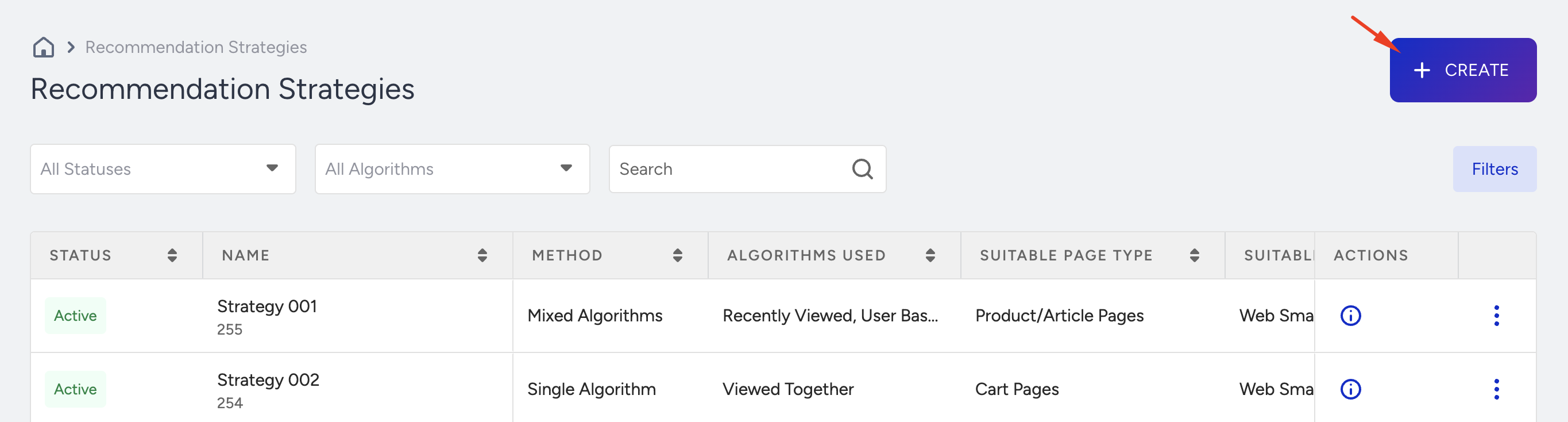
- Name your strategy.
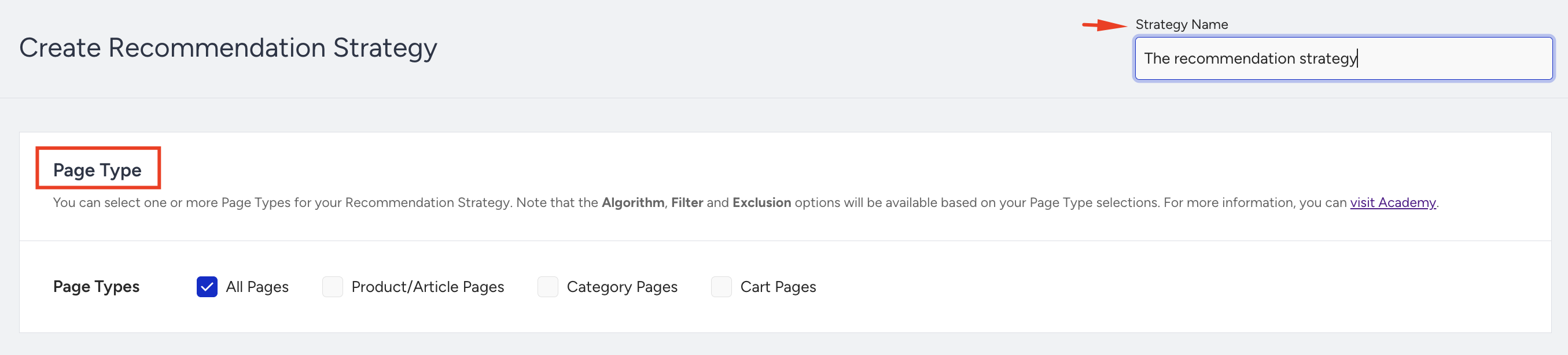
- Select the Page Type on which you want to run the campaign to assign this strategy.
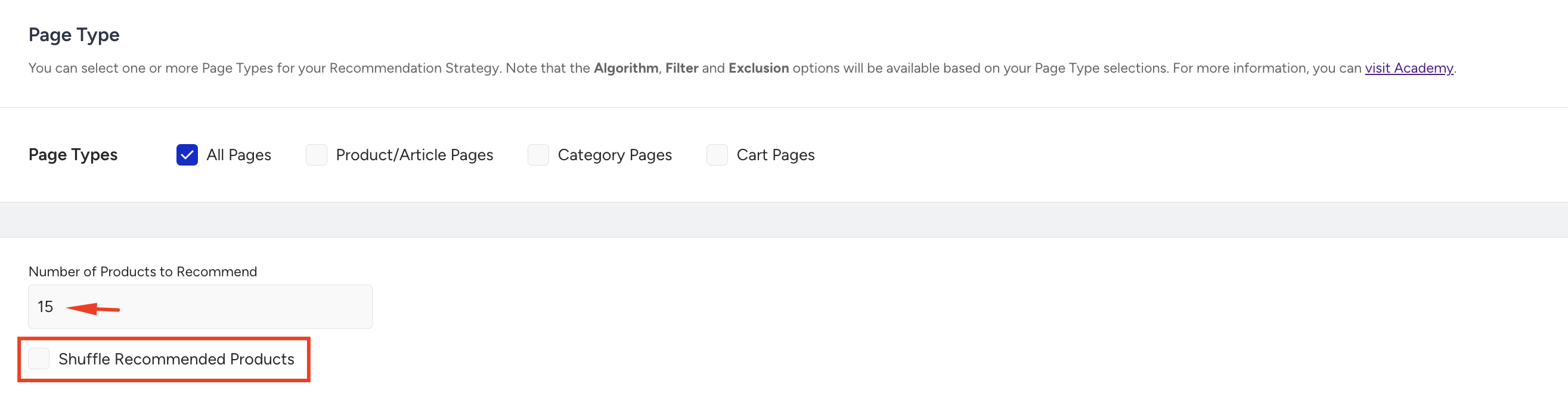
- Enter the number of products to recommend. Smart Recommender Strategies allow you to specify the number of products displayed to users in the recommendation widget. If the strategy produces at least the recommended products, it will generate recommendations up to the chosen number.
- Smart Recommender ranks recommendations based on the relevancy scores of the selected algorithm. However, you can shuffle the order of the recommended products generated by your strategy. To do this, enable the Shuffle Recommended Products option, which randomizes your recommendations.
- Smart Recommender can recommend products with different algorithms that match your potential customers' interests. To increase clicks and conversions, select the Recommendation Algorithm you want to use from the dropdown.
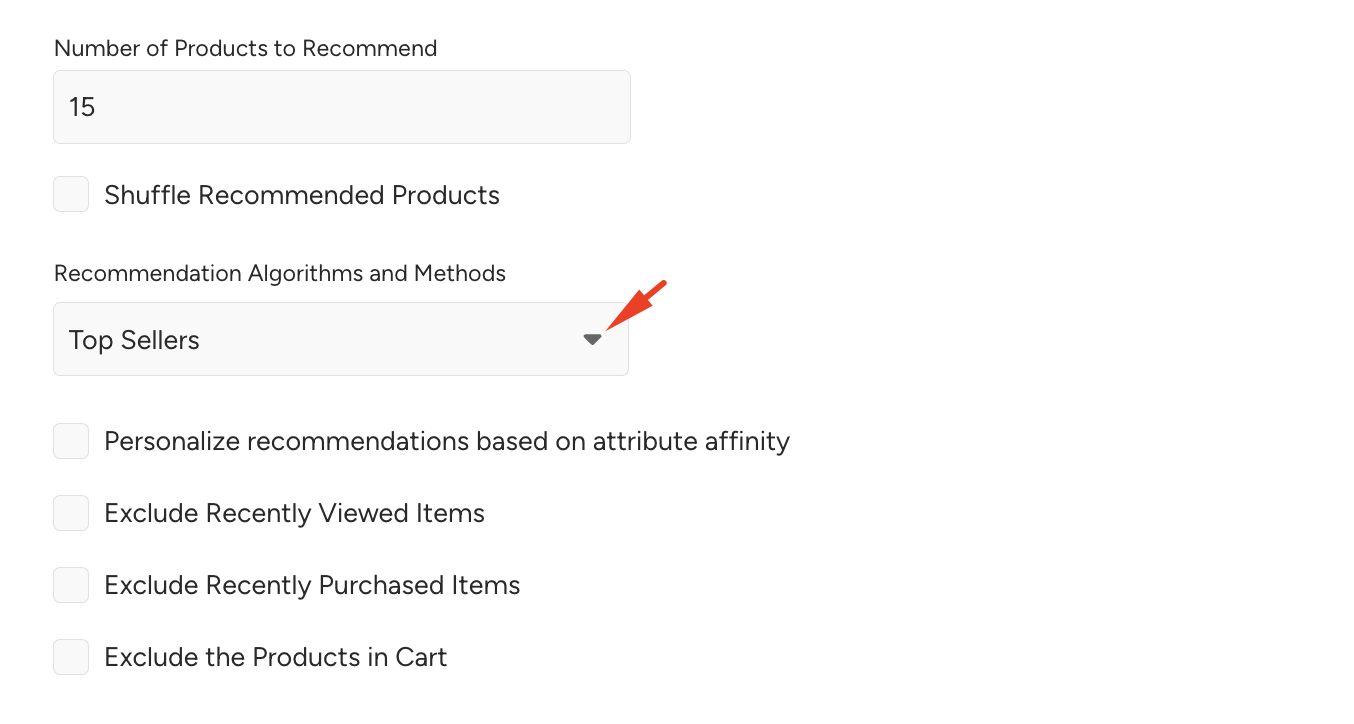
- Enable the Personalize recommendations based on attribute affinity checkbox to personalize Smart Recommender recommendations. The Smart Recommender attribute affinity engine calculates each user’s affinity for product attributes, such as brand, color, or category, at the individual level. This allows you to leverage these affinities to create hyper-personalized experiences. The attribute engine updates daily to account for new users and tracks changes in the behaviors of existing users, calculating attribute affinity based on each user’s behavioral actions. The Smart Recommender strategy enhances recommendations by leveraging users' specific attribute affinities, enabling even greater personalization.Attribute Affinity cannot be used for Manual Merchandising, New Arrivals, Trending Products, Mixed Strategy, and Chef Algorithms.A maximum of five attributes can be used for hyper-personalization.
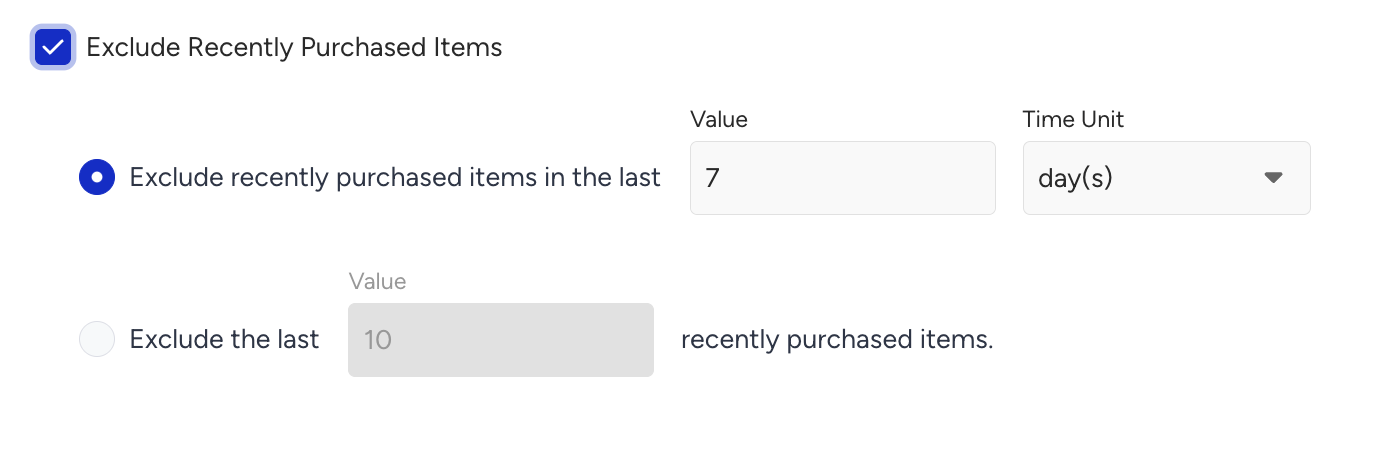
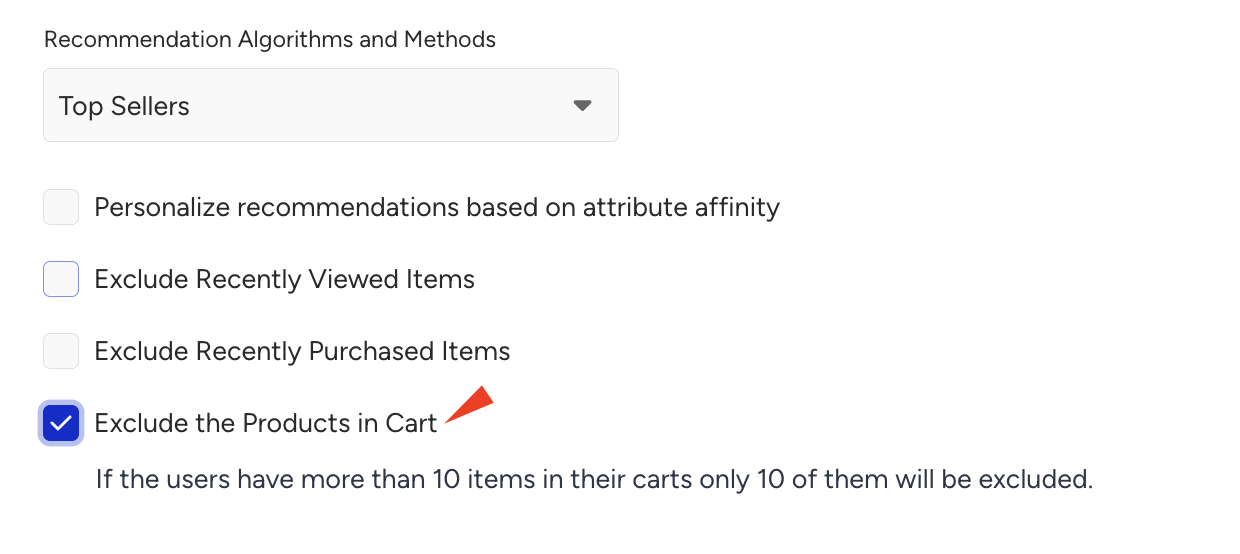
- Dynamic Product Exclusions: To enhance the accuracy of personalization, Smart Recommendation strategies are enhanced with dynamic product exclusions tailored for specific exclusion scenarios and easy configuration. Three types of exclusions are available:
- Exclude Recently Purchased Items: "Excluding Recently Purchased Items" type of exclusion enables you to exclude recently purchased items from recommendations since your users already have the same product in stock. As product stock renewal periods differ, a period or item count option is available for selection while configuring recently purchased product exclusion.
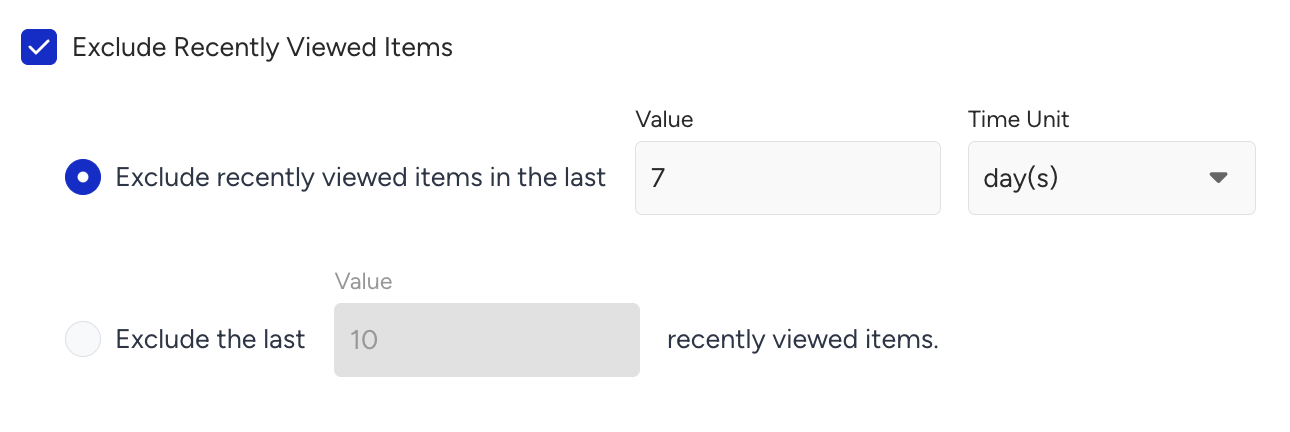
- Exclude Recently Viewed Items: "Excluding Recently Viewed Items" type of exclusion enables you to exclude recently viewed items from recommendations to avoid offering a product already discovered and viewed by your users. A period or item count option is available for selection while configuring the recently viewed product exclusion.
- Exclude Products in Cart: "Excluding Products in Cart" type of exclusion enables you to exclude the products your users have already added to the shopping cart.
- Exclude Recently Purchased Items: "Excluding Recently Purchased Items" type of exclusion enables you to exclude recently purchased items from recommendations since your users already have the same product in stock. As product stock renewal periods differ, a period or item count option is available for selection while configuring recently purchased product exclusion.
- Recommendation Filters are essential for delivering tailored product recommendations that align with a marketing campaign's goals. You can tailor your recommendations by filtering the recommendation results. Filters mainly consist of three elements: an attribute, an operator, and a value.

- Save your configurations and launch the strategy.
Edit a Recommendation Strategy
You can modify the assigned strategy to manage your campaigns more efficiently and streamline updates without editing each campaign individually. Updating a strategy ensures that any changes you make are automatically applied to all campaigns using that strategy, saving you time and maintaining consistency across campaigns. Follow these steps to update a strategy:
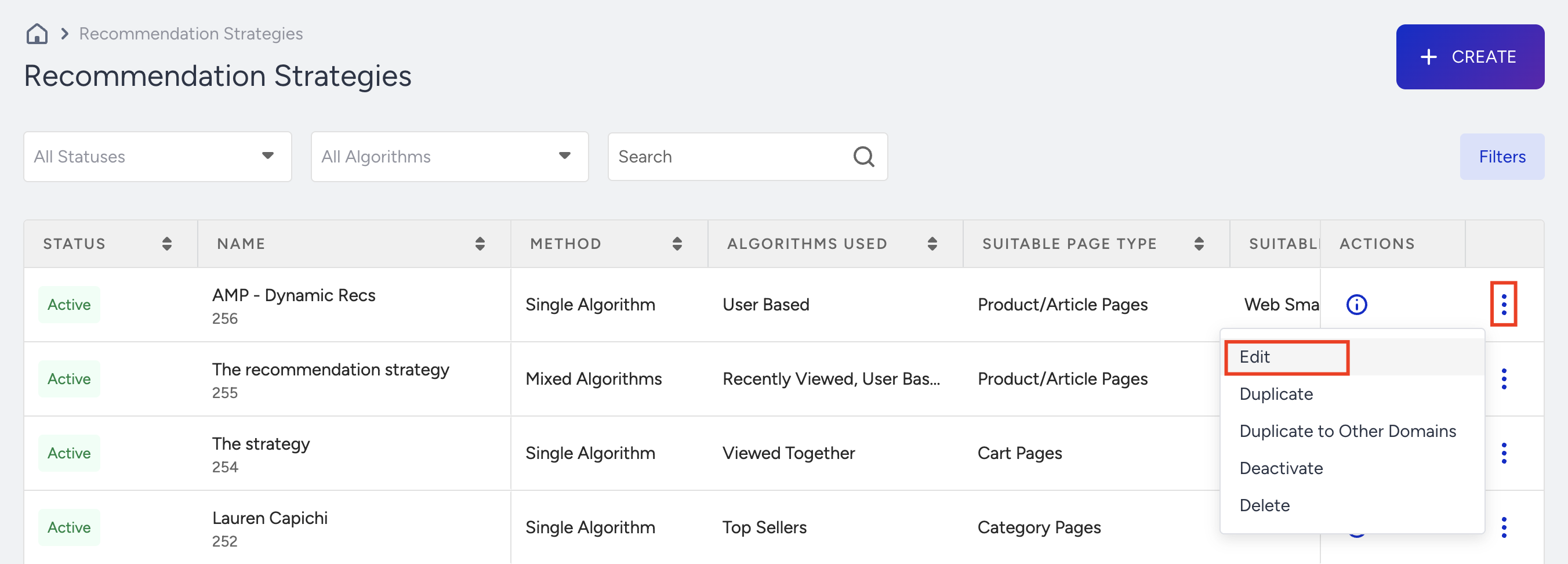
- Click the 3-dot icon and select the Edit option for the strategy you want to update on the Recommendation Strategies page.
- Make the changes you need or want (the algorithm, filters, exclusions, shuffling, and other options).
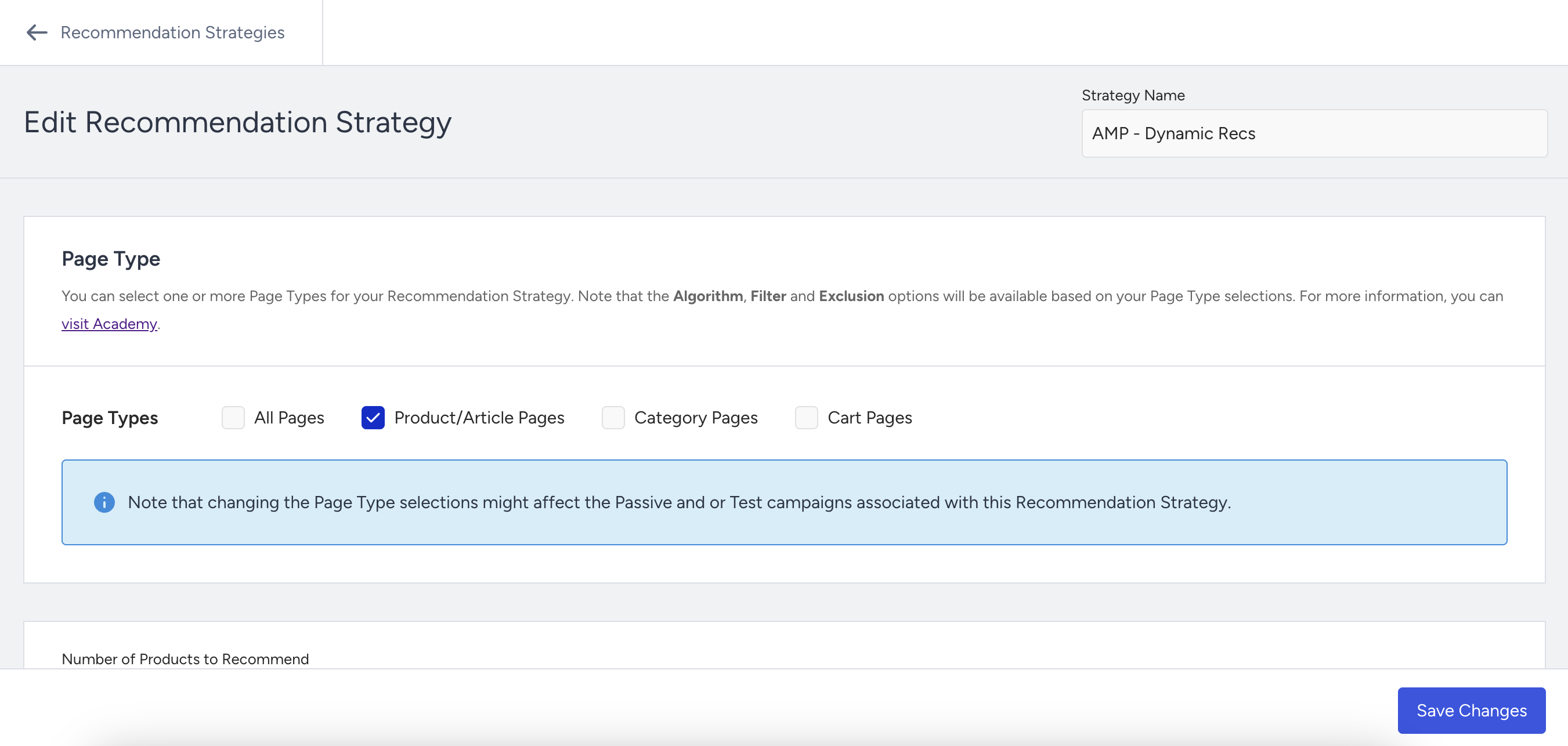
- Click the Save Changes button to apply the changes to the campaigns assigned to the updated strategy.