Product recommendations are essential for driving growth on a website, especially when personalized accurately. For Web Smart Recommender, recommendation strategies, product exclusions, and affinity boosts are powerful tools for achieving effective personalization. To further enhance personalization accuracy, Web Smart Recommender includes advanced filters based on product attributes and dynamic filters that adapt to browsed product data.
Advanced Personalization Criteria
Advanced personalization criteria let you refine recommendations by excluding certain products or enhancing relevance based on dynamic user data. Scenarios include excluding products that have already been discovered or are about to be sold. This feature is optional for Smart Recommender campaigns, but it can help boost new product discovery and conversion rates.
Enhance Recommendations Based on Attribute Affinity
Attribute Affinity segments users based on their interaction history, identifying preferences for specific categories, products, or custom attributes. This data enables hyper-personalization in recommendations. When enabled, it boosts products that align with a user’s affinities, enhancing relevance and engagement.
Exclude the Products in the Cart
When the Exclude the Products in the Cart checkbox is enabled, this feature excludes the products the user has already added to their cart. If the user has more than 10 items in their cart, only the first 10 will be excluded from the recommendations.
Exclude Recently Viewed Items
When the Exclude Recently Viewed Items checkbox is enabled, this feature excludes the user’s recently viewed items from recommendations. This ability does not provide a product that users have already discovered and viewed. This type of exclusion is valuable when the target is to increase product discovery across an extensive product portfolio.
Choose one of the exclusion types:
- Exclusion of recently viewed products in a time period. The lookback period is configured as 1 - 30 days or 1-4 weeks; its default value is 7 days.
- Exclusion of the last X viewed products. The number of the last X items is configured to 1-100, with a default of 10.
Exclude Recently Purchased Items
Enabling the Exclude Recently Purchased Items checkbox removes recently bought products from recommendations to avoid suggesting items users already own. Since stock renewal periods vary across industries, you can configure this feature by setting a lookback period or lookback item count.
Select one of the exclusion types:
- Exclusion of recently purchased products in a time period. The lookback period is configured as 1 - 30 days or 1-4 weeks; its default value is 7 days.
- Exclusion of the last X purchased products. The number of the last X items is configured to 1-100, with a default of 10.
Product Recommendation Filters
Product Recommendation Filters are essential for delivering tailored product recommendations that align with a marketing campaign's goals. They enable you to personalize your recommendations by filtering the recommendation results. Filters mainly consist of three elements: an attribute, an operator, and a value.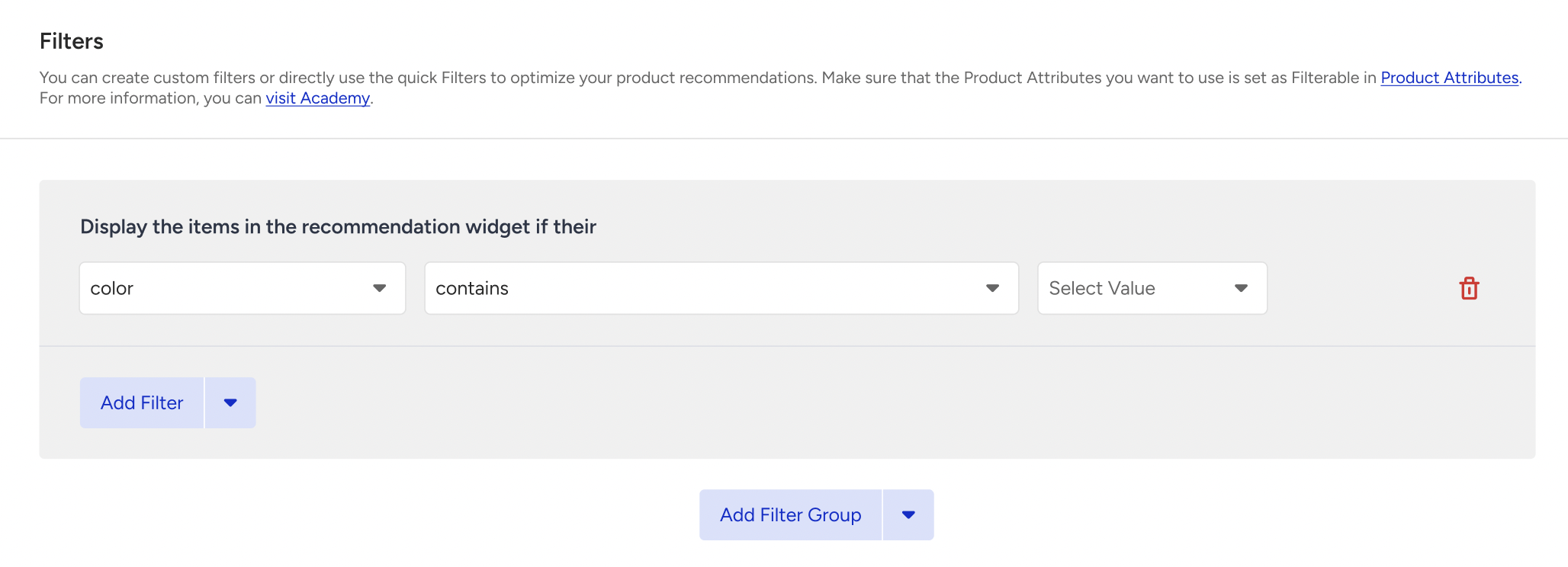
To add a new filter:
- Click the Add Filter button.
- Choose the attribute you want to filter the recommended products by.
- Choose an operator to define how the filter will work with the selected attribute.
- Define a value to filter the attribute chosen using the operator.
Filter Groups
Recommendation filtering is formed from the logical connection of filtering expressions by logical connectors.
- AND: If you connect to filter using (Filter 1 AND Filter 2), recommendations will be filtered to products that meet both conditions.
- OR: If you connect to a filter in the form of (Filter 1 OR Filter 2), recommendations will be filtered for the products that provide conditions for Filter 1 or Filter 2.
You can create multiple filter groups for your use cases and connect them with logical connectors, such as AND or OR.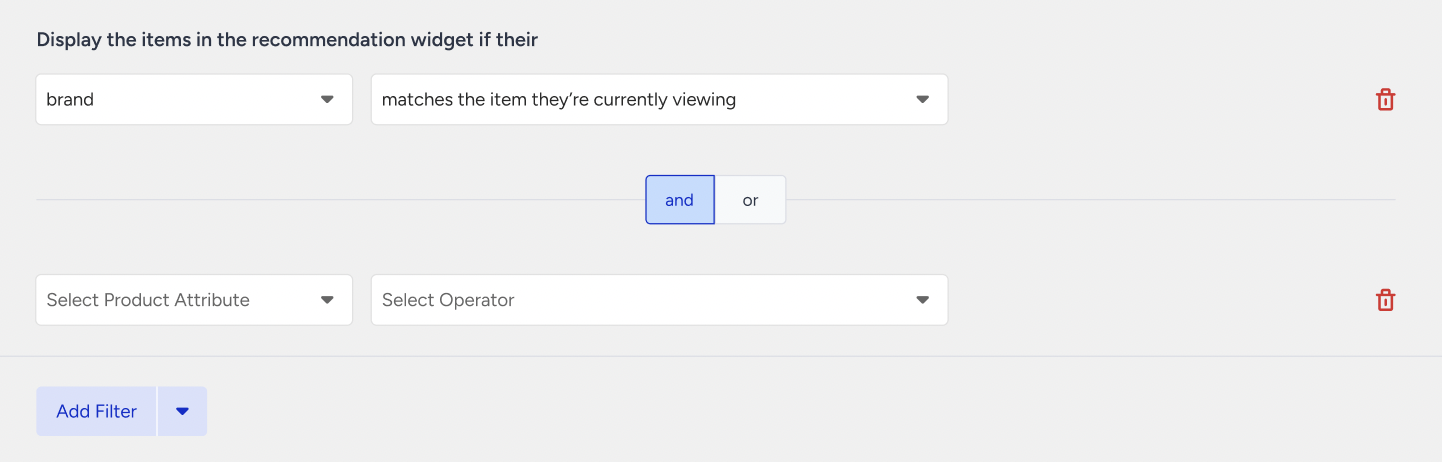
Dynamic Values
Operators like “matches the item they’re currently viewing” don’t require a value selection, as they dynamically retrieve the attribute of the product the user is currently viewing.
Insider can retrieve the attribute’s value from a user’s viewing of a product to filter the products in two ways: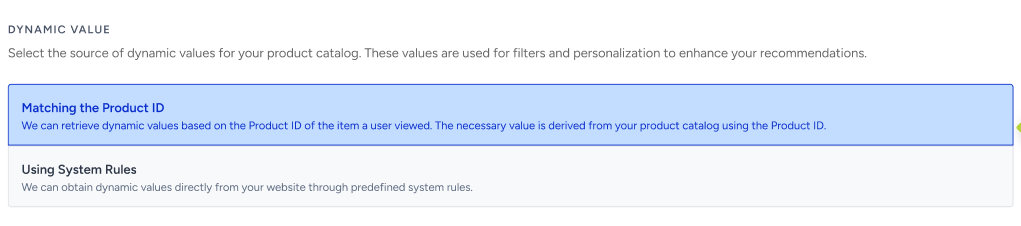
Matching the Product ID
Dynamic values are obtained based on the Product ID of the item a user is viewing. The necessary attribute value is derived from your product catalog using the Product ID collected from the system rules.
Using System Rules
Dynamic values are obtained directly from your website through system rules.
- If the campaign is on a product page, the getCurrentProduct() system rule retrieves the attribute’s value.
- If the campaign is on a category page, the getCategories() system rule retrieves the category value.
Quick Filters
Quick filters are predefined filters that make it easy to create filters. Each page type has different quick filters to showcase possible use cases.
To use a quick filter:
- Click on the arrow on the right side of the Add Filter button.
- Select your quick filter based on the attributes.
- Edit your quick filter based on your use case.