In this step, you select how your users give consent to receive SMS messages. This choice affects how user data is processed and how users are added to your audience.
You configure this in General Settings > Channel Consent Settings rather than in SMS Setup, because your selection applies to every country on your panel rather than to a single country. Make this selection before you start a country registration, because it determines the opt-in methods you can configure during Account Registration.
Two options are available:
Single Opt-in, marked Most Common. Users are subscribed immediately after they provide their phone number. This means fewer steps and faster list growth, but a higher risk of spam complaints and invalid numbers.
Double Opt-in. Users verify their subscription through a confirmation SMS. This provides stronger consent validation and a cleaner, compliant subscriber list, but adds an extra step.
Use the Check Double Opt-in Requirements by Region link to check what applies in your markets. See SMS Double Opt-in to learn how Double Opt-in works, and Change Consent Types to understand how changing your consent type affects your existing records.
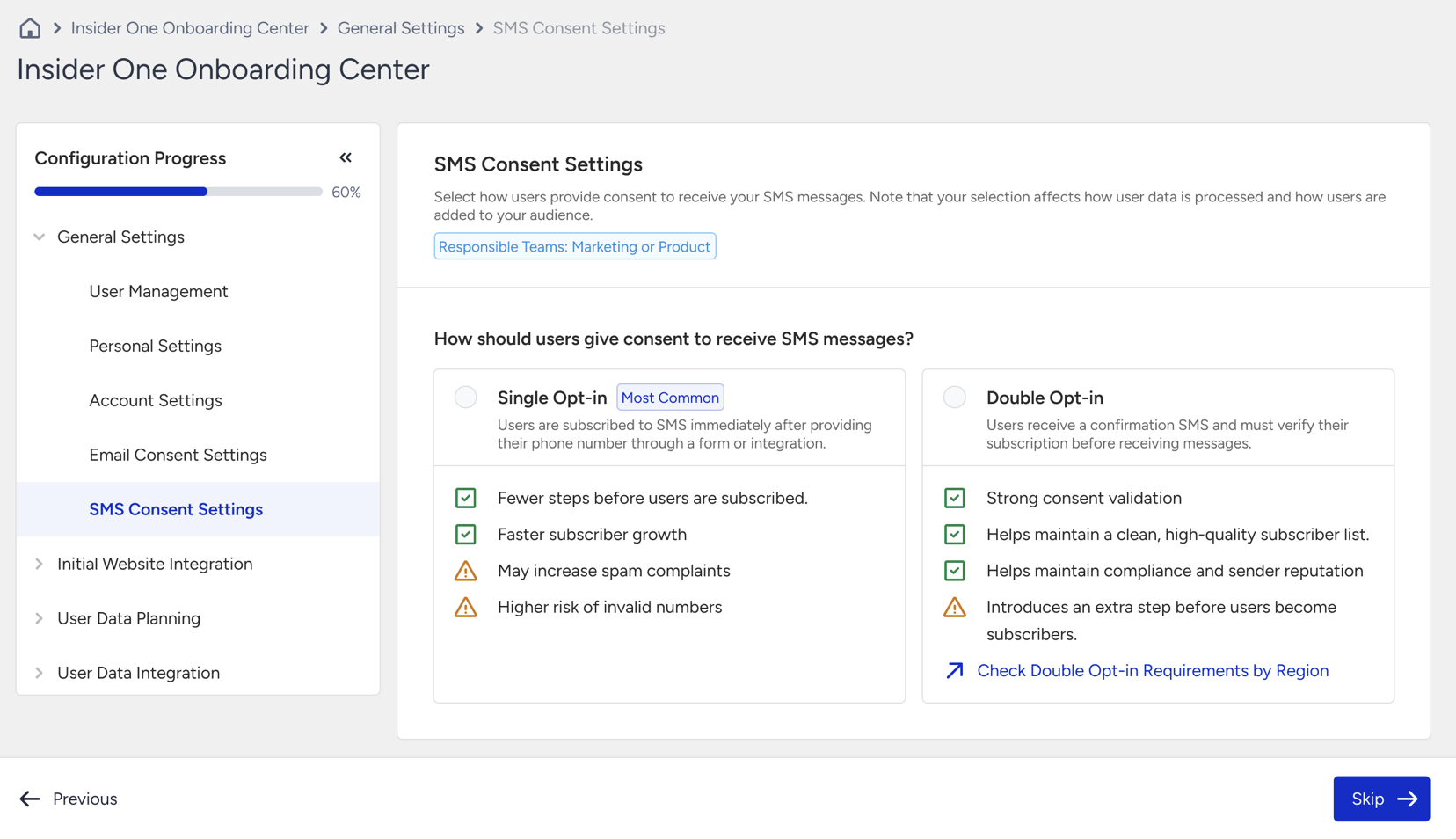
Select Single Opt-in
Select Single Opt-in and click Next. The step is marked as completed.
Request Double Opt-in
Double Opt-in is not enabled by selection alone. When you select it, the SMS Double Opt-in Consent Request Submission panel appears below the options.
Click Submit Request.
Confirm the submission in the dialog.
Your request moves to review, and the Insider One team activates Double Opt-in for your account.
Activation can take up to 3 working days, and you are notified once it is enabled. Until then, this step remains in review rather than being marked as completed.
After you confirm the request, you cannot withdraw it yourself. Contact the Insider One team if you need to change your consent type later.
Markets that require Double Opt-in
Germany and the United States treat Double Opt-in as a legal requirement for SMS marketing. Within the European Union, it is also strongly recommended for GDPR compliance.
If you add a sender for Germany or the United States, Double Opt-in is applied to your panel automatically and Single Opt-in can no longer be selected. A Required for Germany, Required for US, or Required for Germany and US label appears next to the Double Opt-in option. You must still submit the request before this step is completed.
If you previously completed this step with Single Opt-in and later add a sender for Germany or the United States, this step returns to an incomplete state until you submit the Double Opt-in request.
Your selection determines the opt-in methods you configure during Account Registration. After a country's registration is approved, it can no longer be edited. Confirm your consent type before submitting a registration.