All the email, phone number, name, and surname data submitted on a Lead Collection campaign are sent to the Unified Customer Database (UCD) and displayed in User Profiles.
You can add one more input element in the Lead Collection campaign called Custom Input. You can use this input to collect data from the users, and you can decide which attribute you want to link the data collected from this input to in the UCD and User Profiles.
How does Set as User Attribute work?
Create a Cross-platform Lead Collection campaign.
Add a Custom Input.
The User Attribute option is listed in the Settings menu.
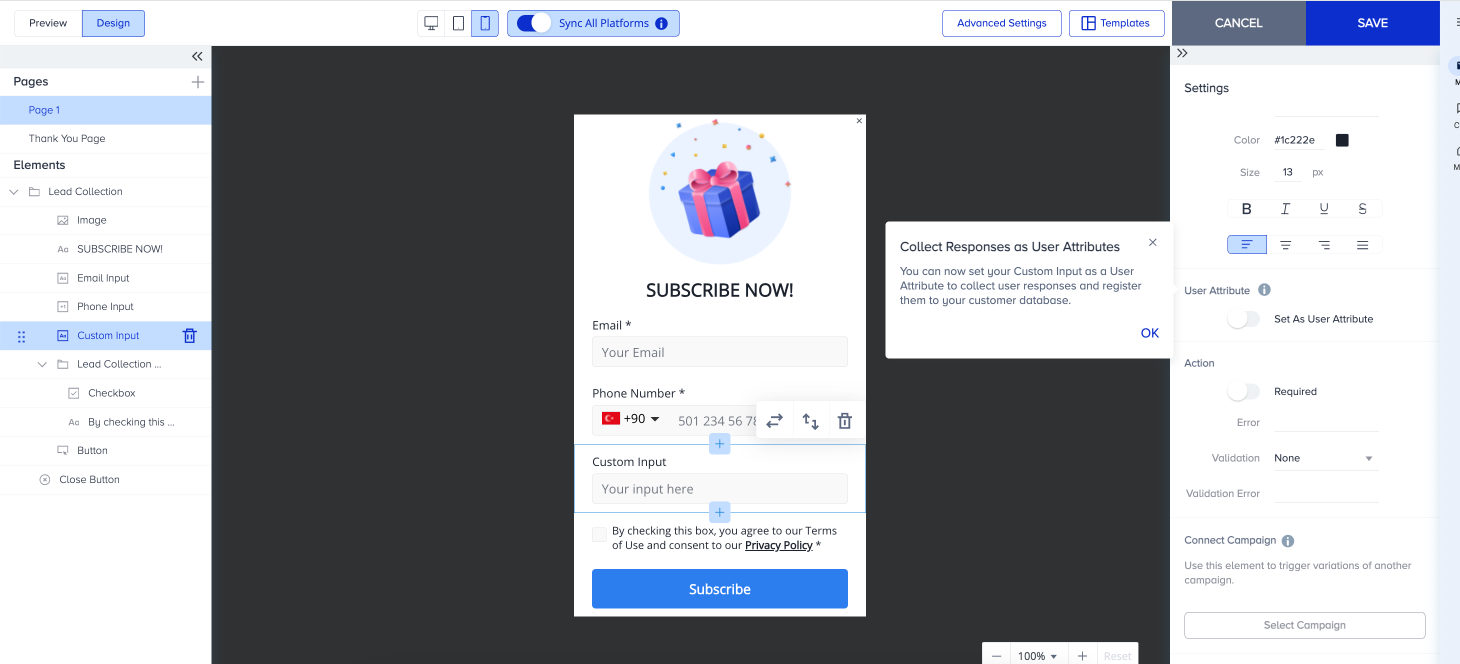
Enable the Set as User Attribute toggle.
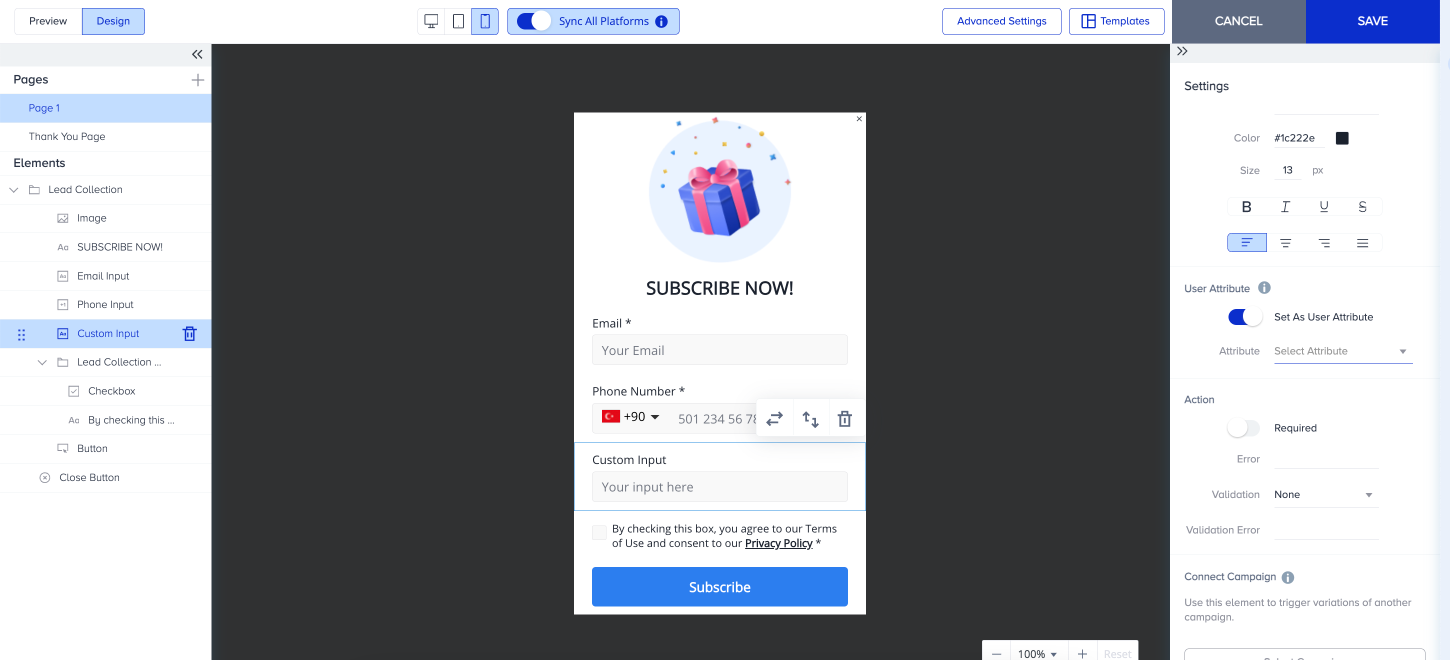
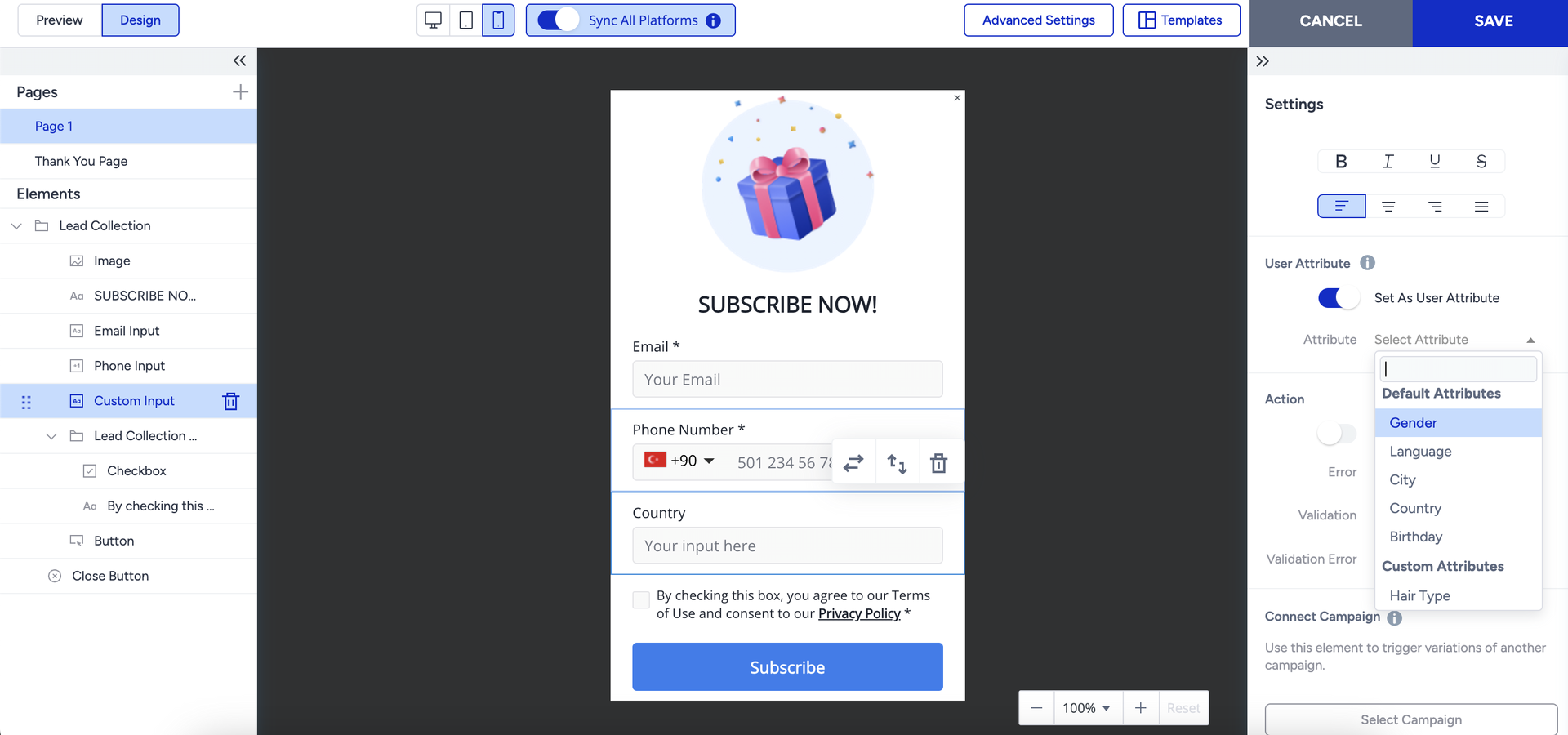
You can select some of the Default or Custom Attributes defined on the Attributes and Events page.
The collected data from the end user via this Custom Input is now stored as the selected attribute in the UCD and User Profiles.
It is important to note that only string-type custom attributes you set on the Attributes and Events page are listed in this menu. Additionally, you can collect default attributes such as Gender, Language, City, Country, and Birthday.
For dropdown and single-choice elements, the attributes must use an array data type. For multi-choice elements, the appropriate mapping is a string array data type.
Use Cases
Assume that you want to collect Email, Phone Number, and Gender information from your end users.
After you create a Cross-platform Lead Collection template, select the Custom Input and enable the Set as Attribute feature.
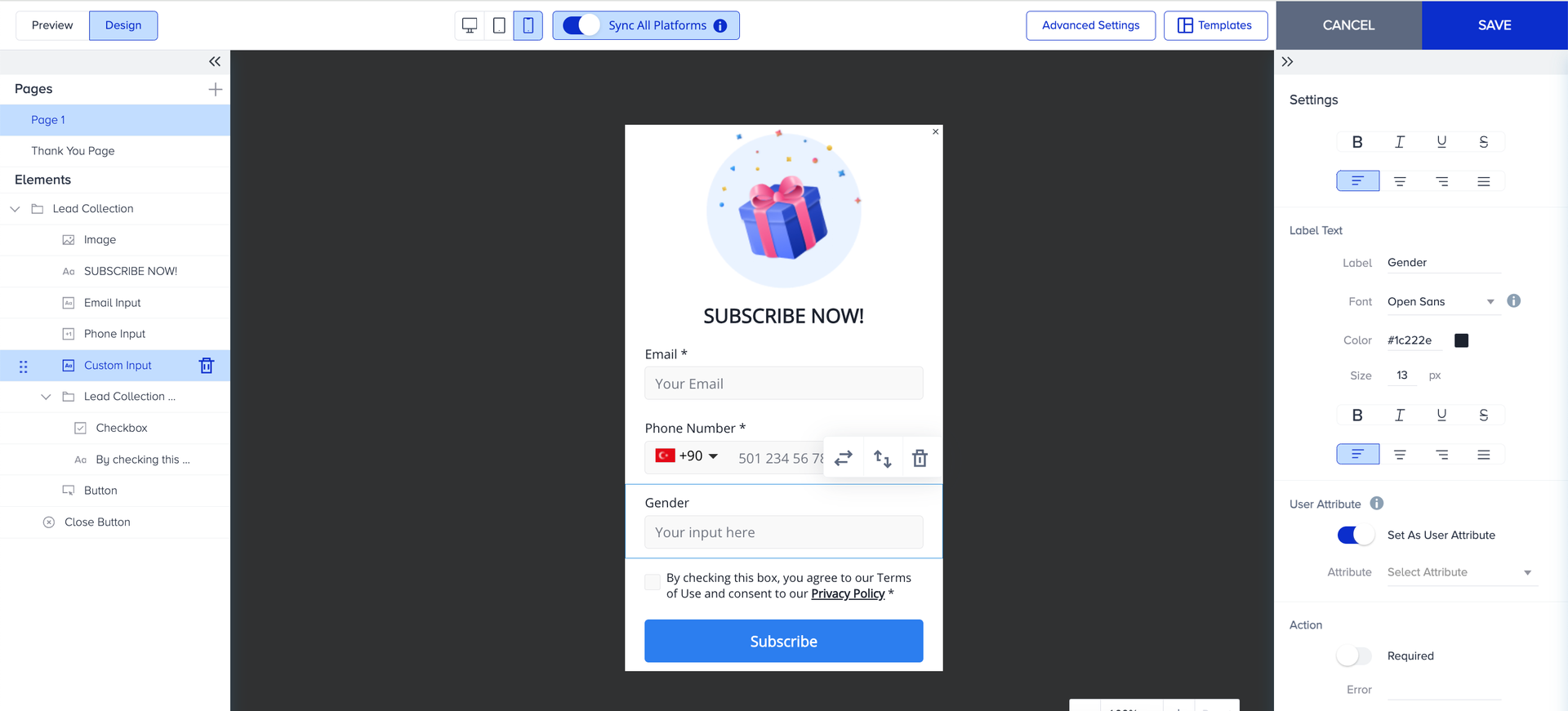
Select the Gender from the Attributes menu.
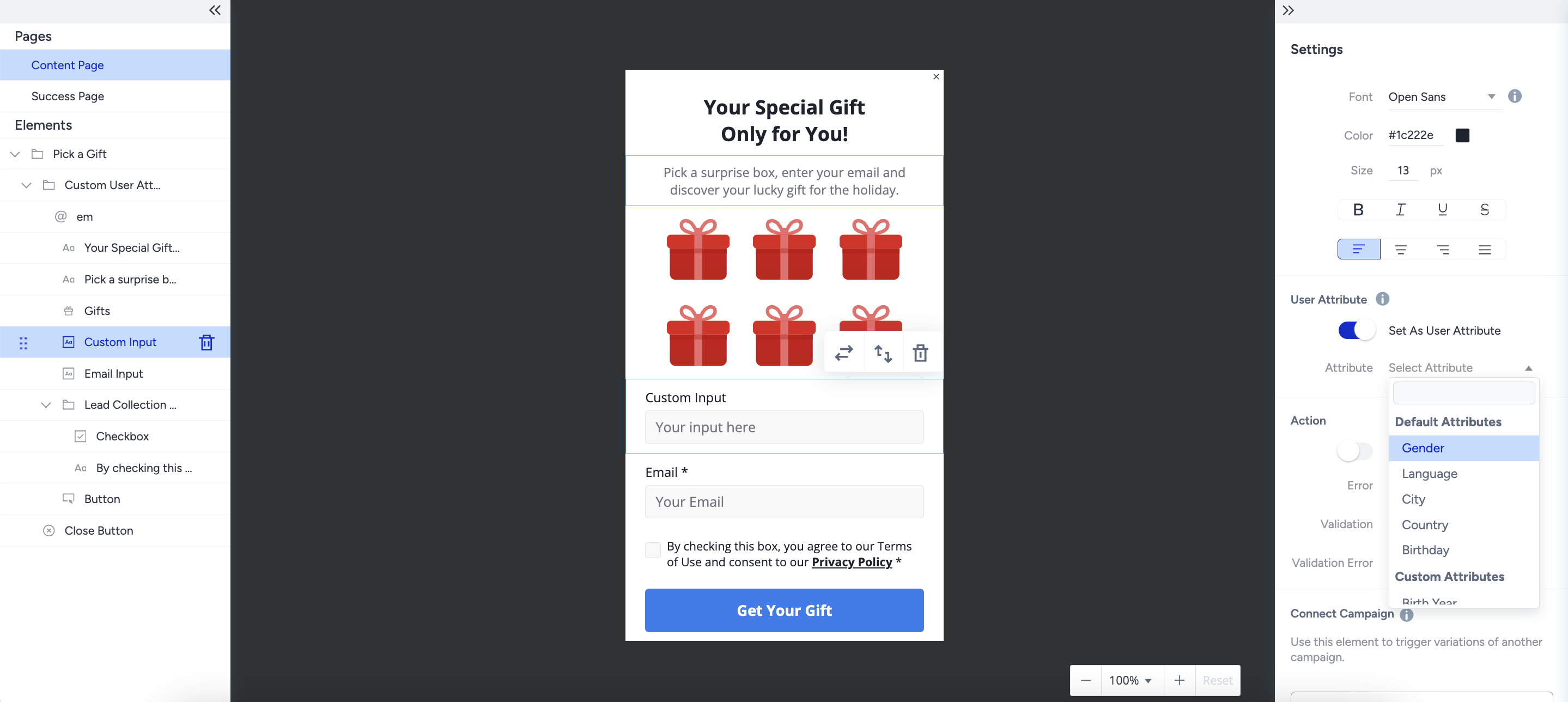
Complete the design and launch the campaign after adjusting the segment, rule, goal, and launch steps.
When a user submits the form with answers, you will see the Gender data as a Gender Attribute on the User Profiles.
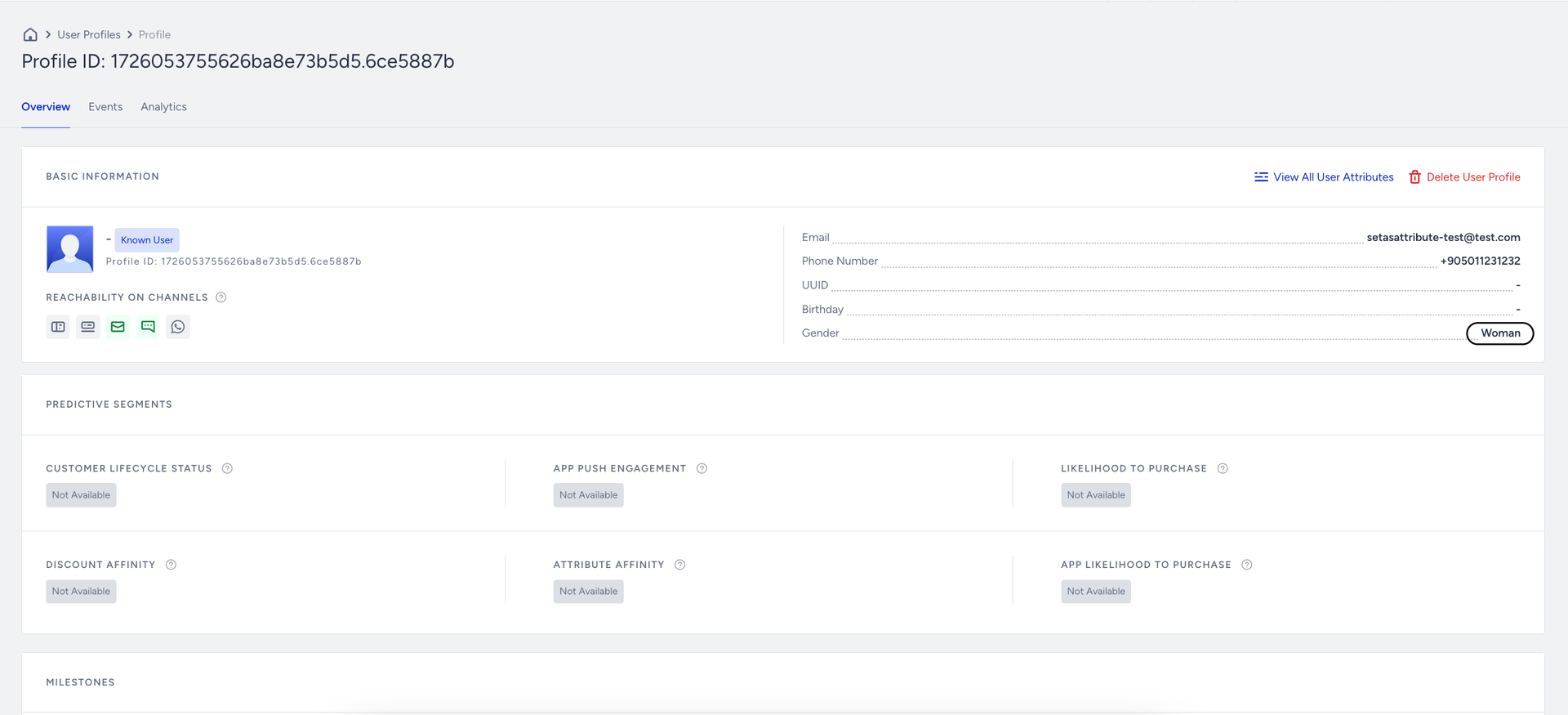
Assume that you want to collect birthday information from your end users.
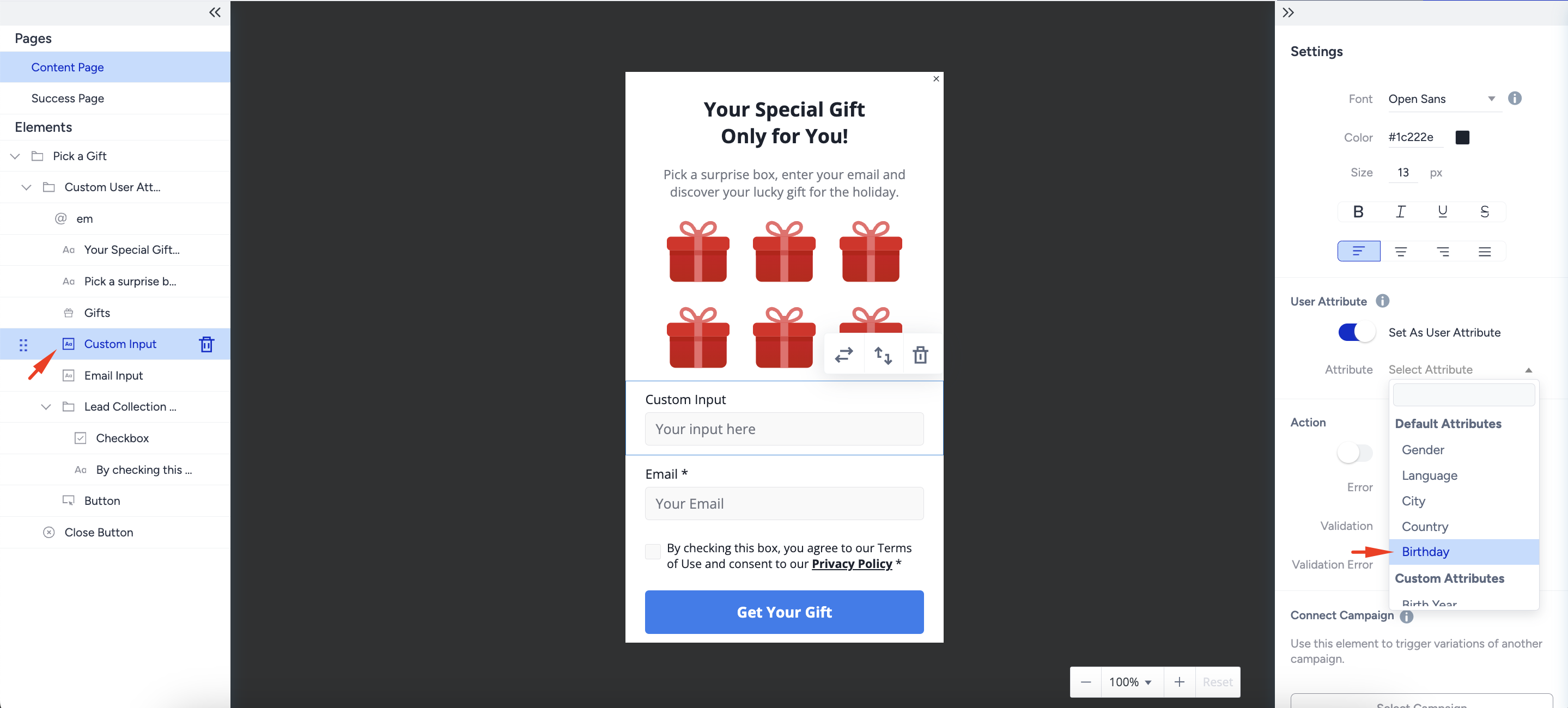
After creating a Cross-platform Lead Collection template, select the Custom Input and enable the Set as Attribute feature.
Select the Birthday from the Attributes menu.
Choose the Date as the validation option.
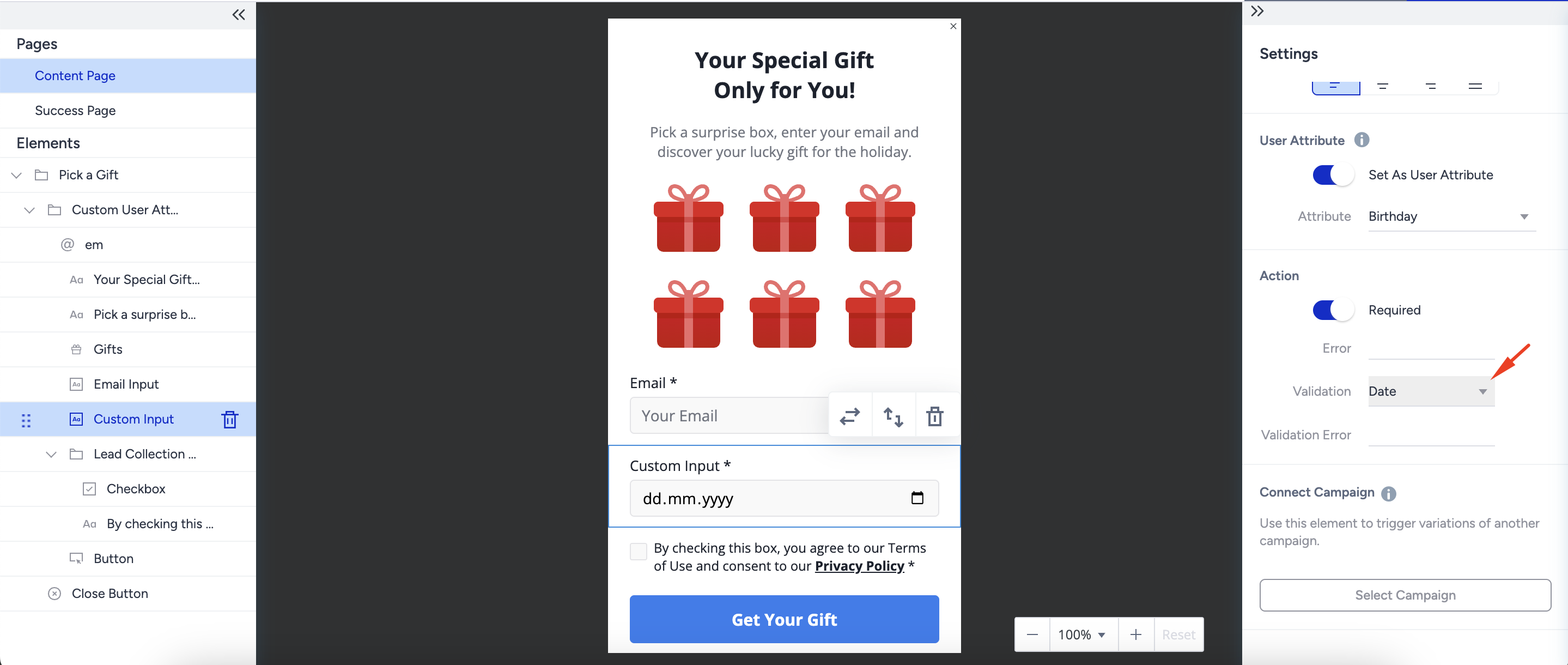
Complete the design and launch the campaign after adjusting the segment, rule, goal, and launch steps.
When a user submits the form with answers, you will see the Birthday data as a Birthday Attribute on the User Profiles.