Once you have completed designing your app template, you can test it.
1. Click the Test Your Design button at the top of the page.
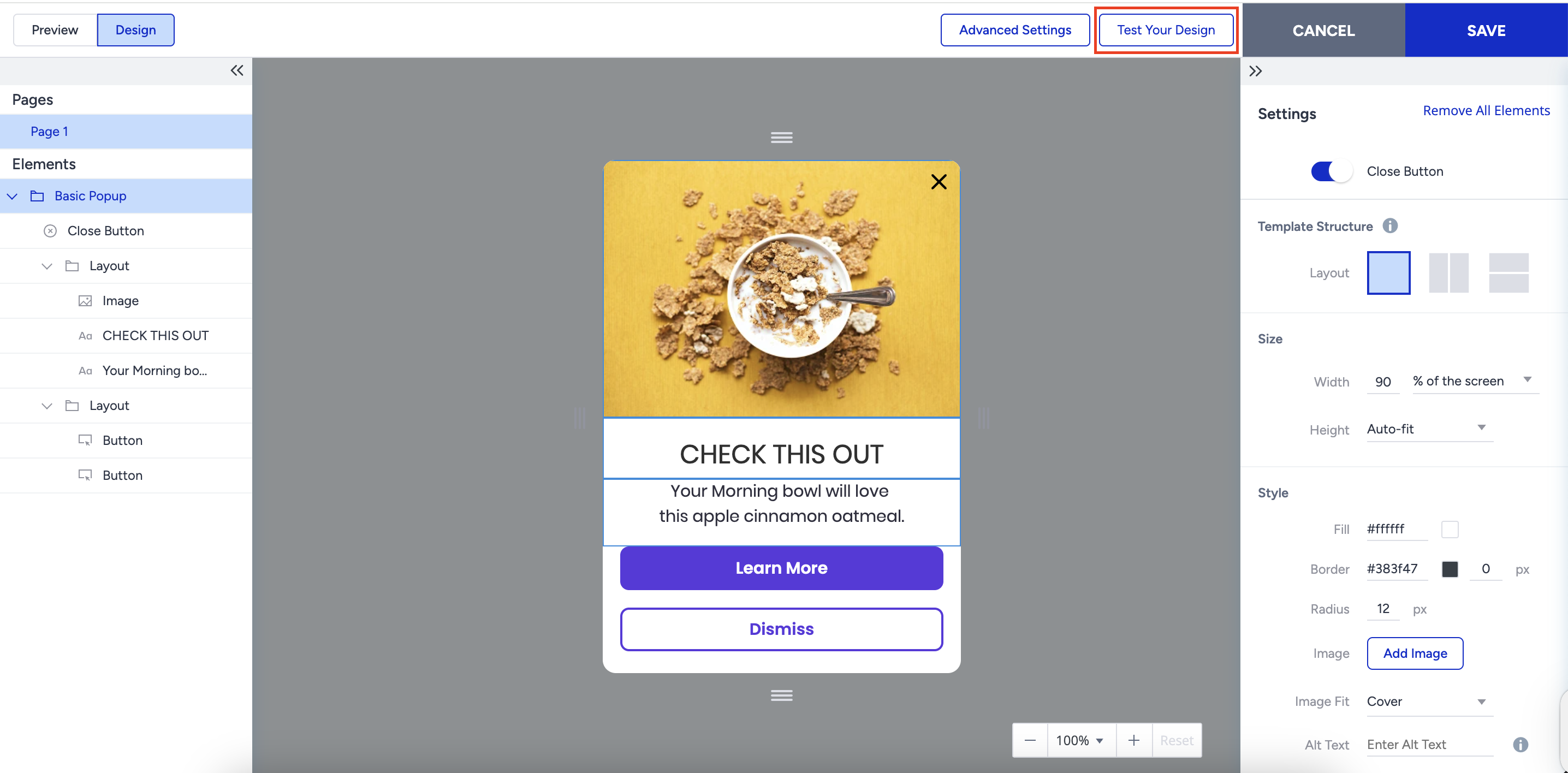
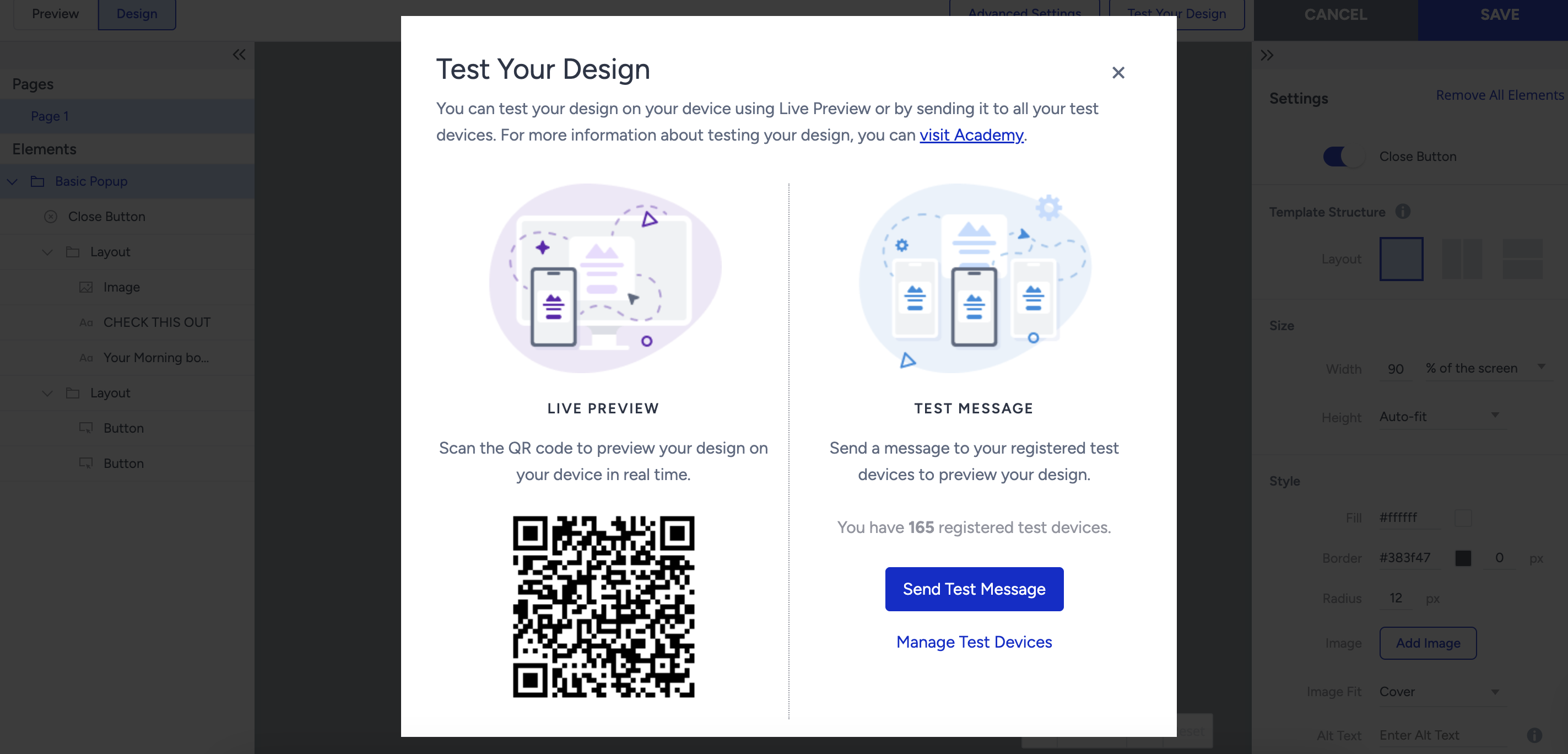
2. Test your design using one of the options: Live Preview or Test Message.
You can scan the QR code and close the modal from the top right after your device opens the app. Then, you can preview your design. Alternatively, you can send a test message to your registered test devices to preview it.
Test Your Design previews the design only. It doesn't apply your segments or rules, so it can't show whether a specific user would see the campaign. To test targeting, segment your own device by its unique device ID (UDID), launch the campaign, and open the app on that device. To find your UDID, see Mobile App: Unique Device ID (UDID).
Once you test your design and make sure it works as expected, you can save this step to proceed to the next step to segment your target audience.