Event Aggregates calculate real-time metrics directly from user events within InOne; no external pre-calculations or upstream data pipelines required. You define the aggregation logic at the platform level, and the result is generated as a dynamic attribute at runtime, available immediately for segmentation and activation.
Before you begin:
Event Aggregates are built on top of existing custom or default events. Confirm the events you intend to aggregate are already being ingested into InOne before proceeding. See Events and Attributes if you need to set up event tracking first.
To create a new aggregate:
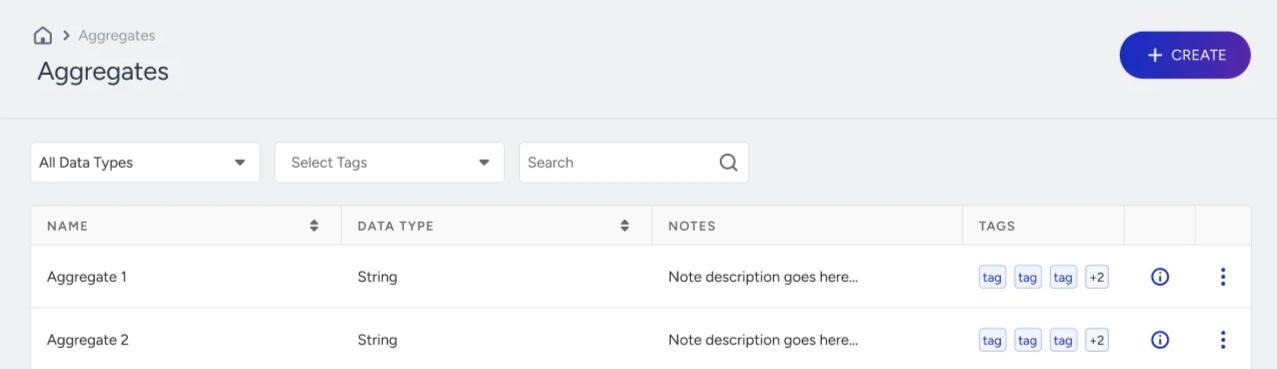
Navigate to Components > Events and Attributes > Aggregates.
Click the Create button.
Define your aggregates and select:
The aggregate function
The event to calculate from
The event parameter(s) used in the calculation
Optional event parameter filter conditions
A time window
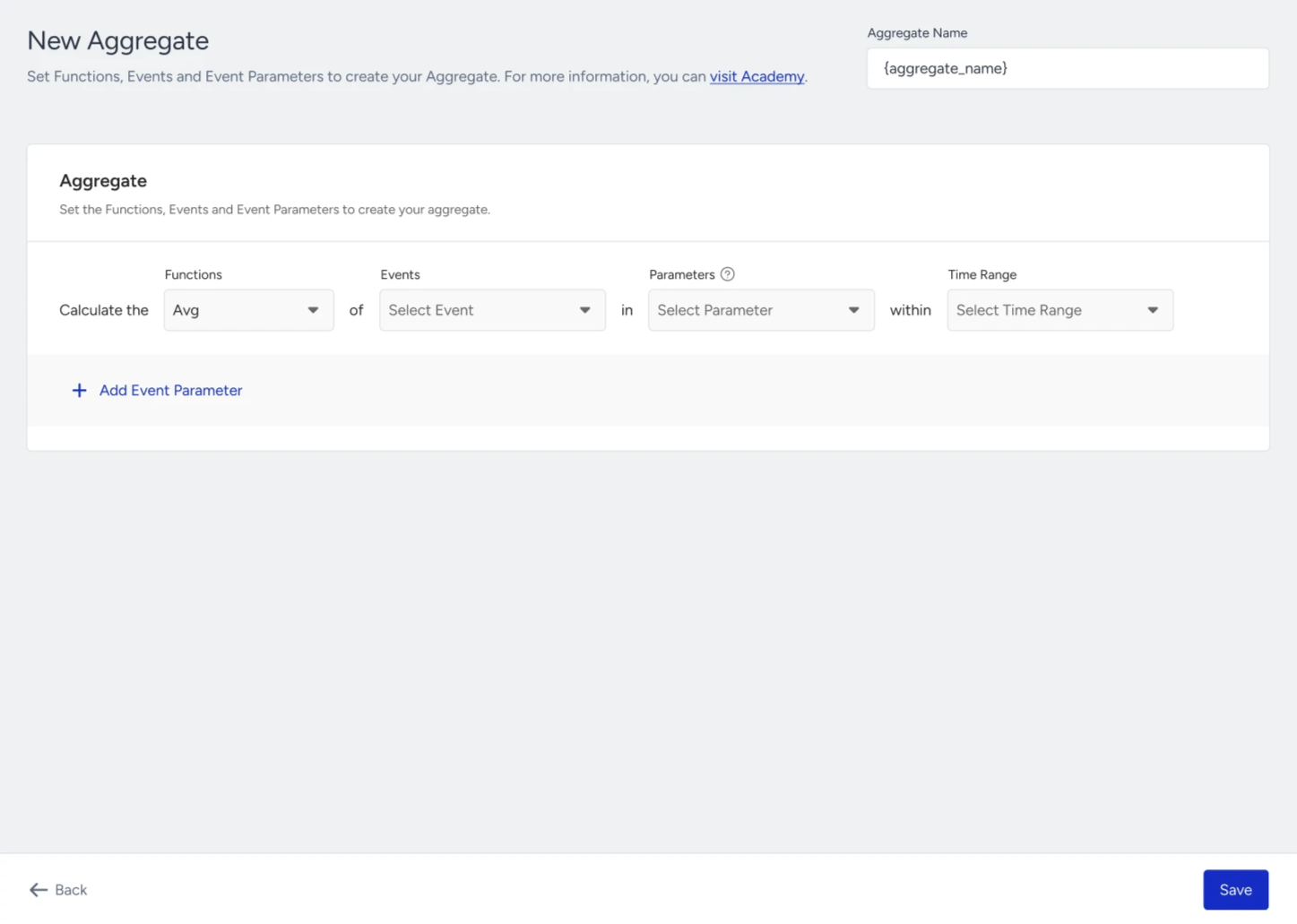
Click the Save button.
Once created, the Aggregate is calculated for each user and becomes available across multiple Insider One modules.