If you still don't receive Web Push notifications after checking your operating system and browser settings, continue troubleshooting in Web Push Settings.
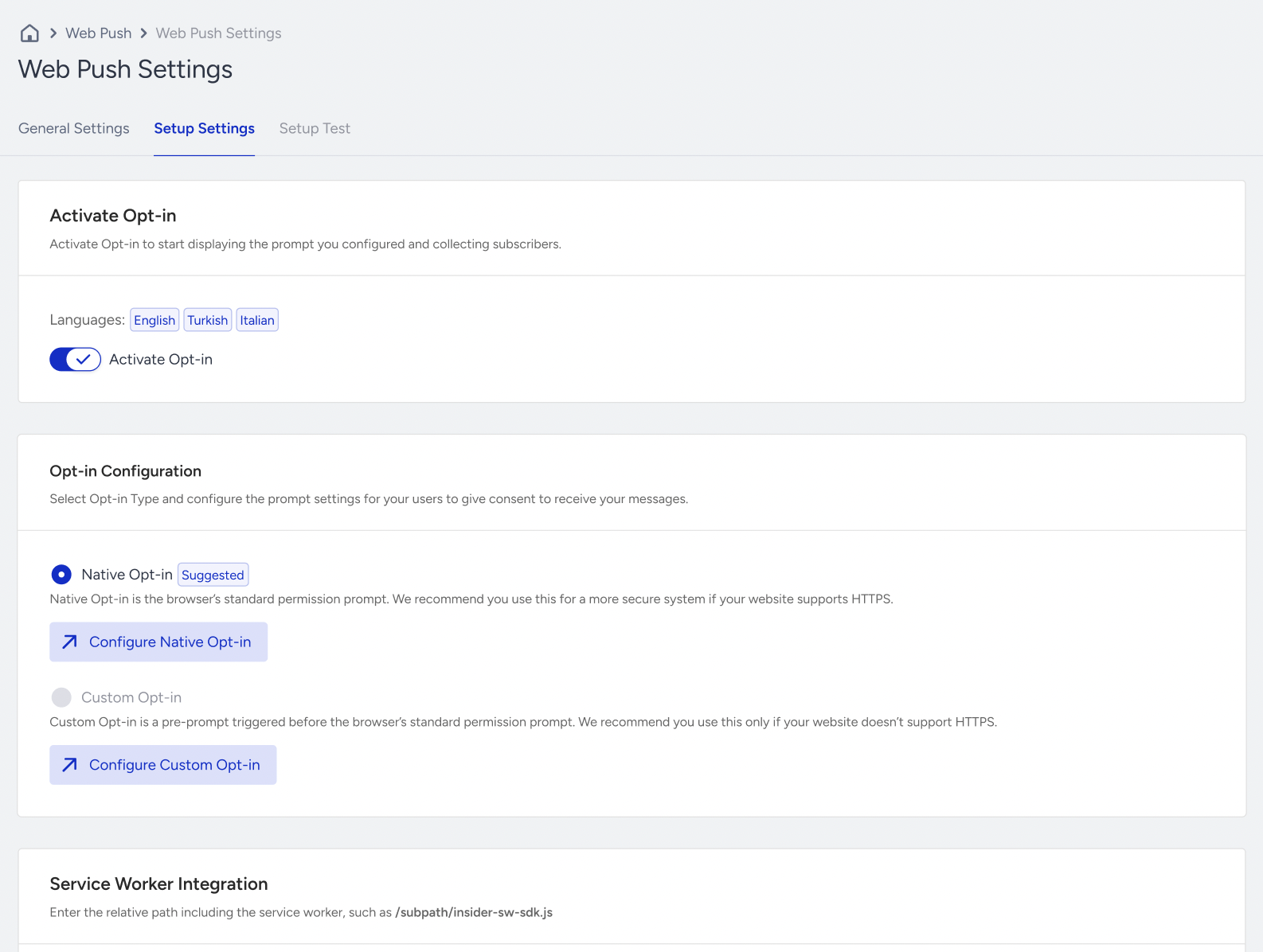
A common reason for this issue is that the Web Push opt-in is not enabled. If opt-in is disabled, the subscription prompt will not appear on your website.
Check Web Push Settings
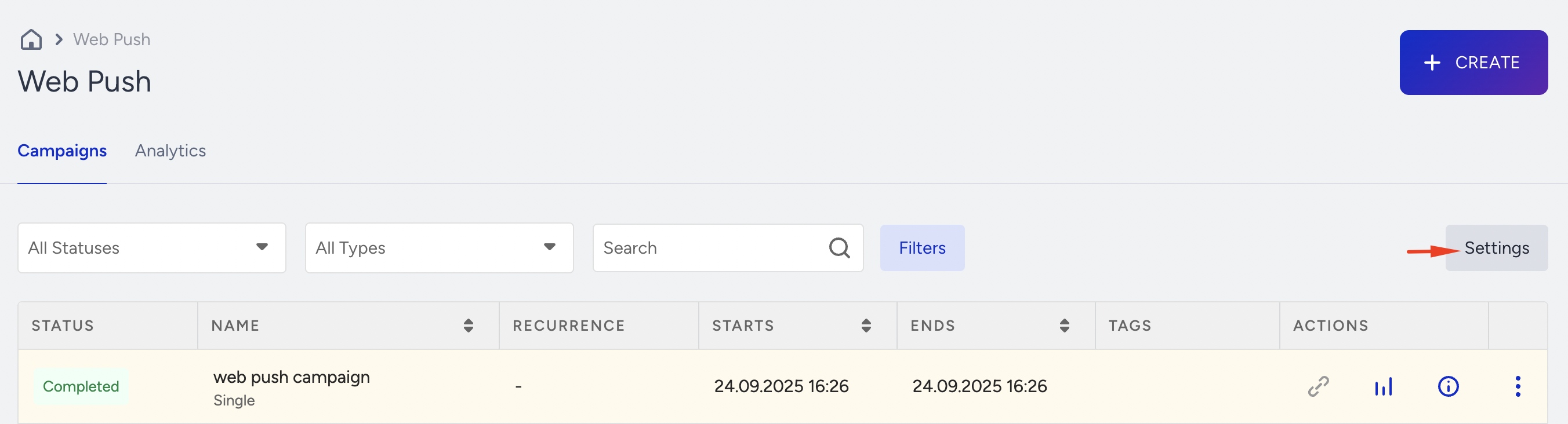
To check Web Push Settings, navigate to Web Push > Settings.
Ensure that the Activate Opt-in toggle is enabled.
Review Opt-in Delay Settings
If you set a delay on the Configure Native and Custom Opt-in pages, users will receive the opt-in notification after the specified seconds. This may be why the user doesn’t receive the opt-in notification right after visiting your website.
This delay may be why users don't see the opt-in prompt immediately after visiting your website.