Just as you can customize the look and feel of your templates, you can also adjust their placement and position according to the page(s) on which you want to display your campaign. For example, if you display your prompt on the category pages and it blocks your category filters on the bottom left, you can change your prompt’s position to the bottom right.
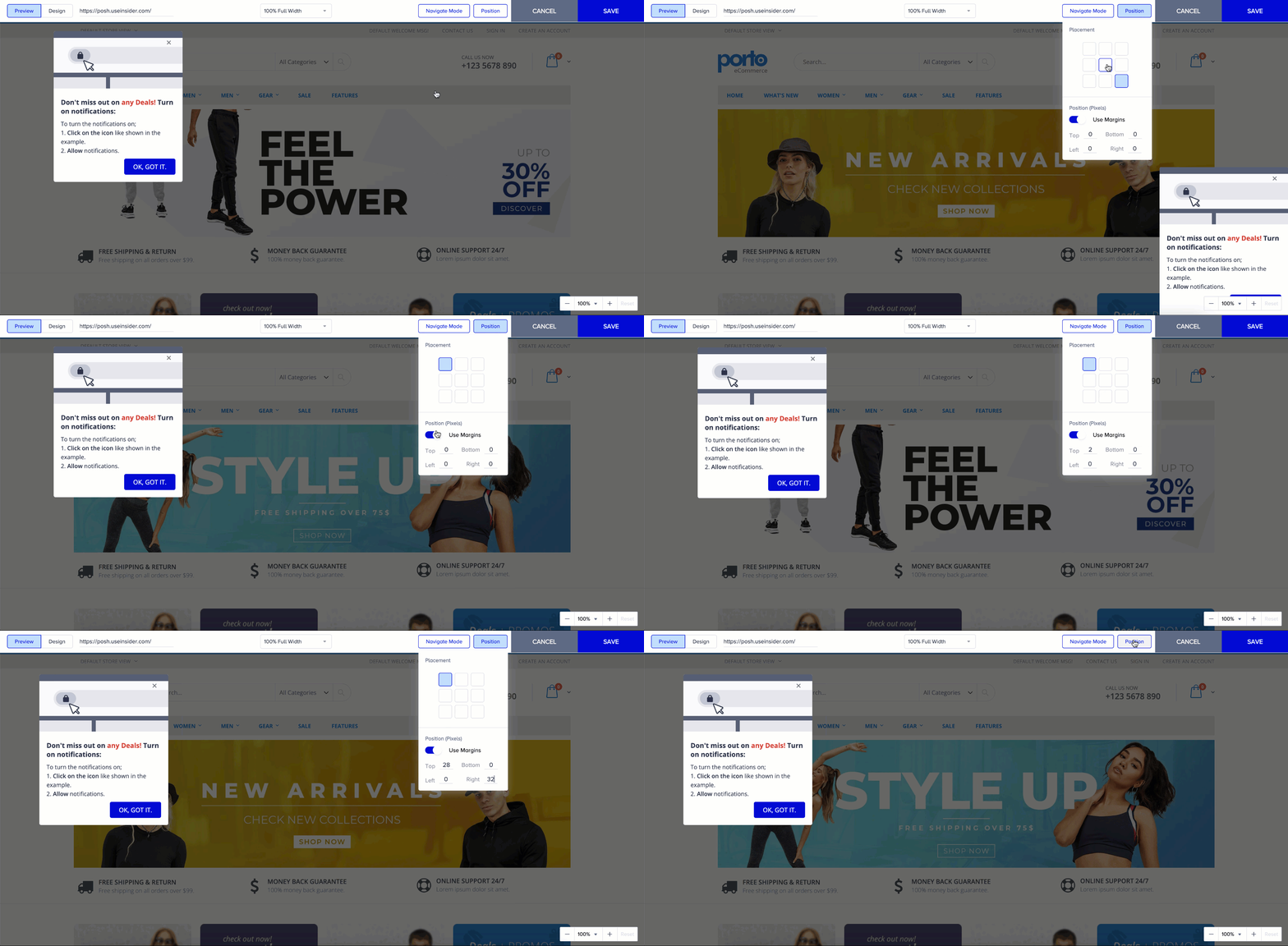
When you select any on-page web template in the Design step, it will be displayed in its default position. You can use the Placement option on the toolbar at the top of the page to adjust its placement:
Click the Position. You will see the available spots you can use.
To set a specific position, enable the Position (Pixels) option and specify values for top, bottom, left, and right.