Call an API element processes requests without any limit on the number of requests per second. For example, if 5k users arrive at the Call an API element, all requests will be sent immediately, and your endpoint will receive 5k requests simultaneously.
In some cases, endpoints for some services cannot handle this many requests and may not be able to receive and process them. For security reasons, you may also want to keep the number of requests coming to your endpoint from different services at a reasonable level.
Using our throttling function, you can limit the number of requests coming to your endpoint per second. This feature is useful if your endpoint can handle only a certain number of requests. When throttling is set for the endpoint, all excess requests are put into a queue. The queue is consumed at the rate of the throttling limit you set.
1. Go to Architect > Settings > API Preferences.
2. Click the Add an API Endpoint button to add your endpoint. You should enter the URL and the request size limit for every endpoint. You can add as many endpoints as you like.
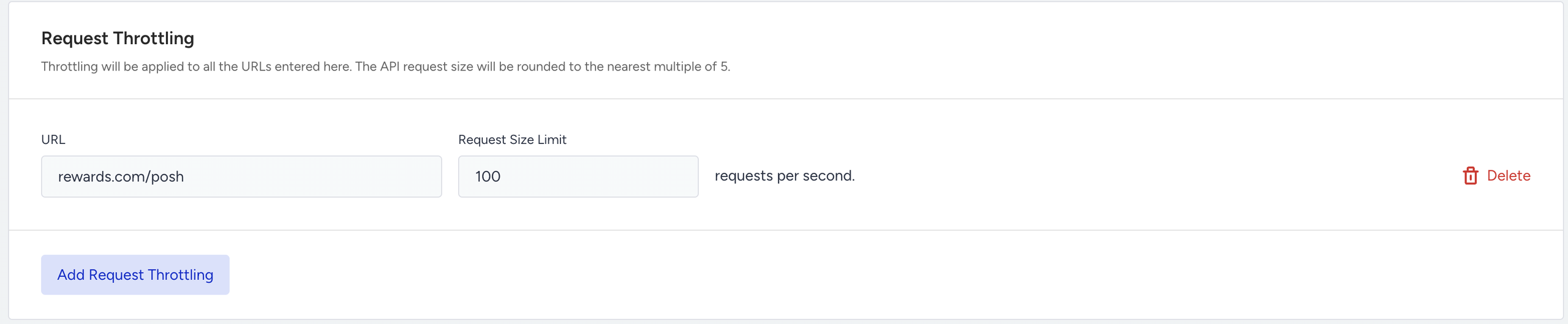
The request size should follow these rules:
- It should be multipliers of 5.
- It should be between 5 and 5000.
Once you enter the URL and the request size, you should save the page.
When you enter a URL that you have set throttling for within the Call an API element, it will automatically be applied for that element. You will also see another option to bypass throttling, along with an informational message indicating whether you have set throttling for the URL you entered and the request size limit for it. If you check the bypass option, then the throttling is disabled for that element.
