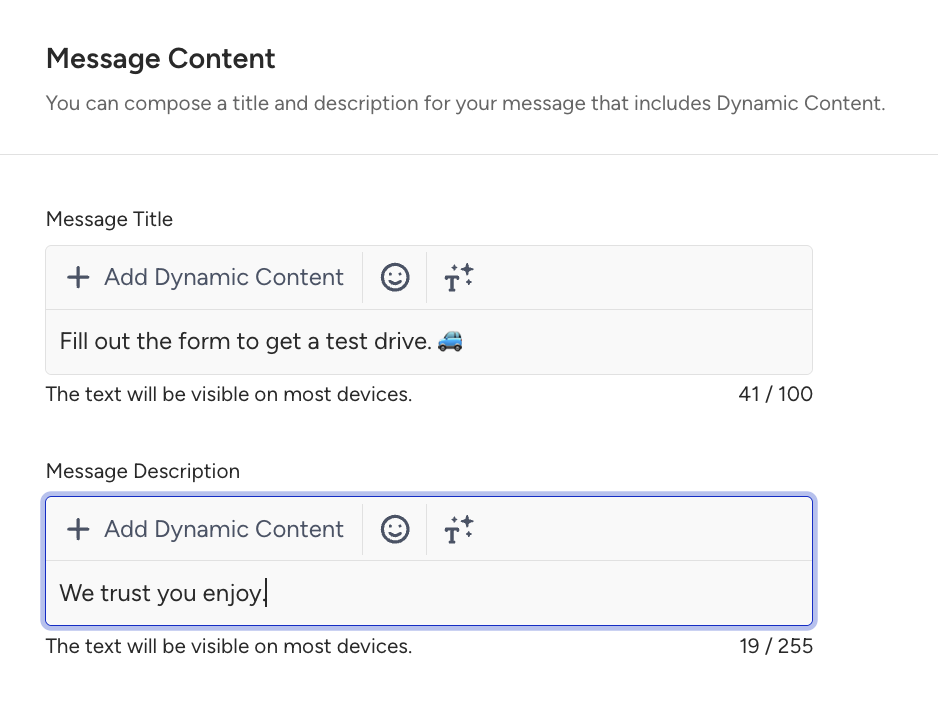
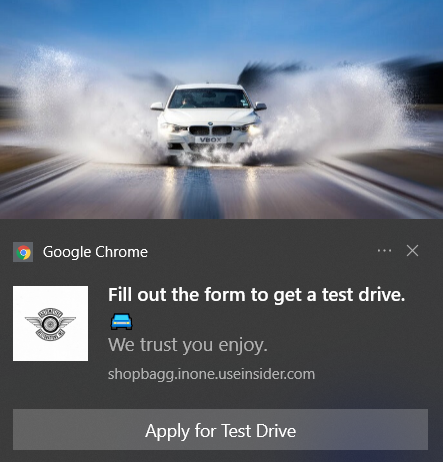
Forms are a critical way to acquire customers on digital platforms, allowing you to collect valuable user data and opt-in information. However, they are also the most abandoned tools on a website. Many users start filling out a form, but do not complete it for various reasons (e.g., getting distracted or navigating to other websites).
You can take steps to prevent form abandonment with a journey as your goal is to increase your conversion or acquisition rate.
This journey is ideal for users who start interacting with a form, reach a minimum engagement threshold (e.g., enter name, email, select a field), but leave the page without submitting. It works best for mid-intent or high-intent users who are close to conversion but need a reminder or nudge.
Login is not required. If a user is anonymous, Insider One will still detect their form start and abandonment. However, logging in or email capture anywhere before form completion improves accuracy, especially if follow-up needs to happen via Email or WhatsApp.
This guide explains the following:
Goals
While nudging your users to come back to your website and complete the form with the Form Abandonment journey, you can increase your acquisition rate and conversion rate. Each targeted and converted user will help you:
Boost conversion rate,
Increase acquisition rate,
Reduce abandonment rate,
Activate users,
Grow the known-user base,
Drive first purchase.
Requirements
You should have Insider Tag integrated on your website.
You should have Web SDK integration completed on your website.
If you have a mobile app, you should have SDK Integration completed.
Before starting to use any channel in your journeys, integrations for the respective channels should be completed. Depending on the channels you want to use in your journeys, additional integrations might be required.
You should pass the required attribute or event for form abandonment to Insider One's database.
Read more on the implementation guide.
Make sure to have users' opt-in information on the respective channel when passing any user data to Insider One's database if you want to send messages to your users. You can pass any opt-in information via email opt-in, SMS opt-in, GDPR opt-in, or Web SDK.
To track users if they abandon your forms, you need to pass an attribute or event to Insider One's database.
If you want to track a form on your website, you should pass a custom attribute to Web SDK. For example, you can create a boolean attribute named abandoned_form and pass it with the value true.
If you want to track a form on your mobile app, you should pass a custom attribute via your mobile SDK.
For both, you can also create a custom event named abandon form and trigger your journey with it.
Create a Form Abandonment journey
You can create a Form Abandonment journey to nudge users to come back to your website and fill out the forms they abandoned.
Ecommerce, Retail, and Fashion
Imagine Sarah visits your website, starts filling out a form to sign up for member-only benefits, discount alerts, or faster checkout. She provides a few details but leaves before submitting the form.
You can implement a Form Abandonment journey to re-engage Sarah and encourage her to return and complete the form, helping grow your subscriber base and improving conversion rates.
You wait for 30 minutes to give Sarah time to return organically and complete the form. If she submits it within this time, she automatically exits the journey.
If Sarah still hasn’t completed the form, send a web push notification as a gentle reminder highlighting the value of finishing it, such as personalized deals, order tracking, faster checkout, loyalty points, or saved preferences.
She clicks the push message and returns to the form page.
If Sarah doesn't complete the form after the push notification, send a personalized email that reiterates the benefits and removes any friction, such as “It only takes 20 seconds,” “Unlock early access,” or “Complete your profile to get personalized recommendations.”
Then, you can review Sarah’s engagement across push and email channels. Identify which message type performs better, and decide whether to send a final reminder or optimize the messaging for future form recovery campaigns.
Finance, Banking, and Insurance
Let's say Mark visits your website to apply for a credit card, loan, or insurance product. He starts entering his personal details into the application form but exits before submitting it, possibly due to time constraints or the need to gather additional documents.
You can create a Form Abandonment journey to help Mark return to his application and complete it, reducing drop-off and improving qualified lead generation.
Give Mark 1 hour to revisit the application on his own. If he completes the form, he exits the journey.
If Mark does not complete the form, send a web push notification highlighting key benefits, such as faster approval processing, pre-qualified offers, personalized interest rates, and secure online document upload options.
If Mark still hasn’t completed the form, send a follow-up email reminding him of the benefits of completing the application, such as saved application progress, no additional documents needed at this stage, and tailored product recommendations.
Then, you can review Mark’s behavior across both channels. If emails drive higher engagement, consider using more detailed, reassurance-focused messaging. If push performs better, optimize timing for moments of high financial research activity (breaks, evenings, weekends).
1. Select a starter
If you have an event to track form abandonment, you can select the On Event starter. On Event starter tracks user events and takes users immediately into the journey when they perform a specified event.
If you want to track form abandonment on both your website and mobile app, we recommend you create and send the same event.
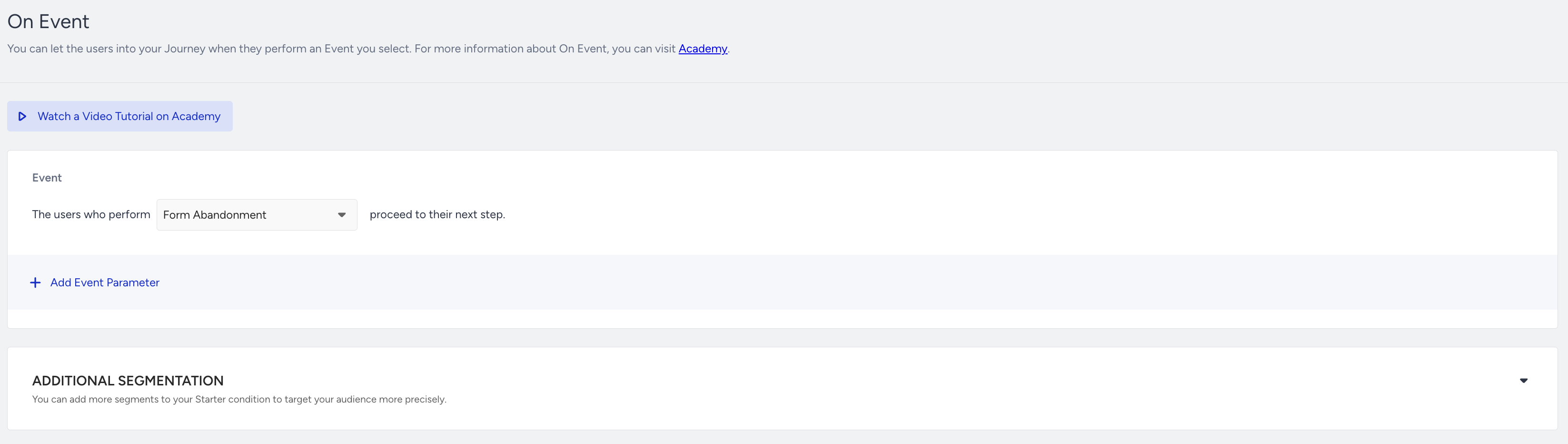
If you have a custom user attribute to track form abandonment, you can select the On Attribute Change starter. On Attribute Change starter tracks user attribute’s value changing or taking a new value.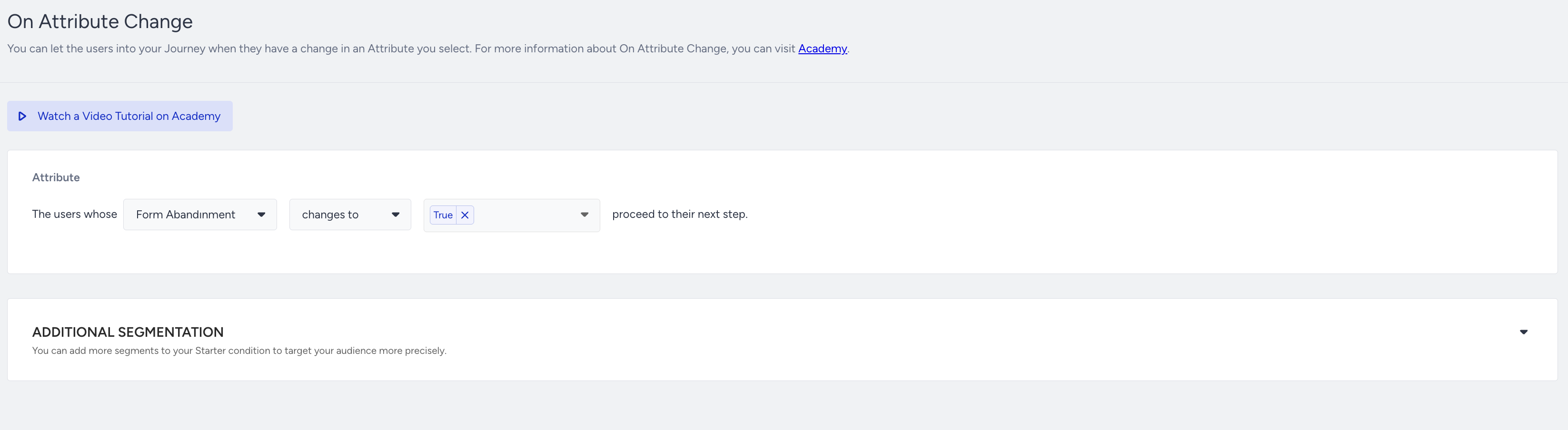
2. Add flow logic
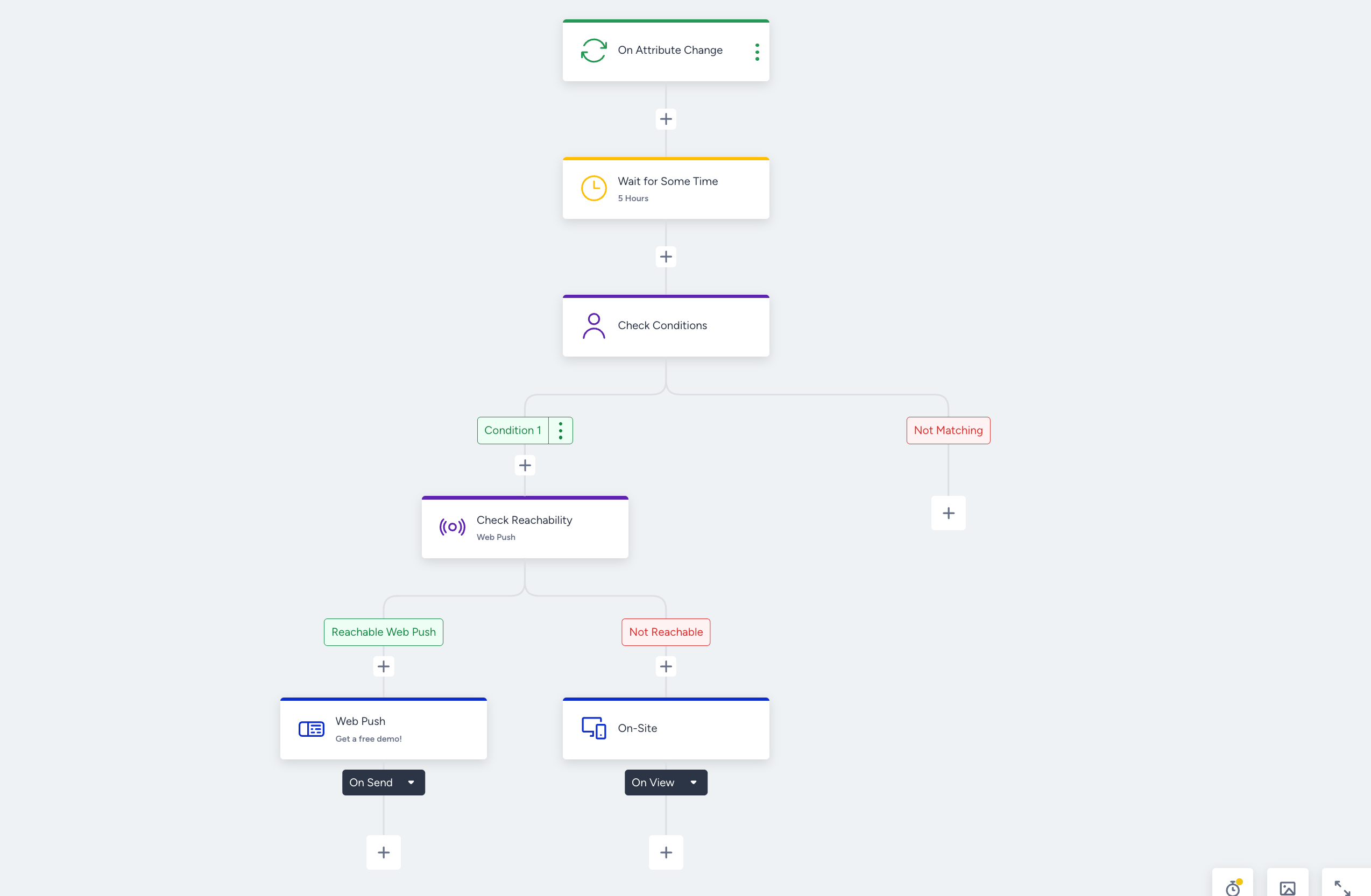
You can give your users some time to complete the form they abandoned before starting to nudge them to come back to your website. You can add a wait element and check if they complete the form. If they do not, you can send a reminder message.

If you have users' opt-in information and required attributes to be reachable on more than one channel, you can check their reachability to decide on which channel to send a message.

You can have a second interaction/messaging step for the non-engaged users who did not perform the desired action after the first message.
Wait element helps you have some space between two messages. The first message may be sent immediately but adding a wait element before the second message will avoid bothering users to receive a few messages in a short time.
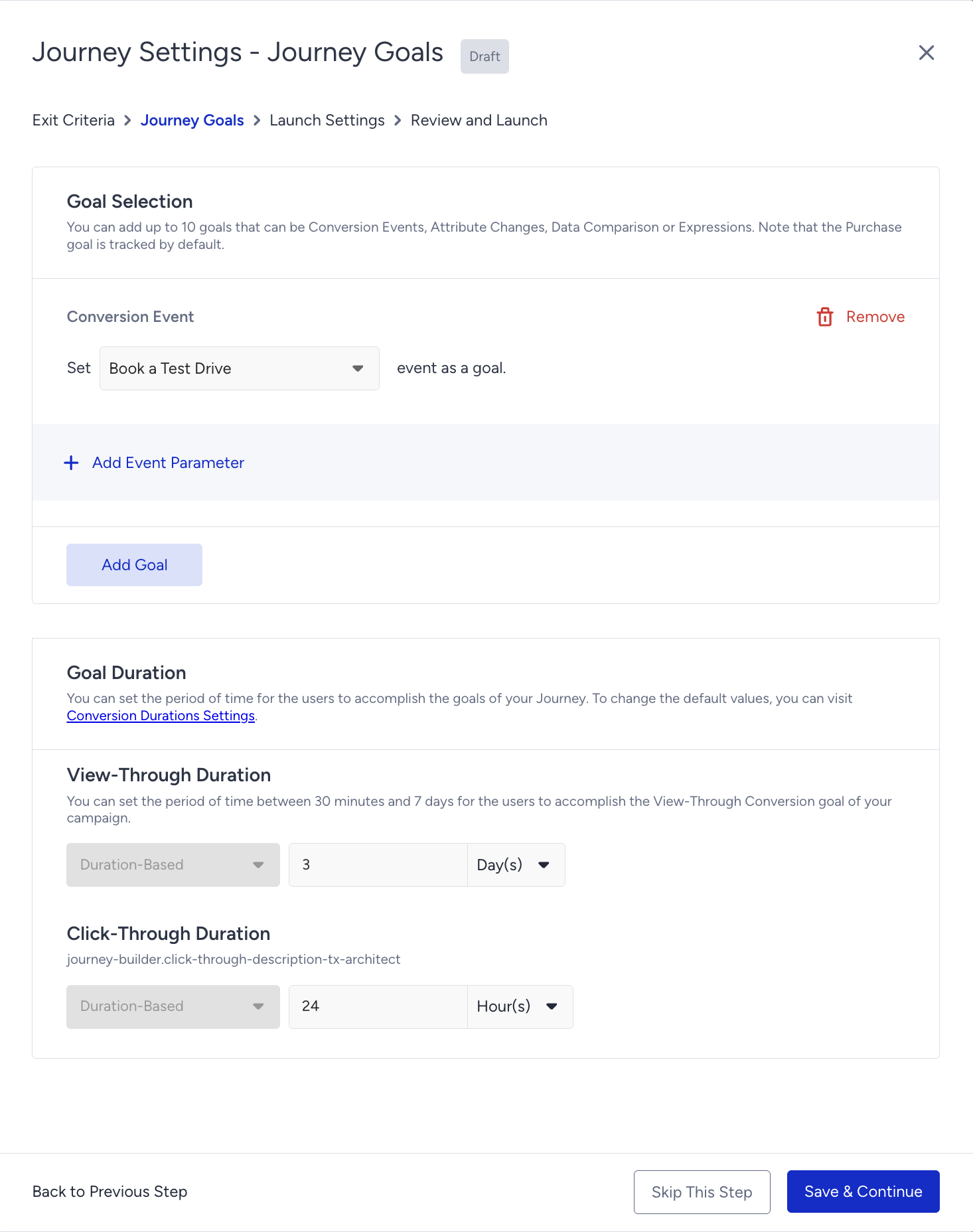
You can set custom goals (e.g., booking a test drive, booking, redeeming coupons, adding items to cart, etc.) for users who enter the journey, in addition to purchases. You can have a custom event to set goals, or you can use default events.
3. Create content
Web push and app push notifications, on-site, and in-app are the most suitable channels for form abandonment as most probably you do not have the email addresses or phone numbers of these users at that time. See below for some tips for your message:
Personalize the content with the last-visited product information to capture users' attention.
Offer special incentives to encourage users to complete the abandoned form.
Ensure the content design aligns with the design of your website and mobile app.
Make sure images and/or GIFs have high resolution.
Web Push