Update Static Segment is one of the action element types that enables you to take actions on users. It helps add or remove users to/from a specific static segment when they reach this step in the journey.

With the Update Static Segment element, you can create a list of users who reach a specific step of the journey.
When the user comes to the Update Static Segment element, they will be added to or removed from the static segment.
If a user comes to the Update Static Segment element more than once, they will be added to/removed from the static segment only once.
This article explains the following topics:
Use cases
You can use the Update Static Segment element in various use cases as follows:
You can maintain a list of email addresses for users who enter a particular journey. For example, you can have a list of users who complete a welcome journey flow.
You can add users to a static segment and reuse it in other campaigns or journeys.
You can remove non-engaged users from your static segments based on specific actions. For example, if they do not perform an event for the last N times, you can remove them from the list.
Requirements
You should have a static segment created beforehand.
Use Update Static Segment
Once you complete the requirements for this action element, follow these steps to use it in your journeys:
1. Create a Static Segment.
2. Click the + (plus) button on the canvas and select Action > Update Static Segment.

3. Click the Update Static Segment element to edit it.
4. Select your static segment from the dropdown.
5. Select an action operator: adding or removing.
6. Save the element to save your changes.
Analytics
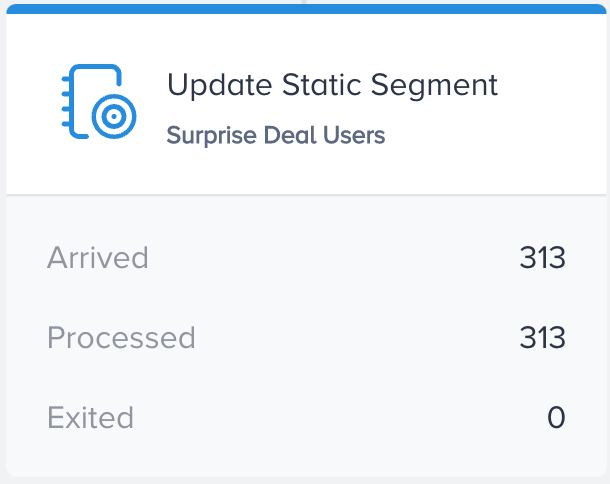
After you launch your journey, you can see Arrived and Processed metrics on the Update Static Segment element on the canvas.
Arrived indicates the number of users who have arrived at the Update Static Segment element.
Processed indicates the number of users who are taken into the process to perform the desired action.
Exited indicated the number of users who got dismissed from the journey by matching the exit criteria.