Goals help you track the performance of your campaign. On this page, you can set goals and conversion durations.
.png)
Goals
You can track your campaign goals, set new ones, or add the existing goals to this campaign.
To create a new goal:
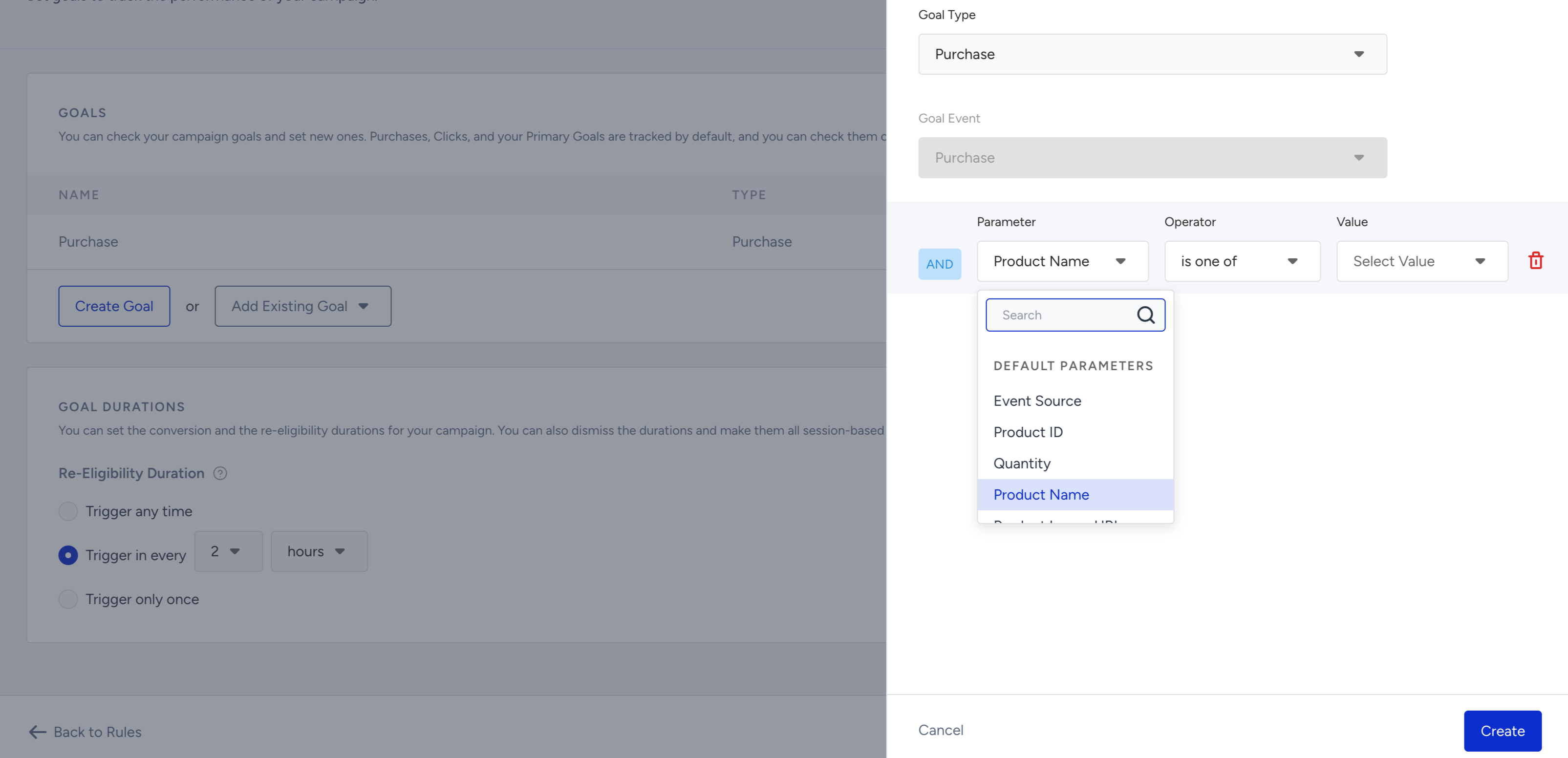
1. Click the Create Goal button, enter a goal name, and select your goal type as Purchase or Campaign.
Purchase
If the goal type is Purchase, the Goal Event is selected as Purchase by default. To specify the types of purchases you want to track, you can use the event parameters of the Purchase event.
Unsupported events and event parameters in app rules and goals
What are app-related events and parameters?
App-related events and parameters are the events sent by Insider One’s Mobile SDK from within the app. These include both custom events implemented by your developers during the SDK integration and the SDK's built-in events. Since the list displayed in the panel is generated across all apps in your account, it may also include events and parameters that your application does not actually send.
Why might a campaign not work?
App Templates and Conversion Push triggers are evaluated on the device using the events collected by Insider One’s Mobile SDK during the current app session. If your application never sends the selected event, the trigger condition can never be met. Likewise, if you create a filter using a parameter that your application does not send, the condition will never be satisfied.
What happens if you select an unavailable event or parameter?
The panel does not validate these selections or display a warning. The campaign can still be saved, but it will never be triggered, and any campaign goal based on unavailable events or parameters will not collect data. For this reason, we recommend confirming that the selected events and parameters are implemented before using them in your campaign.
Campaign
If the goal type is Campaign, you can select a Goal Event for this goal. You can also specify the campaign goal with the event parameters of the selected event.
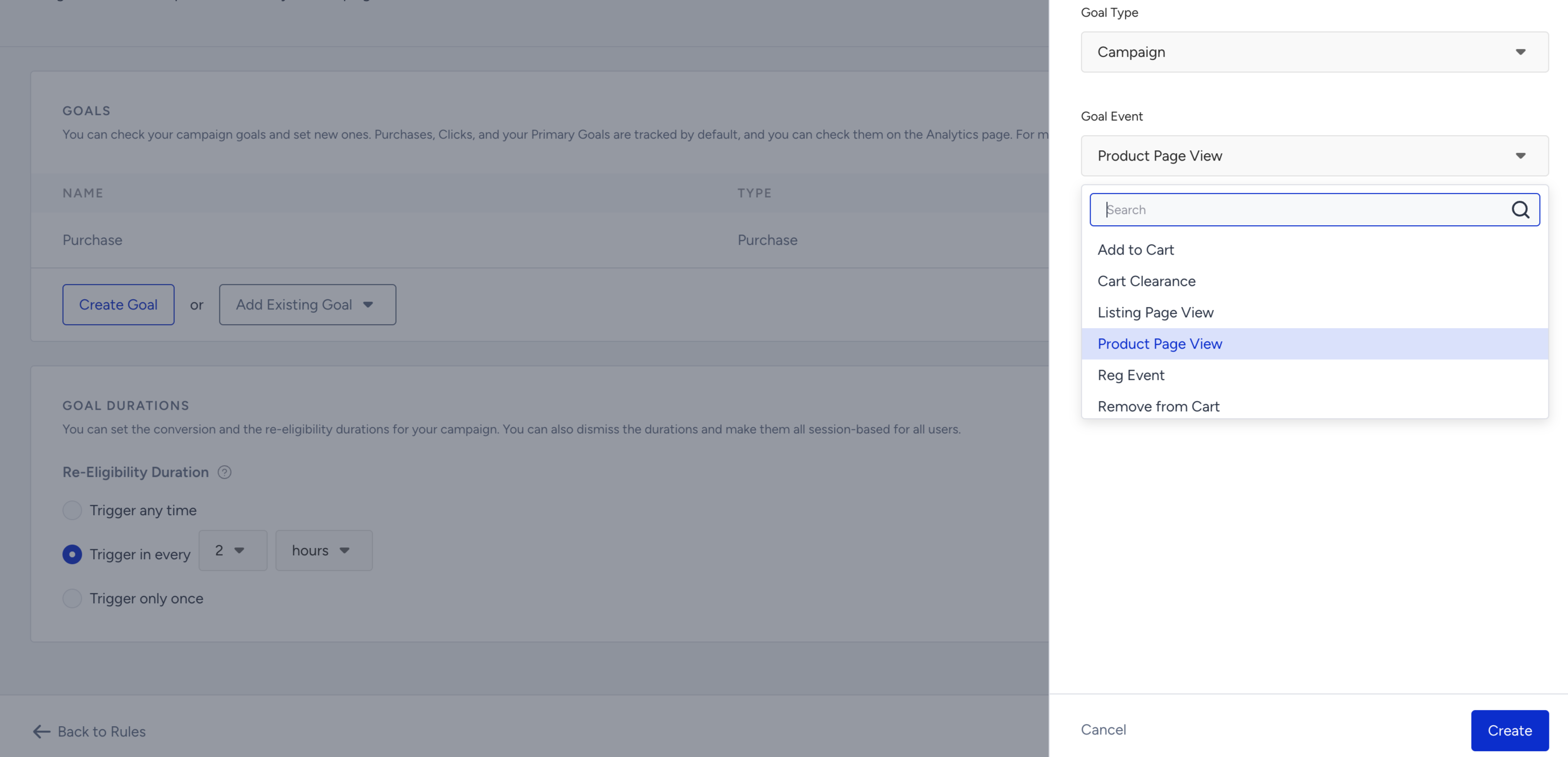
2. After selecting your goal, click the Create button to save this step.
Once you save it, your goal will be listed under the Goals list.
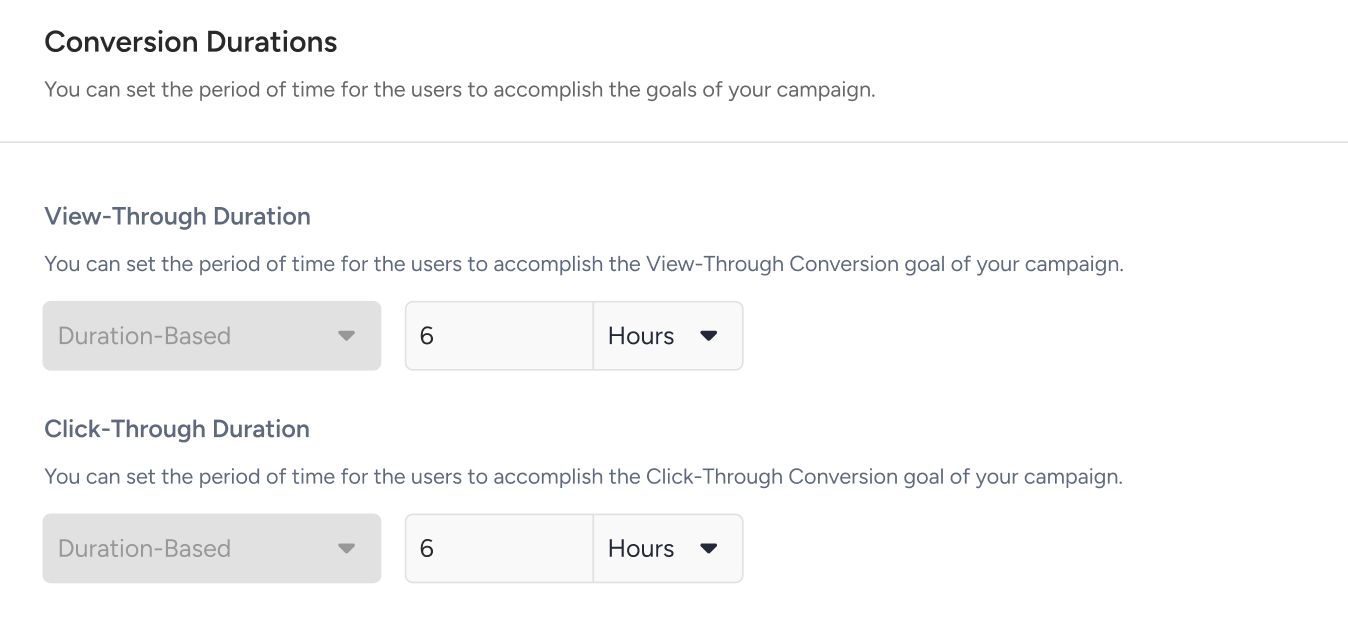
Conversion Durations
You can set the period of time for the users to accomplish the goals of your campaign. You can set the view-through duration and click-through duration to duration-based.
Re-Eligibility Duration
You can set the period of time for the users to be eligible to see your automated push campaigns, such as Recurring, Conversion, Geofence, and Cart Reminder, again.
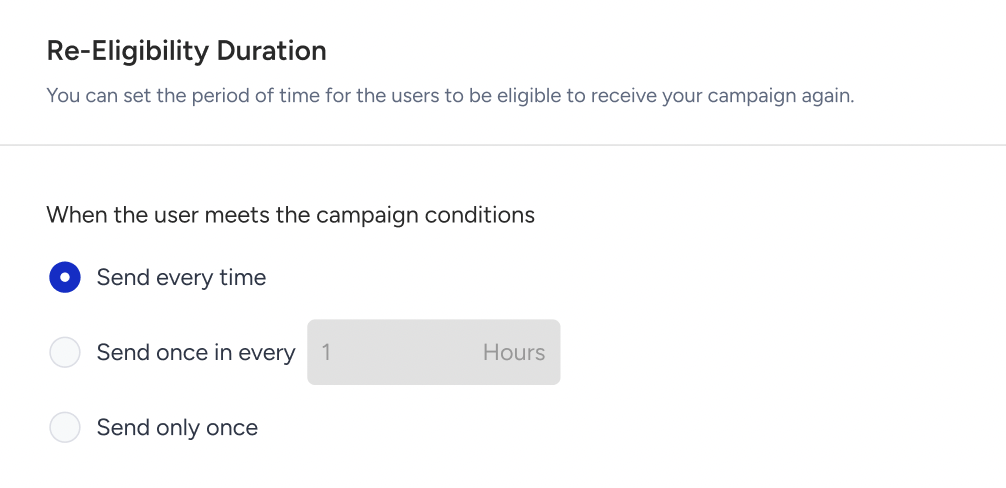
- Send every time: The campaign is sent every time the user meets the trigger conditions. This option is selected by default for new campaigns.
- Send once in every T: The campaign is not sent again within the specified time period. Once the period expires, the user becomes eligible again. When selected, the duration input and unit dropdown are enabled. The default value is 1 Hour, and the unit can be changed to Hours or Days.
- Send only once: The campaign is sent only once. After receiving it, the user never becomes eligible for the campaign again. When selected, the duration input is disabled since no time value is required.
- When switching between options, the duration is reset to 1 Hour, and any previous validation error is cleared.
- If the entered value exceeds the allowed limit, an inline error is displayed below the input: "Enter a value up to 23 to continue." (or "Enter a value up to 30 to continue." when Days is selected). Save and Continue is disabled until the error is resolved.