You can add dynamic attributes to Social Proof templates only.
Dynamic Attributes drive interest in products and encourage purchases by displaying how often they are viewed, purchased, or added to a cart.
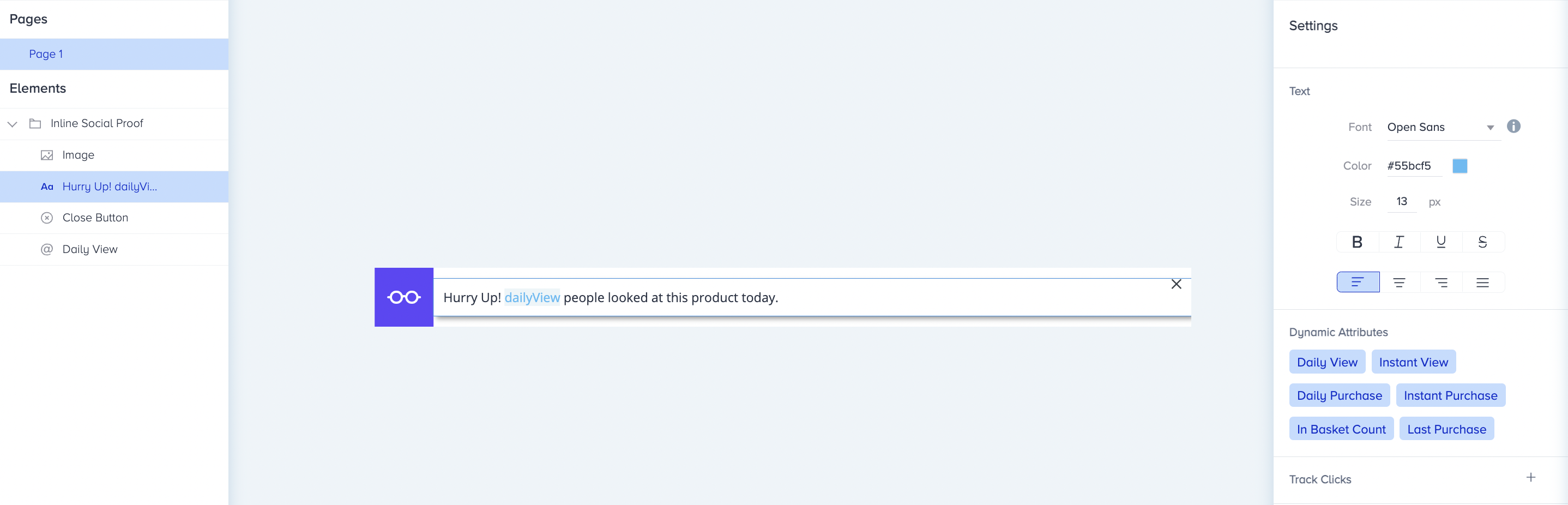
You can use the following Dynamic Attributes on your Social Proof campaigns:
Daily View: Display the number of users who have viewed the respective product on that day.
Instant View: Displays the number of users viewing the respective product at that time.
Daily Purchase: Displays the number of users who have purchased the respective product on that day.
Instant Purchase: Displays the number of users who have purchased the respective product at that time (within 15 minutes).
In Basket Count: Displays the number of users with the respective product in their carts.
This is a rolling metric, not a daily reset. It shows a continuous sum of activity from the last 24 hours at any given moment. Because it does not maintain a cumulative total, data older than 24 hours is automatically excluded from the current count.
Last Purchase: Displays the last time the respective product was purchased.
Social Proof only collects data when an active campaign is in place. Test campaigns only collect data when you are actively testing the campaign.
A visitor only sees the Social Proof message if they are eligible for the campaign and the attribute value passes the configured minimum threshold.
Dynamic Attribute Settings
You can configure the settings of the dynamic attribute you define in the Text element.
Minimum Value
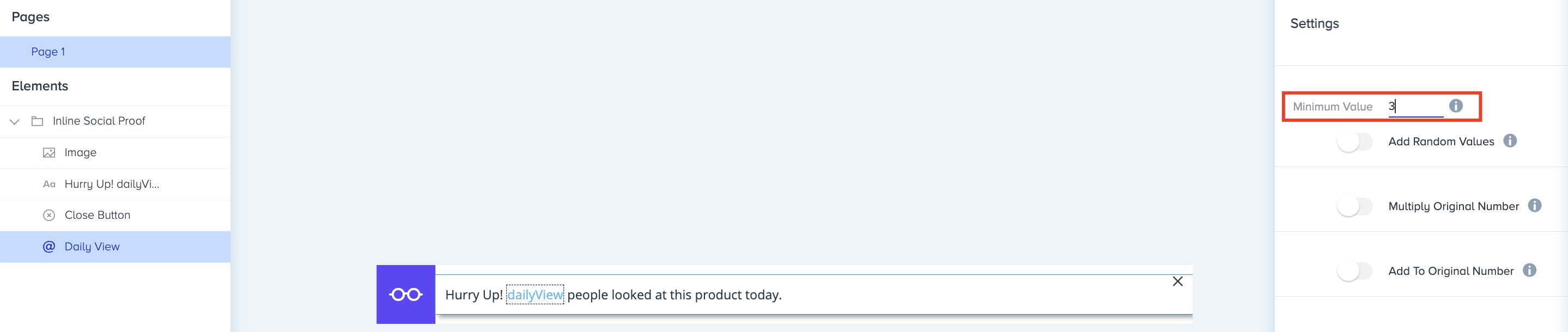
You can define a minimum value that a given Dynamic Attribute must reach before Social Proof is displayed on your products. For example, if the minimum value is 3, Social Proof will not be shown to any user until the value of that attribute reaches 3.
Dynamic Variable Random Values
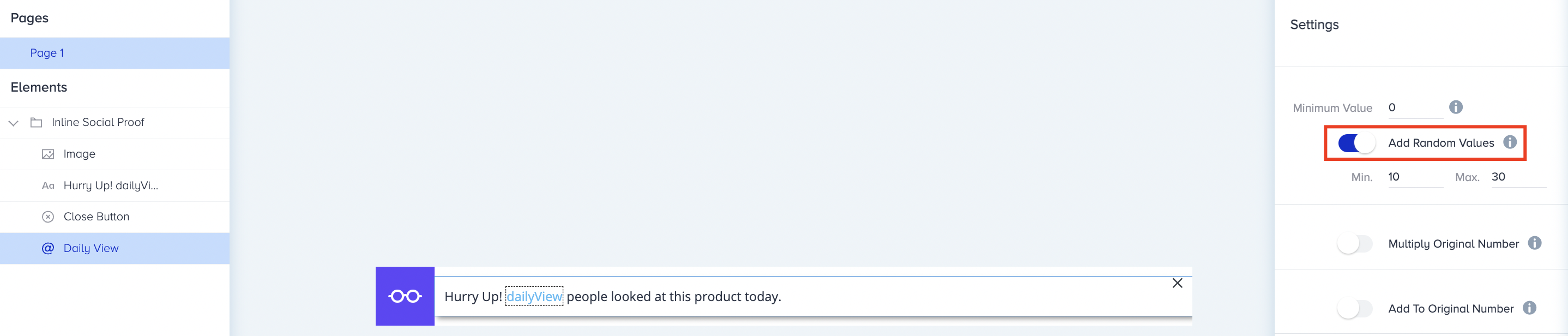
This feature enables you to set a range, and Social Proof will add a number within that range to the original value. For example, if your range is 10-30 and the original value is 47, Social Proof will display a value between 57 (47 + 10) and 77 (47 + 30).
Multiply Original Number
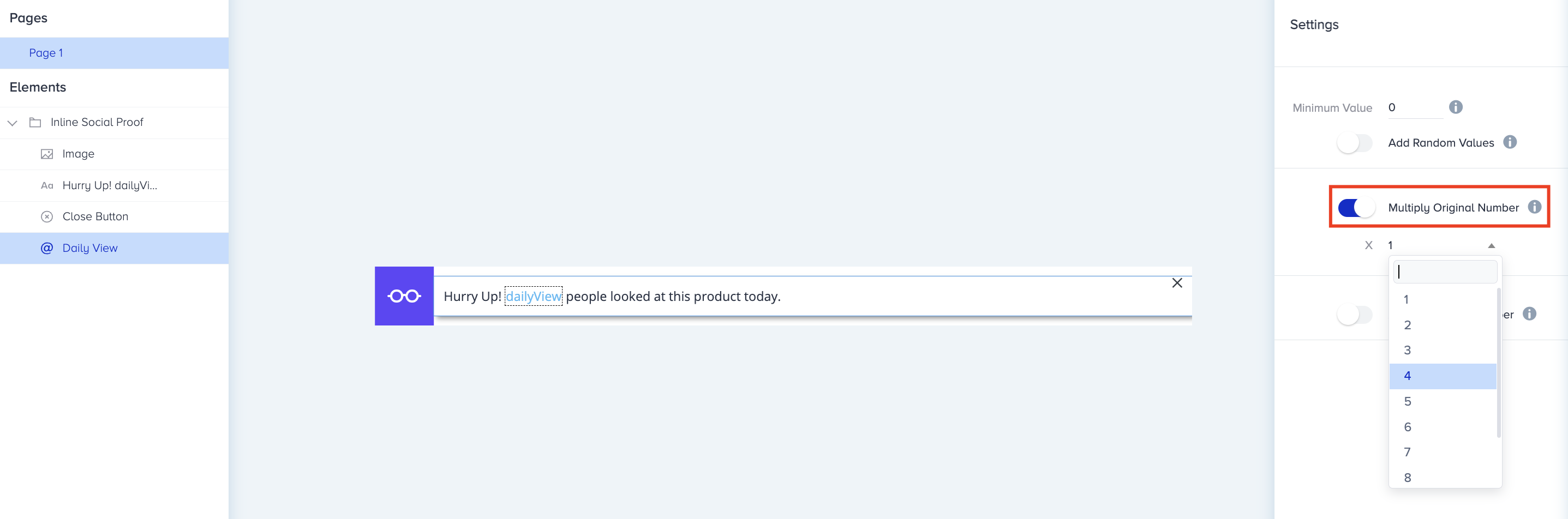
You can multiply the original value by 1-10. For example, if the original value is 38 and you select 4, this setting will multiply that original value (38) by 4, displaying 152 on Social Proof. If you choose 1 for your multiplier, this setting will show the original value on Social Proof (e.g., 38 x 1 = 38).
Add to Original Number
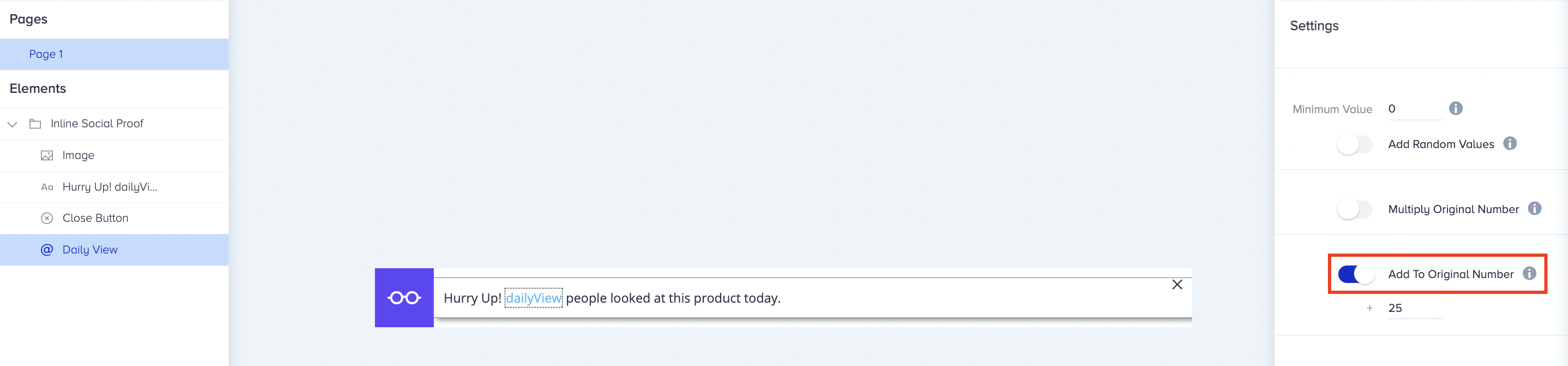
This feature lets you add any value you specify to the original number. For example, if the original value is 59 and you would like to add 25, the value displayed on the Social Proof will be 84.