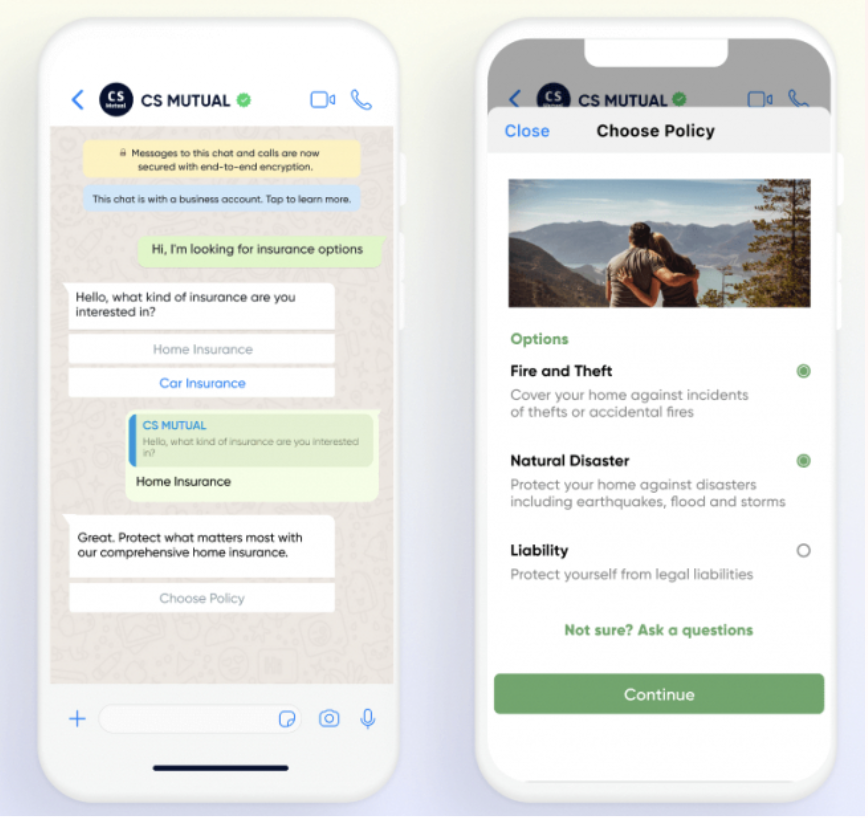
The WhatsApp Marketing tool enables interactive messaging, allowing users to engage with businesses after the initial message. To ensure a seamless experience, businesses can integrate a bot to respond to WhatsApp messages. WhatsApp Conversational further enhances this by offering powerful two-way conversational messaging focused on end-to-end shopping experiences.
Brands and retailers can use templates like product catalogs for browsing, category lists for product discovery, and detailed description cards for completing purchases, providing a comprehensive and engaging shopping experience through WhatsApp.
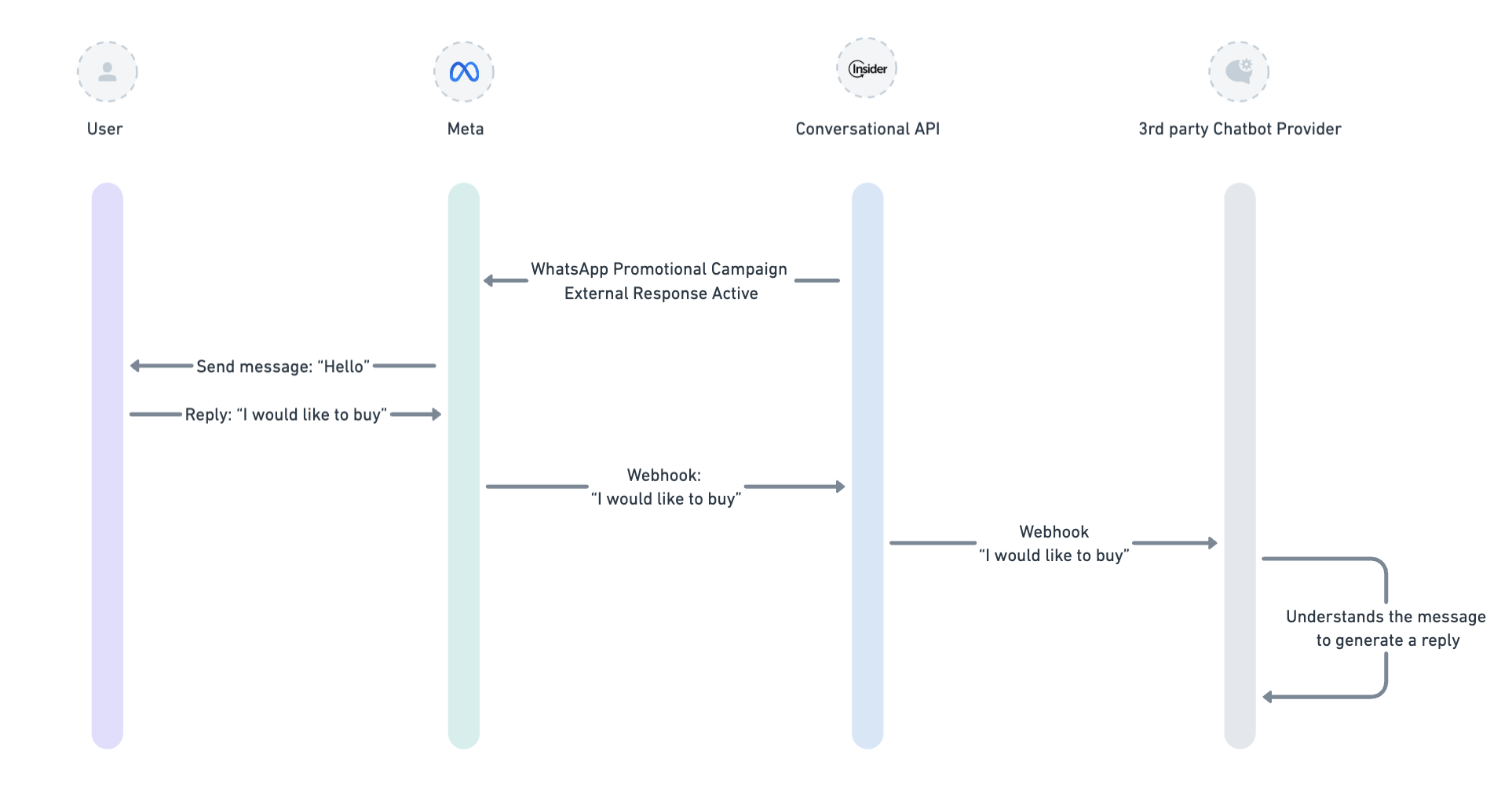
You can refer to the image below to better understand how the system works:
Conversational WhatsApp Message Types
The Conversational API is built to connect WhatsApp Bots. Refer to the table below to explore conversational message types and access their API documentation.
Message Type | API Documentation |
|---|---|
Template-based Messages | |
Free-form Text Messages | |
Media Messages | |
File Handling |
Important:
When you change your webhook URL, any existing chatbot or automation flows connected to the previous webhook will immediately stop working.
Changing the webhook effectively disconnects your previous bot logic. Before switching, ensure that the new webhook is fully configured and includes all required handlers to process incoming requests correctly. This prevents message delivery issues or automation failures caused by missing event handlers.
Both Transactional API and Conversational API can send marketing and utility messages. Use Transactional API for one-way messaging, and Conversational API for two-way messaging. Neither API enforces opt-in control, since neither is connected to UCD.