You can use an SMS channel to reach your users through promotional and transactional content.
Promotional messaging helps you track click-through and click rates with highly engaging campaigns like cart reminders and personalized messaging with dynamic content.
Transactional messaging allows you to deliver your informational messages in a timely manner.
Promotional SMS Use Cases
Product advertisement
You can reach users and advertise your new products, features, or special offers. You can create short yet compelling messages that highlight key information like product names, standout features, and exclusive promotions. Thanks to dynamic content, you can personalize your texts by addressing recipients by name and consider tailoring content based on their preferences.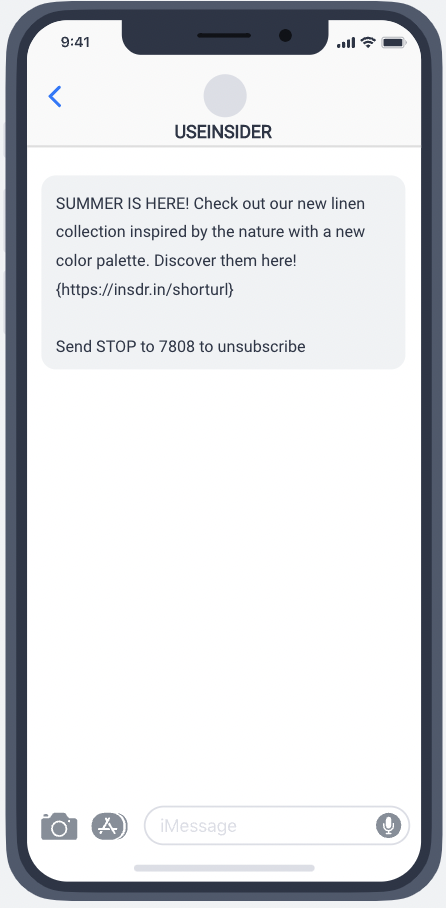
Enlarging your audience
You can grow your audience by using special offers for signing up on your SMS marketing channel or special incentives, such as exclusive discounts or promotions. By leveraging in-store consent, you can further boost your subscriber base. This approach encourages users to engage with your SMS marketing and adds a layer of exclusivity, making them feel valued.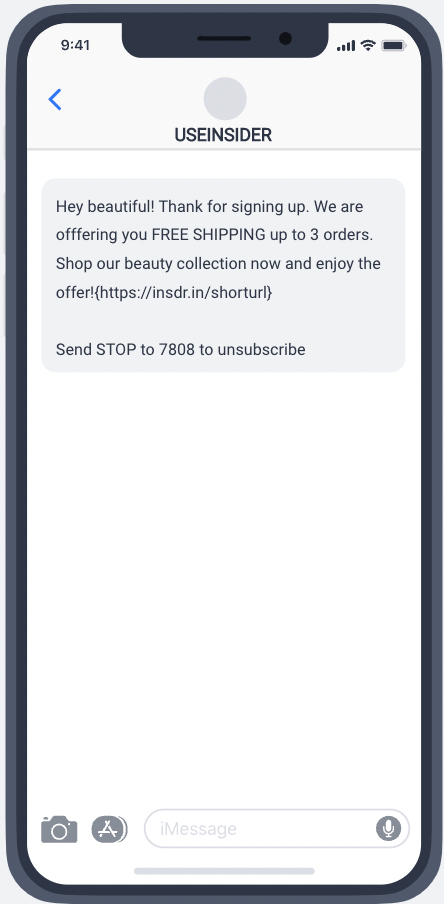
Product announcements
Keeping your audience informed about product updates is crucial. SMS is a direct and effective channel for sharing announcements. You can regularly update users on new product launches and stock availability, as well as highlight best-selling products directly through SMS. 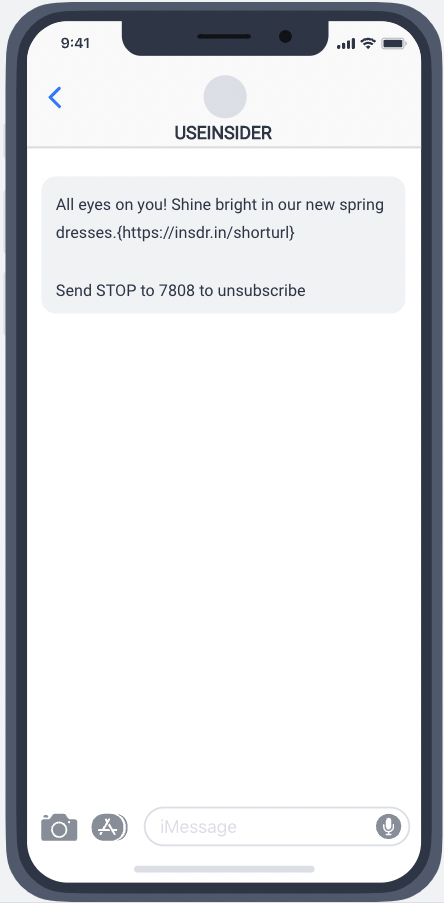
Personalized promotions
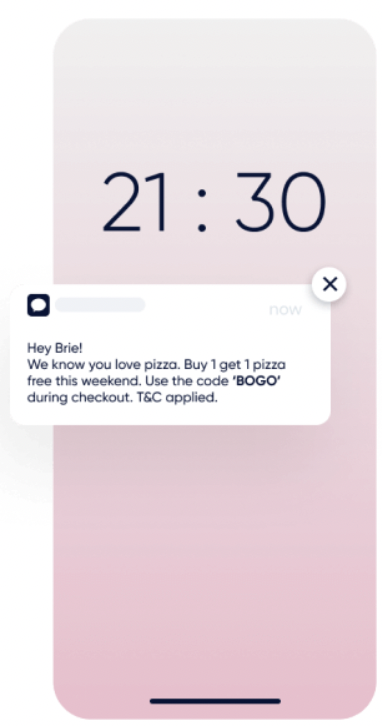
Offering tailored promotions through SMS for your VIP customers adds a personal touch that can significantly enhance their experience. Offering exclusive deals and personalized discounts, you show appreciation for their loyalty and make them feel special. This boosts customer satisfaction and strengthens your brand's relationship with its most valuable supporters.
Cart Reminder
Sending cart abandonment reminders via SMS is a great way to recover potentially lost sales. Reminding users about items left in their cart, you provide a helpful nudge to complete their purchase. Make sure the reminders are timely, and consider using dynamic content for a seamless and convenient checkout process. It's a powerful strategy to re-engage users and turn abandoned carts into successful transactions.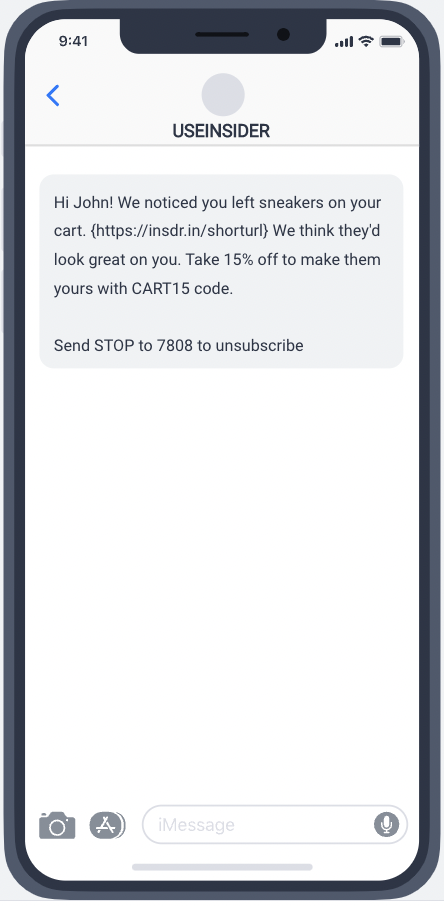
Information sharing
To provide critical knowledge, you can direct your audience to specific information pages such as catalogs, updates, blog posts, etc.. Whether showcasing new products in a catalog, providing updates on your latest offerings, or sharing insightful blog posts, SMS can be a direct gateway to the information you want to convey.
Loyalty programs
Recognizing and rewarding loyalty is key to building a strong and lasting customer relationship. Offering exclusive promotions and special discounts to frequent and loyal shoppers via SMS, you show appreciation for their ongoing support and incentivize them to continue choosing your brand.
Referral system
Turning your existing customers into advocates is a powerful strategy. Encouraging users to refer friends and offering special discounts as a reward creates a win-win scenario. Your customers feel appreciated for their loyalty, and you gain new customers through their referrals.
Transactional SMS use cases
Order confirmation
Sending confirmation messages after a customer places an order is a crucial step in ensuring a positive post-purchase experience. You offer transparency and reassurance by informing users that their order has been received, providing the order number, and including a link for order information.
Order shipment
Keeping customers informed about the status and details of their shipment is crucial for a positive buying experience. Sending SMS messages that provide critical information such as the expected delivery day, time, shipping company, and a link for order tracking offers transparency and convenience. Providing accurate and timely shipping updates via SMS enhances the overall customer experience and improves customer satisfaction.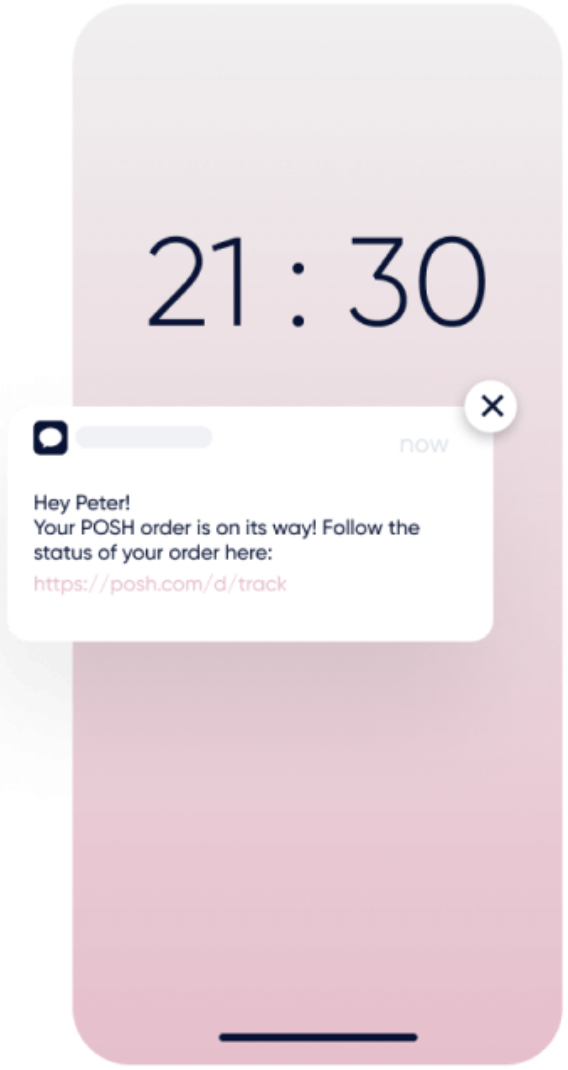
Order delivery
Sending delivery confirmation messages is a great way to keep your audience in the loop and provide a sense of closure to the purchasing process. You can create messages that convey excitement about the successful delivery of their order, express gratitude for their purchase, and invite them to share their experience.
Subscription information
Keeping customers informed about their subscription status is crucial for transparency and maintaining a positive relationship. By sending SMS messages to let them know that they've been subscribed to your service or product and including critical information about their purchase plan, whether it's renewed, canceled, or any other relevant updates, you provide clarity and ensure they are well-informed. 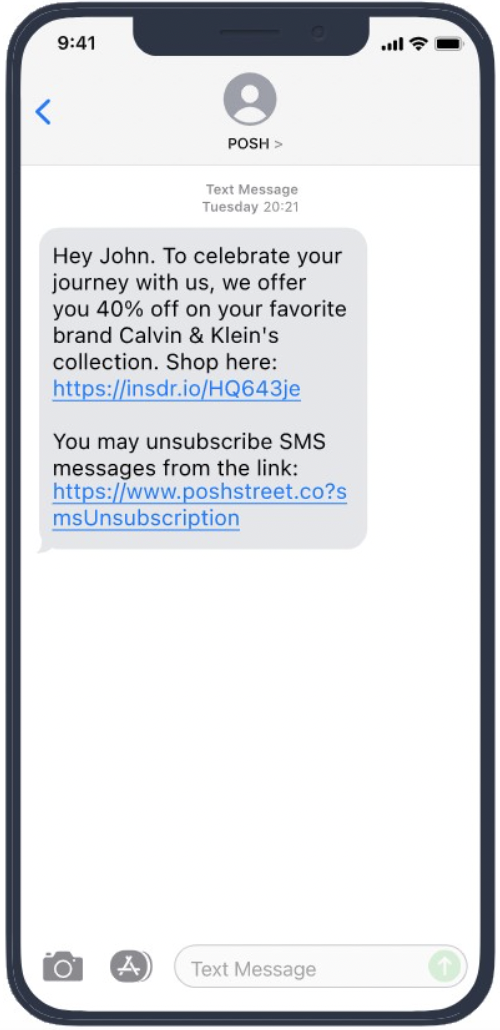
Travel information
With SMS updates, you can keep your customers in the loop about their upcoming travels. Include essentials like flight number, travel time, gate details, and a reminder to check for last-minute changes. This ensures a smooth and stress-free travel experience, showcasing your commitment to their convenience and satisfaction.
For further tips and best practices, you can refer to Insider One's blog and SMS Templates Library.
Two-way SMS use cases
Collect NPS over SMS
You can ask users for a Net Promoter Score (NPS) by SMS, thank them automatically, and follow up differently with each score group. The whole flow runs in InOne with Quick Response, segments, and Architect, so you do not need MindBehind or a chatbot.
Before you start, make sure that:
Your sender can receive replies, for example a dedicated short code. Alphanumeric sender IDs and shared short codes are not supported.
Quick Response is available on your account. It is released in beta, so contact the Insider One team to enable it.
The phone number is set as an identifier, as described in Use Phone Numbers as Identifiers for SMS.
To collect the scores:
Create one Quick Response keyword for each score, for example 1 to 10, and turn on Activation for each one. You can add up to 20 keywords, and keywords apply to every reply to the sender, not to a single campaign. If you use several senders, create the keywords for the sender that sends the survey.
Write the auto-reply for each keyword. This is your thank-you message, and each score can have its own text. Do not send another thank-you from the journey, or users receive two messages.
Send a test reply from a phone that has received one of your SMS campaigns, and check that the Text parameter appears on the Sms Quick Response event, as described in Use keyword replies in segments and journeys.
Create an SMS campaign that asks for the score, for example: How likely are you to recommend us? Reply with a number from 1 to 10.
When a user replies, Insider One sends the auto-reply and records the score in the Text parameter of the Sms Quick Response event.
To act on the scores, use either of these:
Segments: Create an Events segment on the event, add Text, and select several values in one box, for example 9 and 10 for promoters. Add Campaign Name to count only replies that follow your survey campaign.
Journeys: Start a journey with an On Event starter on the event. Then branch with Check Conditions on Text, for example to offer a referral code to promoters and create a follow-up for detractors.
Replies that do not match a keyword, such as 8 thanks, create an SMS Reply event instead. To capture them, build the same segment or journey on SMS Reply with Text, or send them to your own systems as described in Receive SMS replies in your own systems.