The probability to win is the likelihood of a variant to best the other variant(s) in the test. This percentage is calculated by using Bayesian significance, based on the collected data so far. Unlike traditional significance, which requires a certain amount of data, Bayesian significance analytically generates data to provide relevant results, especially in low-sample campaigns.
With the probability to win, you can see which variant will be the winner in your campaign. Accordingly, instead of significance, you can use this metric as a base if you want to run this variant with more traffic allocation.
We strongly recommend duplicating your campaign before changing its traffic allocation, goals, segments, or rules to avoid discrepancies in analytics.
You can see which variant in your campaign is more likely to succeed on both the Executive Summary Dashboard and campaign analytics.
Executive Summary Dashboard
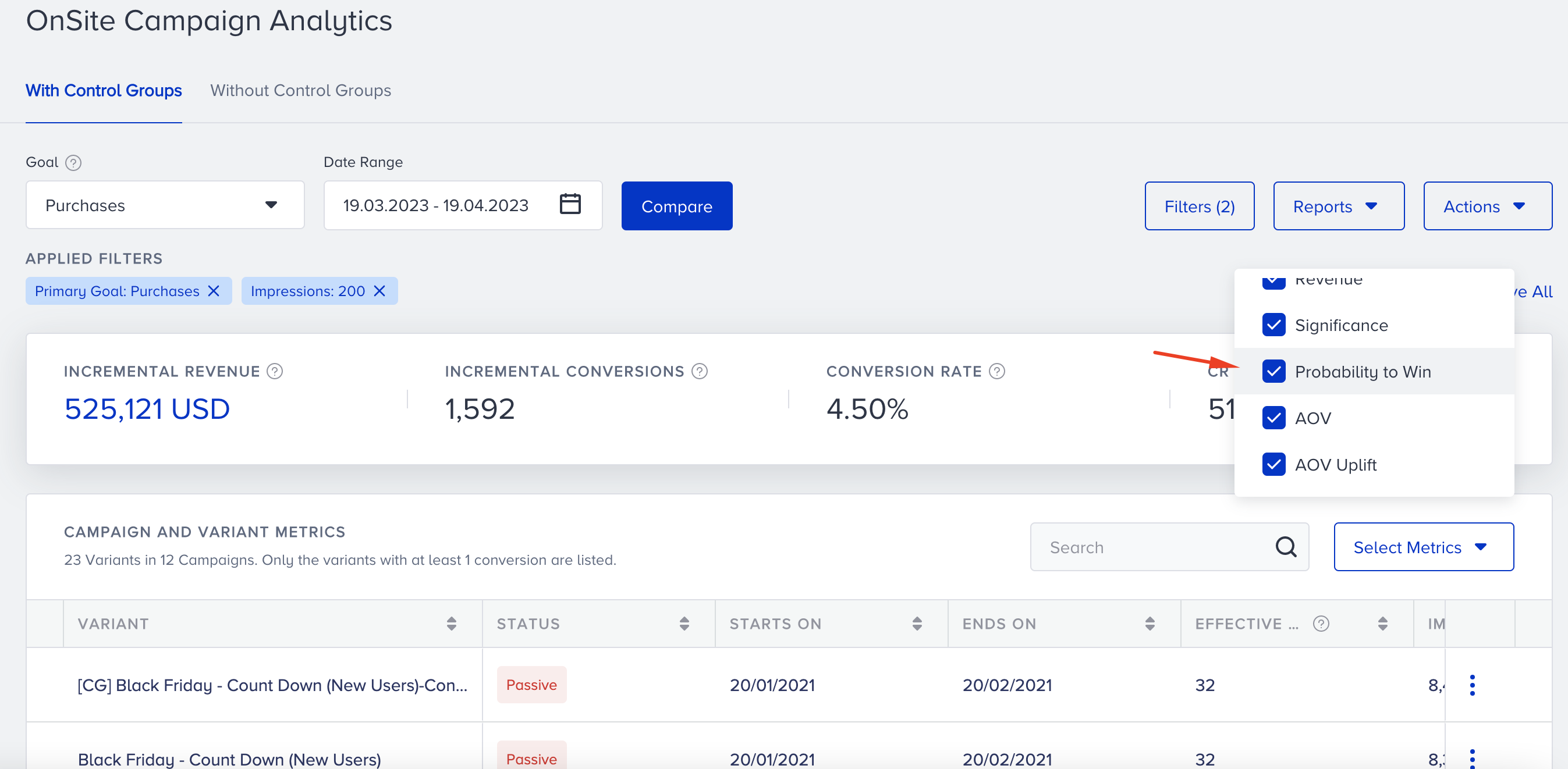
The Probability to Win is one of the metrics that you can track on your dashboard.
1. Go to your Campaign Analytics > Personalizations with Control Group.
2. Probability to Win is auto-selected in the metrics. Select/deselect it.
3. Scroll to the right to see the respective column if it is not visible.
4. Sort your campaigns based on Probability to Win, if needed.
Campaign Analytics
You can see the probability to win of your variants on the campaign-level statistics as well.
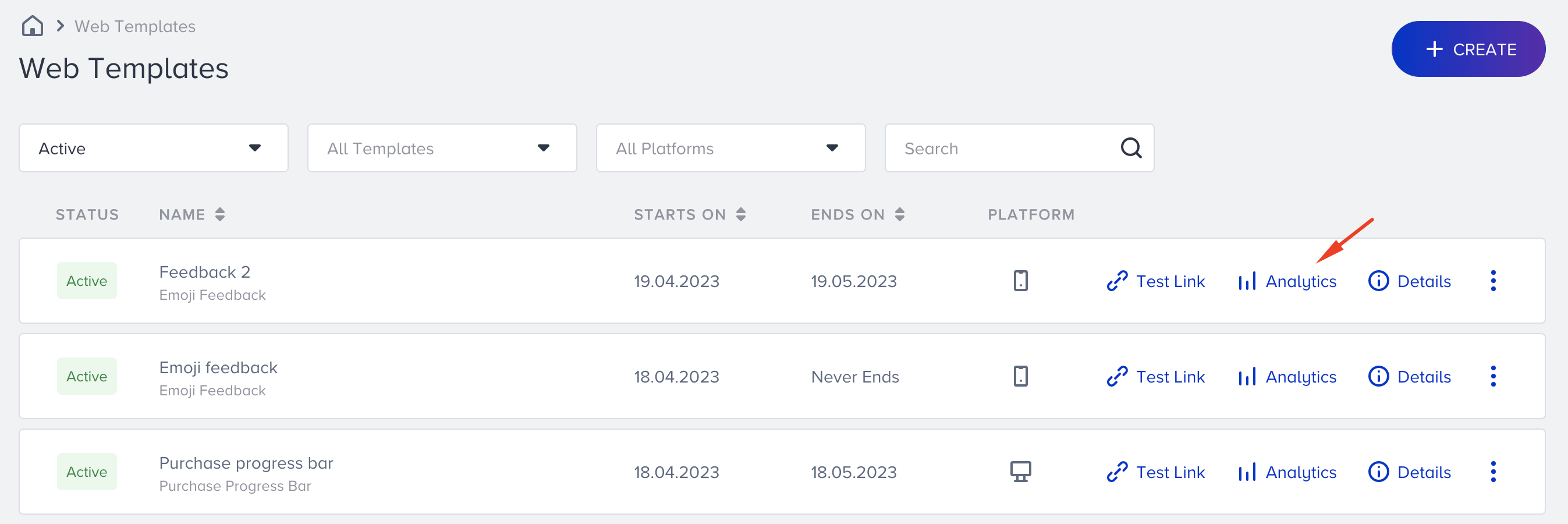
1. Go to the statistics page of your campaign using the menu on the executive summary dashboard or campaign listing page.
Menu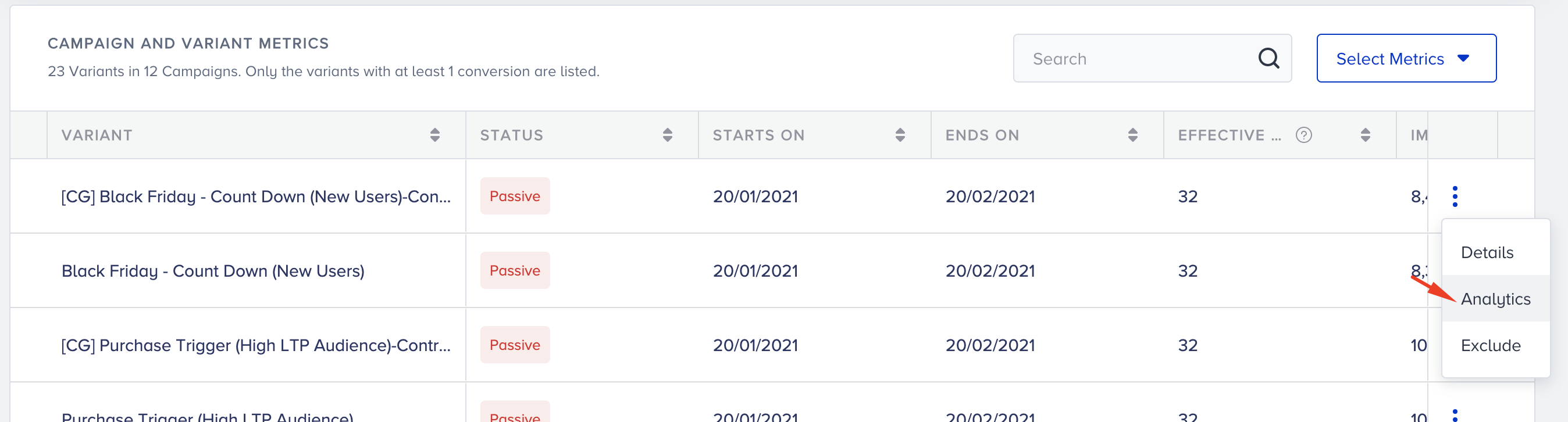
Listing page
2. Select or deselect the probability to win metric.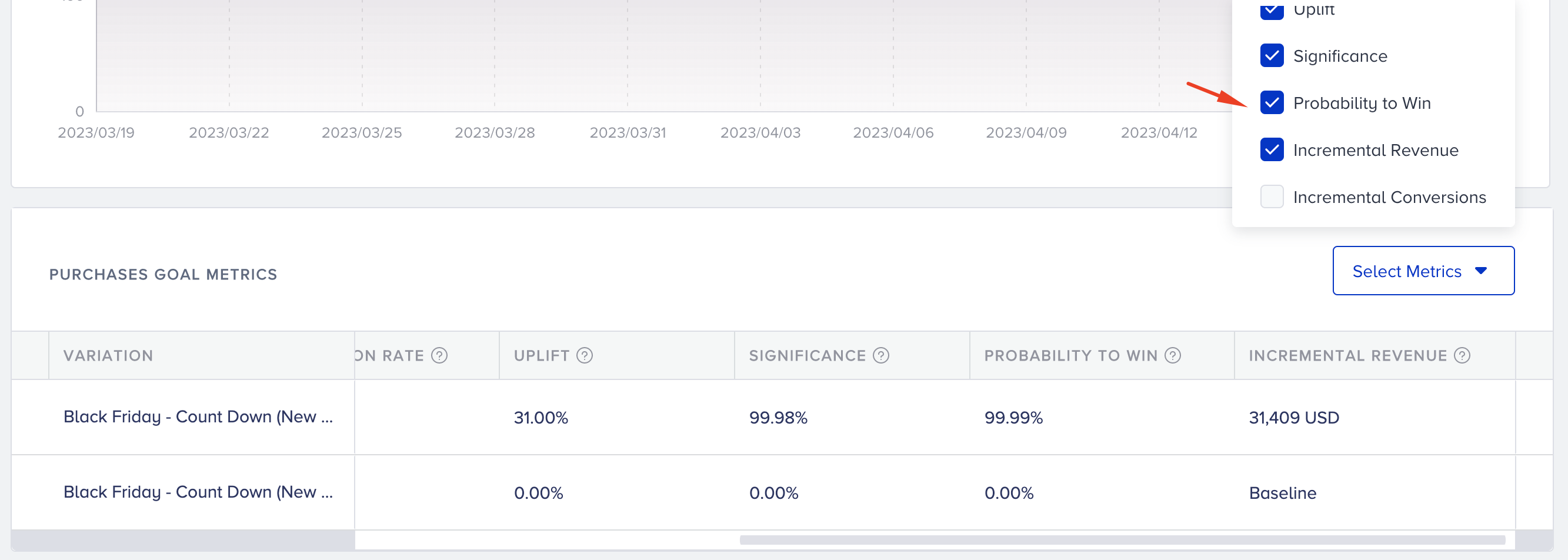
3. You can see the variant with the highest probability to win.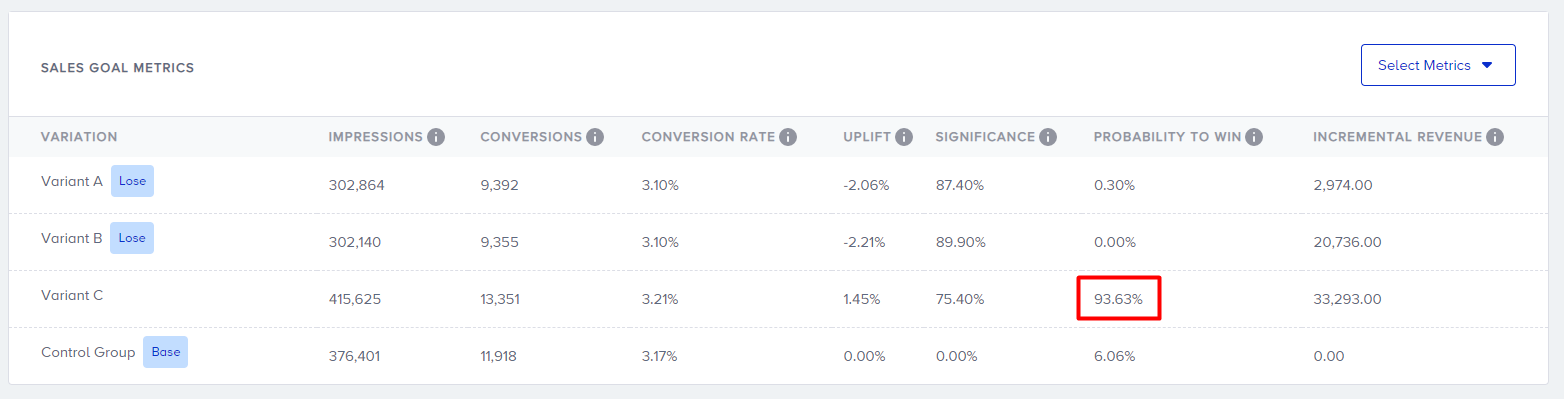
You can watch this short and fun video to get a better understanding of the probability to win: