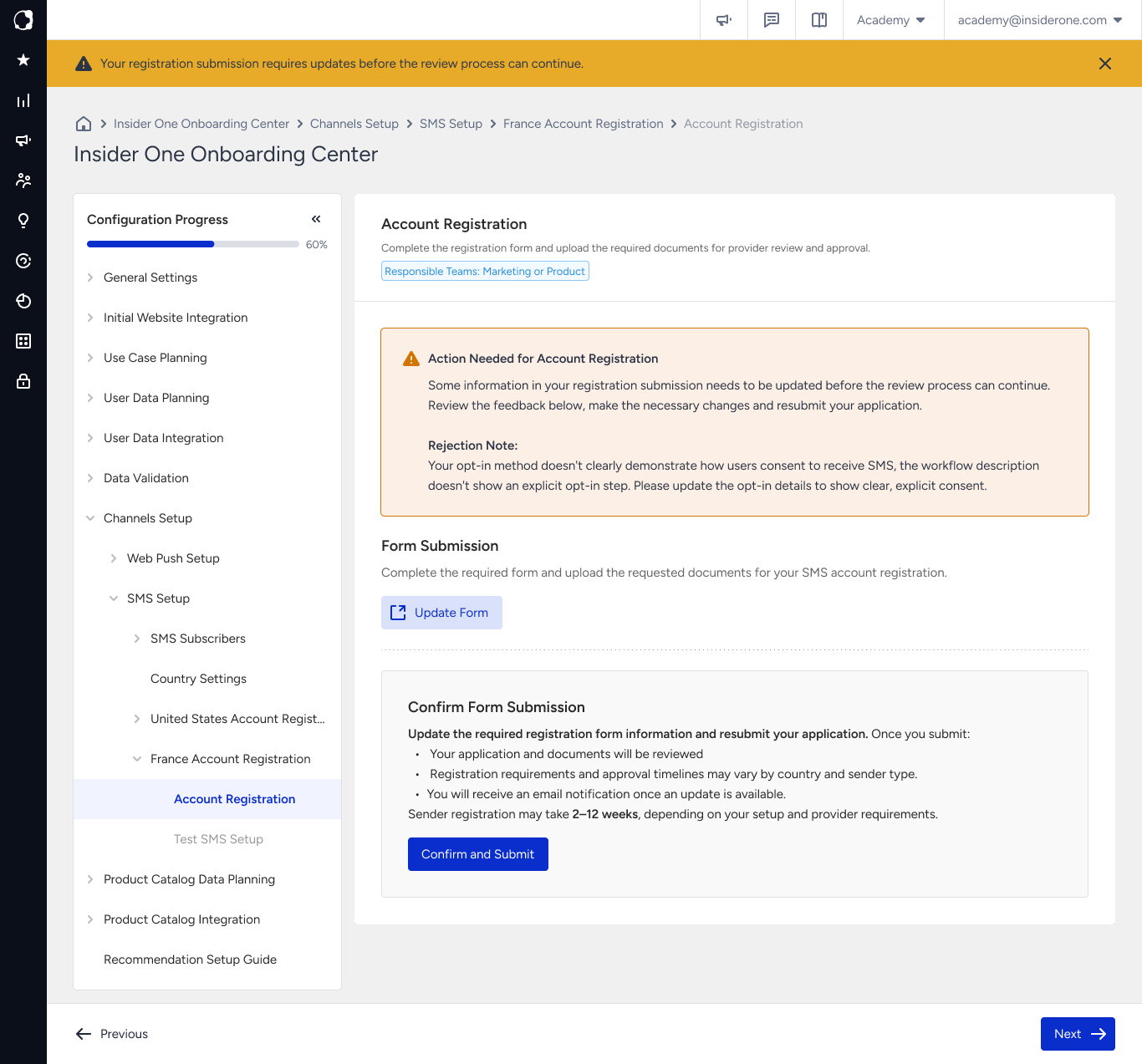
Every country completes the Account Registration process. The difference is how you complete it.
Türkiye, the United States, and Australia use in-product registration, where each registration step is completed on its own page in the Insider One Onboarding Center. For all other countries, registration is form-based. Instead of individual registration pages, the Account Registration page provides a link to the registration form supplied by Insider One. Complete the form, upload the required documents, and submit your application there. The Insider One Onboarding Center tracks your registration status throughout the review process.
Pages such as Sender Submission, Opt-in Method Definition, Document Upload, and Registration Confirmation are available only for in-product registration. If your country uses form-based registration, you provide the same information through the registration form, so no additional setup steps are required.
Your registration still progresses through the same status flow, so you can always track the current review stage. For country-specific registration requirements, refer to SMS Country Guidelines.
If your registration is rejected
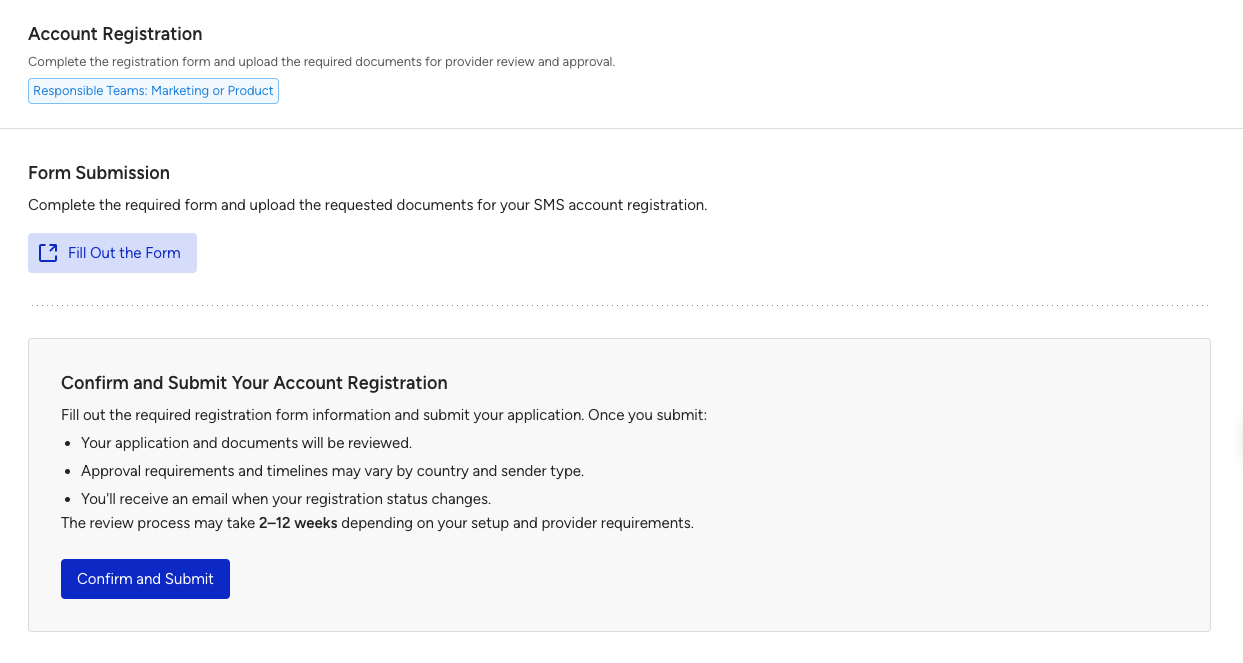
If your registration is rejected, the Account Registration page displays a banner and an orange Action Needed for Account Registration section with the review feedback explaining what needs to be corrected.
To update and resubmit your registration:
Under Form Submission, click Update Form to reopen the registration form.
Update the required information or documents and submit the form again.
In the Confirm Form Submission section, review the next steps. Your updated application and documents are submitted for review; approval timelines vary by country and sender type, and you receive an email when the review status changes.
Click Confirm and Submit. The registration status changes back to In Review.
Click Next to continue.