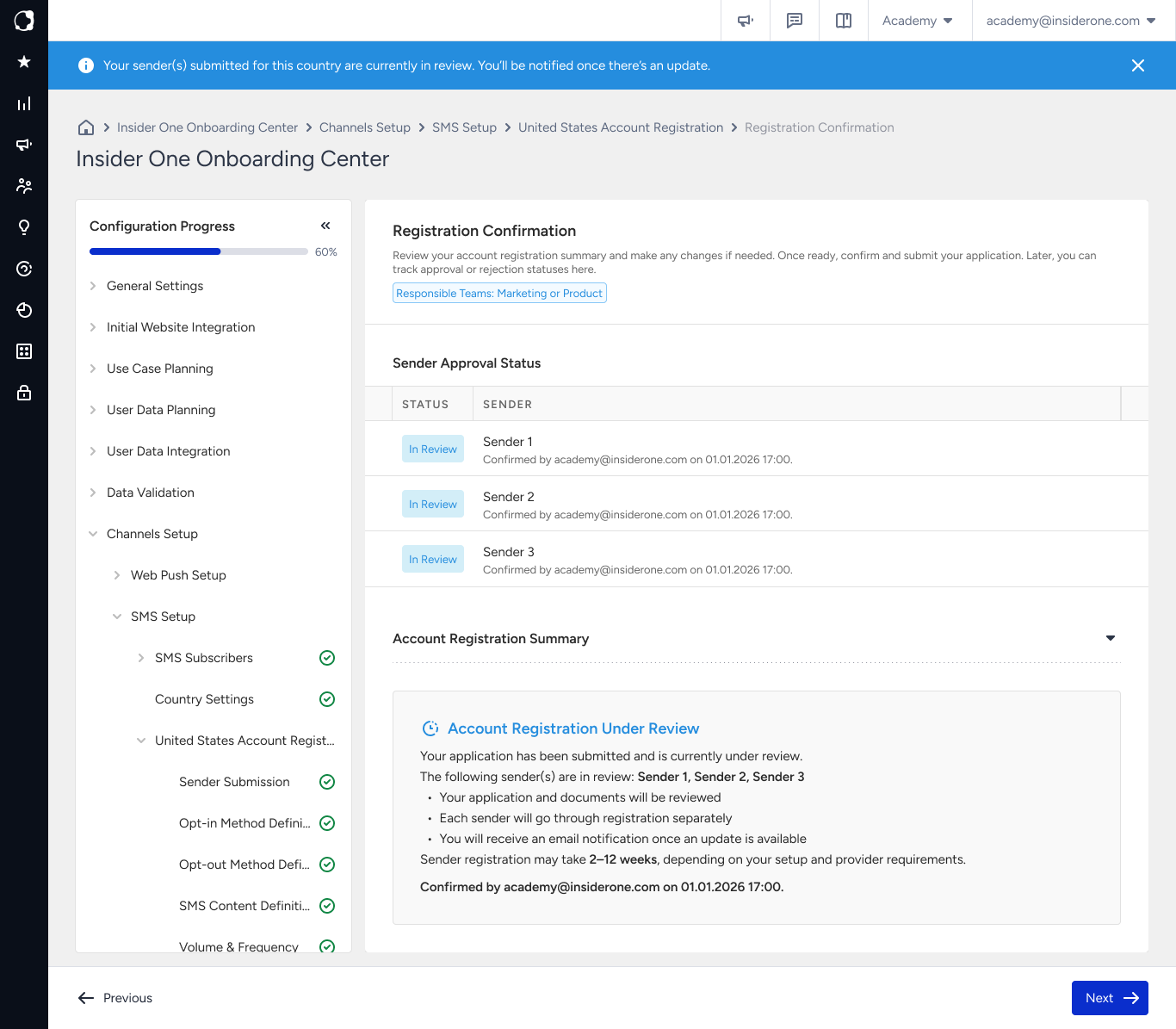
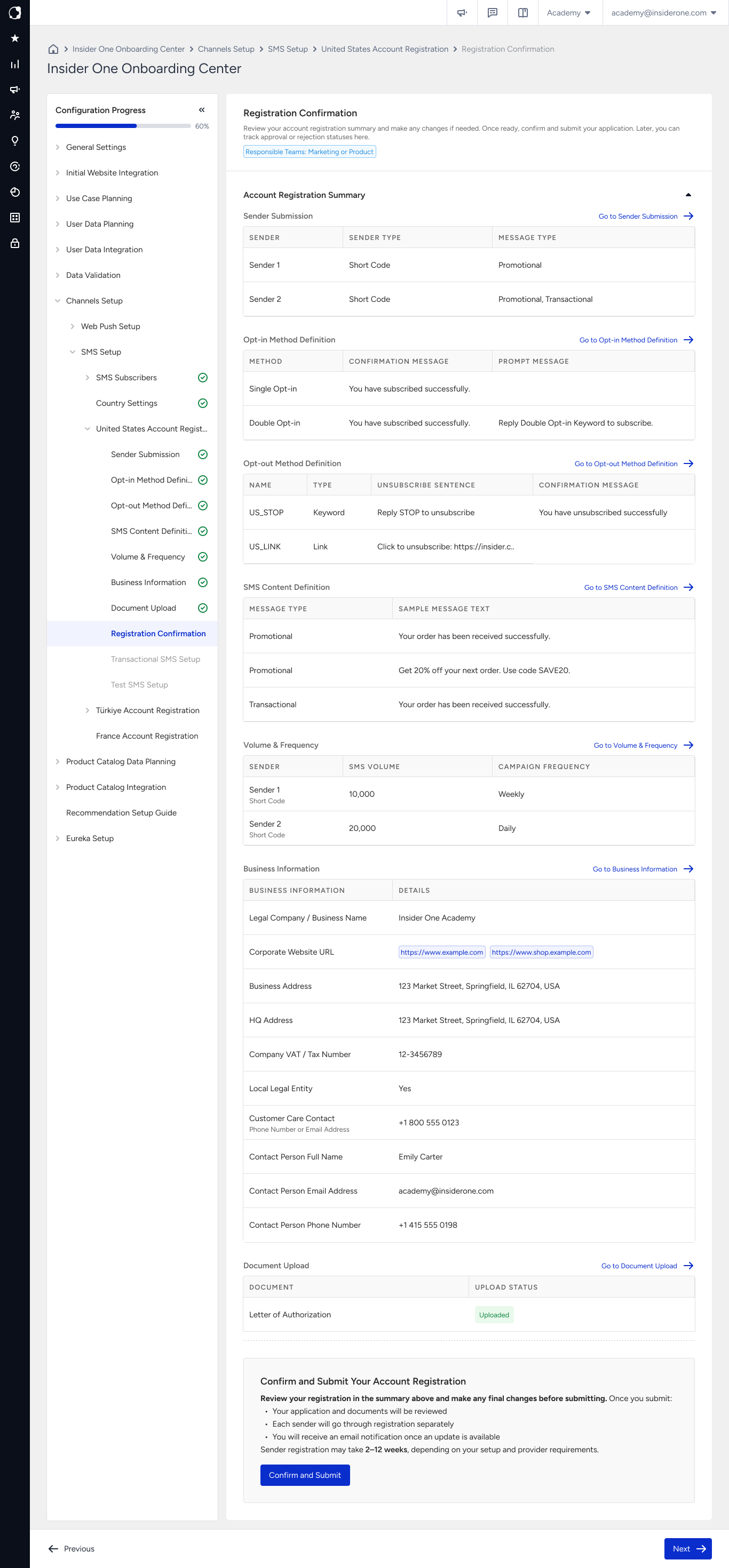
In this step, review all details of your SMS registration for the selected country before submitting.
This is the last step where you can edit your application before review. Carefully check your business information, senders, content, and uploaded documents.
Before submitting, make sure you confirm every sender you want to include in the review. Unconfirmed senders are not reviewed or tested.
When you submit your registration, the country status changes to In Review, and the page becomes read-only until the review is complete. This is expected behavior and does not indicate an error.
Editing becomes available again if changes are required after the review.
If something needs to be corrected, the country status changes to Rejected, and the button on Country Settings changes to Update Registration.
Select Update Registration to open the page in an editable state and review the feedback. Correct the flagged information and resubmit the registration. The country status then returns to In Review.
Senders are reviewed individually. This means one sender can be approved while another sender still requires changes.
Before submission, you can review all country-specific SMS registration details on a single page.
After you submit the registration, the country status changes to In Review. The registration page remains read-only until the review is complete. This is expected behavior and does not indicate an error.