Eureka enables you to provide your users with a seamless search experience through a fast, accurate search engine for your product catalog. This ability becomes possible with well-organized, up-to-date data storage, in other words, by a search index.
What is Search Index and Indexing?
Indexing is the process of collecting, parsing, and storing data to facilitate fast and accurate information retrieval. Similar to the index sections in articles or books that help readers find the right page for the information they need, a search index helps a search engine return results more easily.
How does Eureka manage indexing?
Eureka search engine executes queries on search indexes, which are organized and flattened for each product catalog collection. For each product catalog locale, Eureka creates a search index.
In Eureka, the collected product data is processed and structured considering the search engine settings, such as
Searchable product attributes
Facets
Sorting options
Group Synonyms
The indexing process involves mapping specific index fields to the product attribute used in search, filtering, sorting, and synonyms of existing product attribute values. This enables a fast information comparison and retrieval process when querying a search keyword.
Another practice that affects the relevancy of search results during indexing is tokenization and analysis. The text within each field is tokenized, meaning it is divided into individual words or terms. These tokens are then analyzed to generate normalized forms of the words, such as stemming (reducing words to their base form) and applying language-specific rules, such as removing stop words or common words.
In addition, the Eureka search index includes fields for attributes such as product categories, brands, pricing ranges, availability, and more. These fields enable faceted search and filtering, allowing users to narrow search results by specific criteria or preferences.
Insider One's Eureka team creates the first index depending on your product catalog data, locale breakdowns, synonyms, facets, sorting options, and language information you provided through onboarding.
What is reindexing?
Reindexing is the process of updating the indexed search catalog with new or changed data. This ensures that users always see the most up-to-date search results.
In Eureka, reindexing is performed automatically daily. However, some changes require manual reindexing. These changes include:
Changes to group synonyms
New search facets
New sorting options
New searchable attributes
Eureka enables you to visualize the last index time for each locale separately. To see it, navigate to the Eureka > Settings menu.
1. On the campaign listing page of Eureka, click Settings and navigate to any settings in the dropdown.
2. Select the Locale in the dropdown and check the last index time for the given locale. You do not need to reindex the catalog if there is no additional info message at the top of the page.
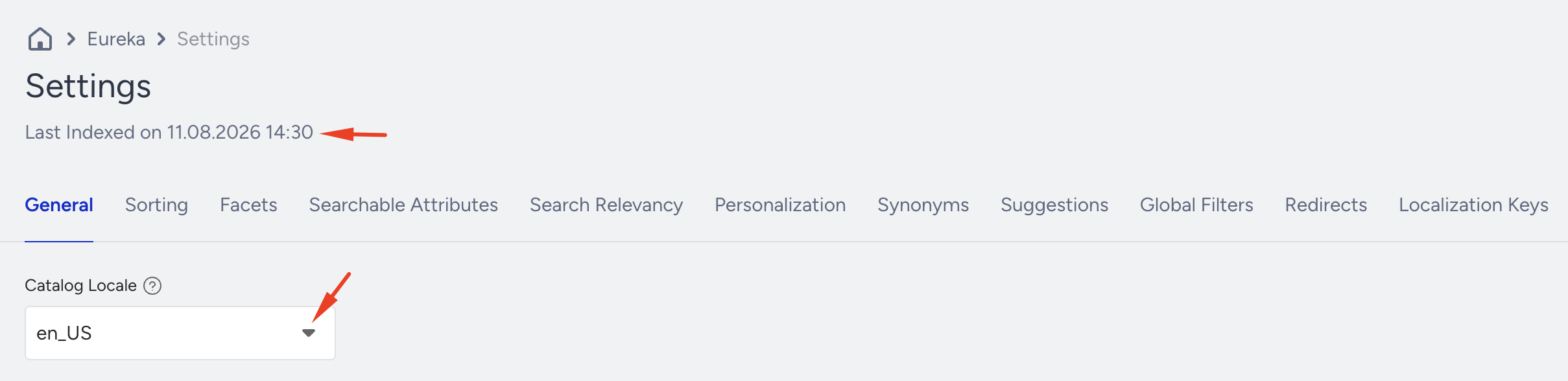
Eureka enables you to trigger reindexing for each locale separately when
A change in facets is applied.
A change in searchable attributes is requested.
A change in sorting options is applied.
A change in group synonyms is applied.
When a change is applied, an indexing information toaster is prompted, and a reindex trigger is enabled. The changes you applied in facets, sorting options, group synonyms, or searchable attributes switch to the “Pending” status.
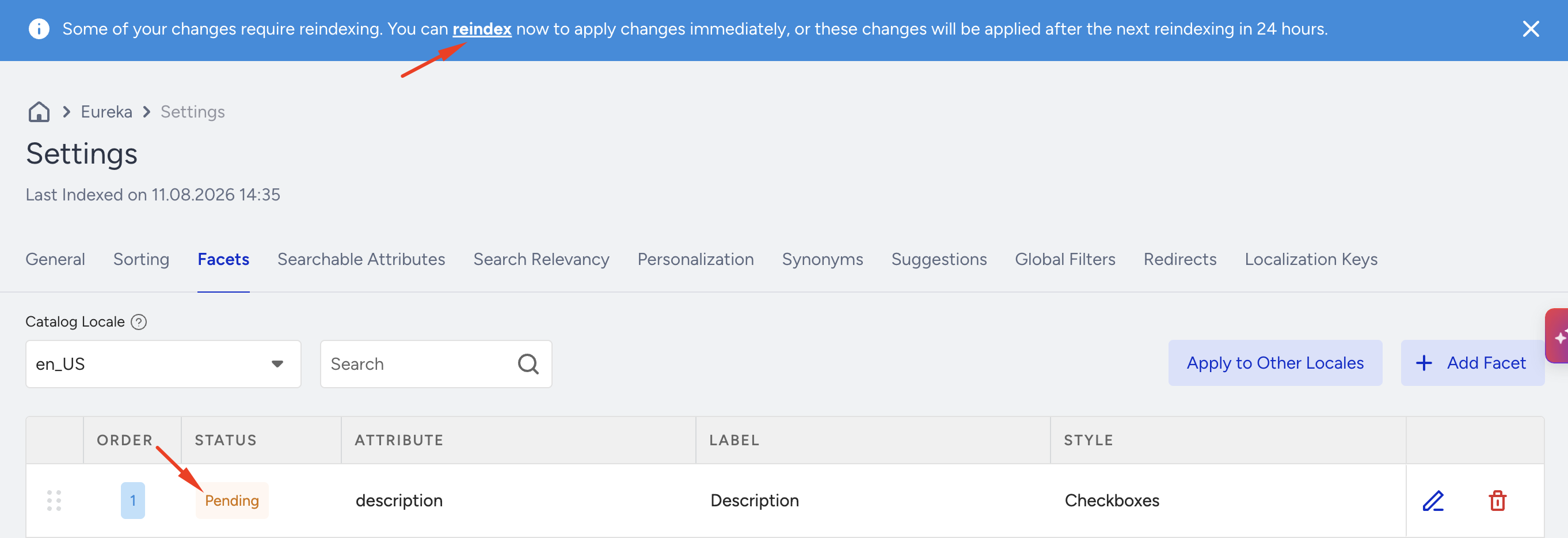
3. A confirmation box is prompted when you click the Reindex trigger.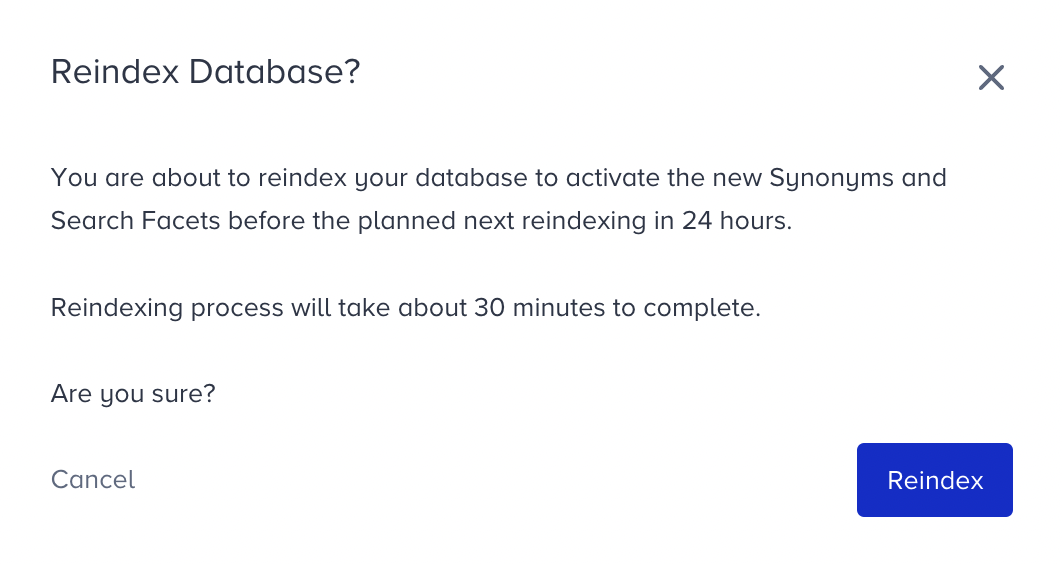
4. The indexing process starts immediately when you click the Reindex button. Then, you see an information toaster that explains the indexing status. The changes you applied to facets, sorting options, group synonyms, and searchable attributes are now in “Syncing” status.
The reindexing process can take some time (up to 30 minutes) to complete, depending on the amount of data being updated. Once it is complete, the changes are switched to the “Synced” state, and you can then see them in search results, facets, or sorting options.
What are the benefits of reindexing?
Reindexing provides you with several benefits:
Improved search results: Users will always see the most up-to-date search results when you reindex your search index.
Increased search accuracy: Reindexing can improve search results by ensuring all relevant data is included in the index.
Faster search performance: Reducing the time it takes to search for items and to reindex can improve search performance.