In this step, upload the documents required for your SMS registration. In some countries, local regulations require these documents rather than Insider One, so the required document list cannot be shortened or waived.
The required documents vary by country and by the SMS provider serving that country. The Document Upload page shows the exact documents required for the country you are configuring and should be treated as the authoritative list.
Reach this step early
Document collection can be one of the longest parts of the registration process. While the earlier setup steps can usually be completed in under an hour in total, preparing documents can take days or weeks if they need to be notarized, signed by an authorized person, or reissued because they are out of date.
Complete the earlier steps and reach Document Upload as early as possible so you can share the required document list with your legal or finance team. You do not need to upload the documents immediately. Your progress is saved, so you can leave the setup and return when the documents are ready.
This lets document collection continue in parallel with the rest of your setup, instead of starting only after the other steps are complete.
Tip: Reach this step early and share the required document list with the relevant team as soon as possible. Documents that require signatures, notarization, or reissuing can significantly affect your registration timeline.
Why can the same document be requested twice?
In some countries, the same type of document can be requested separately for Promotional and Transactional traffic. These are not duplicate requests. The message type is stated within the document, and the Promotional version can include commitments that do not apply to the Transactional version.
Name your files clearly before uploading them. For example:
authorization-promotional.pdfauthorization-transactional.pdf
Make sure you upload each file to the correct document field. Uploading a Promotional document to the Transactional field can result in a registration rejection.
Türkiye
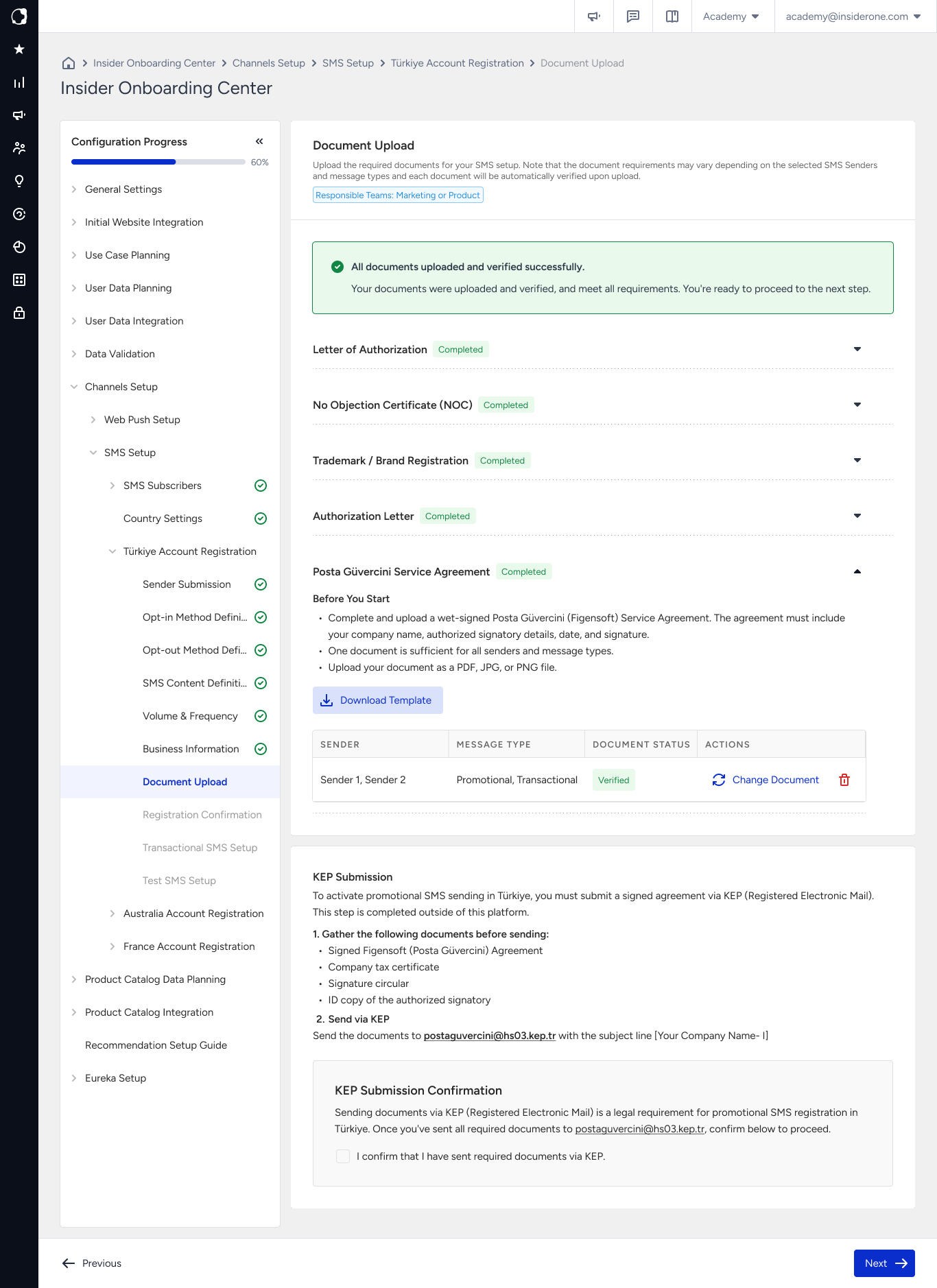
Registrations in Türkiye also require a KEP submission. KEP (Kayıtlı Elektronik Posta, Registered Electronic Mail) is a legally recognized electronic mail service in Türkiye.
Send the required documents from your company's KEP account to the KEP address shown on the Document Upload page. After sending them, select the I confirm I have sent required documents via KEP checkbox.
Refer to PTT KEP for further information about KEP and how to obtain an account.
Important: You need an active company KEP account. A KEP address cannot receive messages from a standard email account. If you send the documents from an ordinary mailbox, the message does not reach the KEP address and your registration remains pending without an error being displayed.
If your company does not have a KEP account yet, start the setup process early because obtaining one is not instant.
Automatic document check
Your uploaded documents are checked automatically when you submit them, so you can see immediately if a file cannot be accepted.
The automatic check verifies whether the file format is valid and whether the required elements are present. For example, it can check whether:
The company name appears where required.
A required signature or stamp is present.
The automatic check does not verify whether the information in the document is genuine. Your complete application is still reviewed after the document check.
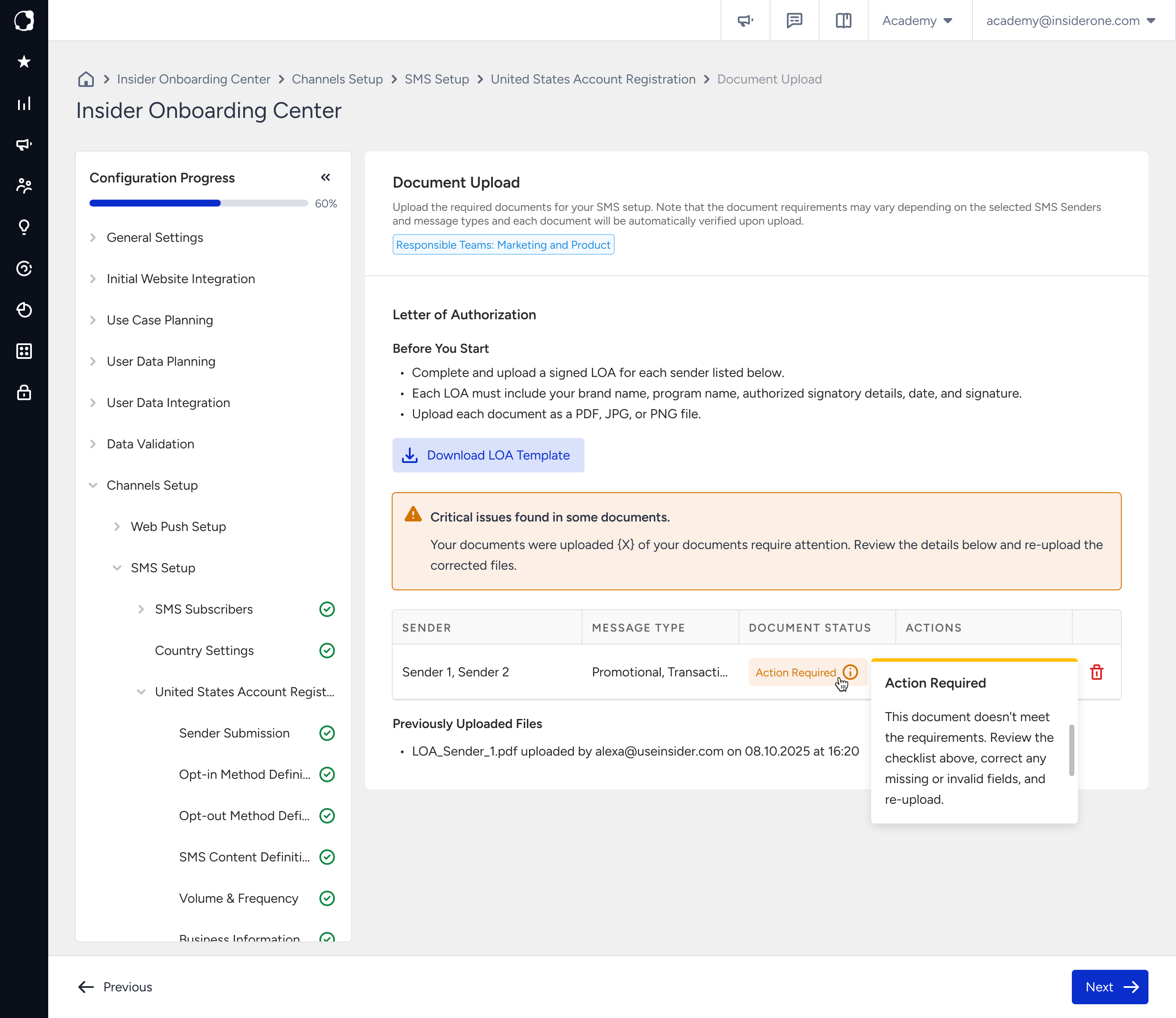
If a document does not pass the check, the page identifies the document that requires attention so you can replace it before submitting your registration. The document appears with an Action Required warning.
Passing the automatic document check does not mean your registration is approved. Your registration is approved only after the complete application has been reviewed.
After submission, your application continues through the regulatory process required for the country and the SMS provider serving it.
While your country is in In Review status, Insider One completes the required actions on your behalf. You do not need to take further action unless you receive a notification requesting it.
If a document is Action Required
The required fields vary between documents. If a document is marked as Action Required, first check the requirements that apply to every document:
Make sure the uploaded file is readable and complete.
Make sure you uploaded the correct document.
Compare your document with the sample or template provided for it and confirm that every required field is completed.
Replace the file after correcting the issue. You do not need to restart the registration process.
The visual below displays the Document Upload screen for Türkiye, with all required documents uploaded and checked.
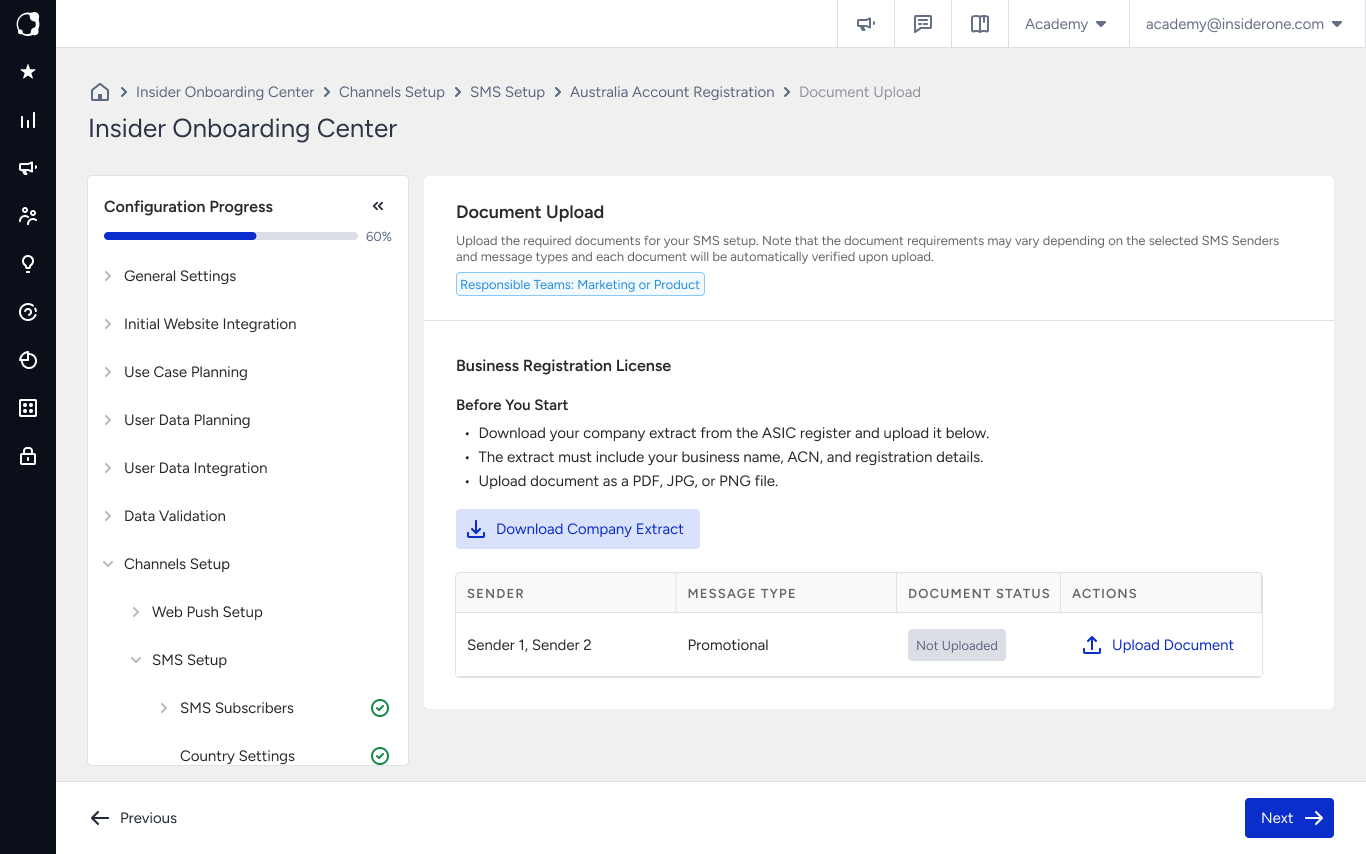
The visual below displays the Document Upload screen for Australia, where a single document is required.
The visual below displays the Document Upload screen for the United States, showing the Action Required warning.
Next step
Continue with Registration Confirmation, where you review the information you provided and submit your application for review.