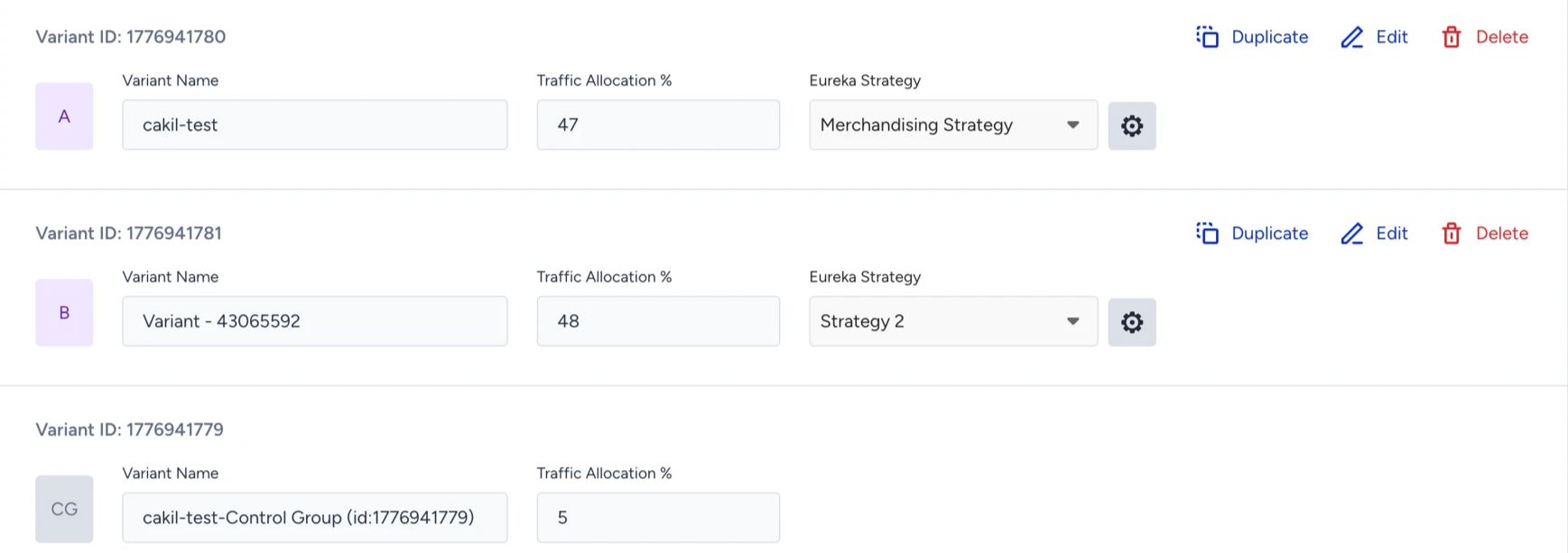
Eureka Strategies needs to be activated to assign strategies to variants.
To assign a Strategy to a Eureka campaign,
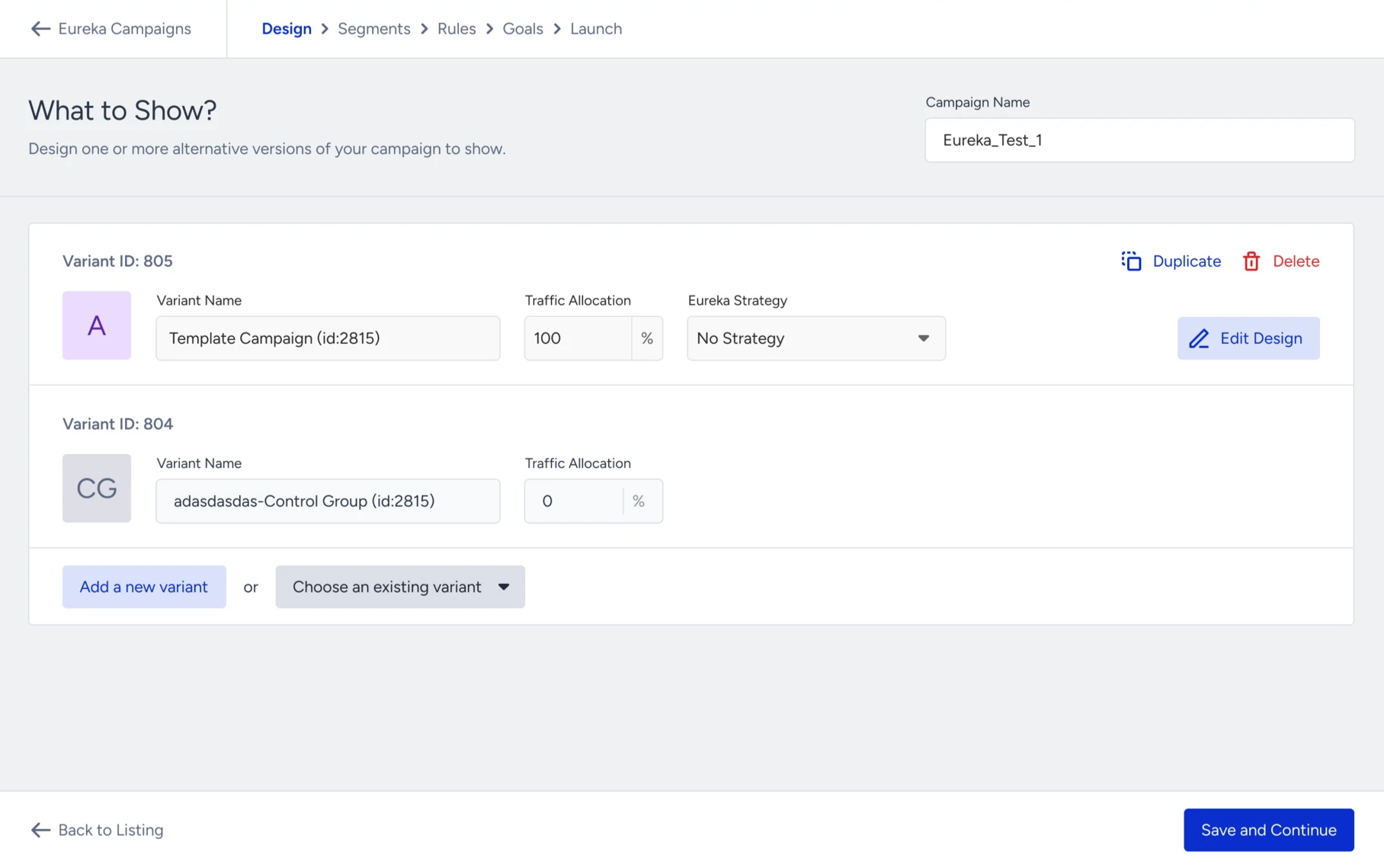
Navigate to the Design step of the Eureka campaign creation flow.
Click on Add a new variant.
Select one of the strategies from the dropdown menu to assign an existing strategy.
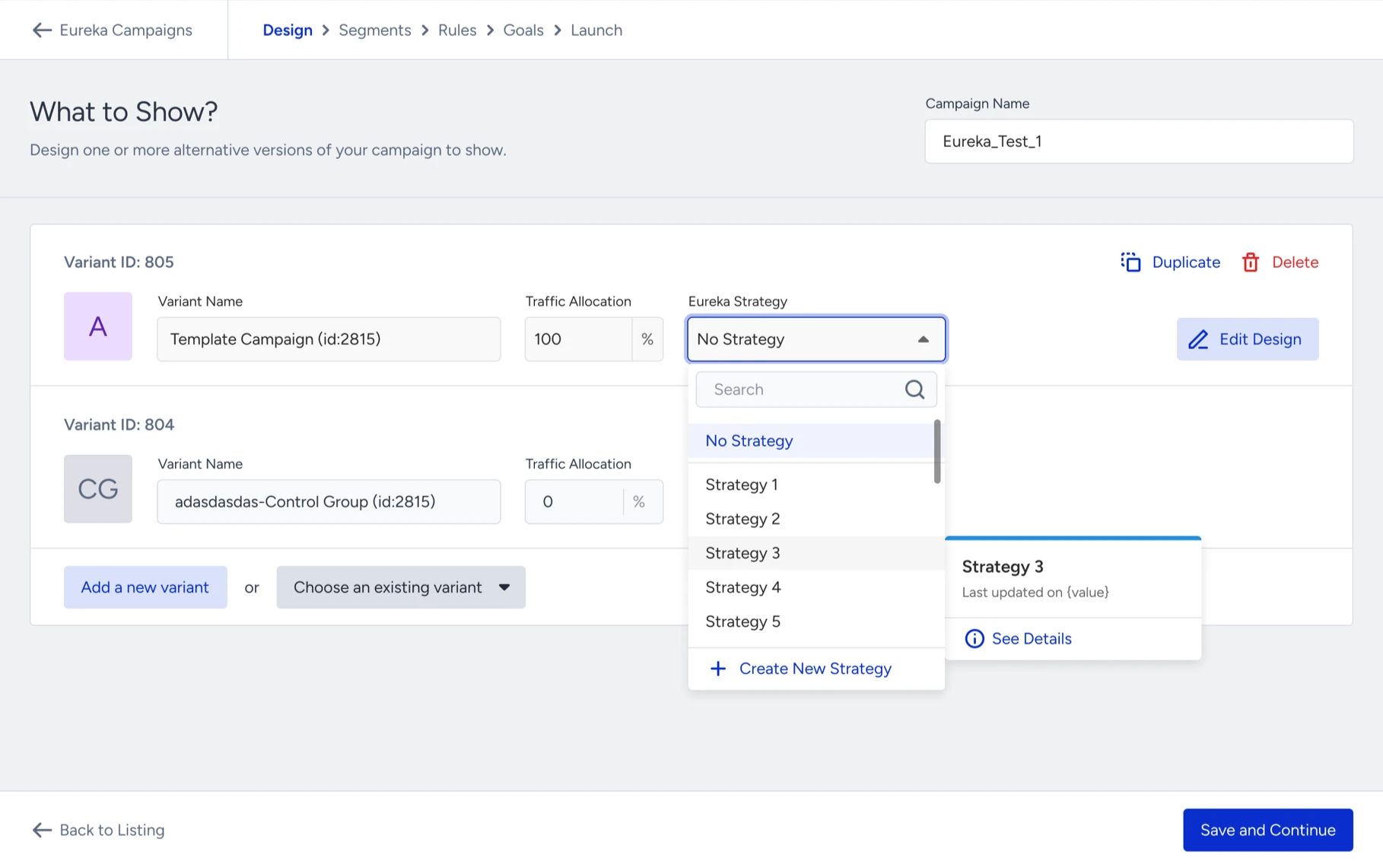
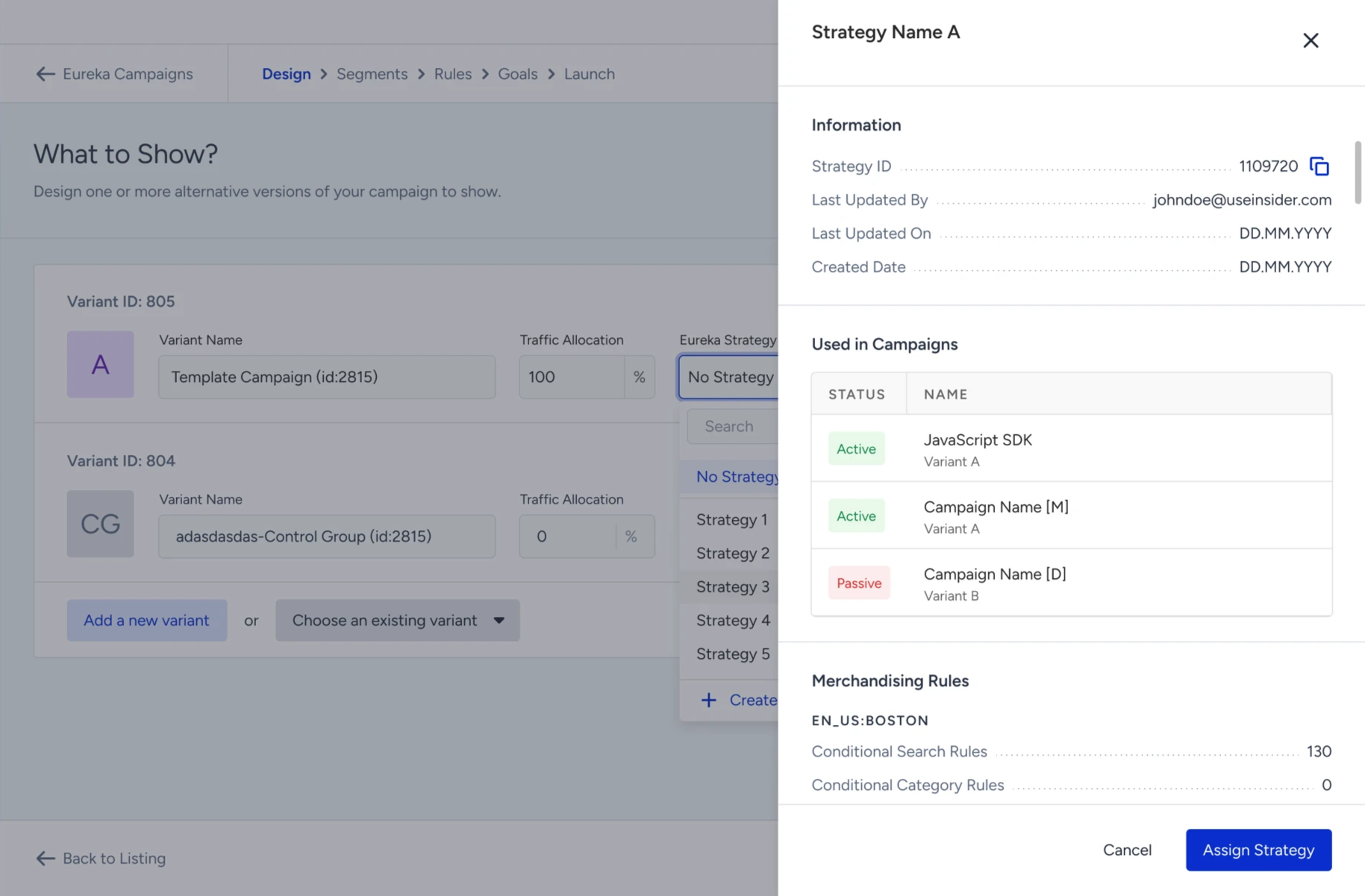
Click on See Details for the strategy details.
To assign a new strategy, click on Create New Strategy. Refer to Create a Strategy for further details.
Click on View and Manage Strategy to view and edit a strategy.
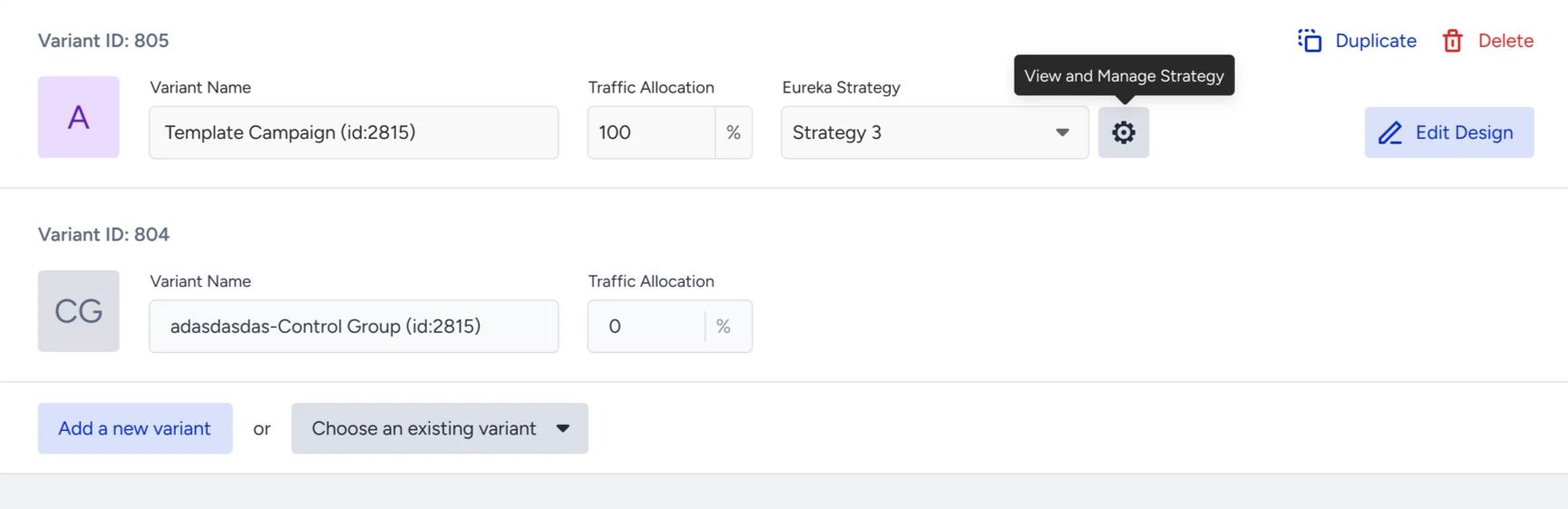
Check the details of a strategy that covers Strategy Information, Used in Campaigns and Merchandising Rules. Refer to Manage a Eureka Strategy for editing the strategy.
You can create multiple variants and assign different strategies to compare the performance of strategies in the Campaign and Variant Metrics table. For further information on checking the performance of the strategy, refer to Campaign and variant engagement performance.