Suggested reading:
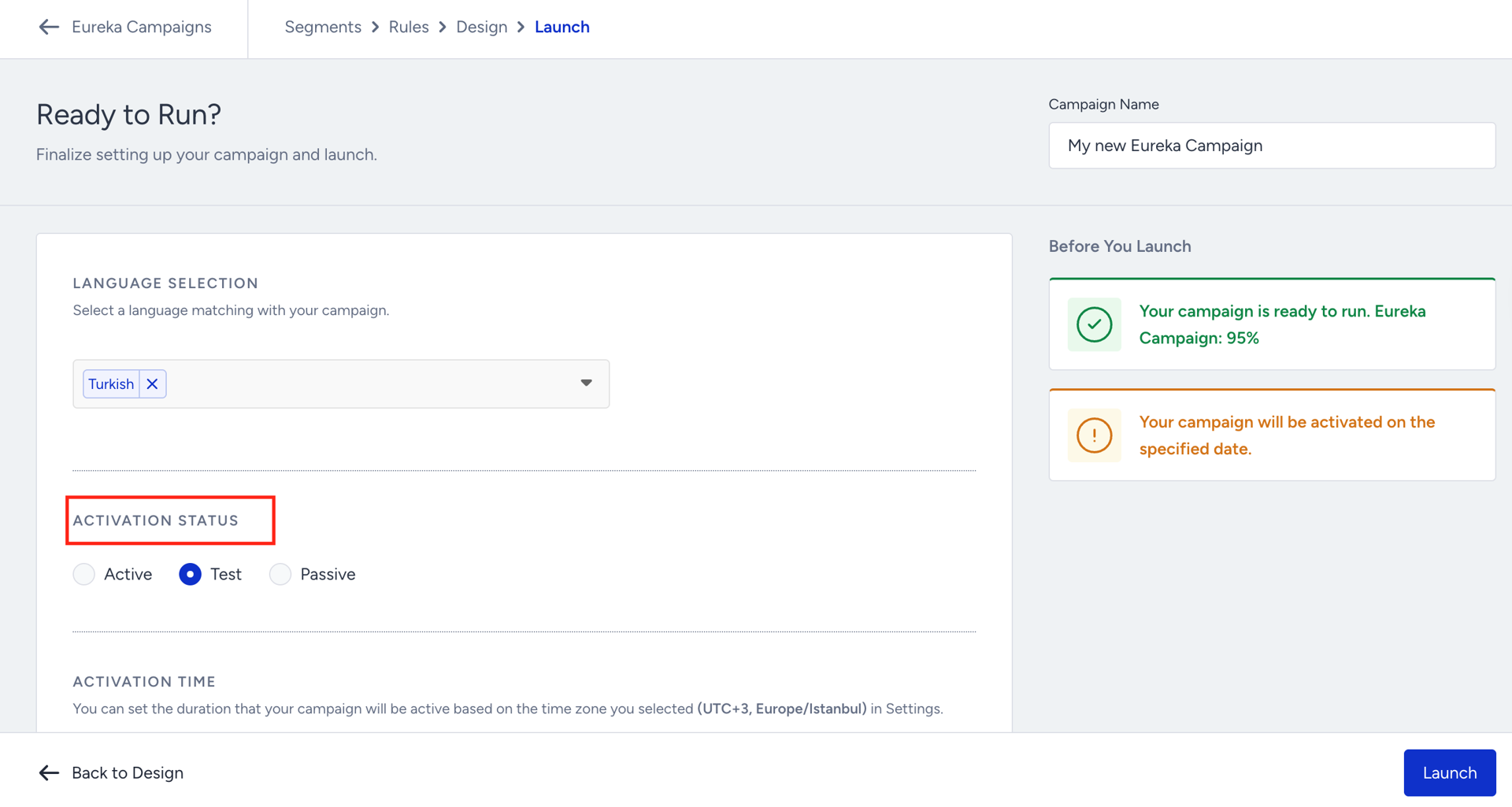
We always recommend testing your Eureka campaign before launching it to ensure everything works as expected. To start, set its status to Test.
Go to the Launch step of your campaign, set the campaign activation status to Test, and save your configuration.
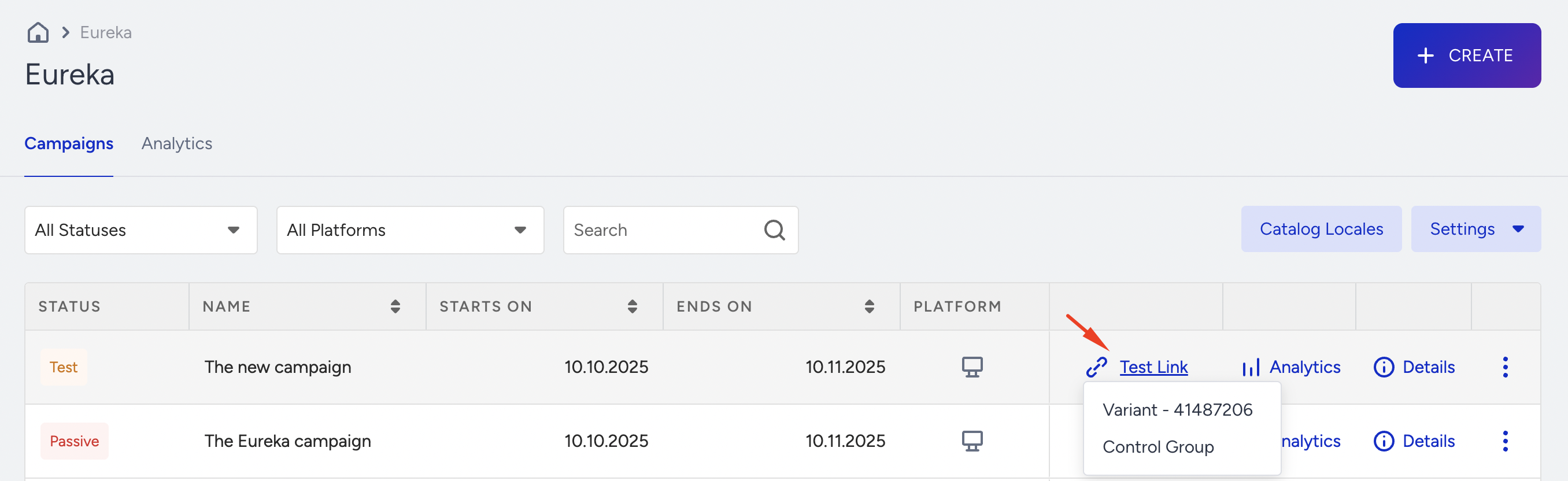
On the Eureka listing page, you will see the Test Link option become available for your campaign. Click on the Test Link button, select your desired variant to test, and click right to open it in an incognito window or copy its link.
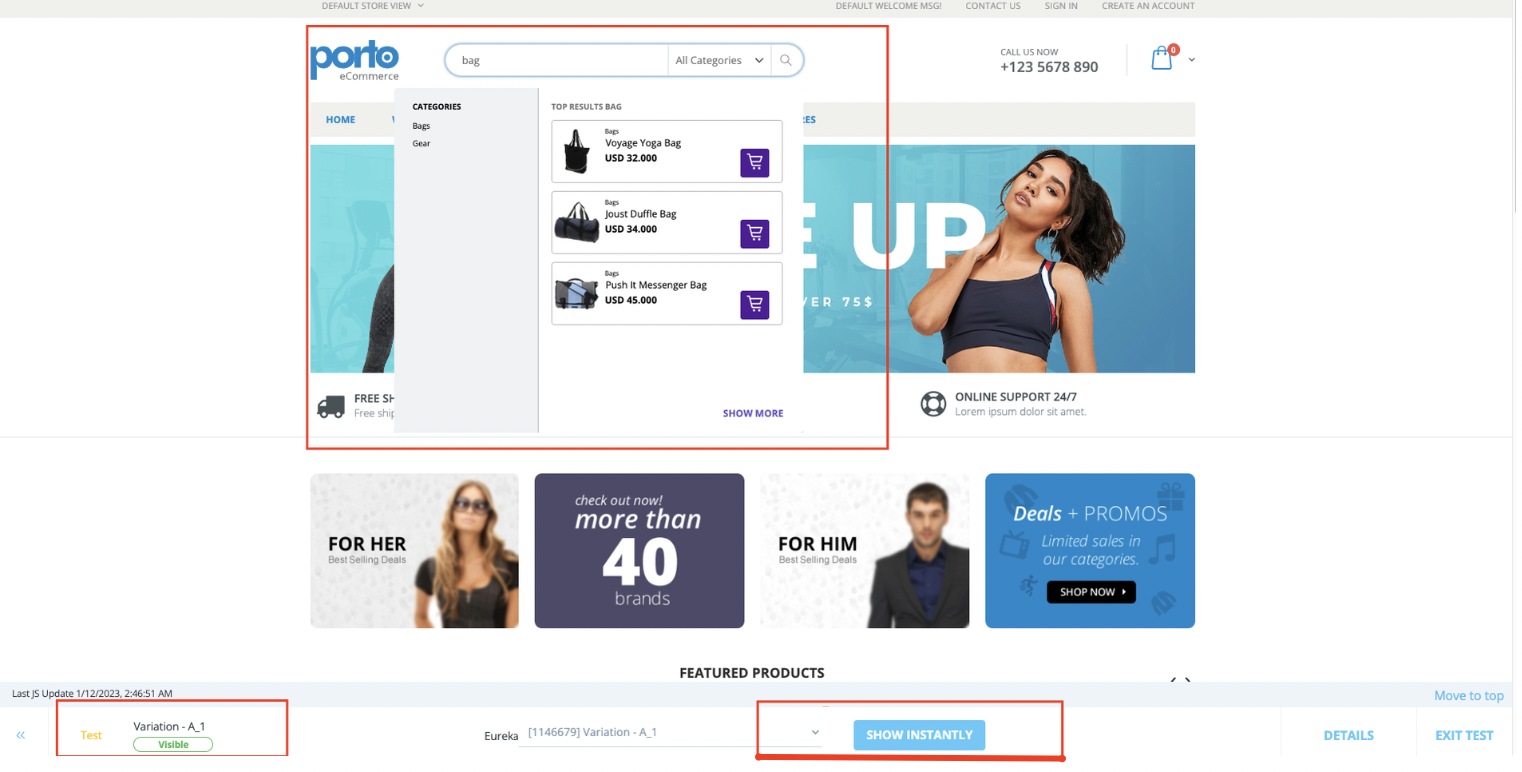
On the test link page, to visualize your experience, you can click the Show Instantly button to test it, or you can search to see how your configurations work.