Basic App Templates will be deprecated as of July 10, 2026, as part of Insider One’s complete transition to Enhanced App Templates. Going forward, Enhanced App Templates will be the only supported option for creating and delivering InApp messages across App Templates, Architect journeys, and App Template From Push.
This guide explains the sunset process with regard to the following matters:
This transition will take place in two phases.
In the first phase, Basic App Templates will no longer be available for creating new campaigns, journeys, or App Template From Push, while existing ones will continue to run.
In the second phase, campaigns, journeys, and App Template from Push campaigns using Basic App Templates will be fully paused and will no longer deliver messages.
(2).png)
Enhanced App Templates
(2).png)
Architect journeys with Enhanced App Templates
This phased approach is designed to provide customers with sufficient time to review their current usage, migrate content to Enhanced App Templates, and ensure continuity without disruption. All new feature development and improvements are available exclusively in Enhanced App Templates, which represent the future of in-app messaging on Insider One.
Timeline
Date | Basic App Templates | Architect Journeys with Basic App Templates | App Template From Push |
|---|---|---|---|
April 1, 2026 | Creation, launch, and duplication of Basic App Templates will be disabled. | Creation and duplication of Basic App Templates within Architect journeys will be prevented. | App Template from Push page will be deprecated. Creation, launch, and duplication of Basic App Templates created from the App Template from Push page will no longer be supported. |
July 10, 2026 | All active Basic App Template campaigns will be paused and will no longer be displayed in the app. | All Architect journeys that include Basic App Templates will become passive and no longer trigger messages. | All active (linked) campaigns using Basic App Templates will be paused. |
Campaign and journey analytics will remain visible.
To avoid disruptions, you must complete the transition of your campaigns to Enhanced App Templates by July 10, 2026.
Migrate your existing campaigns and journeys
To ensure a smooth transition:
1. Review
Review your existing channel campaigns and Architect journeys to identify where Basic App Templates are used.
For channel campaigns, use the Basic App Templates filter on the campaign listing page.
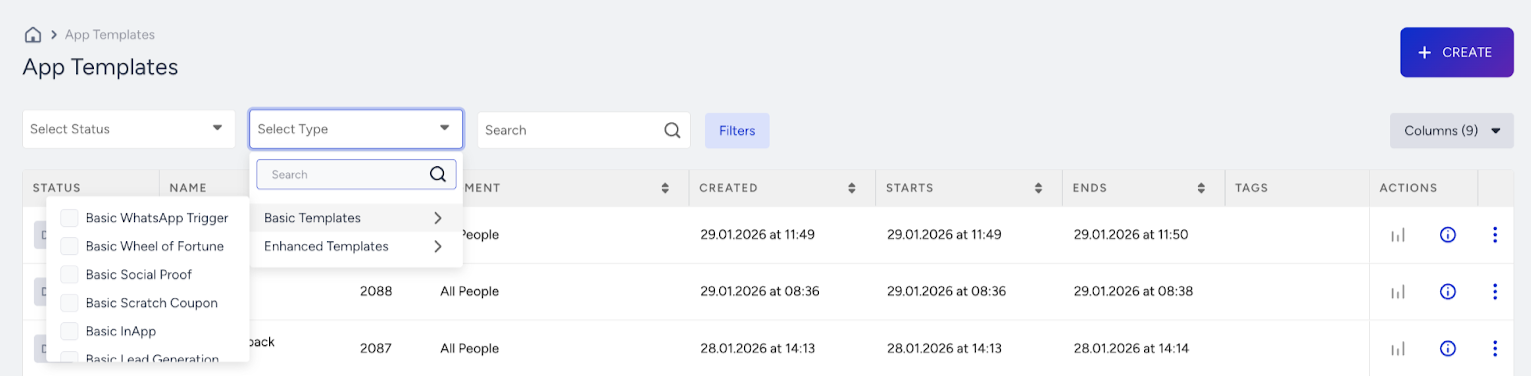
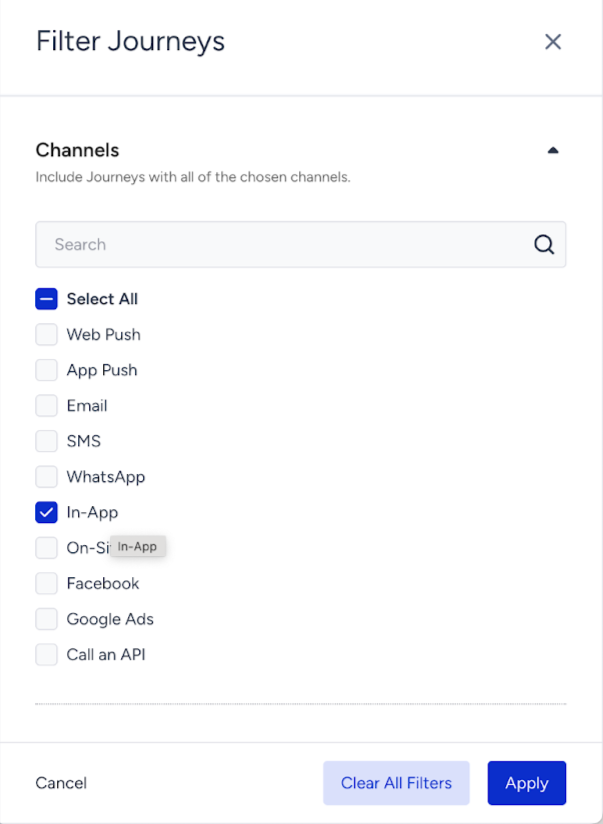
For Architect journeys, use the In-App channel filter on the Architect listing page.
For Template From Push campaigns, check your active campaigns on the listing page.
2. Recreate
Recreate your In-App content using Enhanced App Templates for both channel campaigns and Architect Journeys.
Enhanced App Templates support all capabilities previously available in Basic App Templates, along with additional advanced features.
For channel campaigns, recreate existing segments and targeting rules. You can find these details in the detail modal, and you will have read-only access to your campaign settings.
For Architect journeys, duplicate the journey and replace Basic App Templates with Enhanced App Templates to create the message design.
For Template From Push campaigns, use the Enhanced App Templates and check the Enable App Push Linking box in the modal.
3. Activate and test
Activate and test the new campaigns or journeys before delivery.
Once the transition is completed, pause or deactivate campaigns and journeys that use Basic App Templates.
Currently, no automated migration tool is available as Enhanced App Templates provide more advanced and flexible configurations that require manual setup.
Access to historical data
After the sunset date:
Historical performance data will remain available on analytics pages.
Previously created campaigns and journeys can still be accessed in a non-editable state for reference.
Segment, trigger rules, content, and configuration details will remain visible.
Technical requirements
No additional SDK or technical integration is required. Enhanced App Templates are already available in your panel, and you can start using them immediately.
Transition support
For a more structured transition, you can contact your Customer Success Managers for a transition plan and support with campaign creation.
Customers with a high number of Basic App Templates campaigns are highly recommended to coordinate their transition plans with Insider One Customer Success Managers.