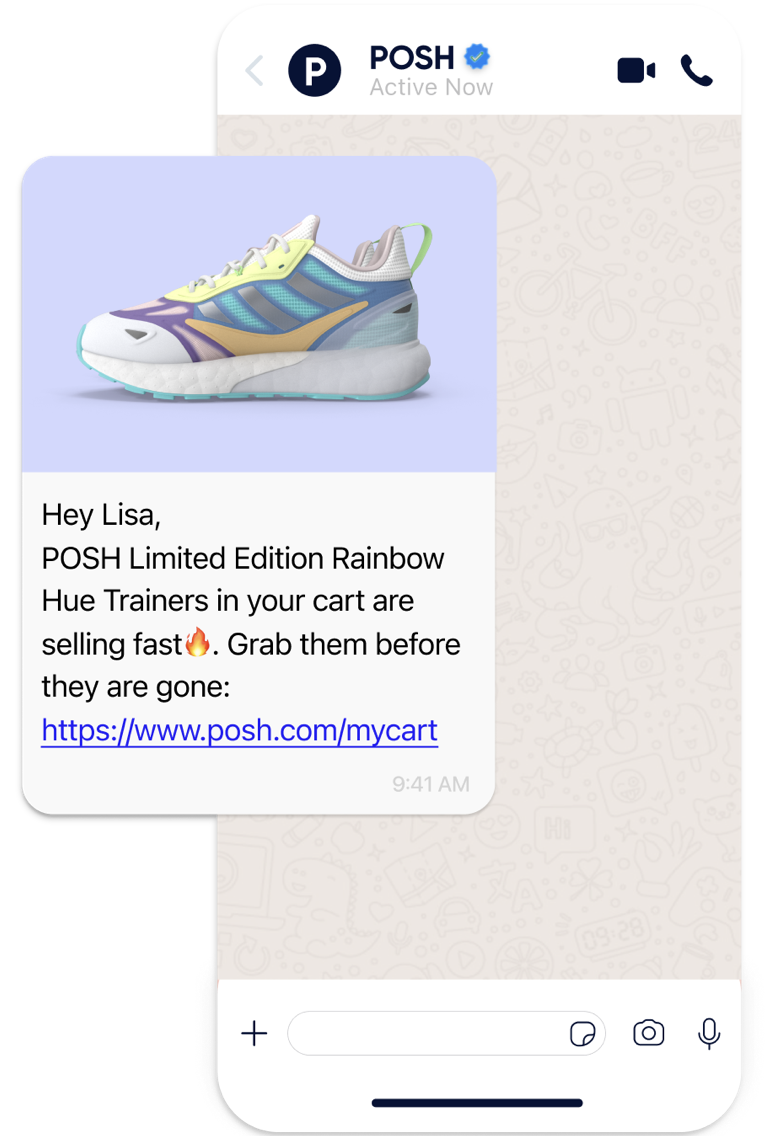
You can create five different types of messages using WhatsApp:
Single Message
Single message helps you send one-off and predefined messages to notify your users about promotions, offers, and discounts. You can also segment your users based on their engagement to receive more clicks and earn more revenue. It enables you to:
send promotional messages, special offers, and discounts,
update your users about the latest developments,
send messages to the subscribers' list with the help of Saved Segments.
Purchase Confirmation Message
Purchase confirmation enables you to send a message to your users after they successfully complete a purchase. You can provide a purchase ID and URL in your message template. Adding a URL can also help you drive traffic back to your website. For example, you can send a Purchase Confirmation Message when a user:
purchases a pair of shoes, you can send a message as shown above along with the product name, purchase ID, and the URL of your website.
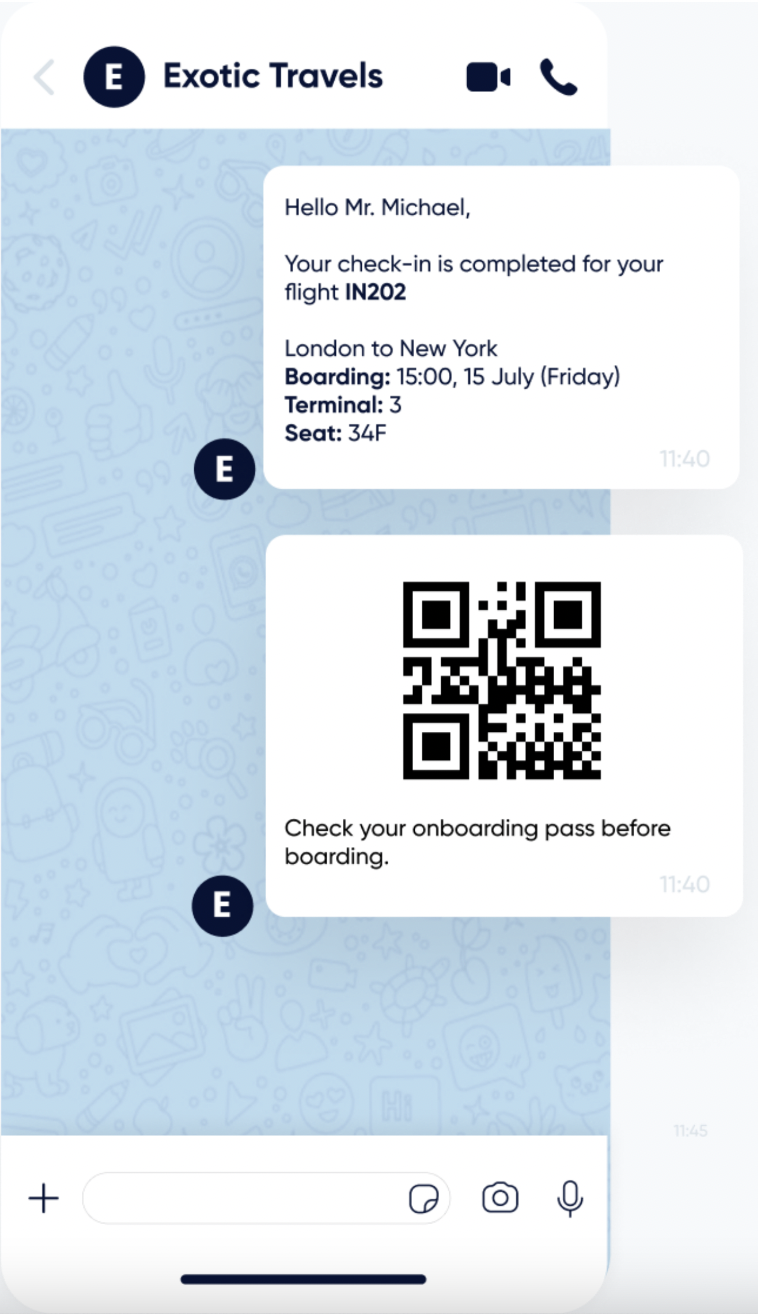
completes their flight check-in; you can send a message with the boarding pass as a QR code for them to use the QR code during their flight. Therefore, you can create a seamless experience as they do not need to receive any other SMS or email.
buys a ticket to a festival, you can send a message with the page URL where they can see the line-up.
.webp)
Event Reminder Message
Event reminder helps you send a reminder message to your users before an event/appointment starts. For example, you can send an Event Reminder Message when a user:
has a doctor's appointment, and you do not want them to miss it.
has booked a flight, and it is time for check-in.
has a festival/theatre ticket, and you want to excite them about the event.
Trigger Message
You can use trigger messages to send messages to your users based on their behavior and actions on your website. You can target your users based on the different rules you set. For example, you can send them a Trigger Message to encourage them to buy a raincoat or umbrella on a rainy day.
Cart Reminder Message
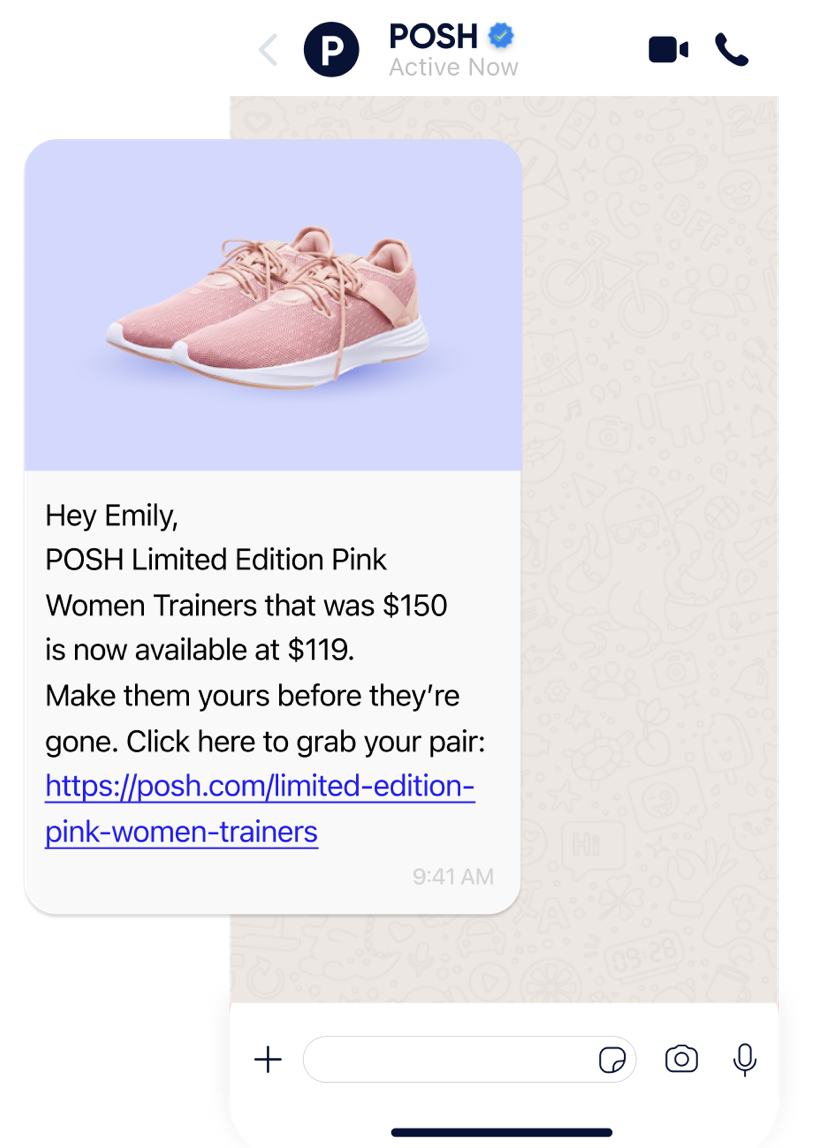
You can send cart reminders to your cart abandoners to engage them with an interactive flow. When a user does not finalize the purchase, you can send them a message with a pre-approved template to remind them of the related product in their cart. You can add options to make it an interactive flow for your user.
You can receive responses from your users in three different types: positive, negative, and other. Depending on their response, you can direct them to your website with the URL of the products or use the link as a reminder. You can direct them to your call center or customer support if there is an unexpected response.