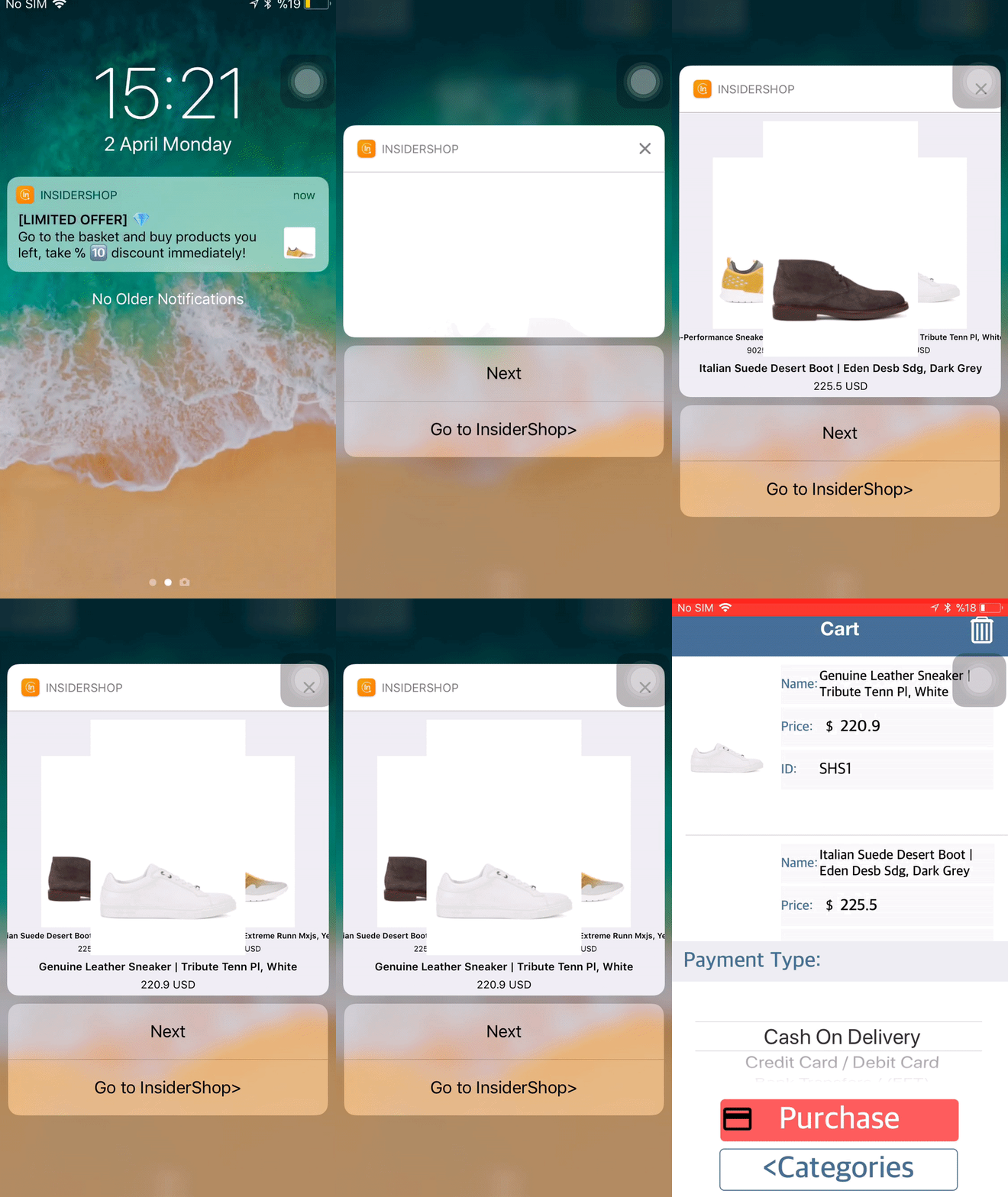
You can use the Cart Reminder App Push to notify users about items in their cart.
 |
|
Also, you can use the Cart Reminder App Push in the following cases:
- If a user abandons one item in the cart, send a standard rich notification.
- If a user abandons the cart with two items, send a standard rich notification that includes the last item added to the cart.
- If a user abandons three to six items in the cart, send a carousel notification.
- If a user abandons the cart with more than six items, send a carousel notification displaying the last six items added to the cart.
- If a user adds three items to the cart and removes one, send the last item in the cart based on the history.
- If a user adds two items to the cart, abandons, then returns and adds one more item, send a carousel notification.
- If a user adds items to the cart and clears it, they will not receive any push notifications.
- If a user abandons the cart, then returns and clears it, they will not receive any push notification.
- If a user abandons the cart, returns to the app before the notification is sent, and makes a purchase, they will not receive a push notification.
- If a user adds the same item to the cart more than three times, send a standard rich notification containing only one item.