Suggested reading: Use an Array of Objects in Journey Message Personalization
An Array of Objects (AoO) is a structured attribute type that stores a list of objects under a single user attribute, where each object holds several key-value pairs. Instead of one flat value per user, a single attribute can hold five coupons, three policies, or two bookings, each with its own expiry date, status, and value.
This page covers only what you can do with an AoO attribute inside Architect journeys.
If you are already tracking AoO attributes, you can start using them in journeys without any new data work. If you want to use it for the first time, contact the Insider One team.
Usage in journey elements
Below, you can see the elements you can use AoO with and how to use them.
Element | Scope |
|---|---|
Trigger the journey when a value inside an AoO attribute changes, alongside your existing attribute triggers in the same starter. | |
Use a date-type field within an AoO attribute as the journey's date source. | |
Hold users until an AoO attribute meets a defined condition. | |
Wait until a date within an AoO object is reached. | |
Exit users based on AoO values. | |
Define conversion goals on AoO value. | |
Use the AoO values captured at journey entry in the elements that support personalization and conditional logic. |
On Attribute Change
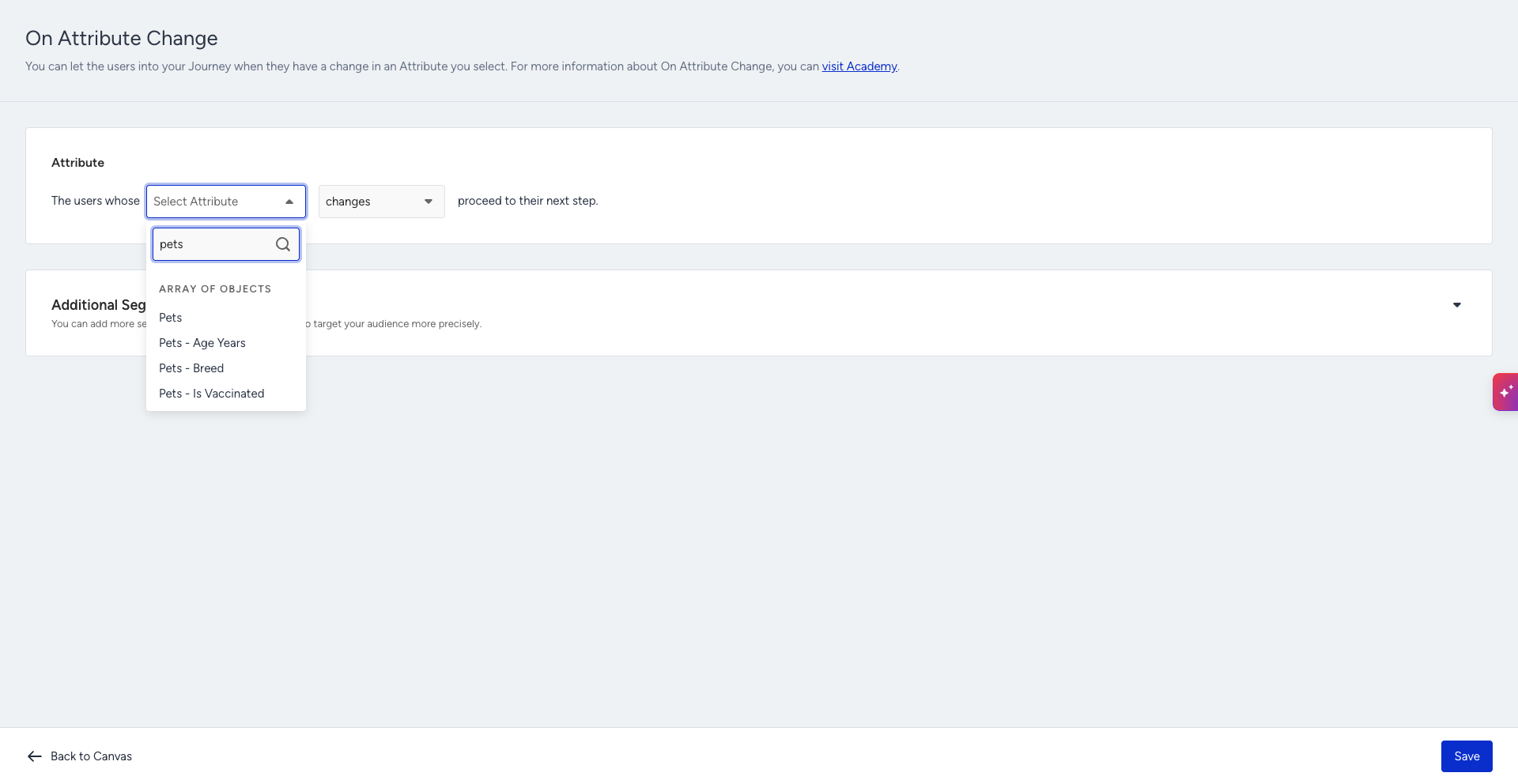
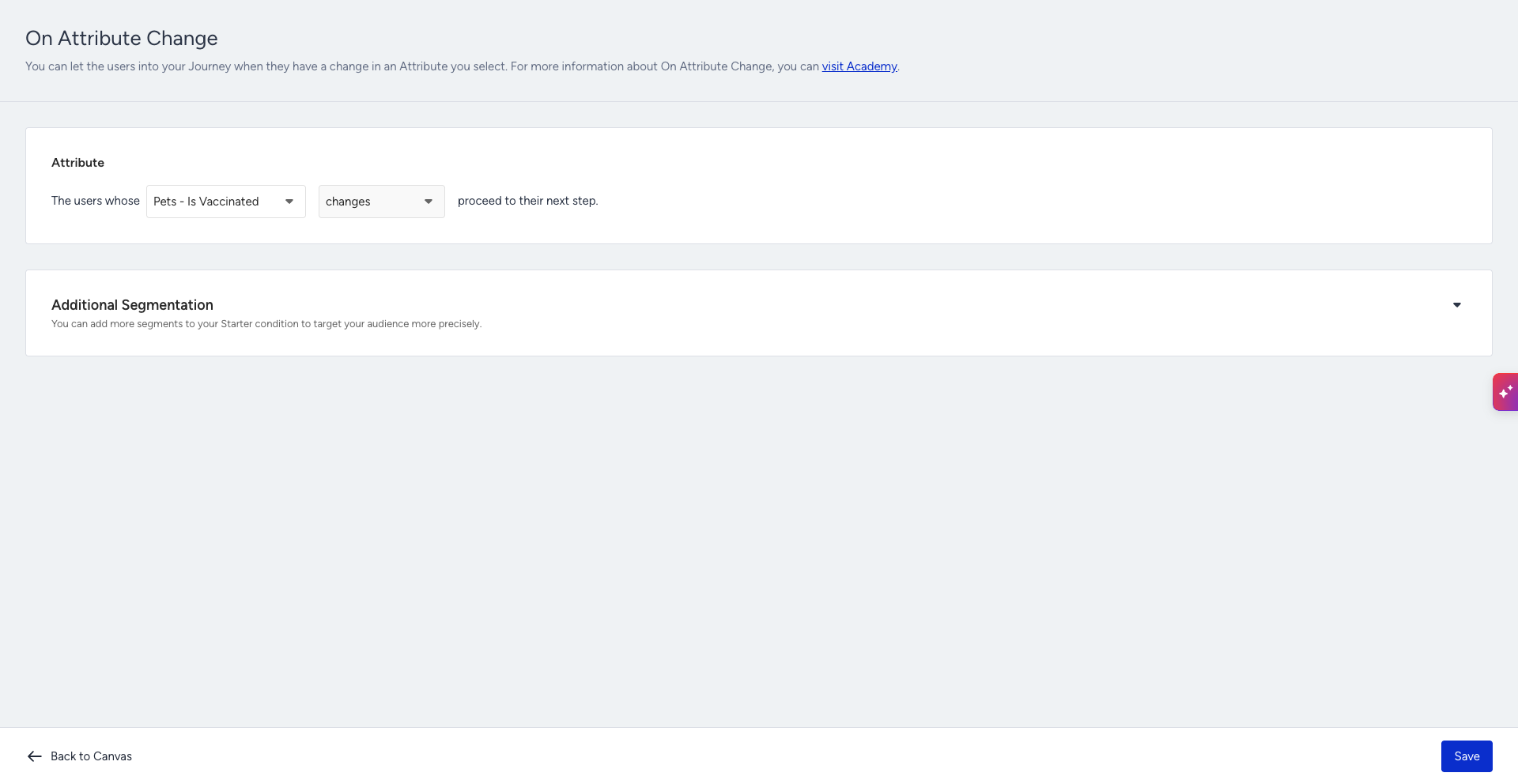
Select the AoO attribute, then the key inside the object that should be watched. The journey fires when the value of that key changes for any object in the array, for example, when a policy status changes to expiring or a new order is added to the array. AoO attributes sit in the same picker as your flat attributes, under their own AoO group, so an existing starter can be extended rather than rebuilt.
On Dynamic Date
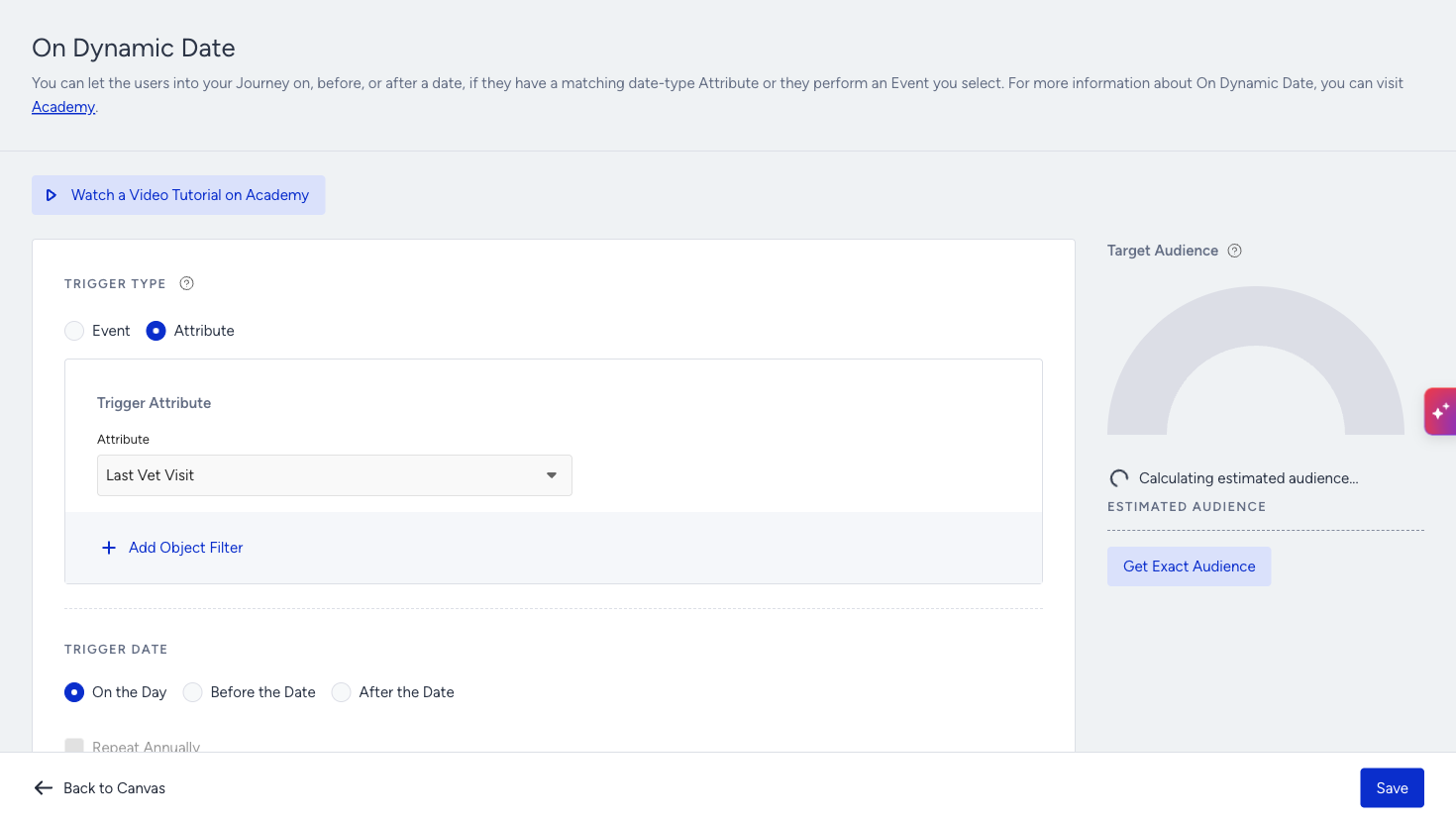
You can select the date-type fields within an AoO attribute as the starter's date source. This way, renewal, expiry, and reminder scenarios operate on nested data; the date the journey runs on comes from the object itself.
The picker works differently here. AoO attributes are listed under Array of Objects Attributes by object name, such as Pets or Flight Bookings, and you open the object to reach its date fields. The search box does not match this group either, so if you type an object name you will see "No Data to Show". Clear the search to see the group.
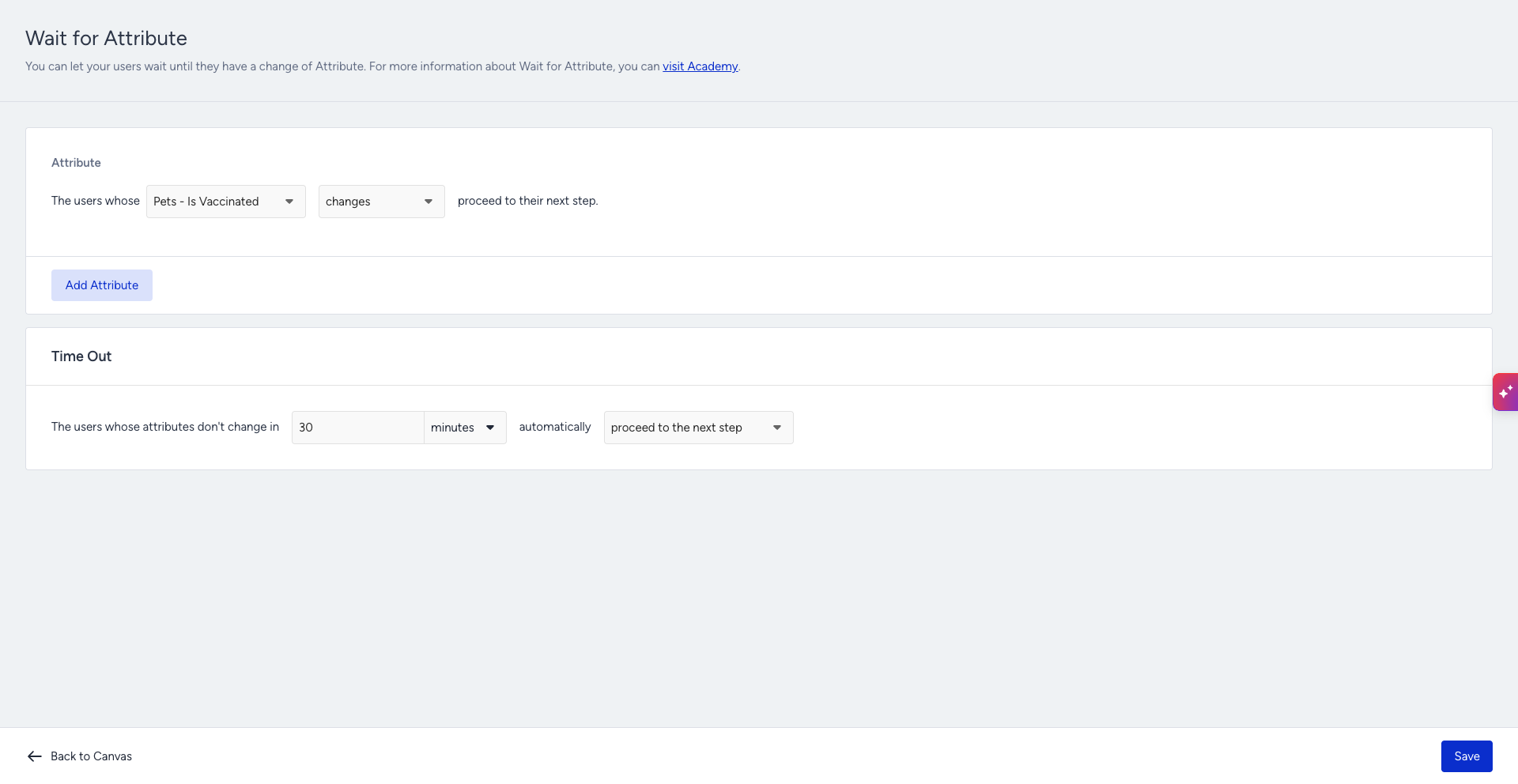
Wait for Attribute
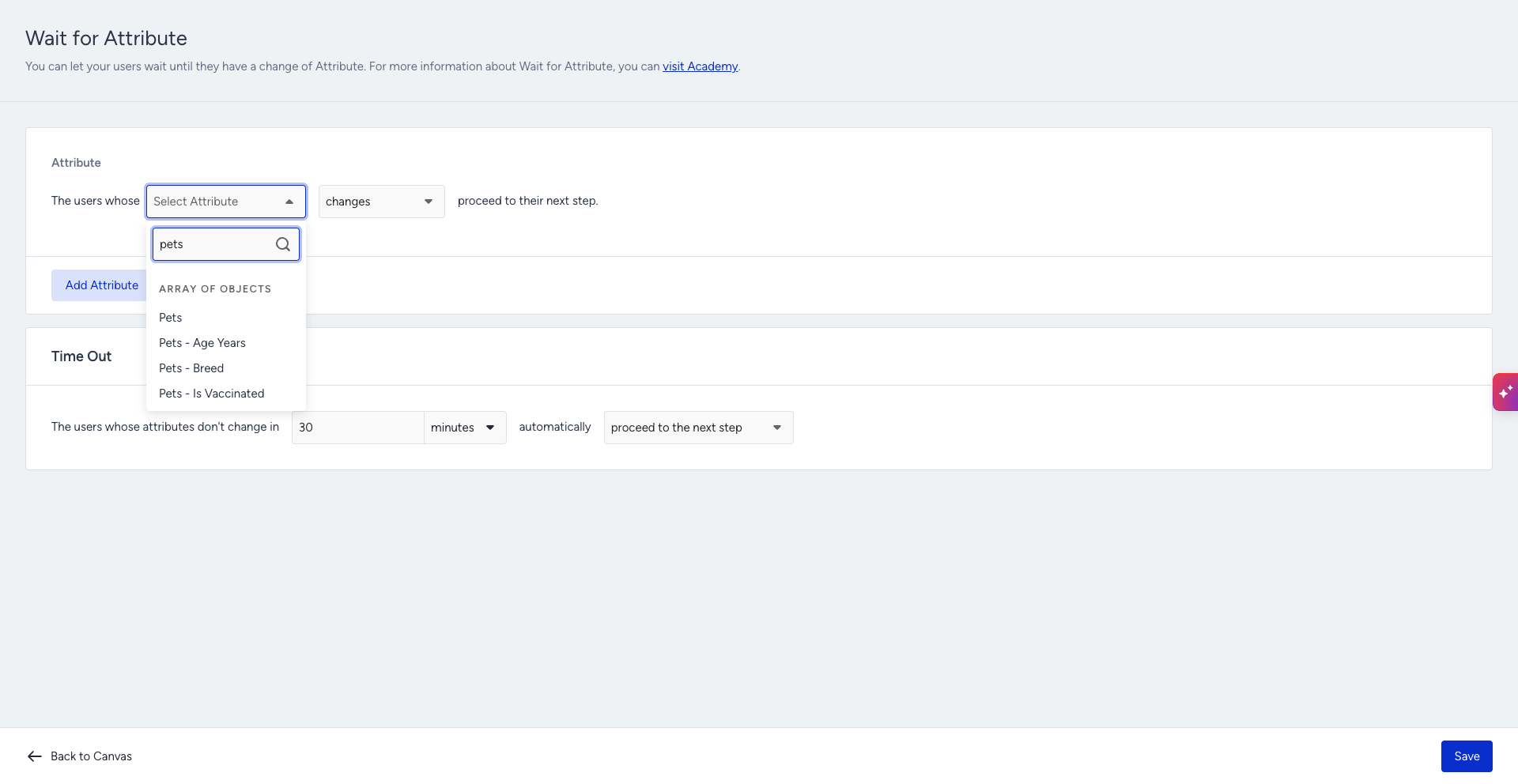
Users are held at the element until the selected AoO attribute meets the condition you define, then continue down the path. The condition is written against the key inside the object, just as the starter reads it.
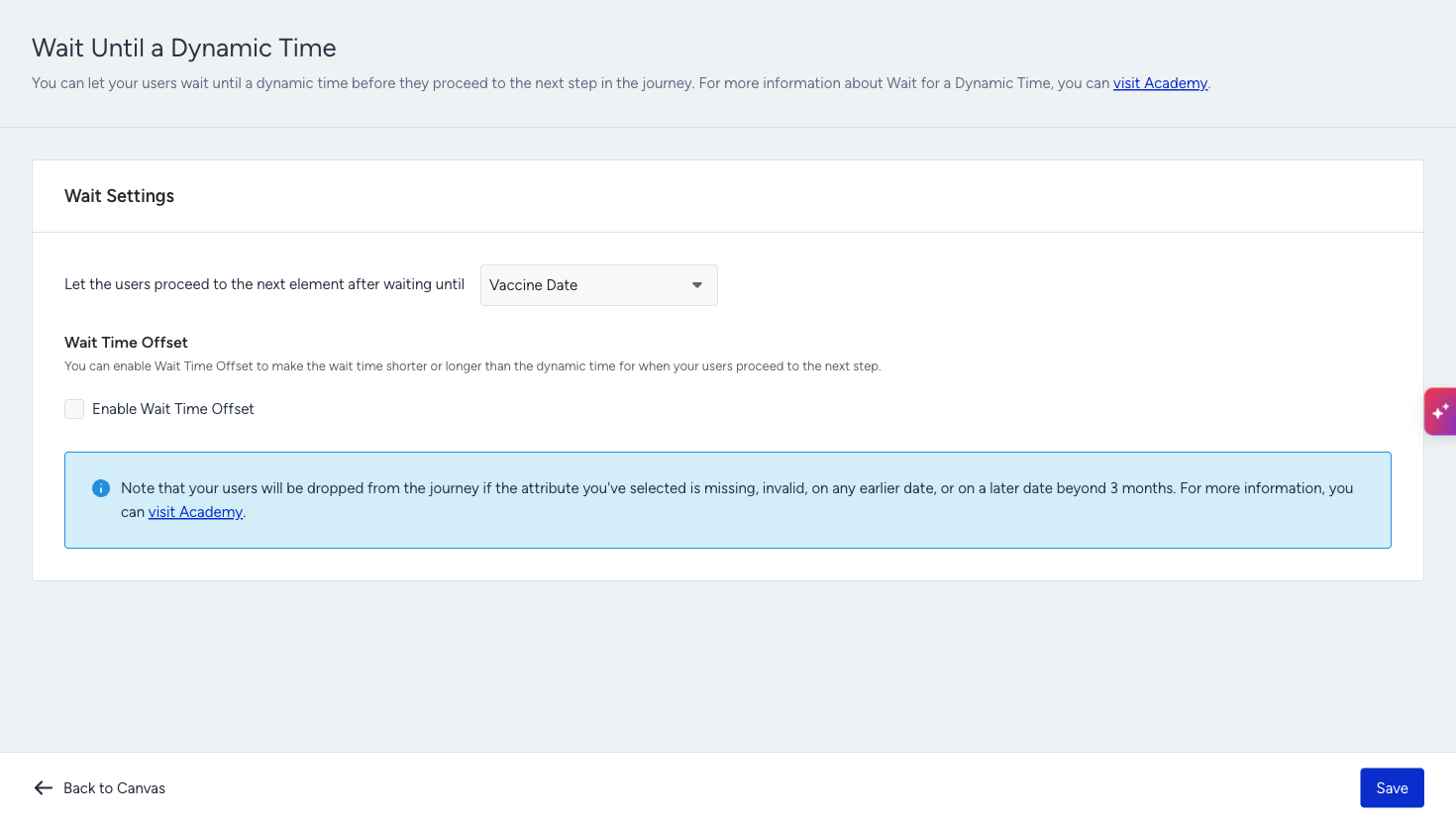
Wait Until a Dynamic Time
Point it at a date field inside the array, and users wait until that exact date is reached, which covers "three days before the flight" or "on the renewal date" patterns without any precomputed attribute.
This element is available only in journeys that start with the On Dynamic Date starter, since it takes the date it waits for from the starter. In journeys with any other starter, it stays disabled in the element menu.
The parameter list offers the date keys of the object the starter is built on, so you can wait on a different date than the one that let the user in.
Exit Criteria and Journey Goals
You can use AoO-based conditions both to exit users from a journey and to measure conversion. You pick the AoO key the same way you do in the starter, so a change inside an object can end the journey immediately or be counted as a conversion.
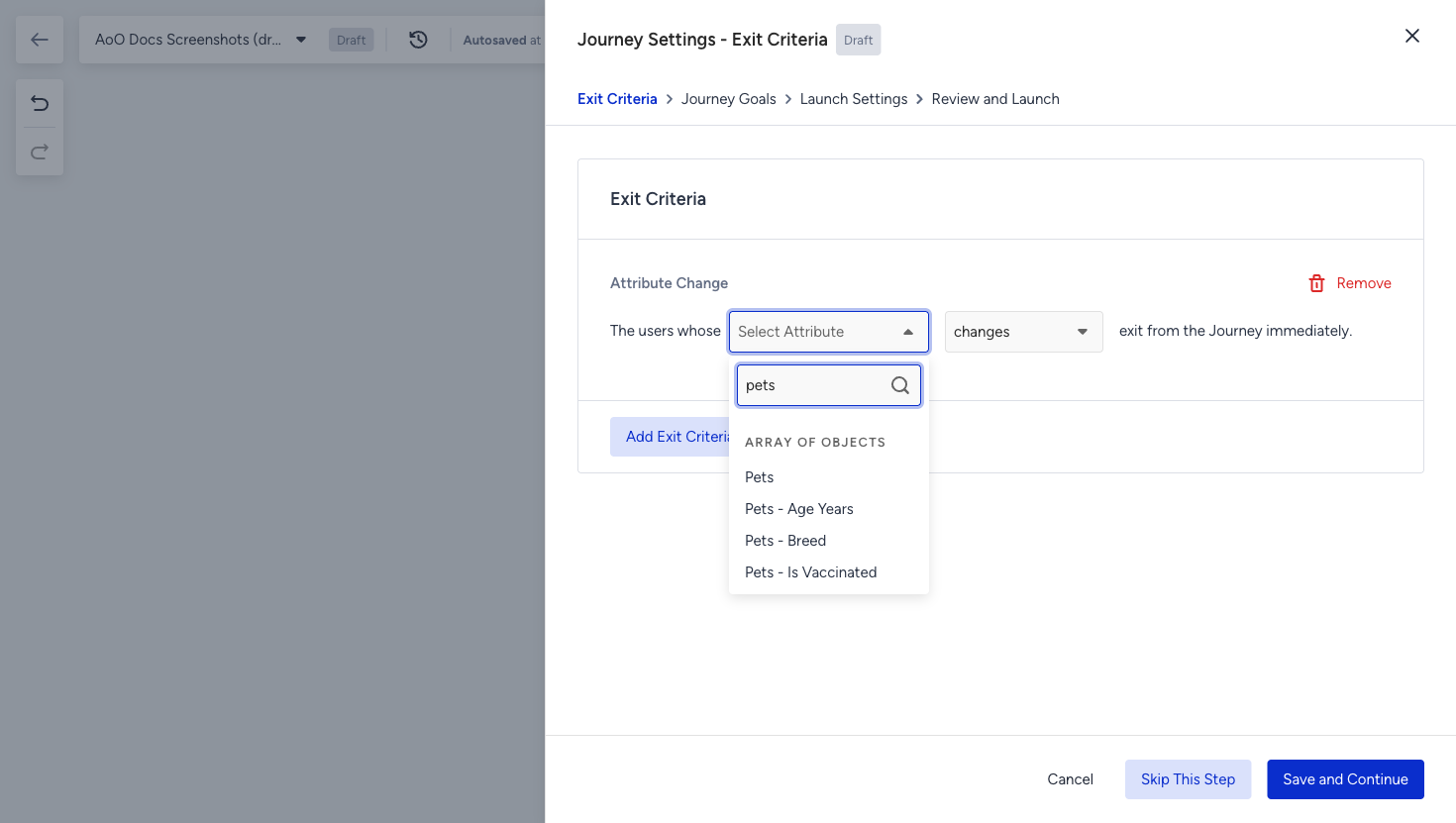
AoO in exit criteria
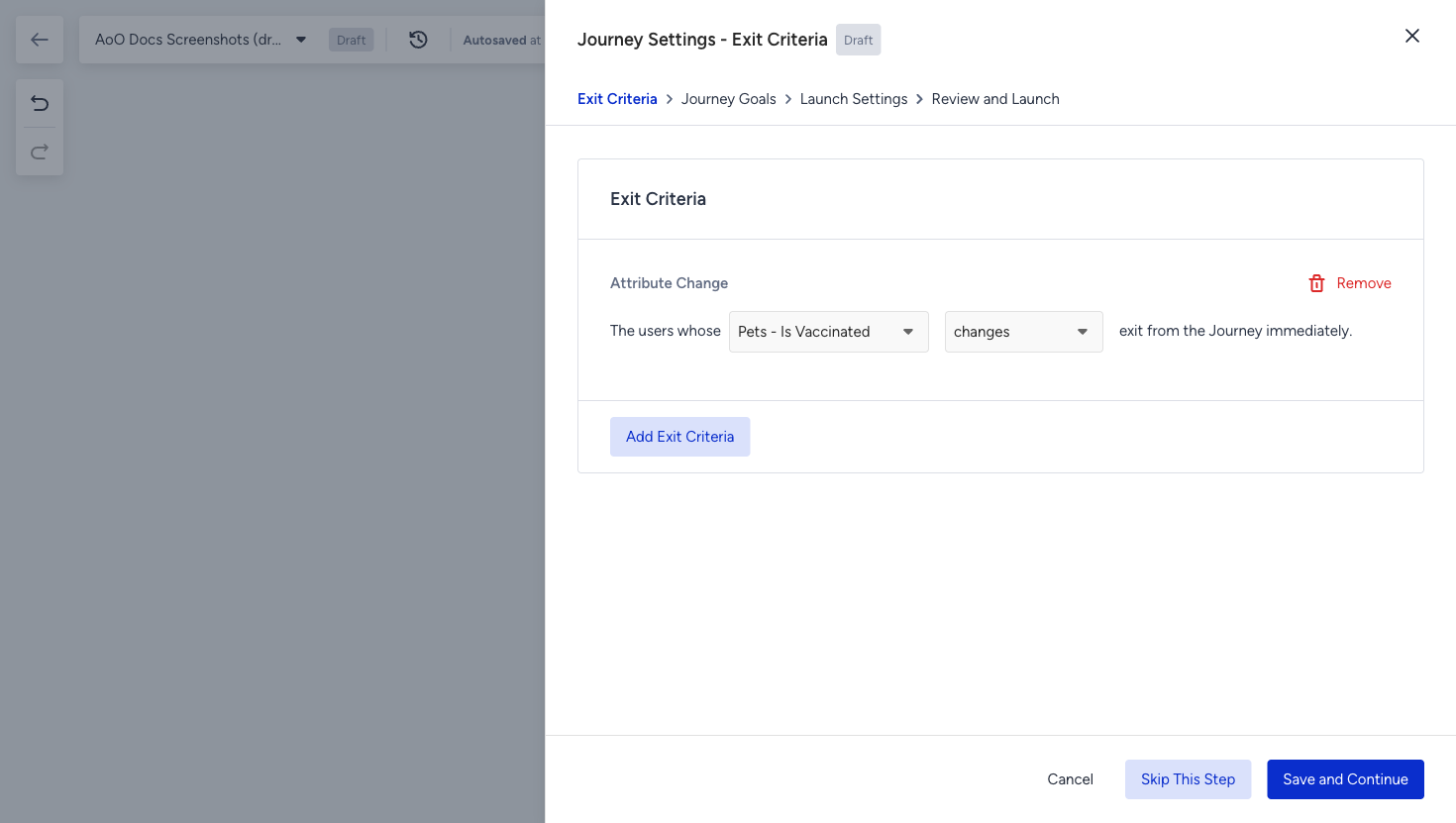
Exit criteria selected
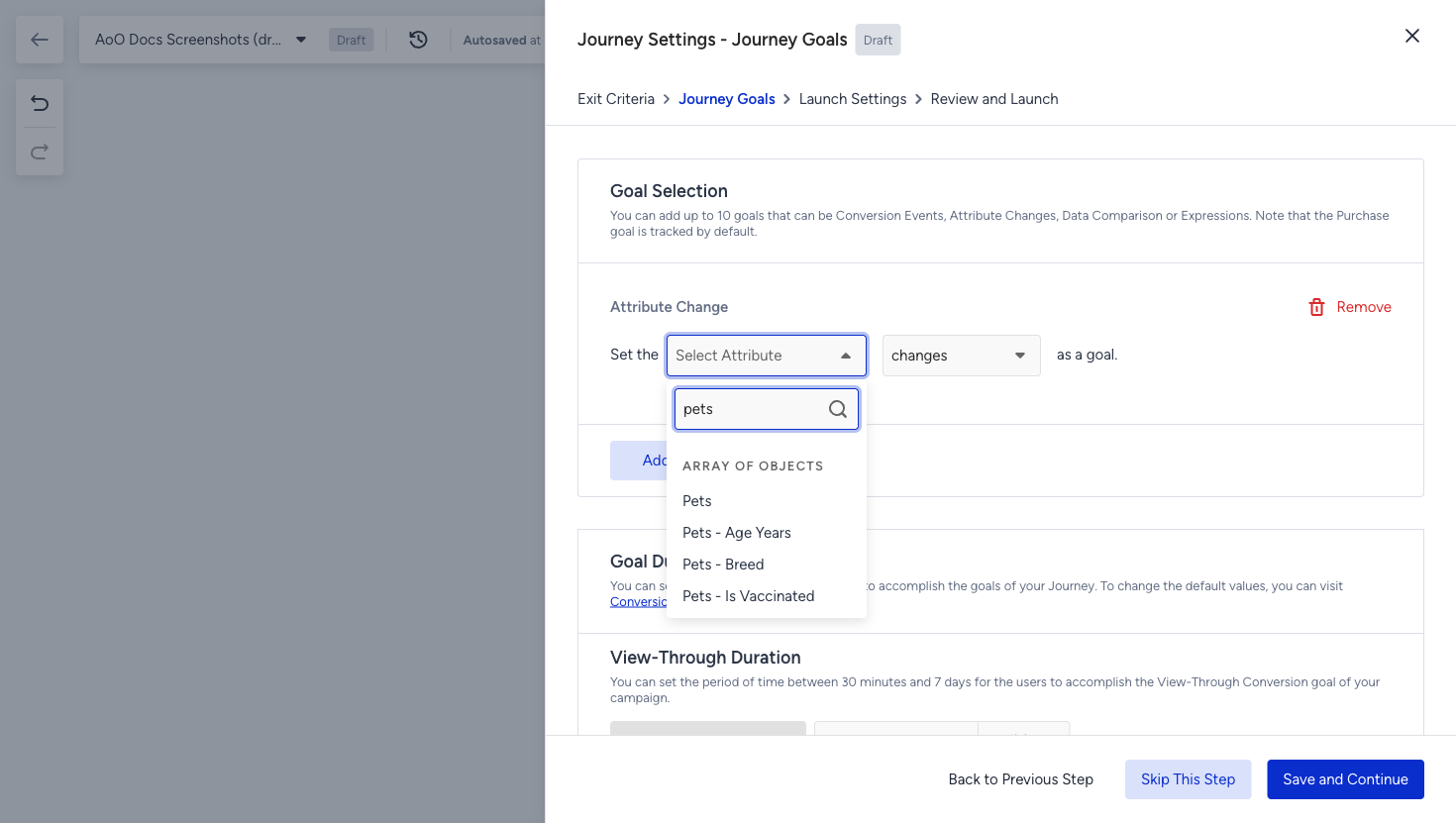
AoO in journey goal selection
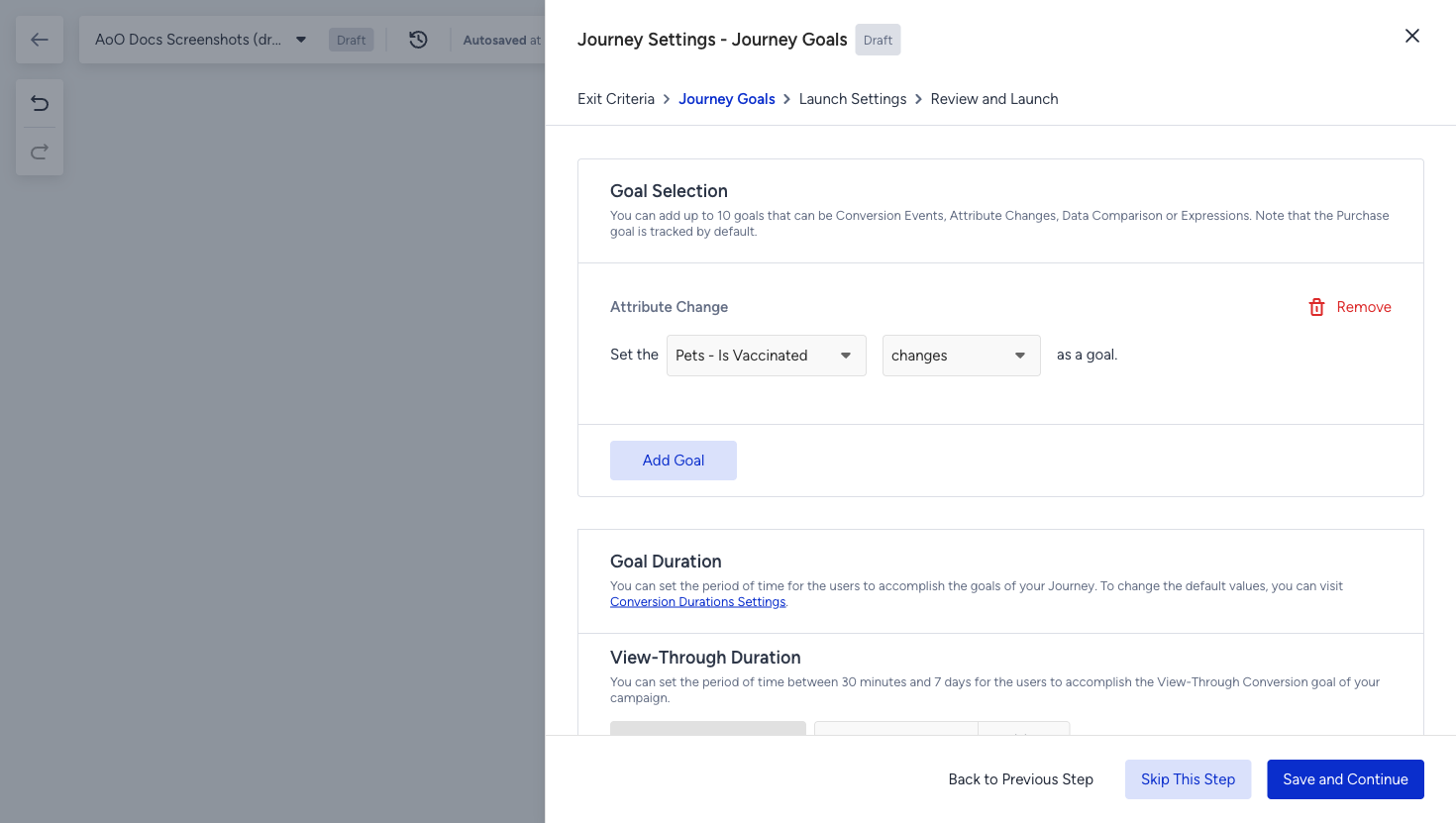
Journey goal selected
Personalization with constant values
The AoO values are captured the moment a user enters the journey and are frozen at entry, which means they are not re-evaluated as the journey runs. From that point on, they behave like constant parameters and can be used in the elements that support personalization and conditional logic, so the message the customer receives is about the exact object that brought them into the journey.
AoO personalization is rule-based. You first create an AoO rule that defines which object and which keys the content should read, and only then can it be inserted as dynamic content.
In the channel content, the rule is inserted from the Add Dynamic Content menu, under the Array of Objects Rules entry. Once the rule exists, AoO dynamic content is available in:
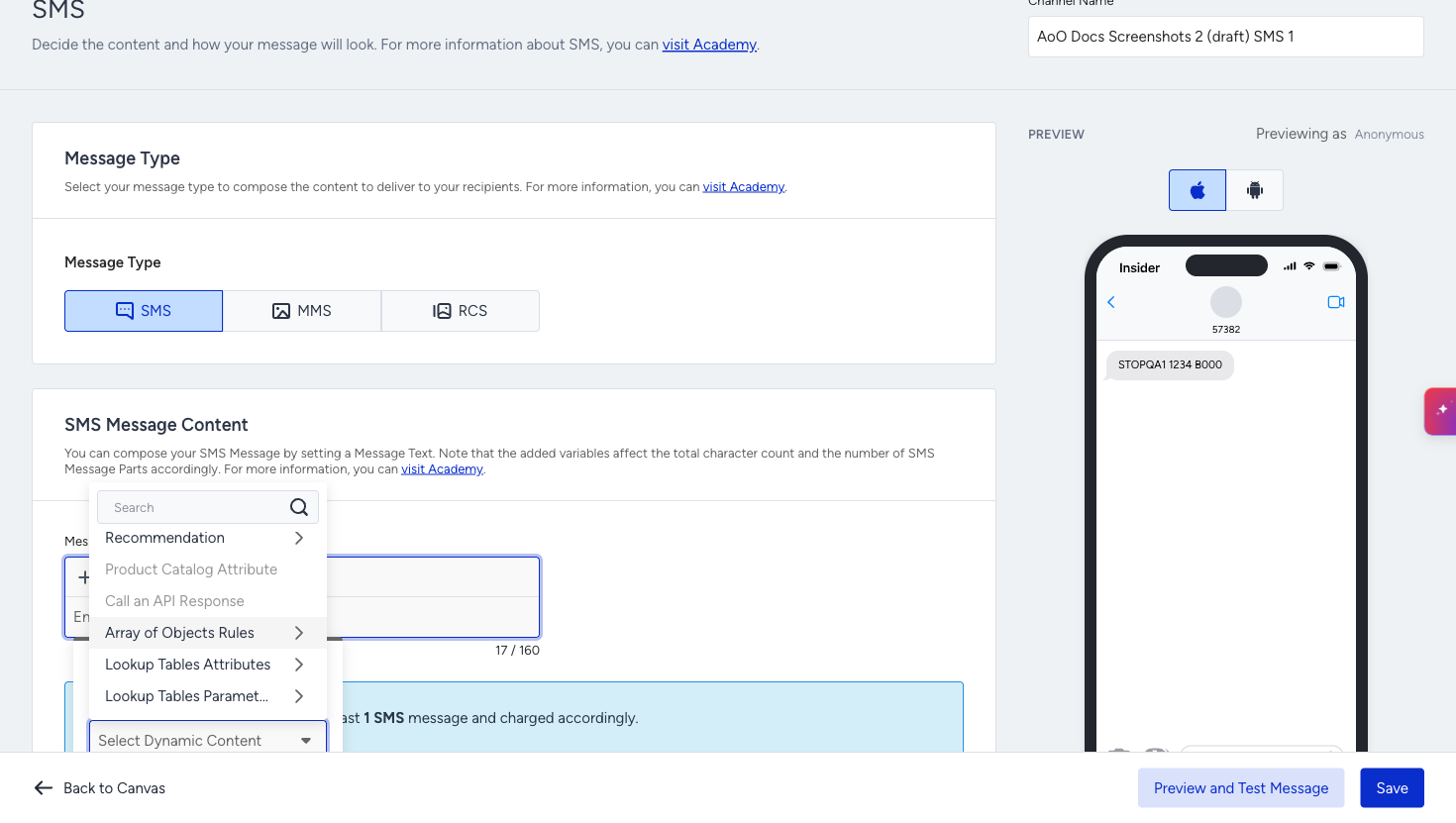
AoO as dynamic content in SMS channel
Use case examples
Below are various use case examples for different industries.
Insurance: Policy renewal
A customer holds three policies, each with its own renewal date, premium, and status. The journey starts on the renewal date within the policy object, waits until the right moment, then sends a message naming that specific policy. A second policy, renewed two months later, starts its own run of the same journey.
Travel: Multiple bookings
A customer has two upcoming bookings. Using the departure date inside the booking object, the journey can send the extra baggage upsell three days before each flight and personalize the message with the destination of that booking, not the most recent one.
Retail: Coupon expiry
Customers hold several coupons with different expiry dates and values. The journey triggers when the coupon is about to expire and reminds the customer of the correct code and amount.
Subscription: Tier change
A customer's subscription array holds a tier field. When that field changes for one of the subscriptions, the journey fires and the follow-up communication reflects the plan that actually changed.
Limitations
Wait Until Dynamic Time needs the On Dynamic Date starter. It is disabled in journeys that start with any other starter.
Users are dropped from a dynamic wait when the date cannot be used. If the selected attribute is missing, invalid, from an earlier date, or more than 3 months away, the user leaves the journey at that element.