Before creating a ticket, learn more about the process of Creating Support Tickets, and Requirements for Different Types of Campaigns.
To create a ticket, you can visit the Insider One Help Center. You can sign in or not to create a ticket.
You can create four types of requests:
Panel support
With this request type, you can request the following types of tickets from the Operational Excellence Team (OXT):
Campaign preparation/modification
Panel guidance
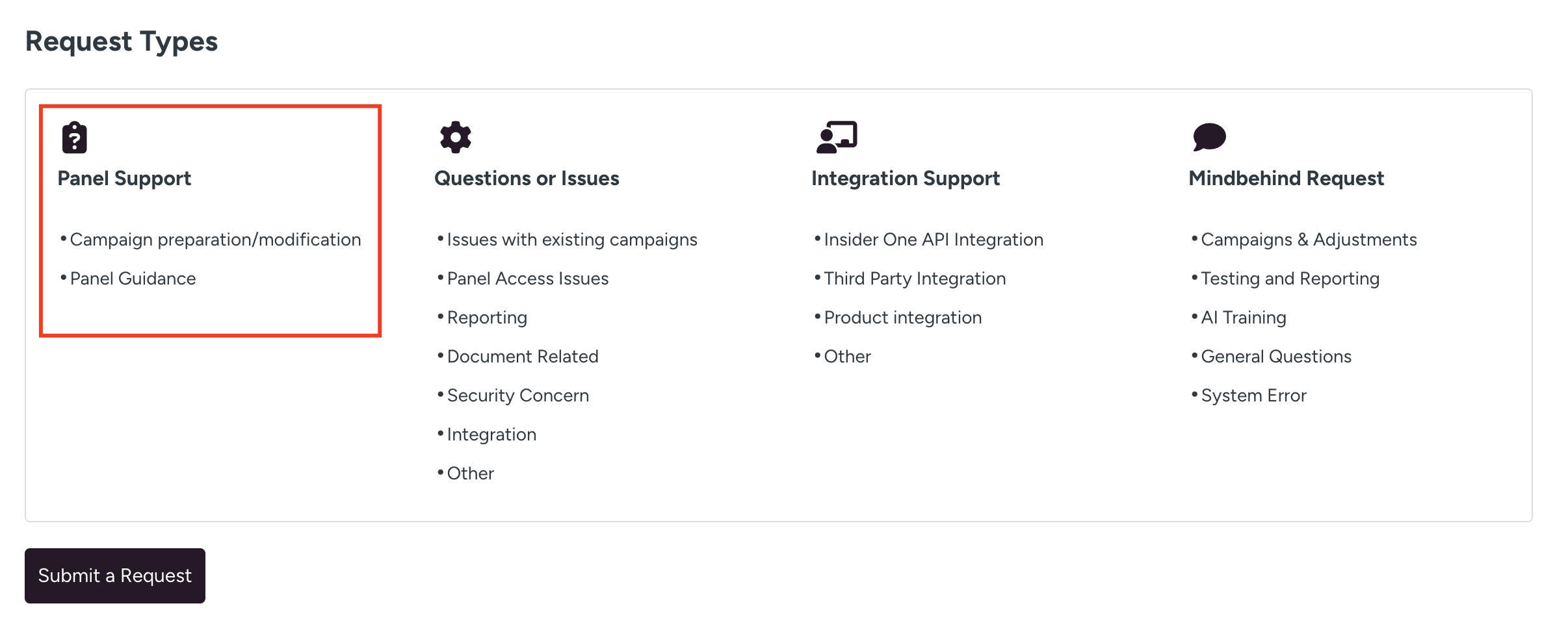
Click the ticket type you want to create, then select it for the "I'm reaching out for" field. Each ticket requires a different type of information.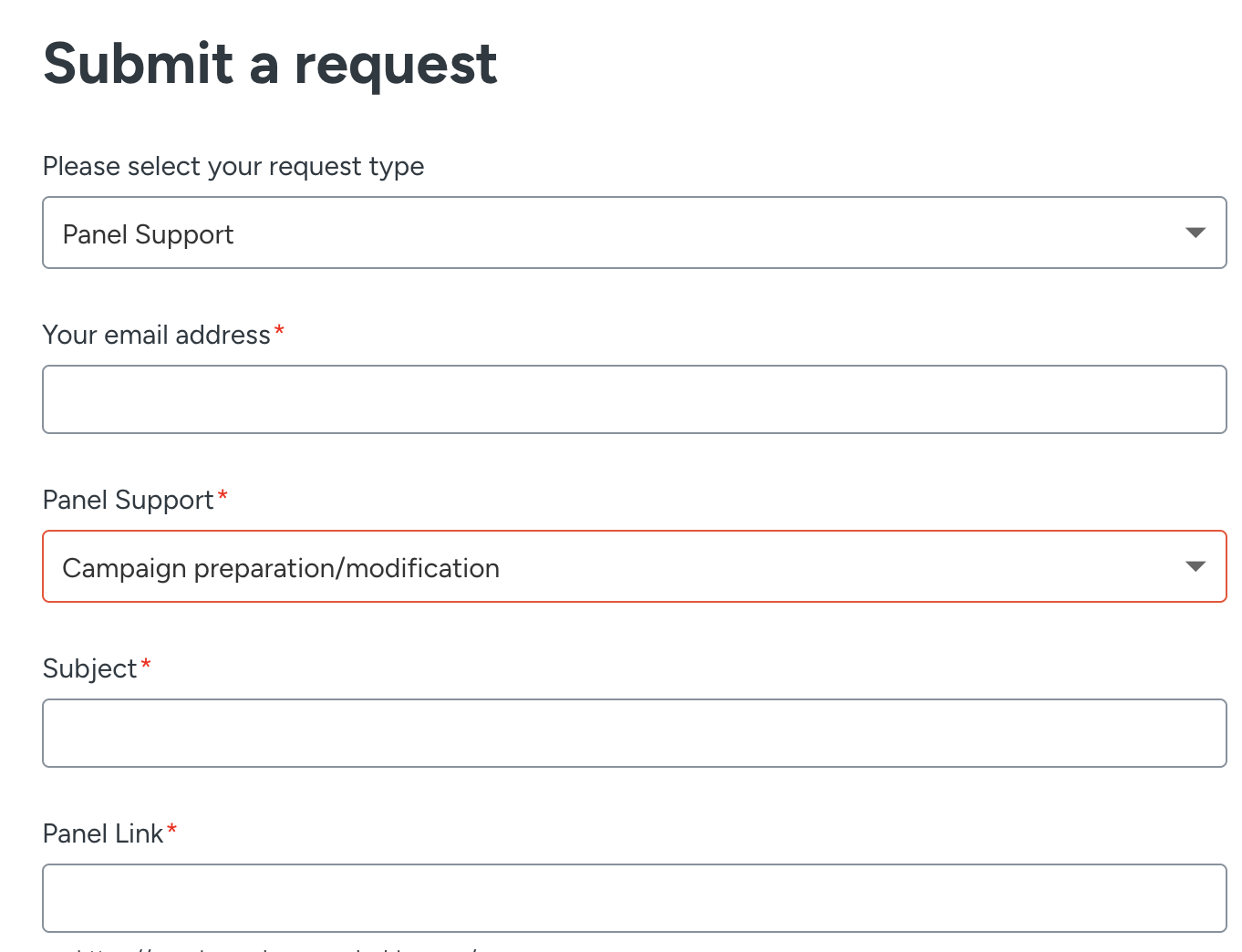
Campaign preparation/modification
With this ticket type, you can request assistance with creating or modifying a campaign. You can create this ticket with the following information:
Field | Description | Required |
|---|---|---|
Email address | Your business email address | Yes |
Subject | Explains your request briefly | Yes |
Severity | Indicates the importance of your issue (critical, high, medium, and low) | Yes |
Ticket Due Date | Defines when to deliver the campaign based on your needs and severity level | Yes |
Description | The details of your request and issue | Yes |
Segment | Your target audience | Yes |
Trigger rules | Defines how to trigger your campaign | Yes |
Rule | The expected behavior to see the campaign | Yes |
Design | Shows where to place the campaign | Yes |
Variation allocation | Defines the ratio of the test groups | Yes |
Goal type | Defines what you want to track in your campaign | Yes |
Inone Panel Link | The campaign that you need help with. E.g. partnername.inone.useinsider.com/{page-path} | Yes |
Recording Video Link | Any kind of recording for the campaign request (e.g., a video showing how the campaign works) | No |
Attachments | Any kind of document that supports your request (e.g., screenshots, videos, files, etc.) | No |
The following details are suggested for the Description field of your request:
Rules: Defines when or how to display the campaign (e.g., page type: product page)
Segments: Defines the target audience of the campaign (e.g., users who have a high likelihood to purchase)
Platform: Defines the platform you want to have your campaign on (e.g., desktop, mobile, tablet)
Placement: Defines where you want to insert the campaign (e.g., below the "add to cart" button)
Display Settings: Defines if the campaign should be displayed/hidden after X seconds
Re-eligibility Settings: Defines the re-eligibility of your campaign (e.g., session-based)
Logic of the campaign: Defines what the campaign will be used for
After entering all required information, click the Submit button to send your request to the Insider One Help Center.
Panel guidance
With this ticket type, you can ask for assistance with using the Insider One platform or a specific product/feature. You can create this ticket with the following information:
Field | Description | Required |
|---|---|---|
Email address | Your business email address | Yes |
Product | The product you need support with | Yes |
Subject | Explains your request briefly | Yes |
Severity | Indicates the importance of your issue (critical, high, medium, and low) | Yes |
Ticket Due Date | Defines when to deliver the request based on your needs and severity level | Yes |
Description | The details of your request and issue | Yes |
Recording Video Link | Any kind of recording for the assistance request | No |
Attachments | Any kind of document that supports your request (e.g. screenshots, videos, files, etc.) | No |
After entering all required information, click the Submit button to send your request to the Insider One Help Center.
Questions or issues
With this request type, you can request the following types of tickets:
Issues with existing campaigns
Panel access issues
Reporting
Document-related
Security concern
Integration
Other
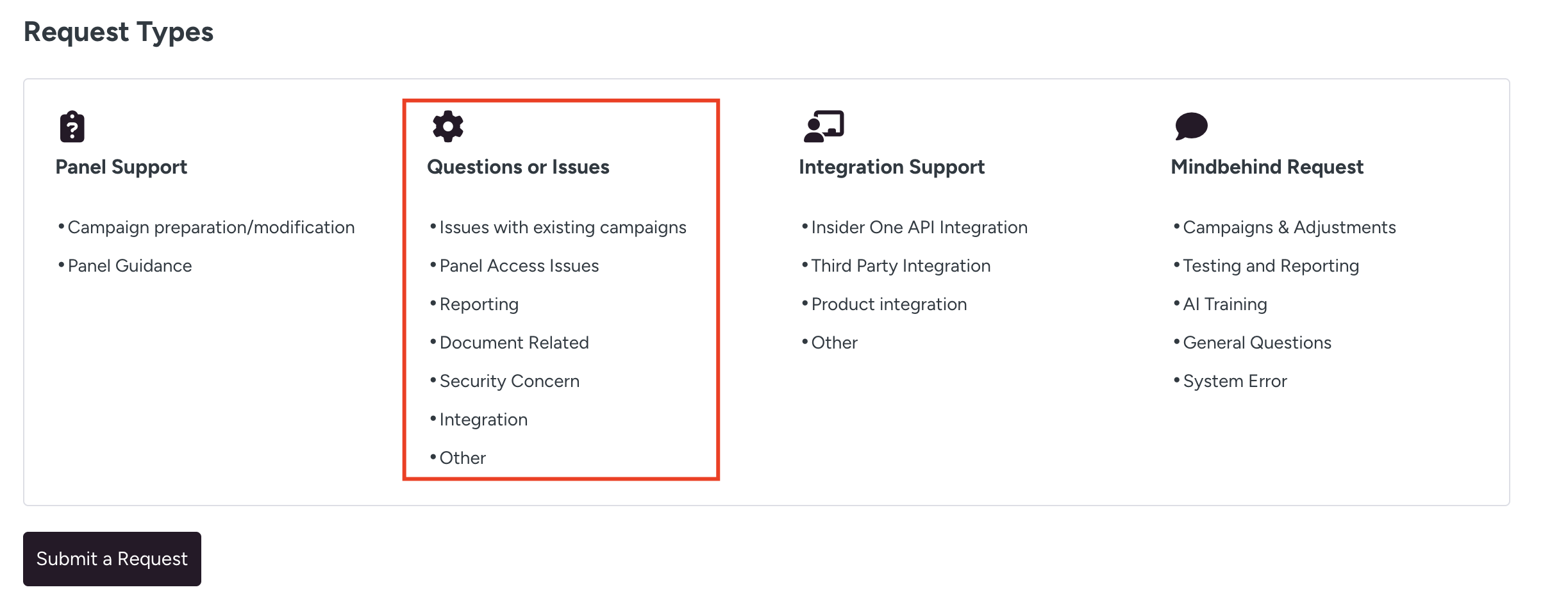
Click the ticket type you want to create and select it for the I'm reaching out for field. Each ticket requires a different type of information.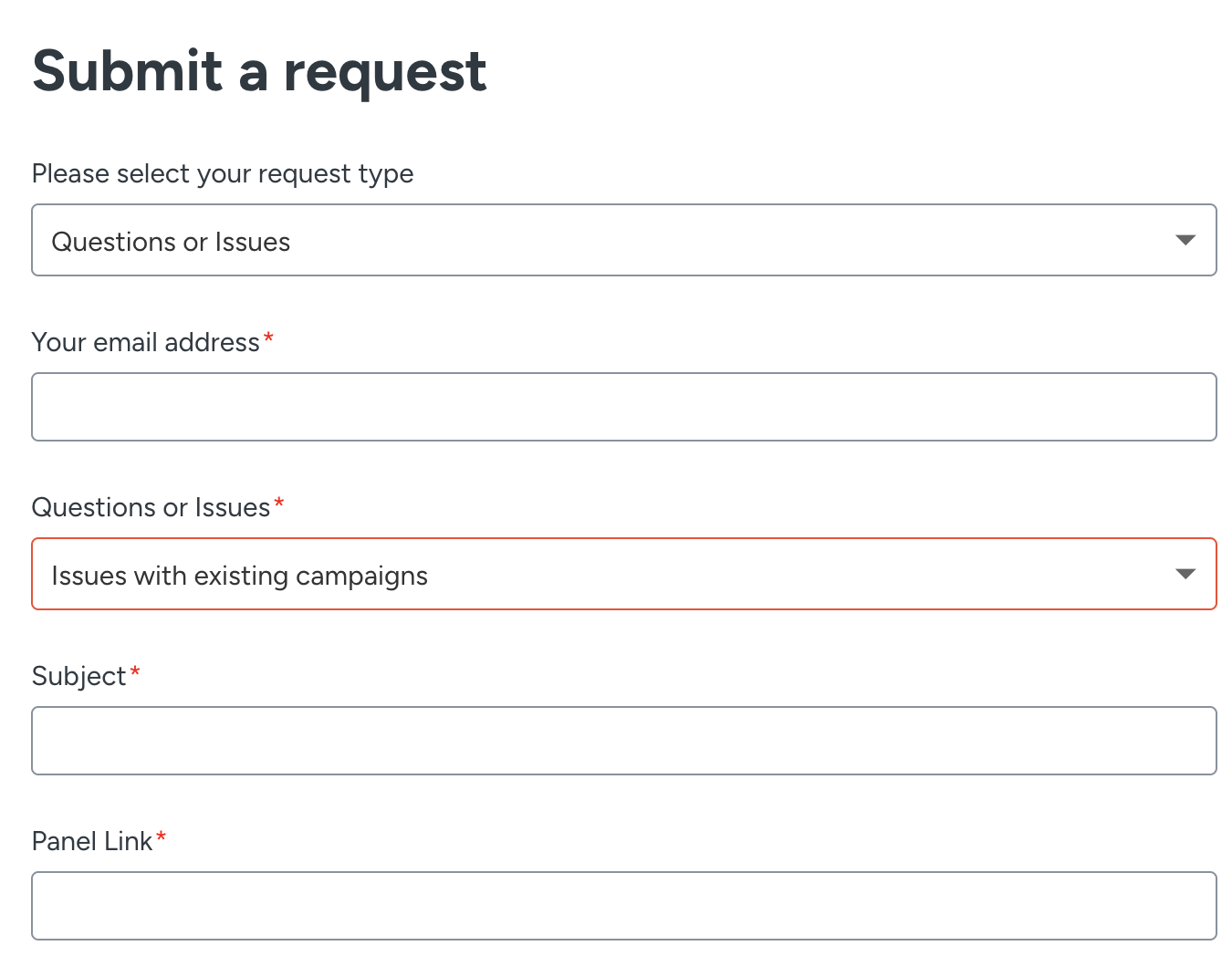
Issues with existing campaigns
With this ticket type, you can ask questions or report an issue occurring on an existing campaign. You can create this ticket with the following information:
Field | Description | Required |
|---|---|---|
Email address | Your business email address | Yes |
Product | The product you are creating the ticket for | No |
Subject | Explains your request briefly | Yes |
Severity | Indicates the importance of your issue (critical, high, medium, and low) | Yes |
Ticket Due Date | Defines when to deliver the request based on your needs and severity level | Yes |
Description | The details of your request and issue | Yes |
URL Of where the problem occurred | Your website page where you are having an issue | Yes |
List of steps | What we should follow to re-experience the issue | No |
Current Behavior | Explains how the campaign is currently running | Yes |
Expected Behavior | Explains how the campaign is supposed to be | Yes |
Device Type | The device you are using | No |
Browser Type | The browser you are using (e.g., Internet Explorer, Chrome, etc.) | No |
Inone Panel Link | URL of the page/campaign you are having issues with. E.g. partnername.inone.useinsider.com/{page-path} | Yes |
Attachments | Any kind of document that supports your request (e.g., screenshots, videos, files, etc.) | No |
After entering all required information, click the Submit button to send your request to the Insider One Help Center.
Panel access issues
With this ticket type, you can request assistance with access to the Insider One platform (InOne). You can create this ticket with the following information:
Field | Description | Required |
|---|---|---|
Email address | Your business email address | Yes |
Subject | Explains your request briefly | Yes |
Severity | Indicates the importance of your issue (critical, high, medium, and low) | Yes |
Ticket Due Date | Defines when to deliver the request based on your needs and severity level | Yes |
Description | The details of your request and issue | Yes |
Your email address | The account you are having issues with | Yes |
Recording Video Link | Any kind of recording to support your request | No |
Attachments | Any kind of document that supports your request (e.g., screenshots, videos, files, etc.) | No |
After entering all required information, click the Submit button to send your request to the Insider One Help Center.
Reporting
With this ticket type, you can ask questions about unexpected results in reports/analytics pages. You can create this ticket with the following information:
Field | Description | Required |
|---|---|---|
Email address | Your business email address | Yes |
Product | The product you are creating the ticket for | No |
Subject | Explains your request briefly | Yes |
Description | The details of your request and issue | Yes |
Severity | Indicates the importance of your issue (critical, high, medium, and low) | No |
Ticket Due Date | Defines when to deliver the request based on your needs and severity level | Yes |
Expected Results | The results you expected to see | Yes |
Inone panel Link | The URL of the reports/analytics you are having issues with. E.g. partnername.inone.useinsider.com/{page-path} | Yes |
Attachments | Any kind of document that supports your request (e.g., screenshots, videos, files, etc.) | No |
After filling in all the required information, click the Submit button to send your request to the Insider One Help Center.
Document-related
With this ticket type, you can ask questions about documentation, instructions, and content on Academy. You can create this ticket with the following information:
Field | Description | Required |
|---|---|---|
Email address | Your business email address | Yes |
Product | The product you are creating the ticket for | No |
Subject | Explains your request briefly | Yes |
Description | The details of your request and issue | Yes |
Severity | Indicates the importance of your issue (critical, high, medium, and low) | No |
Ticket Due Date | Defines when to deliver the request based on your needs and severity level | Yes |
Academy Link | The page URL you have questions about | Yes |
Attachments | Any kind of document that supports your request (e.g., screenshots, videos, files, etc.) | No |
After entering all required information, click the Submit button to send your request to the Insider One Help Center.
Security concern
With this ticket type, you can raise any security-related questions related to the Insider One platform, products, or integrations.
Integration
With this ticket type, you can ask integration-related questions or report integration-related issues.
Other
With this ticket type, you can ask questions about any topic that is not listed in the Insider One Help Center. You can create this ticket with the following information:
Field | Description | Required |
|---|---|---|
Email address | Your business email address | Yes |
Product | The product you are creating the ticket for | No |
Subject | Explains your request briefly | Yes |
Description | The details of your request and issue | Yes |
Severity | Indicates the importance of your issue (critical, high, medium, and low) | No |
Ticket Due Date | Defines when to deliver the request based on your needs and severity level | Yes |
Attachments | Any kind of document that supports your request (e.g., screenshots, videos, files, etc.) | No |
After entering all required information, click the Submit button to send your request to the Insider One Help Center.
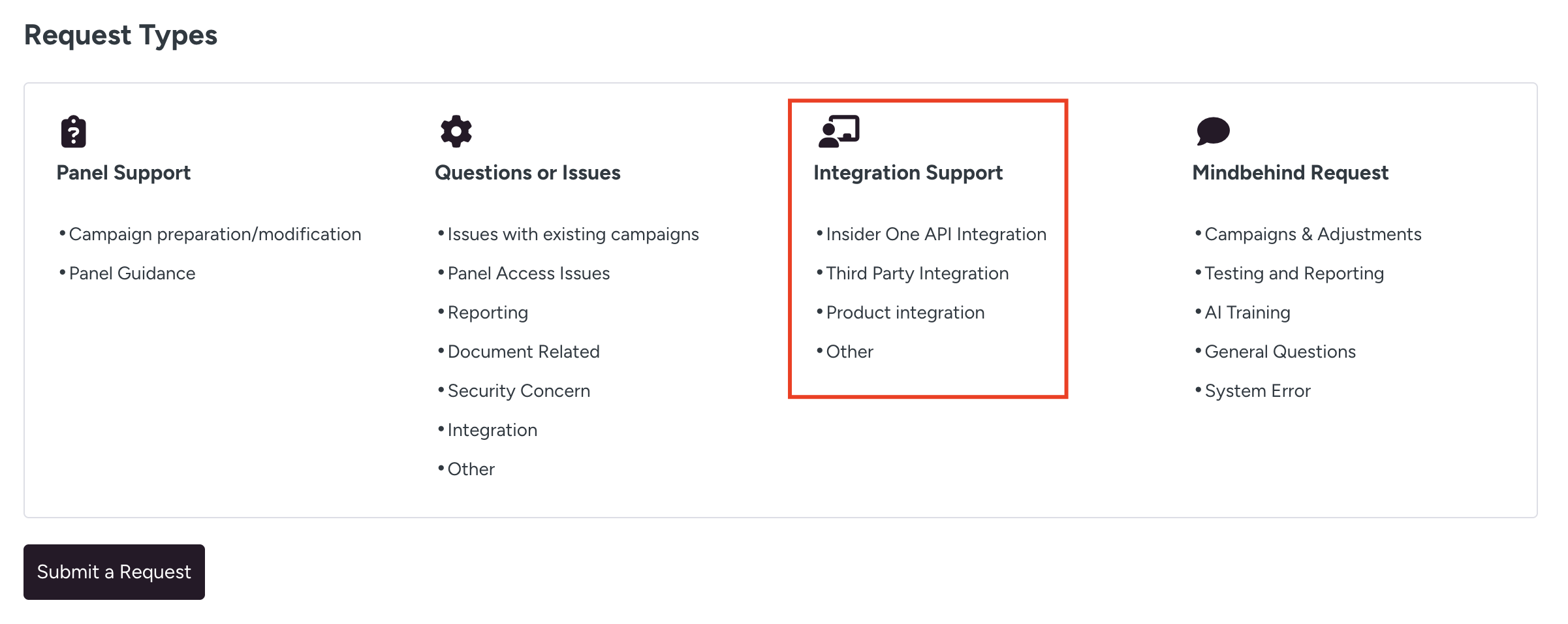
Integration support
With this request type, you can request the following types of tickets:
Insider API integration
Third-party integration
Product integration
Other
Insider One API integration
With this ticket type, you can ask for assistance with your new/existing API integrations. You can create this ticket with the following information:
Field | Description | Required |
|---|---|---|
Email address | Your business email address | Yes |
Product | The product you are creating the ticket for | No |
Integration type | Defines the integration type you need help with (e.g., Export API, Upsert API, Catalog API, etc.) | Yes |
Subject | Explains your request briefly | Yes |
Severity | Indicates the importance of your issue (critical, high, medium, and low) | Yes |
Ticket Due Date | Defines when to deliver the request based on your needs and severity level | Yes |
Description | The details of your request and issue | Yes |
Payload file | The file you want to get support with | No |
Request file | The file you want to get support with | No |
Attachments | Any kind of document that supports your request (e.g., screenshots, videos, files, etc.) | No |
After entering all required information, click the Submit button to send your request to the Insider One Help Center.
Third-party integration
With this ticket type, you can request assistance with setting up additional events and attributes on top of your existing setup. You can create this ticket with the following information:
Field | Description | Required |
|---|---|---|
Email address | Your business email address | Yes |
Product | The product you are creating the ticket for | No |
Subject | Explains your request briefly | Yes |
Severity | Indicates the importance of your issue (critical, high, medium, and low) | Yes |
Ticket Due Date | Defines when to deliver the request based on your needs and severity level | Yes |
Description | The details of your request and issue | Yes |
Event name | Event name that you want to integrate | No |
Attribute name | Attribute name that you want to integrate | No |
Source of data | Data endpoints | Yes |
Attachments | Any kind of document that supports your request (e.g. screenshots, videos, files, etc.) | No |
After entering all required information, click the Submit button to send your request to the Insider One Help Center.
Product integration
With this ticket type, you can ask for assistance with JS, SDK, IO, and script performance issues. You can create this ticket with the following information:
Field | Description | Required |
|---|---|---|
Email address | Your business email address | Yes |
Product | The product you are creating the ticket for | No |
Subject | Explains your request briefly | Yes |
Severity | Indicates the importance of your issue (critical, high, medium, and low) | Yes |
Ticket Due Date | Defines when to deliver the request based on your needs and severity level | Yes |
Description | The details of your request and issue | Yes |
Attachments | Any kind of document that supports your request (e.g. screenshots, videos, files, etc.) | No |
After entering all required information, click the Submit button to send your request to the Insider One Help Center.
Other
With this ticket type, you can ask for assistance with your new/existing integrations that do not fall into the other categories.
You can create these tickets with the following severity levels:
Severity | Description |
|---|---|
Low - The defect causes no dysfunctions and may even be unnoticed by the users. | You are experiencing design issues while a campaign is running. You are experiencing minor functional issues that do not affect the customers while the campaign is running. |
Medium - The defect causes a noncritical failure, which allows users to continue using the application. | You have a reproducible problem that results in material loss or reduced functionality, which affects your normal use of the platform. When you launch a campaign, you experience minor functional issues. |
High - Key functionality error causing significant business impact. | You encounter a reproducible problem, which leads to a significant loss or reduction in the functionality of your use of the platform. This loss or reduction adversely affects your core operational activities. When the campaign is active, you are experiencing major functional errors. |
Critical - A major blocker has affected the whole or partial (critical) functionality, security issues | You are experiencing an easily visible issue that impacts customer experiences for all users. The issue's criticality and extensibility are critical. Your customers' purchase cycle is affected. |
MindBehind Request
After selecting MindBehind Request, choose the appropriate option in the “I’m reaching out for” field.
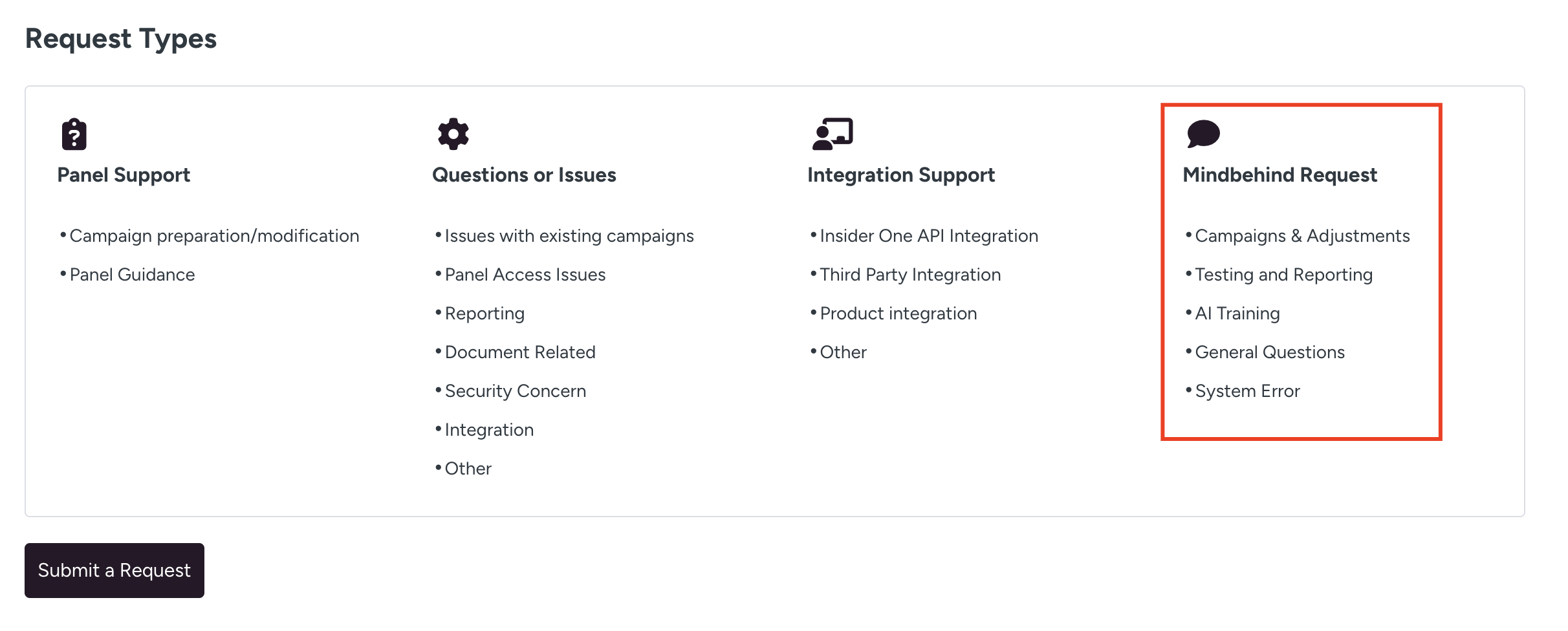
You can create tickets under the following categories:
Each category serves a different purpose. Review the descriptions below to select the most accurate ticket type.
Campaigns & Adjustments
Select this ticket type when you need changes or updates in your chatbot flows.
This includes:
Updating existing chatbot flows
Adding new intents
Creating new flows
Designing integrated flows
Text preparation and copywriting updates
Example Requests
Updating the price information in the chatbot because shipping fees have changed.
Intent Name: How much is the shipping fee?
Current Answer: The shipping fee for delivery to your address is 15.99 TRY.
New Answer: The shipping fee for delivery to your address is 35.99 TRY.
If you want to make a development regarding shipment status and show shipment statuses to your users, you must write this in the details section along with the texts.
Your shipment status is as follows;
In Preparation: Your order will be delivered to the shipping company as soon as possible. You can track the current status of your shipment via the link below.
Out for Delivery: Your shipment has been sent out for distribution. You can track the current status of your shipment via the link below.
Changing/updating the name of the 3rd button in the welcome menu
Current Button Name: Nearest store
New Button Name: I want to see the nearest stores
Testing and Reporting
Select this ticket type for support related to chatbot testing and performance reporting.
This includes:
Chatbot Reporting
Use this option when you need performance insights or custom reports.
Tags can be added to flows to analyze user behavior and access specific metrics.
For example:
Requesting click-through rates of main menu buttons
Requesting performance reports for specific flows
General Testing Processes
Use this option to ensure your chatbot works correctly.
Testing covers:
Newly added intents
Existing intents
Flow functionality
Overall user interaction accuracy
Testing ensures the chatbot operates consistently and without errors.
Example Reporting Requests
Analysis of the top 10 most frequent intents
Requesting a report for the top 10 intents received between 2023 and 2024
AI Training
Select this ticket type when you need support for improving AI performance.
AI Training is used to:
Measure chatbot accuracy
Improve intent recognition
Optimize performance over a specific date range
Example Request
Date Range: May 1 – May 15
Channel: Webchat
Details: 1,000 data points from this date range need to be trained.
General Questions
Select this ticket type for general inquiries about:
Product usage
Channel configurations
Feature explanations
Reporting logic
Example Requests
Where can I change the department's working hours?
How is the correct understanding rate calculated in the report sent to me?
How do I add a new intent to the AI?
System Error
You can select this type for any bugs that may occur within the flows, services, or the panel.
Channels
In the Channels field, select where the requested work should apply.
If your chatbot operates on multiple channels, make sure to select all relevant ones, such as:
WhatsApp
Instagram
LINE
Microsoft Teams
Webchat
Selecting the correct channels ensures that the requested changes are implemented in the appropriate environments.
The table below lists the fields applicable to all “I’m Reaching Out For” ticket types. You can create this ticket with the following information:
Field | Description | Required |
|---|---|---|
Email address | Your business email address | Yes |
Subject | Explains your request briefly | Yes |
Severity | Indicates the importance of your issue (critical, high, medium, and low) | Yes |
Ticket Due Date | Defines when to deliver the request based on your needs and severity level | Yes |
Description | The details of your request and issue | Yes |
Channels | Channels where the chatbot adjustments are to be made (WhatsApp, Webchat, Instagram, etc.) | Yes |
Recording Video Link | Any kind of recording for the campaign request (e.g., a video showing how the campaign works) | No |
Attachments | Any kind of document that supports your request (e.g., screenshots, videos, files, etc.) | No |