This API enables you to migrate your templates to InsiderOne and reduce the time spent recreating them. To complete this migration, get started with the following requirements:
Download the HTML of the email template from your vendor. Make sure that the HTML covers the full content.
Make sure to have an application to execute the operations (e.g., Postman, etc.).
Generate the Email Template API key and save it in the payload for later use. You can generate it in Inone Settings > Integration > Generate API Key > Email Content and Templates.
Migrate templates with the extracted variables via Insider's API.
This API allows you to migrate your promotional emails. Transactional email type is not supported in template migration.
You should migrate your email templates one by one. Each payload in the migrator API should be prepared to migrate only one downloaded template to Insider One's email template library.
Extract premigration variables
Before migrating your templates, you need to extract the premigration Dynamic Attributes variables.
Dynamic Attributes
The response to the request will include a list of all unique dynamic attributes found in the template.
If you want to map these before sending your template to Insider One, you need to create custom dynamic attributes in Insider One.
Each attribute ID corresponds to an attribute name on your template. See the complete list of System Fields and Their IDs.
To migrate your template, replace the attribute name with its corresponding Insider attribute name. See Insider One's Default Attributes.
To replace these attribute names with Insider attributes, you can use the attribute names in the {{my_attribute_name}} format. If you want to replace a custom attribute, use the format {{c_subscription_expiry_date}}.
For example, the response for extracting variables returns dynamic attributes [“name”, “em”]. You should replace them with Insider One's corresponding attributes when sending the request to migrate your template. In this case, they will be replaced with name and email, respectively, in the request as follows:
"dynamic_attributes": {"em": "email", "name": "name"}Endpoint and Headers
POST https://mail.useinsider.com/content/v1/template-migration/{vendorname}/extract-premigration-variables
Your title goes here
Please verify with the Insider One team which vendors are currently supported. Then, replace {vendorname} with your vendor name in lowercase.
Header | Sample Value | Description |
|---|---|---|
X-INS-AUTH-KEY | 1a2b3c4d5e6f | This Email Template key is required to authorize your request. Refer to API Authentication Tokens to generate your token. |
Content-Type | application/json | This header specifies the media type of the resource. |
Body Parameters
Before sending your request, make sure you create it within the following criteria:
Your template html should be in base64 format.
Your template html should not contain any “view-in-browser” component, display conditions, email recommendations, coupon(s), or any other customized component.
Parameter | Description | Data Type | Required |
|---|---|---|---|
html | Your template HTML in base64 format | String | Yes |
Sample Request
Every request to the request endpoint must include a JSON-formatted request body.
Make sure to replace the {vendorname} and auth key sample values in the request before sending your request.
Only base64 format is supported for HTML.
The following is a sample request to extract the premigration variables.
curl --location --request POST 'https://mail.useinsider.com/content/v1/template-migration/{vendorname}/extract-premigration-variables' \
--header 'x-ins-auth-key: 1a2b3c4d5e6f' \
--header 'Content-Type: application/json' \
--data-raw '{
    "html": "VGhpcyBpcyBhbiBleGFtcGxlIGh0bWwgY29udGVudA=="
}'
The following is a sample response.
{
    "dynamic_attributes": ["em", "name"]
}
Migrate your template with extracted variables
To migrate your templates, you need to send them with the dynamic attributes, if any.
Endpoint and Headers
POST https://mail.useinsider.com/content/v1/template-migration/{vendorname}/migrate
Please verify with the Insider One team which vendors are currently supported. Then, make sure to replace {vendorname} with your own vendor name in lowercase.
Header | Sample Value | Description |
|---|---|---|
X-INS-AUTH-KEY | 1a2b3c4d5e6f | This Email Template key is required to authorize your request. Refer to API Authentication Tokens to generate your token. |
Content-Type | application/json | This header specifies the media type of the resource. |
Body Parameters
Before sending your request, make sure you create it within the following criteria:
Your template html should be in base64 format.
Your template html should not contain any “view-in-browser” component, display conditions, email recommendations, coupon(s), or any other customized component.
Your dynamic attribute IDs should have a corresponding Insider attribute name, as explained in the "Dynamic Attributes" section.
Parameter | Description | Data Type | Required |
|---|---|---|---|
template_name | The name your template will have | String | Yes |
html | Your template HTML in base64 format | String | Yes |
dynamic_attributes | The extracted attributes along with their corresponding attribute names at Insider | Object | Yes |
Sample Request
The following is a sample request to migrate your template with dynamic attributes.
Make sure to replace the {vendorname} and auth key sample values in the request before sending your request.
curl --location --request POST 'https://mail.useinsider.com/content/v1/template-migration/{vendorname}/migrate' \
--header 'x-ins-auth-key: 1a2b3c4d5e6f' \
--header 'Content-Type: application/json' \
--data-raw '{
    "template_name": "My migrated template",
    "html": "VGhpcyBpcyBhbiBleGFtcGxlIGh0bWwgY29udGVudA==",
    "dynamic_attributes": {"name": "name", "em": "email"}
}'
The request above migrates a template with the "My migrated template”. The attribute name and em have Insider One's corresponding attribute names as name and email.
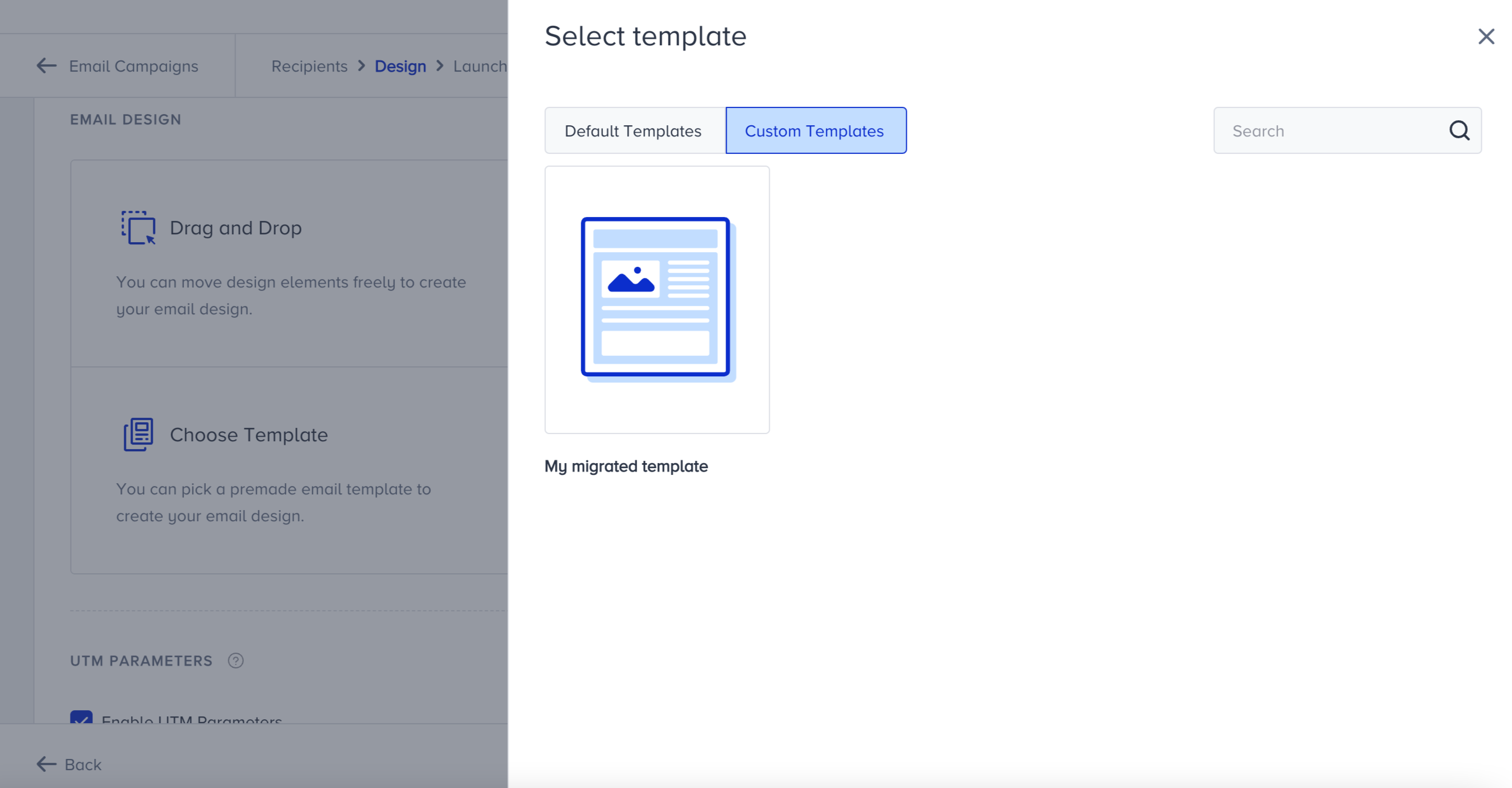
If your request is successful, your migrated template will appear under Email Design > Choose Template > Custom Templates. You can select your template and use the Drag & Drop Editor to edit it.
Limitations
All functions must be executed with a simple HTTPS POST request.
The API Key should be provided as the authorization key in the request header. If the key is incorrect, the operation will not be executed.
The rate limit is 60 requests per minute.
Templates with the "view-in-browser" component at the top are not supported for migration.
Templates with display conditions are not supported for migration.
Templates with email recommendation and coupon functionalities are not supported for migration.