As a summary metric, Incremental Revenue, also known as campaign ROI or revenue uplift, represents the total additional revenue generated by Insider campaigns during A/B testing. This metric is calculated by comparing the performance of the control groups with that of the variants of relevant campaigns.
Incremental revenue is an essential indicator for determining whether a variant is a winner and quantifying Insider's contribution. It measures a campaign's impact on revenue and highlights the extra income generated by one group compared to the control group.
For example, imagine you and another customer visiting an electronics store. A sales associate accompanies you, and you end up purchasing a smartphone and a smartwatch, while you were planning to purchase only a smartphone. The sales associate does not help the other customer, and they purchase only the smartphone and leave the store. The extra smartwatch you purchase is an example of incremental revenue.
Summary (overall): Incremental Revenue does not directly show the total of variant (campaign-level) incremental revenues. The summary incremental considers unique revenue to provide a precise measure of generated extra revenue.
We examine unique order IDs to calculate the unique revenue. For example, if a user views three variants/personalizations but makes a single purchase, the purchase is attributed to each variant separately. However, in summary metrics, the sale is counted as a single sale rather than three.
Based on this logic, the formula for Summary Incremental Revenue is as follows:
Formula: Unique Revenue x ΣIncremental (revenue) / ΣVar (revenue)
Below is a sample calculation of Incremental Revenue.
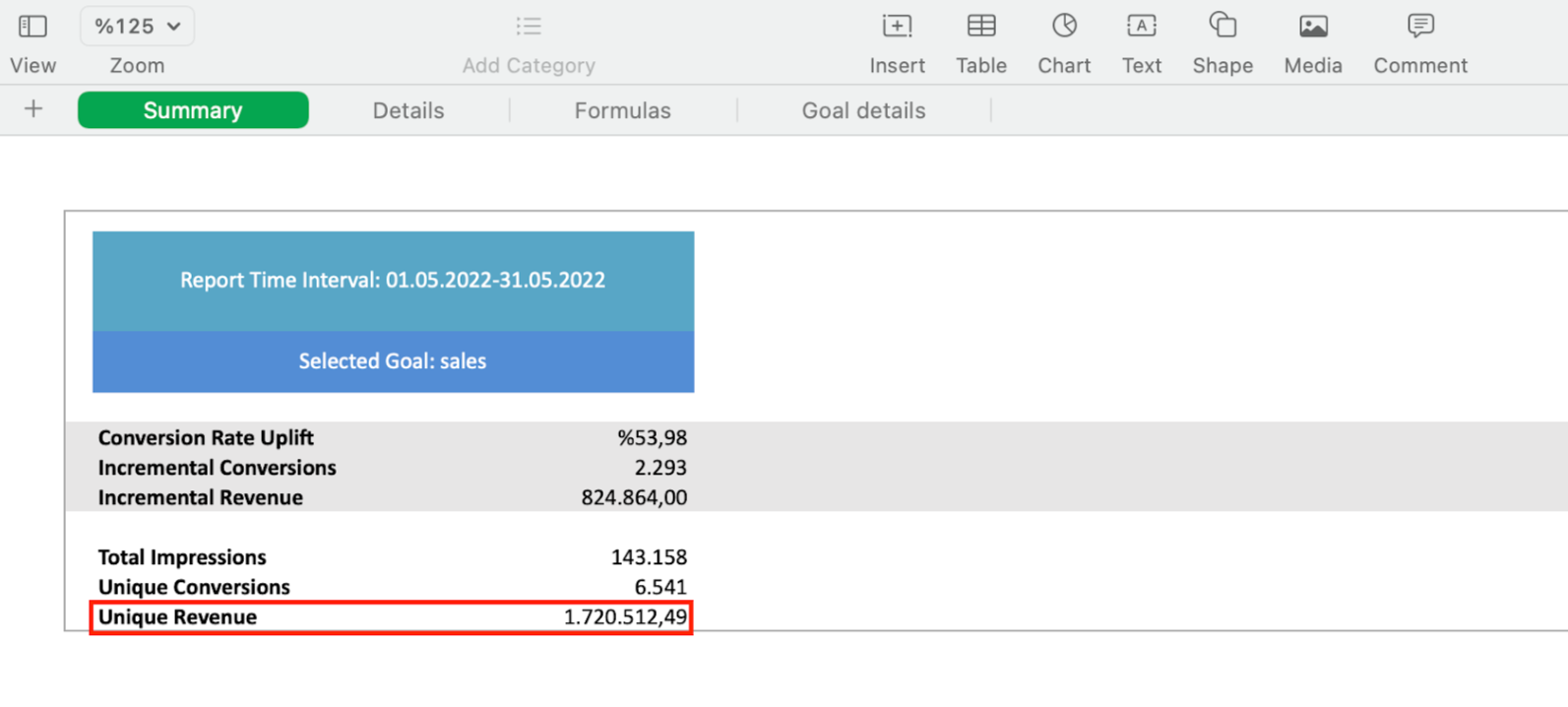
Unique Revenue
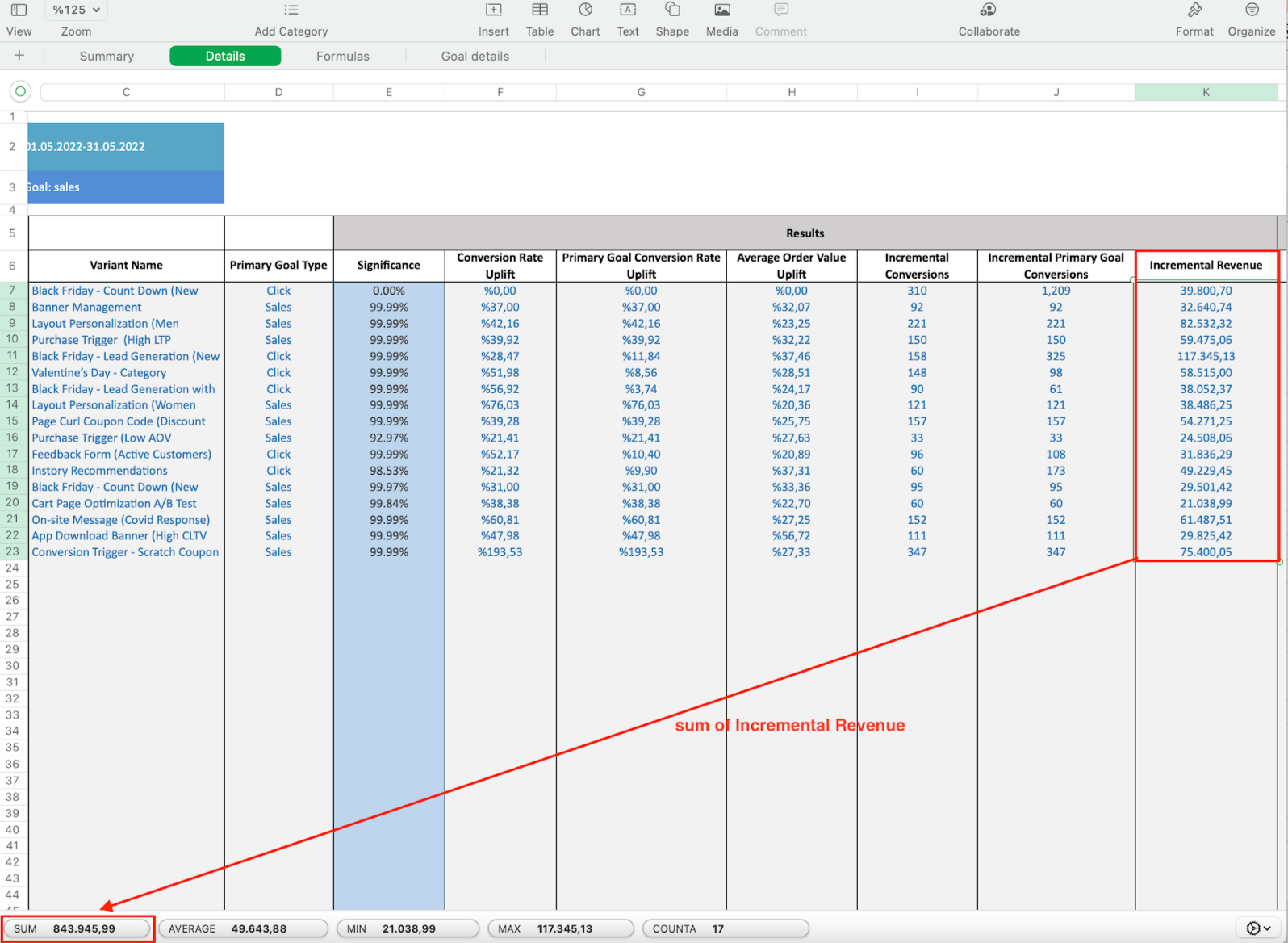
Sum of Incremental Revenue

Sum of Variant's Revenue
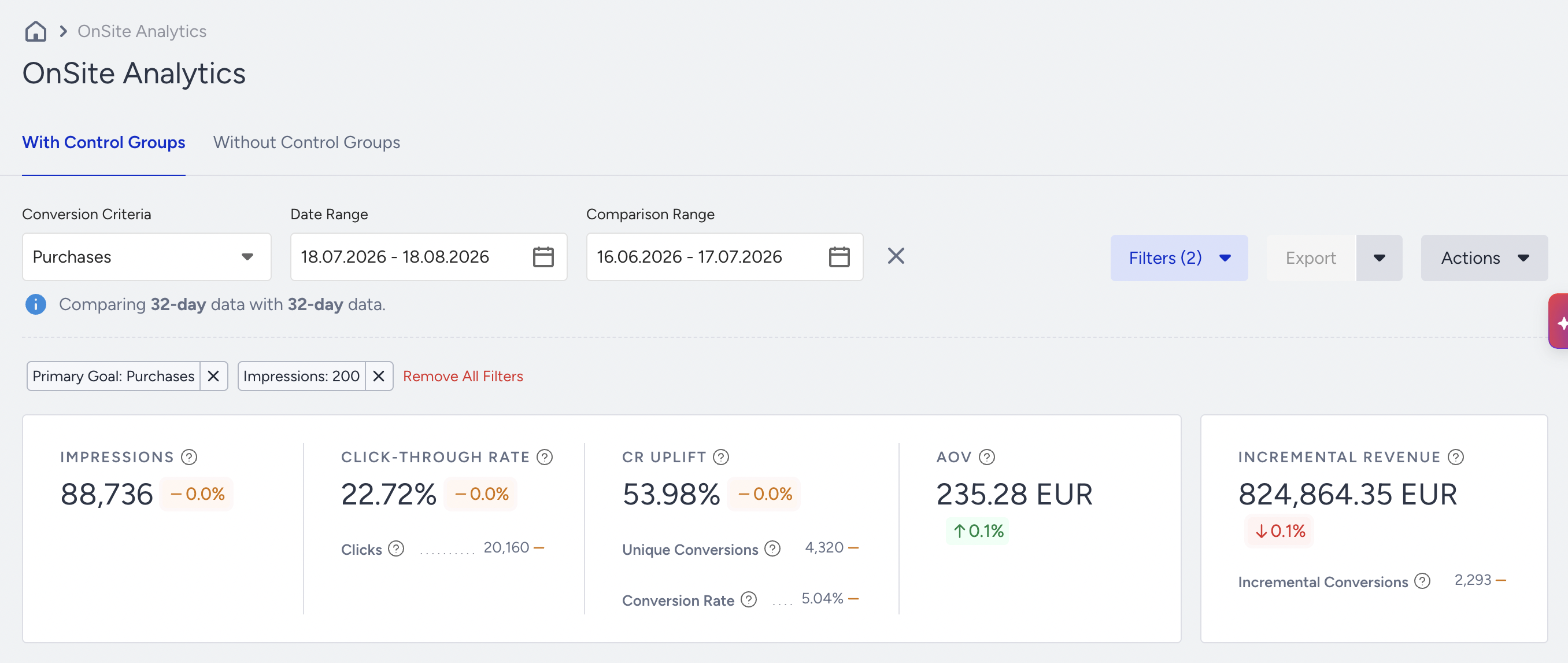
In the examples above, you can see the unique revenue, the sum of incremental revenue, and the sum of variant revenue. Placing them in the formula gives the Incremental Revenue displayed in the table below.
Incremental Revenue = Unique Revenue x ΣIncremental (revenue) / ΣVar (revenue)
Incremental Revenue = 1.720.512,49 x 843.945, 99 / 1.760.313, 20
Incremental Revenue = 824.864,35
The following video explains how to calculate incremental revenue and offers some example cases.
Important Things to Keep in Mind
There is no such thing as “negative” incremental revenue. Incremental revenue is designed to showcase increases in values due to the nature and definition of the word “incremental”, which means to show a value if it is increasing. Negative values are not displayed on the panel; instead, the incremental revenue is displayed as 0.
Incremental revenue for a month can be higher than that for 3 months. Summary Incremental Revenue is an aggregated total. If you have positive values for 2 months and receive a negative value for 1 month, the overall value for 3 months can be lower than the incremental value of a 1-month period. Let's say you have 300.000 incremental values in April, 450.000 in May, and 0 in June. As you receive a negative incremental metric in June, it is displayed as 0. If you decide to take three months, you will see a value of less than 750.000, as June has a negative incremental value
Summary Incremental Revenue is unique, while Variant Incremental Revenue is not.
Daily vs. Monthly Incremental Revenues differ. The sum of daily values may not equal the monthly total. For the overall calculation, we use an aggregated total. Negative incremental revenues contribute to this aggregated monthly total and affect the calculation.