The Short URL tab in Sender Preferences sets the domain that shortened links use for an individual SMS or RCS sender. Before this tab, all senders in an account shared one short URL domain. Now each sender can have its own domain, so every brand that you send for can show its own link domain.
The Insider One team sets the short URL domain for you. The Insider One team manages the short URL integration and enters the domain for each sender, so you cannot set it yourself. The Short URL tab is not visible to account users, including users of RFP accounts. To change the domain of a sender, contact the Insider One team.
To enable short URLs for a single campaign, refer to URL Shortener for SMS.
When to use sender-based domains
Use a separate short URL domain for a sender in the following cases:
You run several senders for different brands, and each brand needs its own link domain.
You want the links of one sender to use a branded domain while your other senders keep the default Insider One domain.
Access the Short URL tab
To open the Short URL tab,
Navigate to InOne > Campaigns > Messaging > SMS/MMS/RCS > Settings.
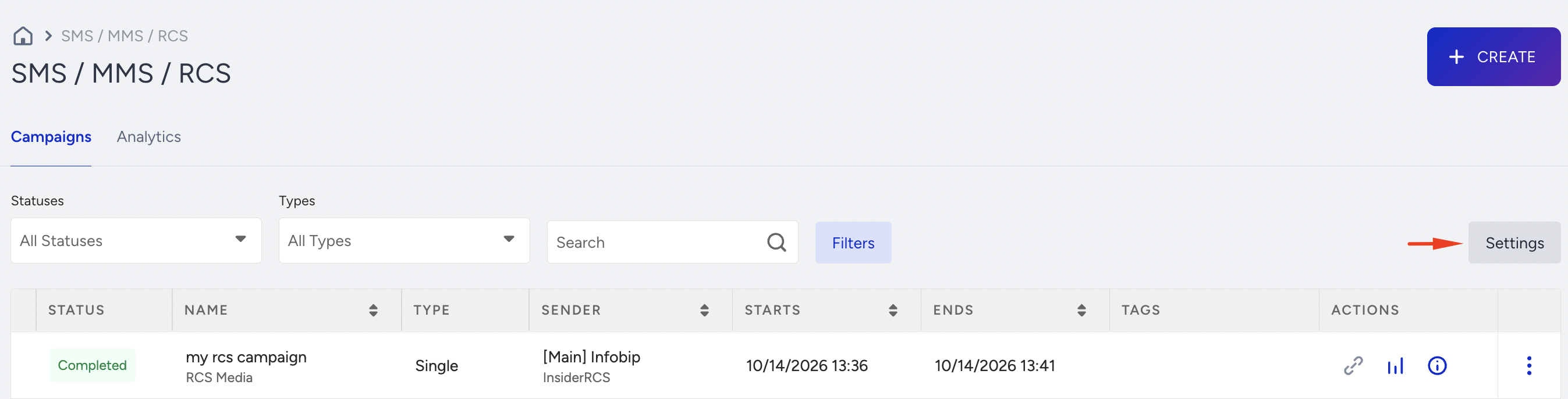
In the Actions column of the sender, click the Sender Preferences (gear) icon.
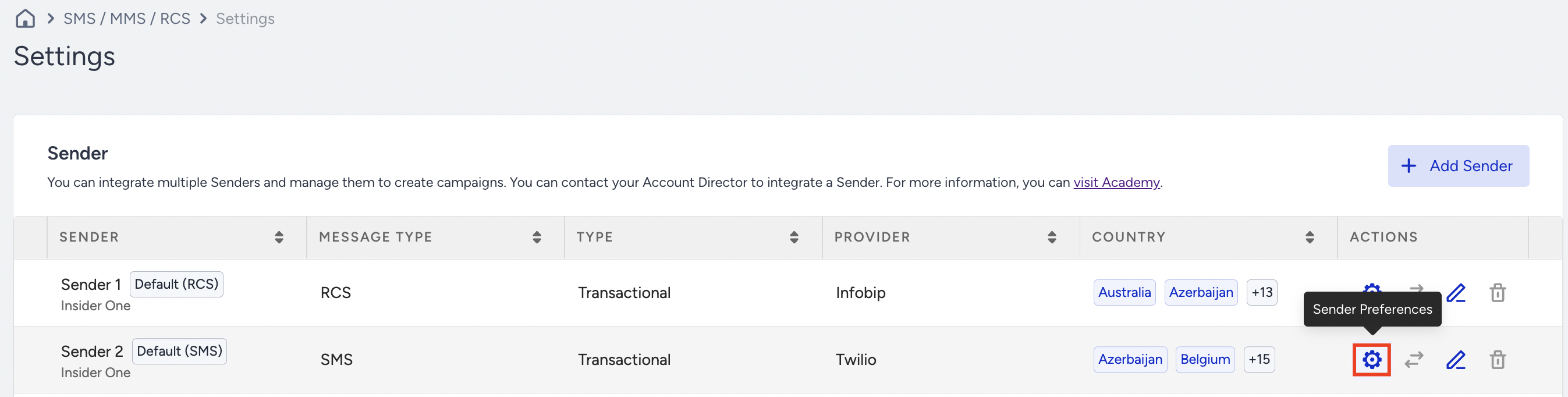
On the Sender Preferences page, open the Short URL tab. It is the last tab on the page.
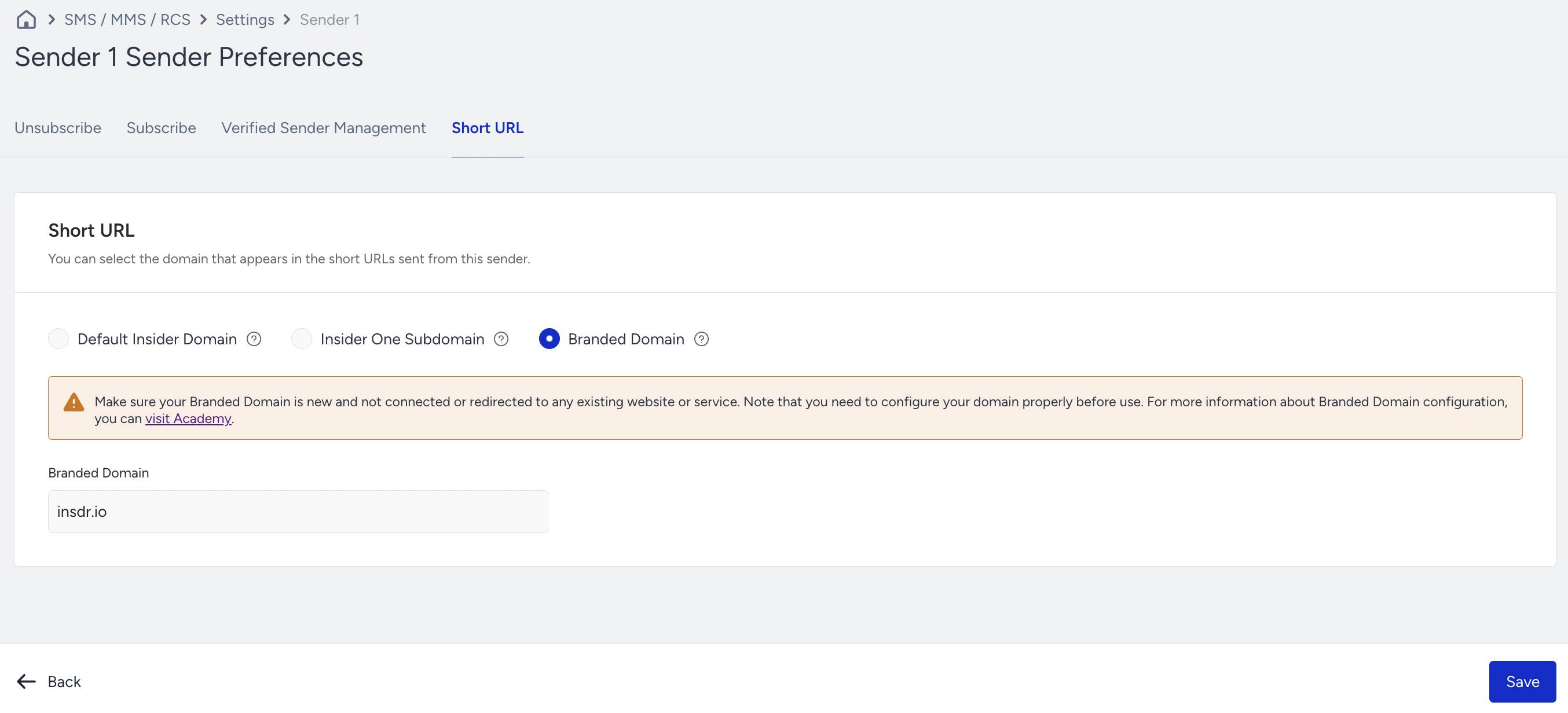
The Sender Preferences page of a transactional sender shows only the Short URL settings, without a tab strip.
Short URL domain options
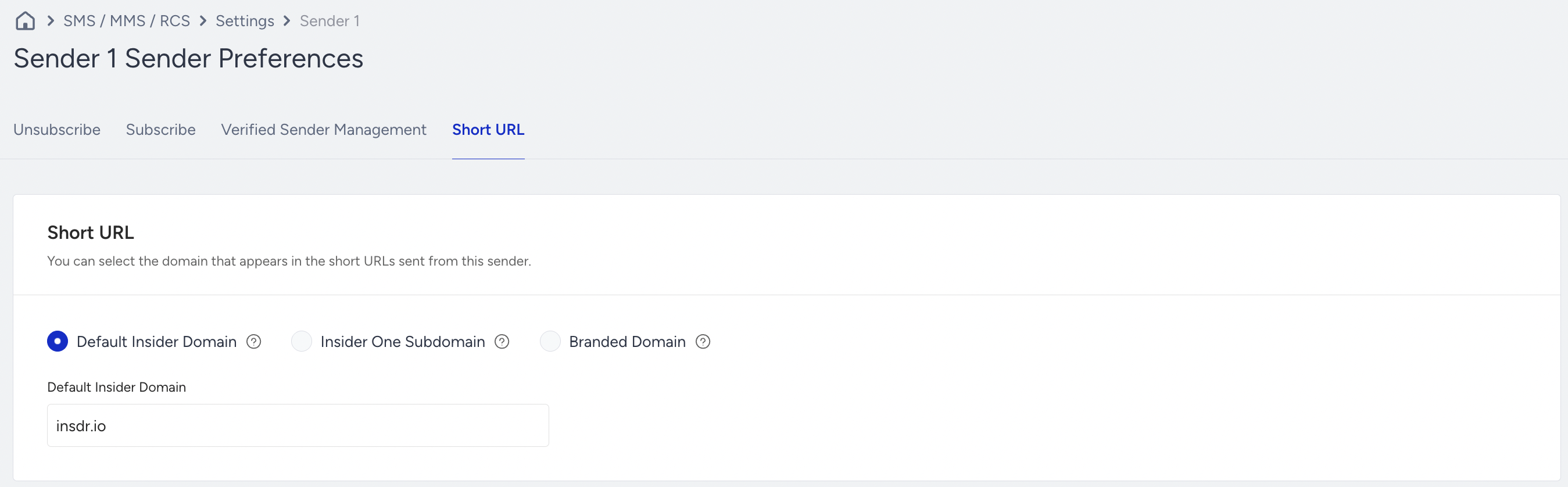
The tab offers three options for the sender that you edit.
Default Insider Domain
The sender uses the shared insdr.io domain. The domain appears in a read-only field, and no setup is required.
Insider One Subdomain
The sender uses a semi-branded domain in the <label>.insdr.io format, for example yourbrand.insdr.io.
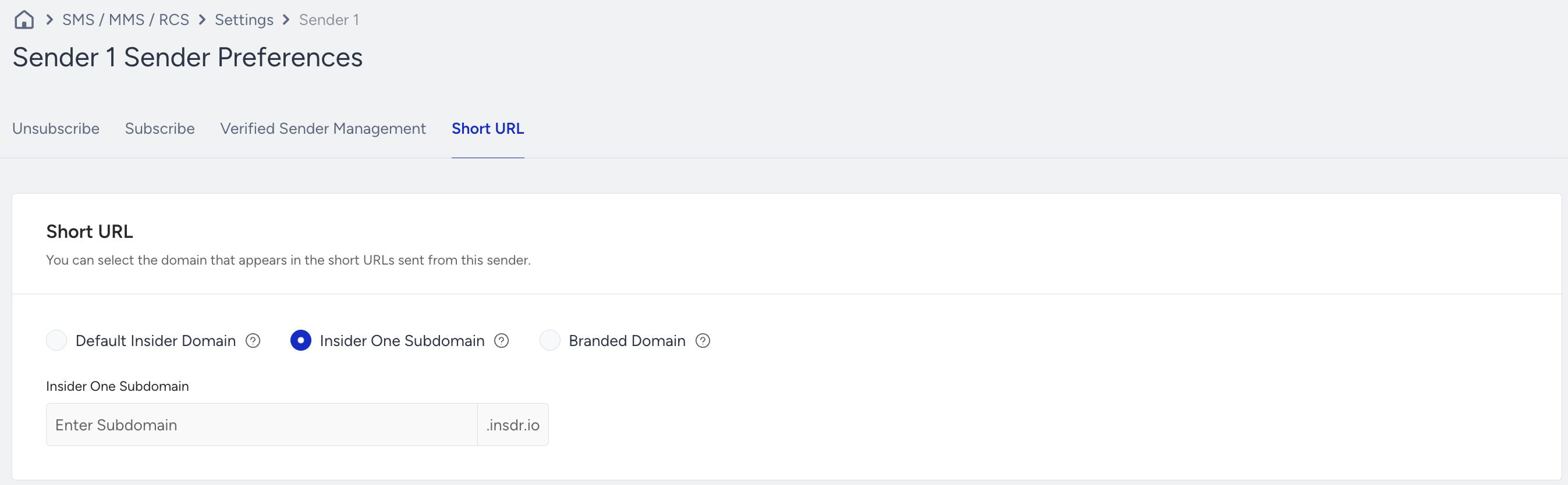
The label must meet the following rules:
Contains 1 to 63 characters.
Uses lowercase letters, digits, and hyphens.
Has hyphens only inside the label, not at the start or the end.
This option does not need a DNS record. The Insider One team saves the label on the tab. Send a test message before you launch the live campaign.
Branded Domain
The sender uses your own domain, for example s.example.com. Enter the host only, without a scheme such as https://, a path, or a port. The domain can have up to 255 characters.
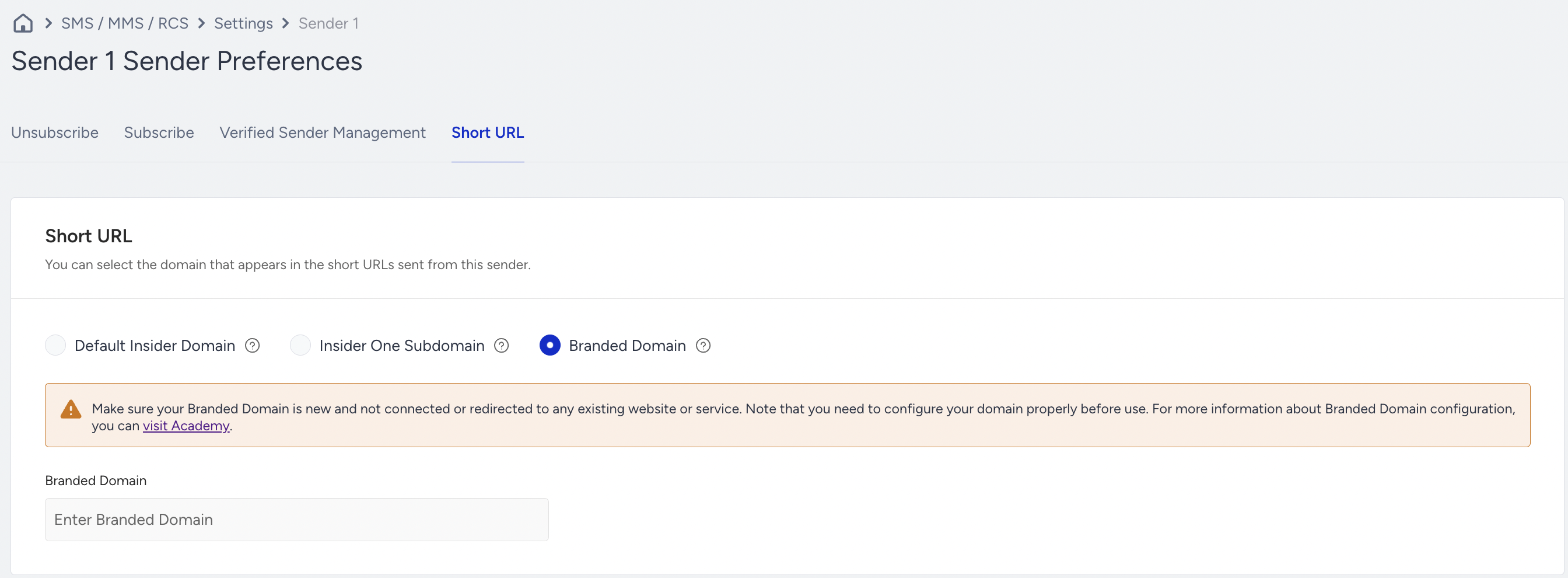
To set up a branded domain:
Contact the Insider One team and share the domain that you want to use.
The Insider One team creates the request and shares two CNAME records with you. One record validates the SSL certificate, and the other points your host to
s.insdr.io.Add both CNAME records in your DNS provider.
After the domain is validated and issued, the Insider One team saves it on the tab.
Keep the following requirements in mind:
A CNAME record cannot be added on a main domain such as
example.com. Use a subdomain such ass.example.com.In Taiwan, the main domain must also be a working website.
Domain that your sends use
The domain that a send uses depends on the Branded URL Shortener setting of your account and on the domain saved for the sender.
When the Branded URL Shortener setting is off, links use
insdr.io.When the setting is on, links use the domain saved for the sender. If the sender has no saved domain, links use the domain set for your whole account.
Saving Default Insider Domain moves the sender to
insdr.io, even when your account has an account-level branded domain.A sender with no saved setting opens on Default Insider Domain when its current domain is
insdr.io. Otherwise, the tab opens on Branded Domain, prefilled with the account-level domain.
Turning off the Branded URL Shortener setting does not delete the domains saved for senders. The saved domains stay stored but have no effect, and the tab does not show a notice about this.
Where the sender domain applies
The domain of a sender applies to the following:
Campaign sends from SMS and RCS senders.
Auto-replies to inbound messages.
Transactional sends.
The SMS fallback of an RCS campaign, which uses the domain of the SMS fallback sender.
The preview and the character counter in the Design step. Domain length can change the character count, so the count follows the selected sender.
WhatsApp Business is not affected. It keeps using the domain set for your whole account.
For details about WhatsApp short URLs, refer to URL Shortener for WhatsApp.
Save rules and limitations
The Short URL tab only stores the value. It does not check DNS or SSL. A branded domain saved before it is issued produces links that do not work.
A domain is rejected with the message "This domain is already used by another sender. Enter a different domain." when any part of it between the dots matches the name of another Insider One account.
Your own account name is allowed in a domain.
You can use the same domain on several senders of your account.