SMS Campaign Agent is your conversational campaign builder for SMS, inside Agent One Teams. Describe the campaign you want in plain language, and it writes the message, sets the goal, and saves a real SMS campaign draft, ready for you to review and launch. You go from idea to draft in one conversation, without building the campaign field by field.
You stay in control the whole way. SMS Campaign Agent only ever saves drafts: nothing is sent, launched, or scheduled without you.
To learn how conversations, blueprints, and memory work across all agents, see Work with Agent One Teams.
Why marketers love SMS Campaign Agent
From idea to draft in one conversation. Describe the message and the offer, and get a real campaign draft with a campaign ID and a link.
Checked before it's saved. Message length, segment count, and personalization fields are validated before anything reaches your account, so surprises surface in the chat instead of in your customers' inboxes.
Built once, reused every week. Save a campaign as a blueprint and start your next weekly promo or flash sale from it instead of from scratch.
Put it to work
Launch the flash sale before lunch
Stock just landed, and the sale ends tonight. You tell SMS Campaign Agent what the message should say and set the goal to purchases within 3 days. Minutes later, you have a saved draft and a link to launch it.
Make every message personal
You ask SMS Campaign Agent to open the message with the customer's first name. It uses the real first-name field from your catalog, never placeholder text, so the draft is ready to send as-is.
Keep the weekly promo on repeat
Your Friday promo follows the same shape every week. Save it as a blueprint once, then pick it up in a new chat each Friday and change only the offer.
How it works
When you describe an SMS campaign in the Agent One Teams chat, your request goes to SMS Campaign Agent. It then:
Drafts the message. It composes or rewords the SMS body, using only real personalization fields from your catalog.
Sets the conversion goal. It defines the goal and conversion window, and applies a standard sales goal unless you ask for a specific one.
Picks the sender. It chooses the SMS sender ID from your available options, and asks you only when there's a real choice to make.
Asks what's missing. It walks you through anything the draft still needs, usually the audience.
Validates and waits. It checks message length, segment count, and personalization fields, shows you what it will save, and waits for your approval.
Saves the draft. On approval, it saves a real draft campaign and reports the campaign ID with a link.
SMS Campaign Agent focuses on the message and the goal. A separate audience specialist handles targeting and segment selection on the same draft, so SMS Campaign Agent hands the audience off rather than guessing.
Build and save an SMS draft
Describe the campaign. Tell SMS Campaign Agent what the message should say. It creates a new SMS draft and fills in the content.
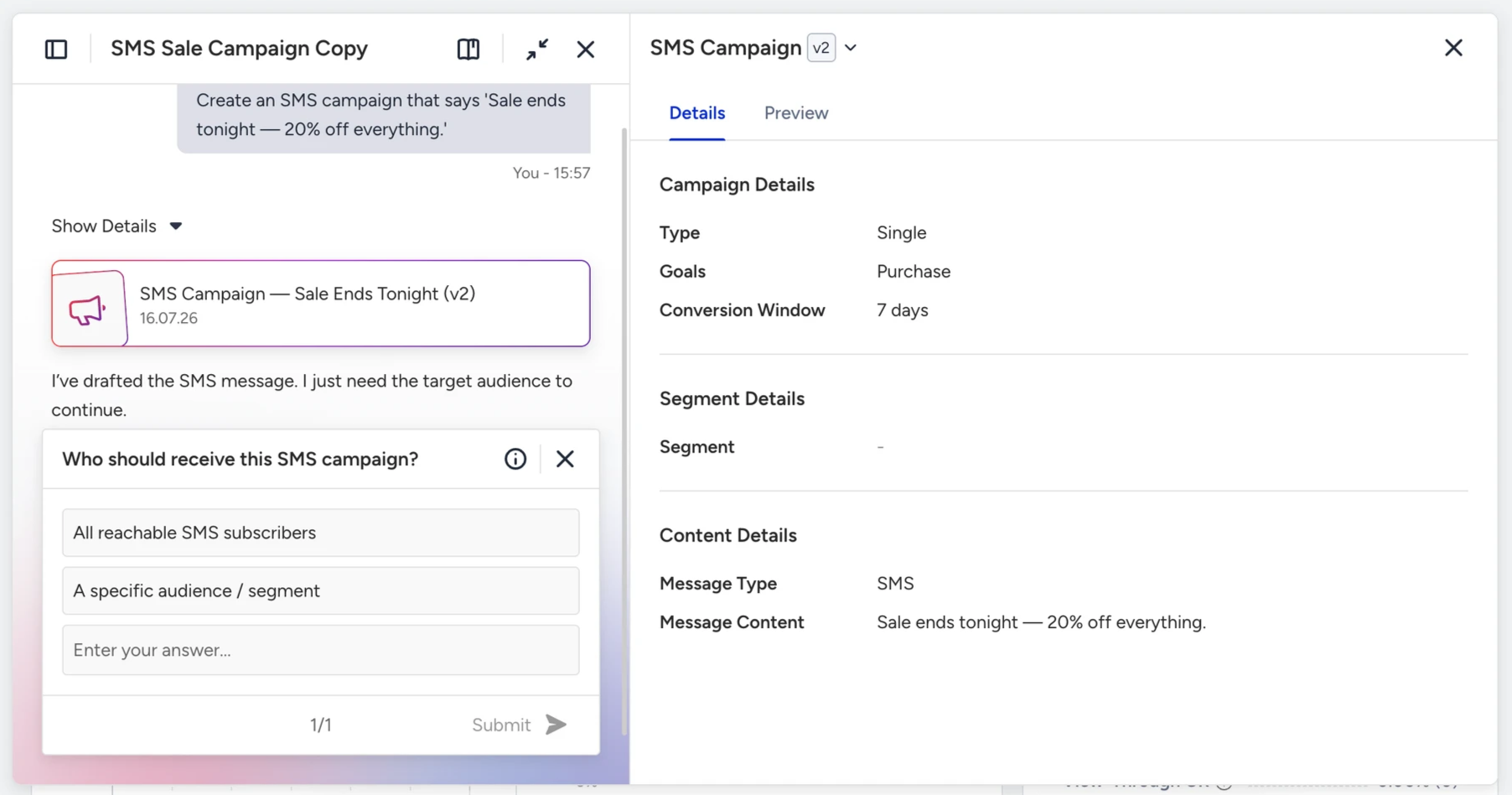
Set the goal and sender. Confirm the conversion goal and window. If you have more than one sender ID, pick the one to use.
Add the audience. Tell it who the campaign is for. The audience specialist selects the audience on the same draft.
Review and approve. Check the summary of what SMS Campaign Agent will save, then approve it.
Open the draft. Click the link to open the draft campaign in the InOne panel, review it, and launch it when you're ready.
Send a test message
After the draft is saved, ask SMS Campaign Agent to send a test. It sends a one-off test SMS to a validated number, but only after you explicitly approve it.
Save and reuse as a blueprint
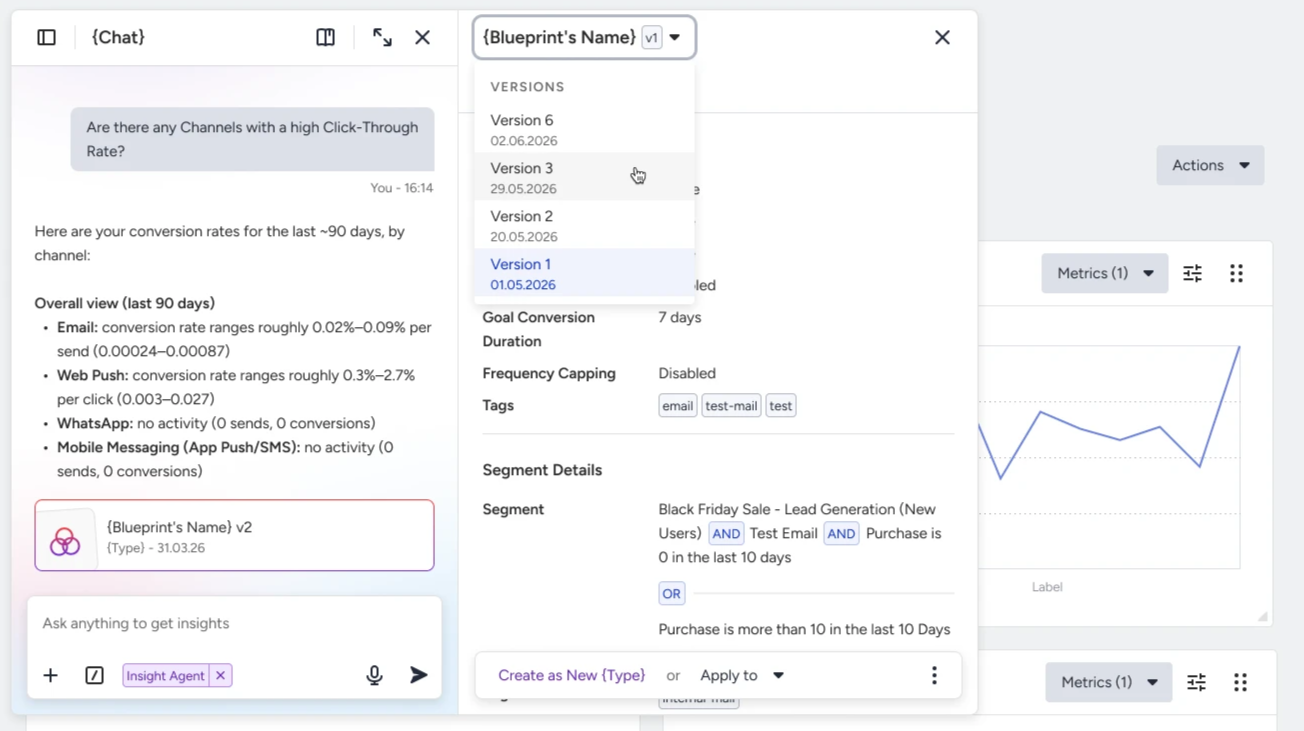
The campaign SMS Campaign Agent builds with you is a blueprint: a structured draft you can preview in chat, open on a full canvas, edit, and keep. Once you've shaped a message, goal, and configuration you like, save it and reuse it.
Save versions as it evolves. Keep iterating without losing earlier states, and rename or remove versions as needed.
Save it to your library. Store the blueprint so it's ready whenever you need it.
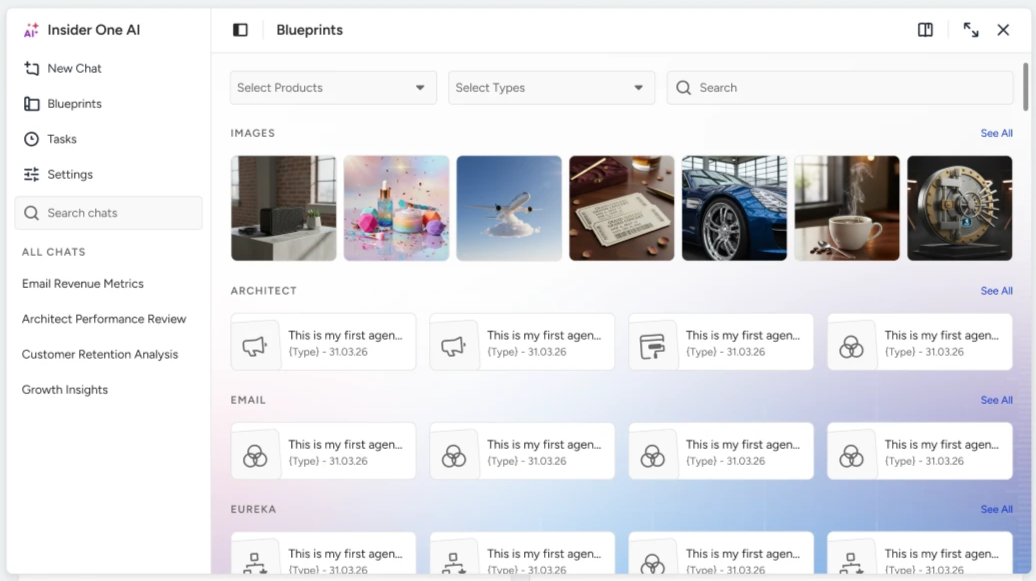
Reuse it in a new chat. Add a saved blueprint from your library, or mention it in a conversation, to continue where you left off.
Find an existing campaign
Ask SMS Campaign Agent to look up an SMS campaign by name or ID, then review it or keep working on it in the same conversation.
Example prompts and tips
Try these to get started:
Create an SMS campaign that says 'Sale ends tonight, 20% off everything.'
Add the customer's first name to the start of the message.
Set the goal to purchases within 3 days.
Save it as a draft.
Send a test to my number.
Find my 'Weekend Flash Sale' SMS campaign.
Tip: Be specific. Include the message, the offer, and the goal. "20% off, purchases within 3 days" gets a sharper draft than "a sale message."
Limits and good to know
Drafts only. SMS Campaign Agent never sends, launches, schedules, or activates a live campaign. The final launch is always yours, in the InOne panel.
No audience selection. A separate audience specialist handles targeting and segments on the same draft.
Real personalization fields only. It inserts personalization from your actual catalog, never placeholder or demo text.
Tests need your go-ahead. A test SMS sends only after the draft is saved and you explicitly approve it.
Next steps
SMS Campaign Agent turns a sentence into a validated, saved SMS draft, and leaves the launch in your hands. Ready to try it? Describe your next SMS campaign in the Agent One Teams chat.