While designing a template, to remove a layout, click the Delete icon in the left menu or directly on the canvas. This permanently deletes the layout.
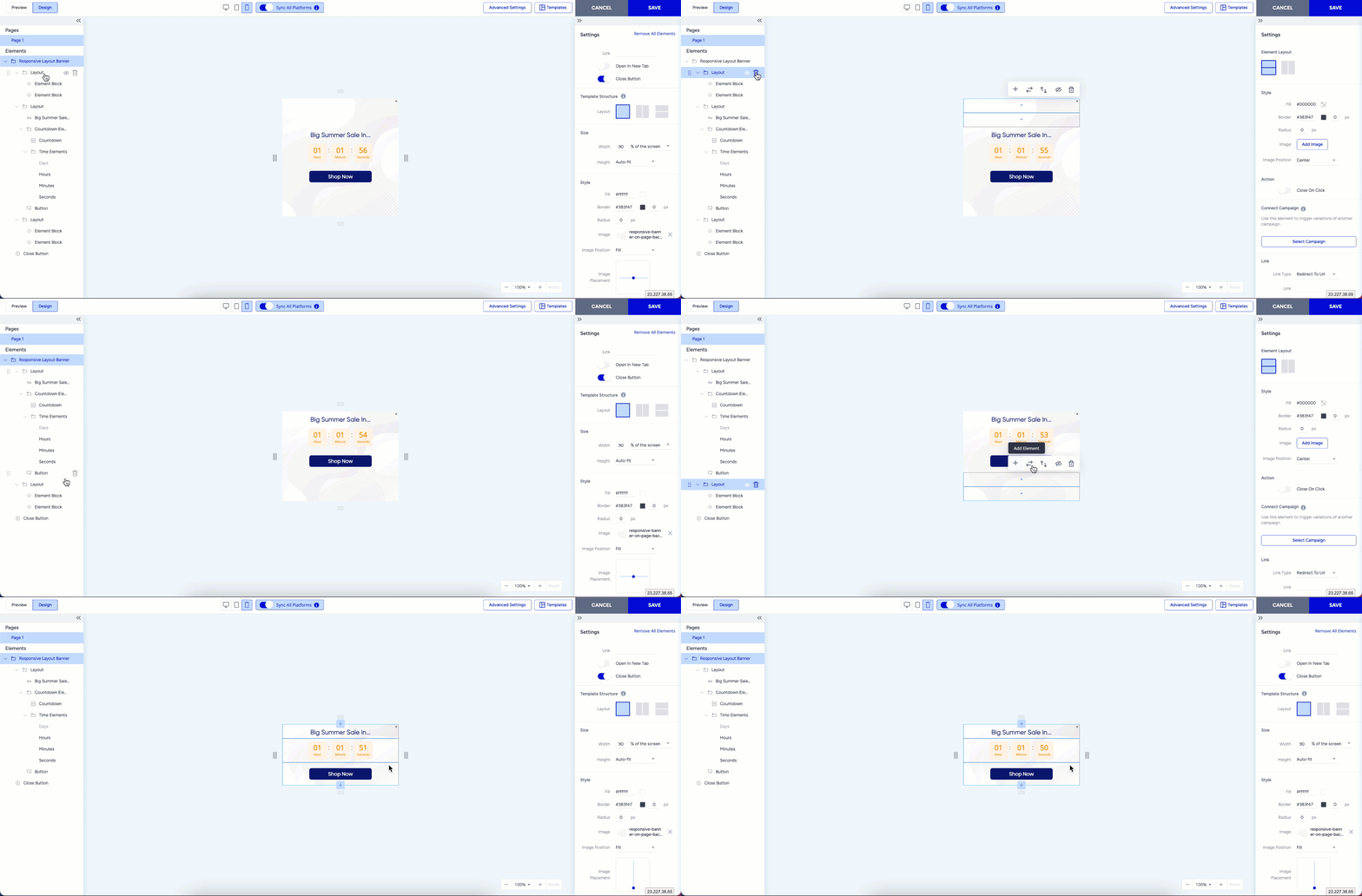
The template must contain at least one visible layout or element to allow deletion. If a layout is the only element in the template, you cannot remove it.