You cannot make any changes to External Platform Integrations without having either an Administrator or an Editor with PII access in InOne. Refer to User Roles for further information.
Google classifies referrals as the segment of traffic that arrives on your website via another source, such as a link on a third-party domain. Analytics automatically recognizes where traffic was immediately before arriving on your site and displays the domain names of these sites as the referral traffic sources in your reports.
To ensure your data includes only referrals you're interested in, you can create a set of conditions that identify the domains whose traffic you don't want to identify as referrals.
Insider One serves on-site banners and notifications from Insider One domains. Therefore, clicks to these may cause Google Analytics referral reports to count *useinsider.com* as a referral source and restart sessions.
To prevent this action, you can list the "*useinsider.com" domain as an unwanted referral in your Google Analytics 4 account.
To list the "*useinsider.com" domain as an unwanted referral, follow these steps:
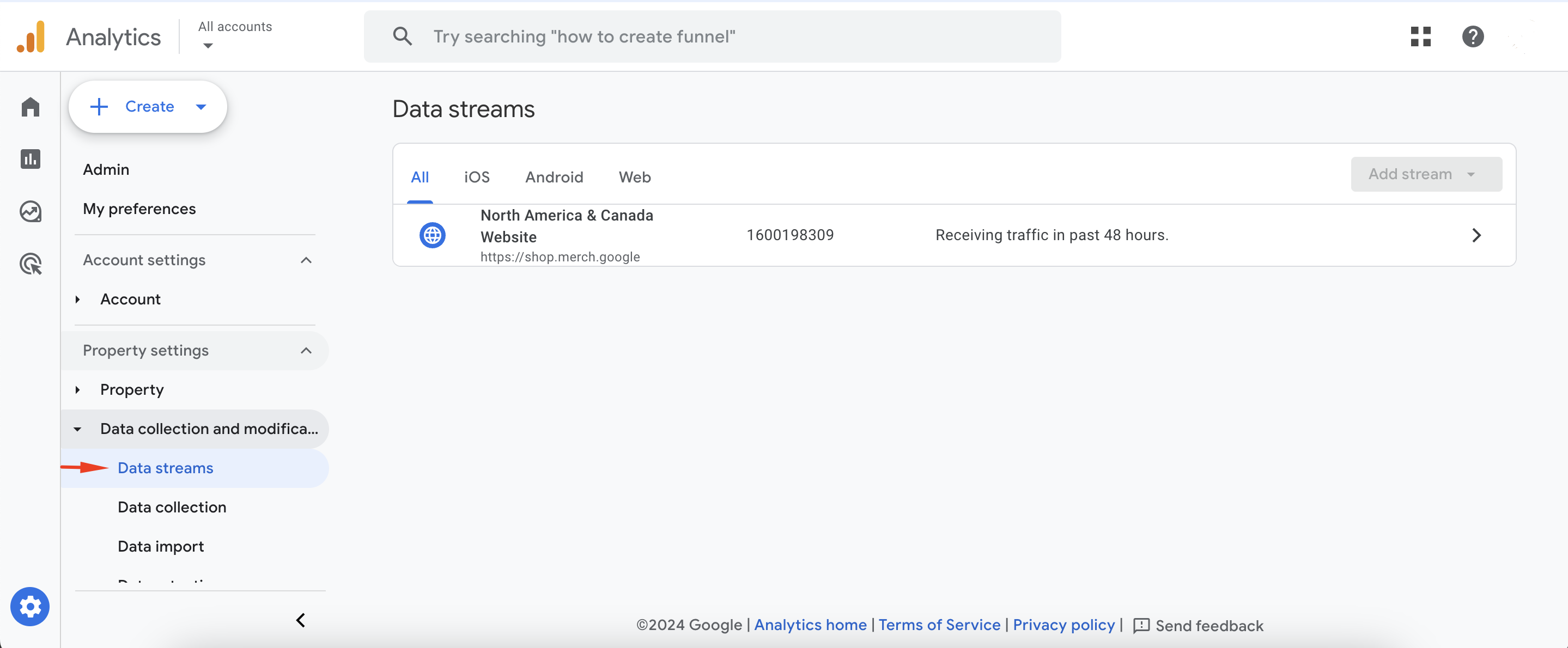
- Go to Admin > Data Collection and Modification > Data Streams.
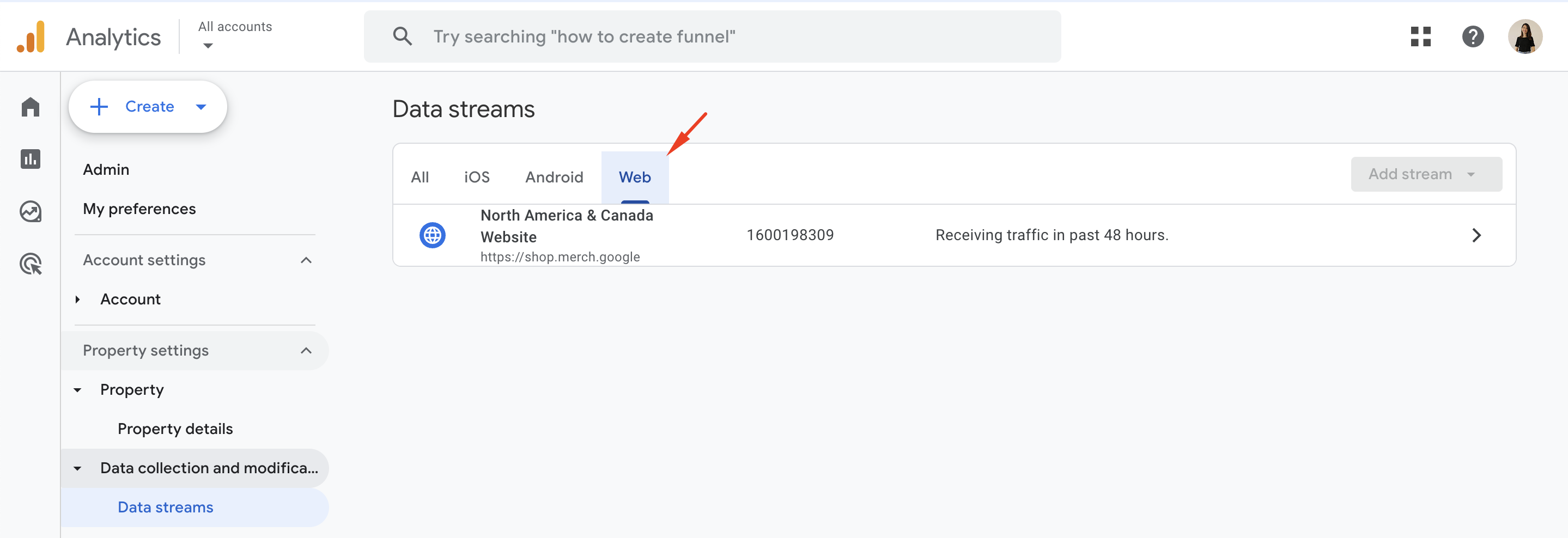
- Go to the Web tab to select the web data stream.
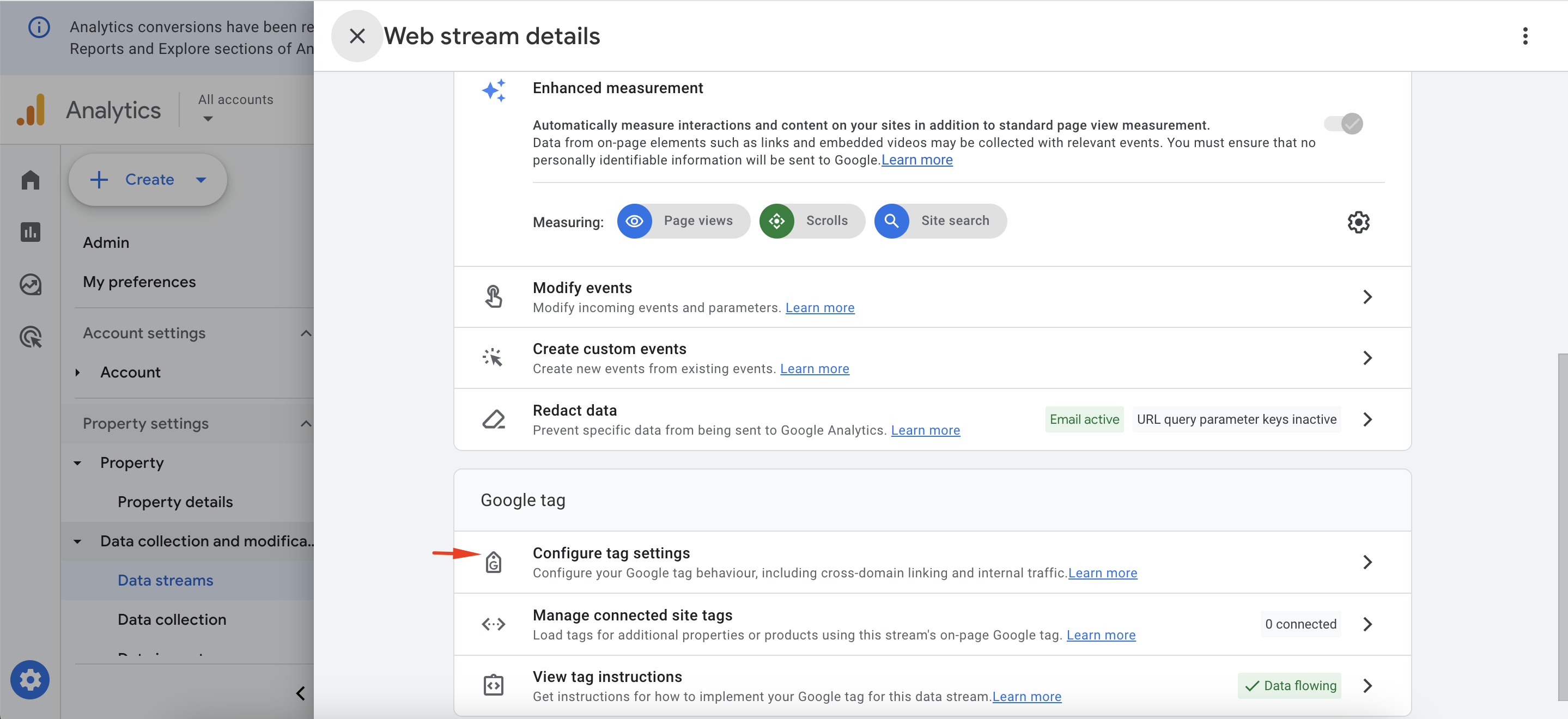
- In the web stream details, scroll down to click the Configure tag settings.
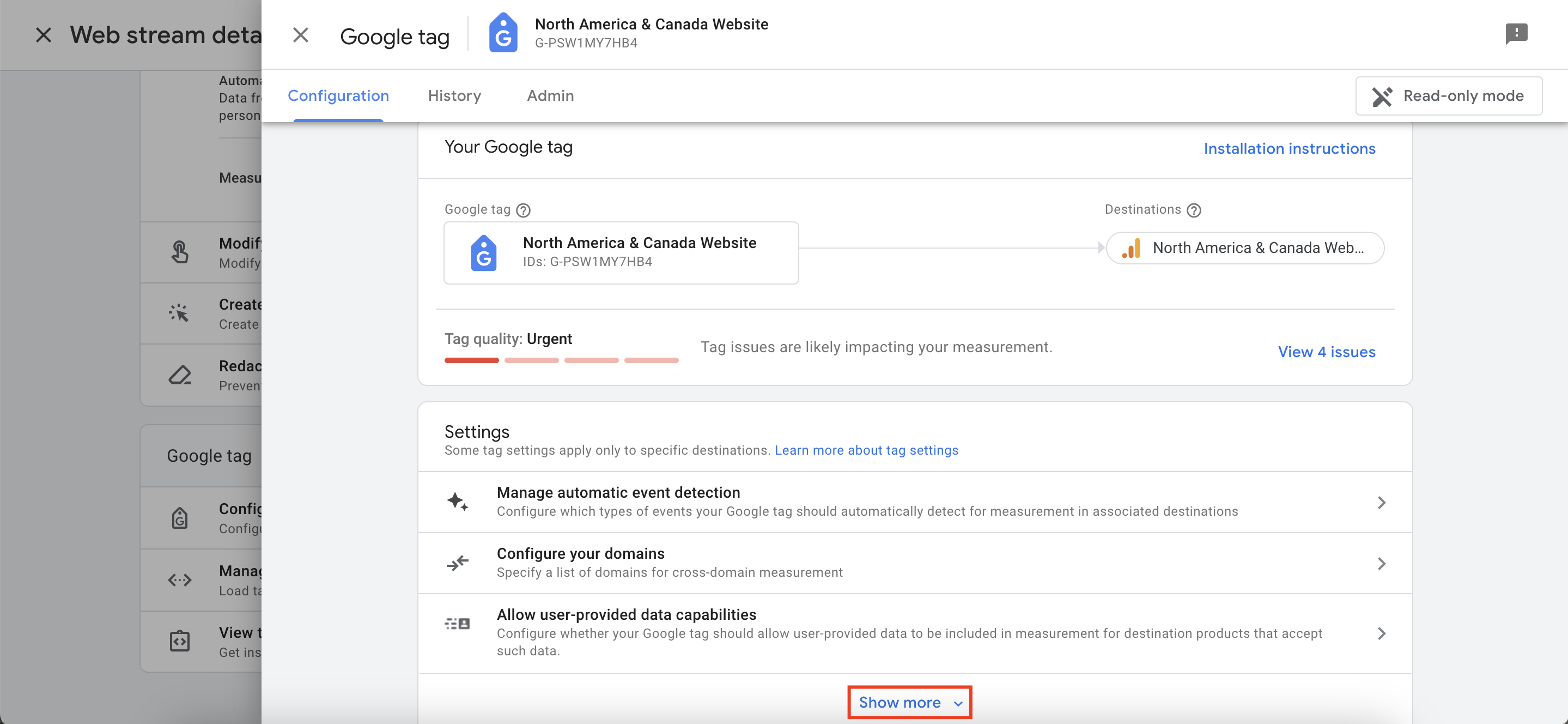
- Click the Show More button in the Settings section to see all available settings.
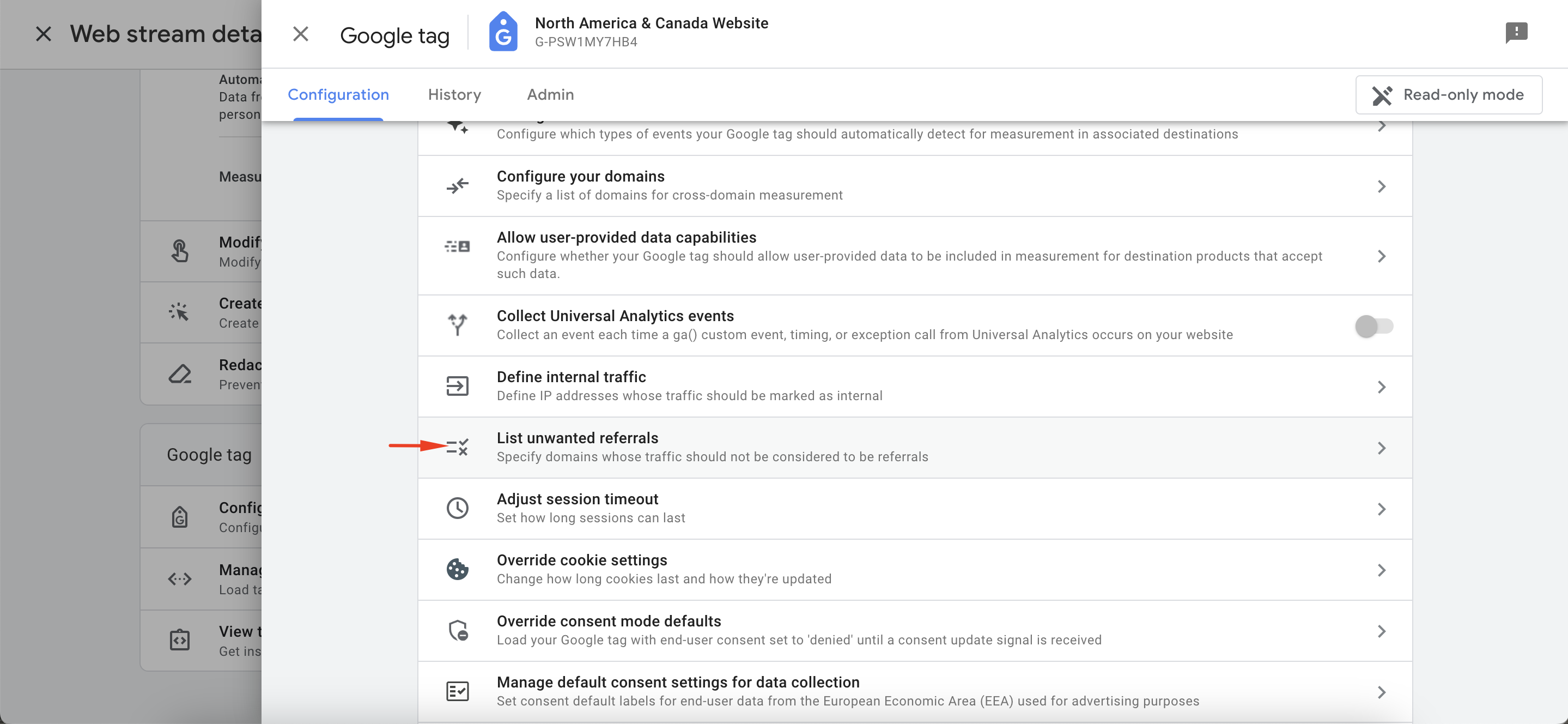
- Click List unwanted referrals.
- Under Ignore referrals that match ANY of the following conditions as traffic sources, choose Referral domain contains for the match type to exclude the "useinsider.com" subdomains.
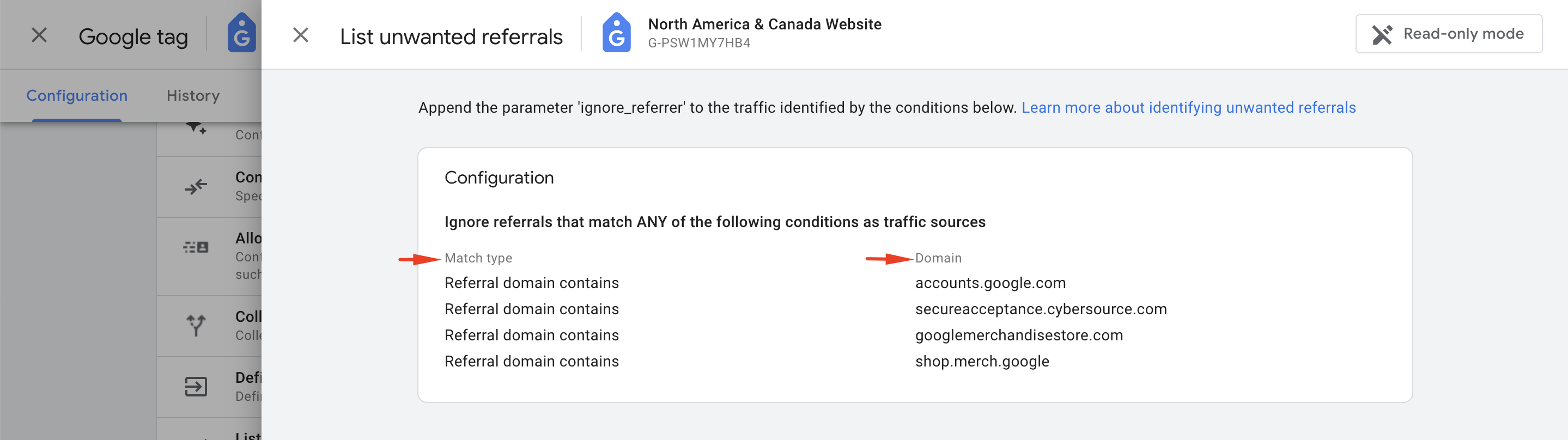
- Under Domain, enter the identifier for the domain you want to match (e.g., useinsider.com).
- If you want to add another domain, click the Add condition button.The conditions are evaluated using OR logic.
- Click the Save button in the top right corner to save your configuration.
- Refer to GA4 Identify unwanted referrals for further information on referrals.