Onsite Experiment enables you to add HTML snippets to any page you want.
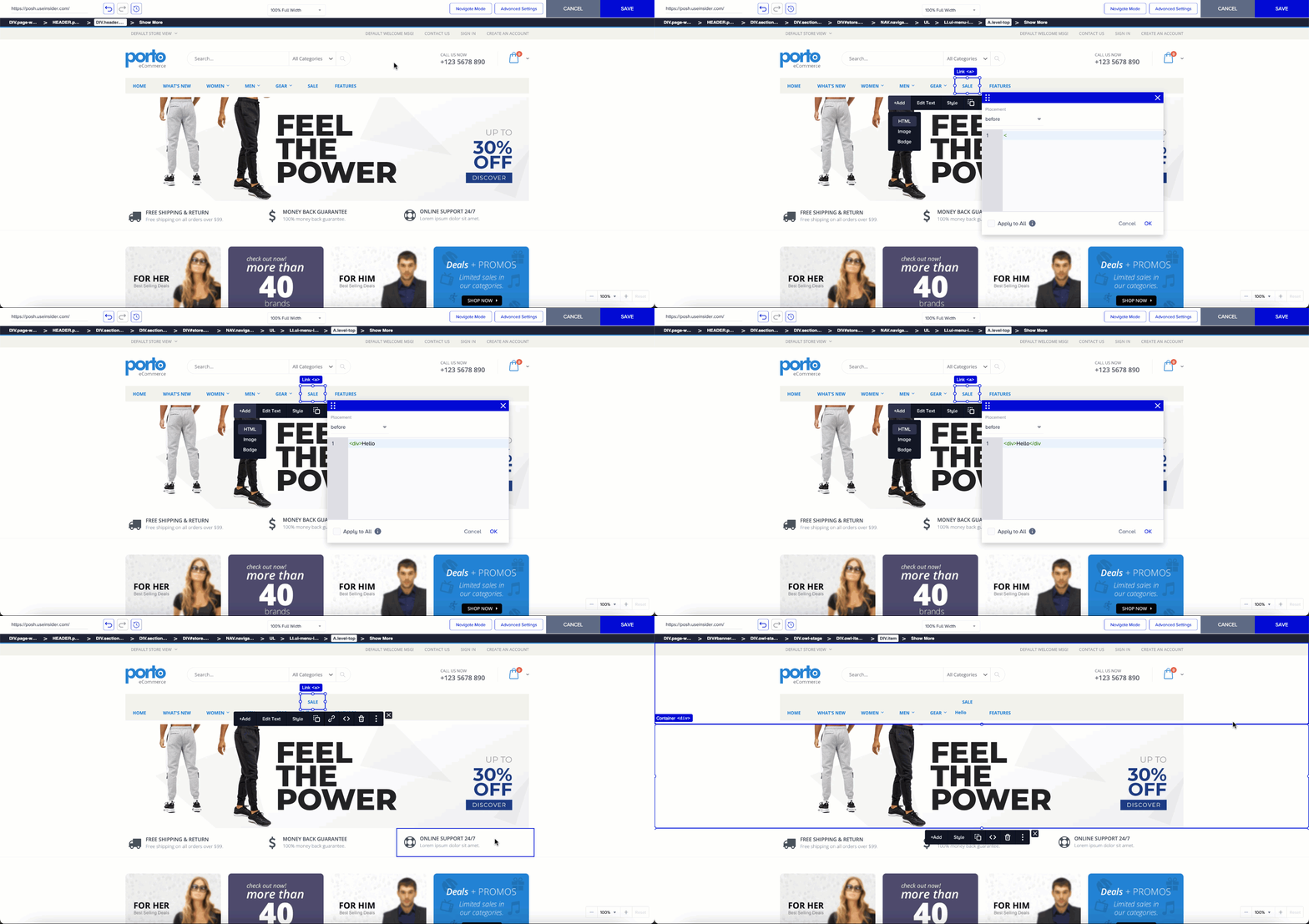
To add HTML snippets:
Click the element to which you want to position your HTML snippet.
Add your HTML and save it. You can see your changes in the editor immediately.
In the code editor, you can select the placement of the element you want to add via HTML from the dropdown menu according to the reference element you select.
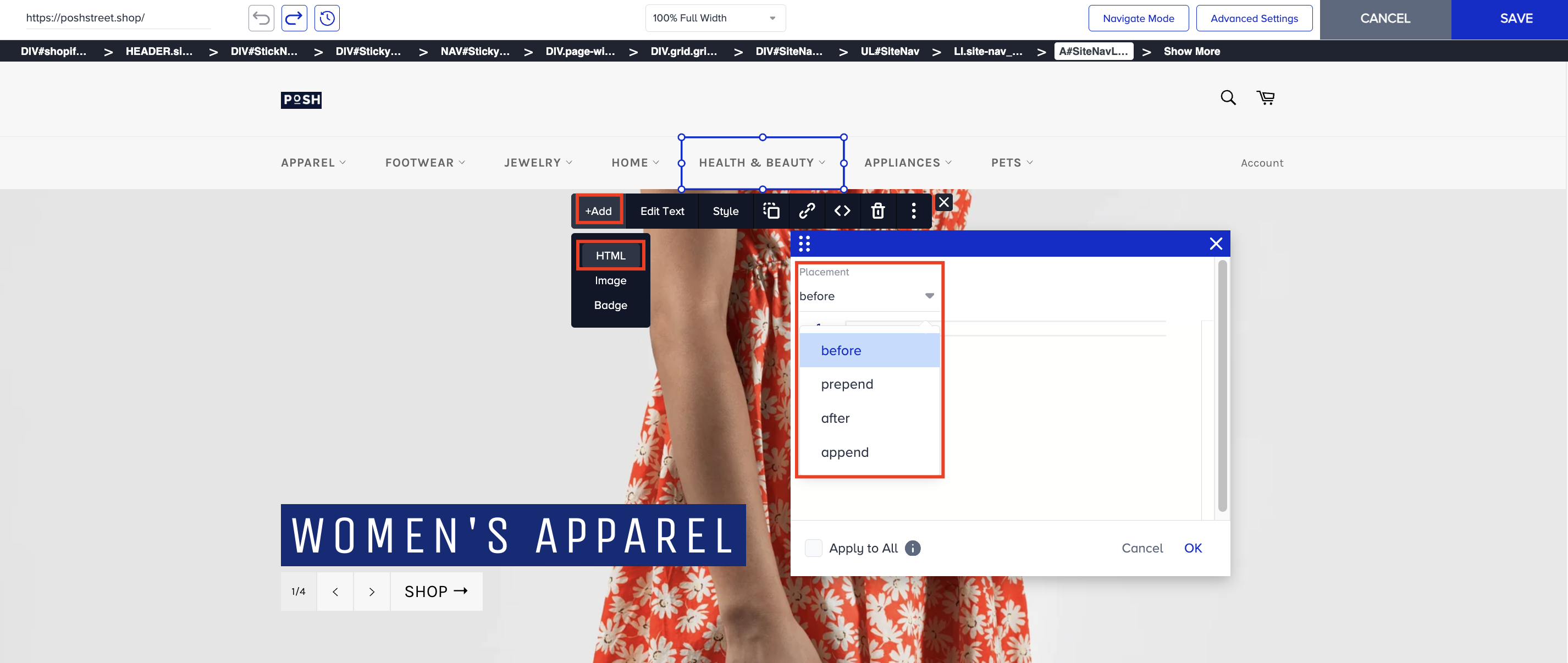
Before: This option refers to placing an element or content before the selected element in the HTML document's structure. It inserts the content immediately before the selected element in the Document Object Model (DOM), so it appears as a sibling element placed just before the selected element.
Prepend: This option refers to adding content inside the selected element, but at the beginning of its existing content. Thus, it becomes the first child element within the selected element.
After: This option refers to placing an element or content after the selected element in the HTML document's structure. It inserts content immediately after the selected element in the Document Object Model (DOM). So, it appears as a sibling element placed just after the selected element.
Append: This option refers to adding content inside the selected element, but at the end of its existing content. It inserts content inside the selected element, but at the end of its existing content. Thus, it becomes the last child element within the selected element.
The main difference between "before/after" and "prepend/append" is where the content is inserted relative to the selected element.