In this step, generate the API key that your systems use to trigger transactional SMS and review the API request your developers will implement.
Transactional messages are triggered by customer actions, such as an order confirmation, a delivery update, or a verification code. Unlike campaigns, transactional messages are sent when your own systems call Insider One rather than from the panel. For this reason, this step provides an API key and a request instead of a form to complete.
In the Insider One Onboarding Center, Transactional SMS Setup appears in the left navigation under the Account Registration flow for the country you are configuring. It becomes accessible only after you complete Registration Confirmation.
If your setup includes Promotional messaging only, you proceed directly to Test SMS Setup instead.
If you expected to see this step but it is not available, your setup was registered with Promotional senders only. To add Transactional messaging, you need to register a Transactional sender. This starts a new registration cycle and cannot be enabled as a setting in the existing registration.
This step has two parts with different owners:
Generate the API key. Whoever is completing the setup can generate the key. This takes about a minute.
Implement the API call. Your developers need to integrate the generated request with your systems.
Plan this handover before you start. The country remains Incomplete until testing is complete, and you need the integration in place before you can test transactional SMS.
To complete the transactional SMS setup,
Click the Generate API Key button to generate the API key that your systems use to authenticate and trigger transactional SMS requests.
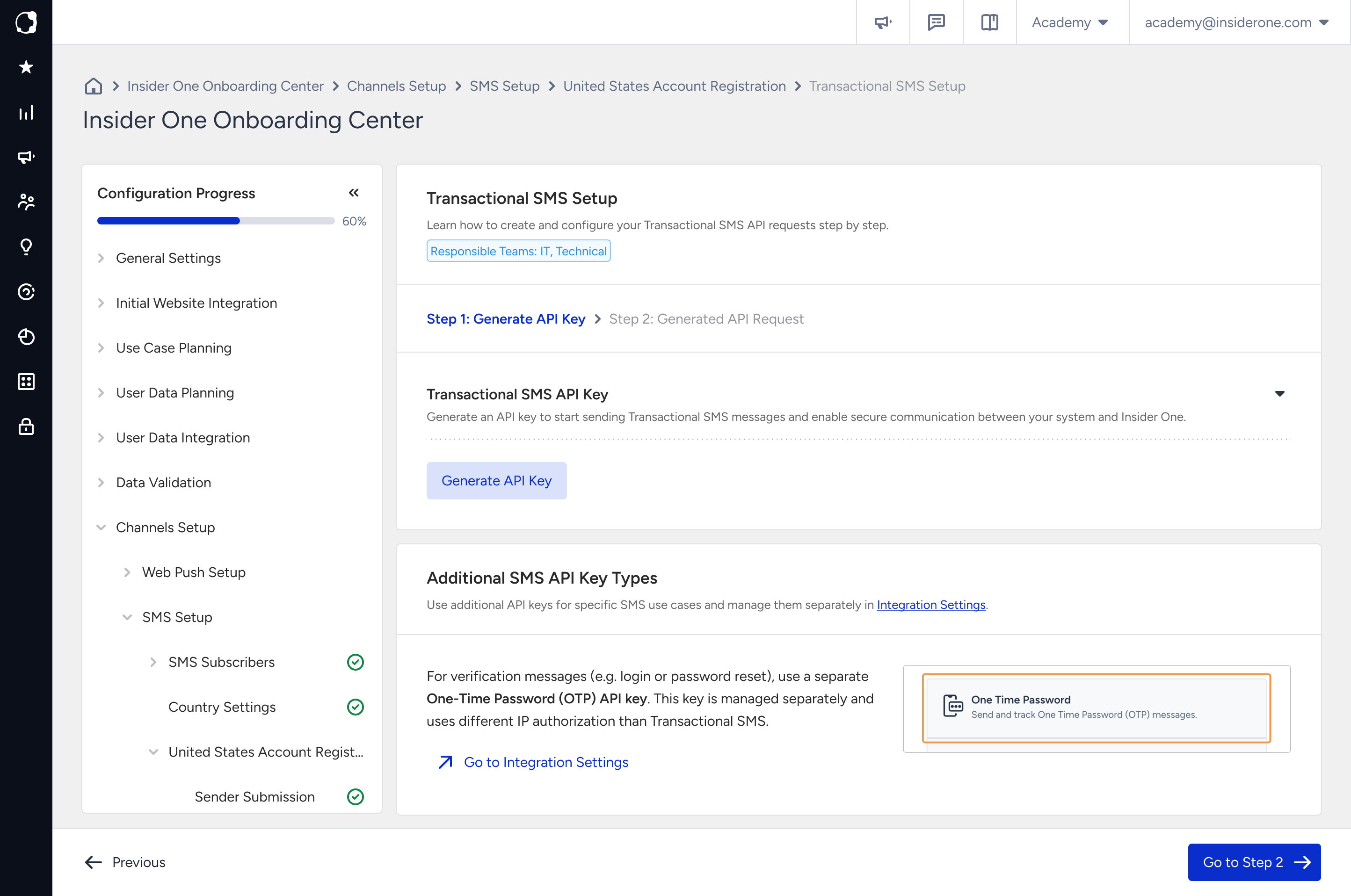
For verification use cases such as one-time passwords (OTP), use a separate One-Time Password (OTP) API key. OTP API keys are managed independently from Transactional SMS API keys and use a separate IP authorization configuration. You can create and manage OTP API keys from Integration Settings.
In the drawer that opens, configure your IP address authorization and click Authorize and Generate.
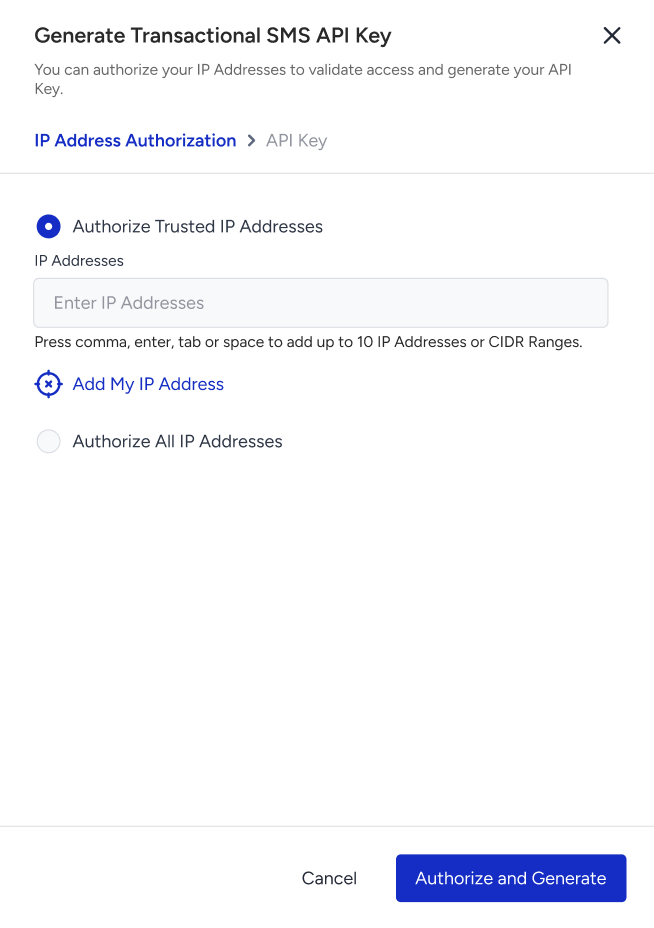
In the API Key step, click the Copy button to copy the key before closing the prompt.
The API key authorizes your systems to send SMS billed to your account, so handle it as a credential rather than a configuration value.
Copy and store the key securely when you generate it. Store it in the secret management solution your team uses. Do not store it in a spreadsheet, ticket, or chat message.
Keep the key server-side. Store it in your backend. Do not include it in front-end code, a mobile app bundle, or a public repository, where it can be accessed by others.
If your API key is exposed, treat it as a security incident. Contact your Insider One contact to have the key replaced.
Review the generated API request body to implement the integration. Click Next to continue.
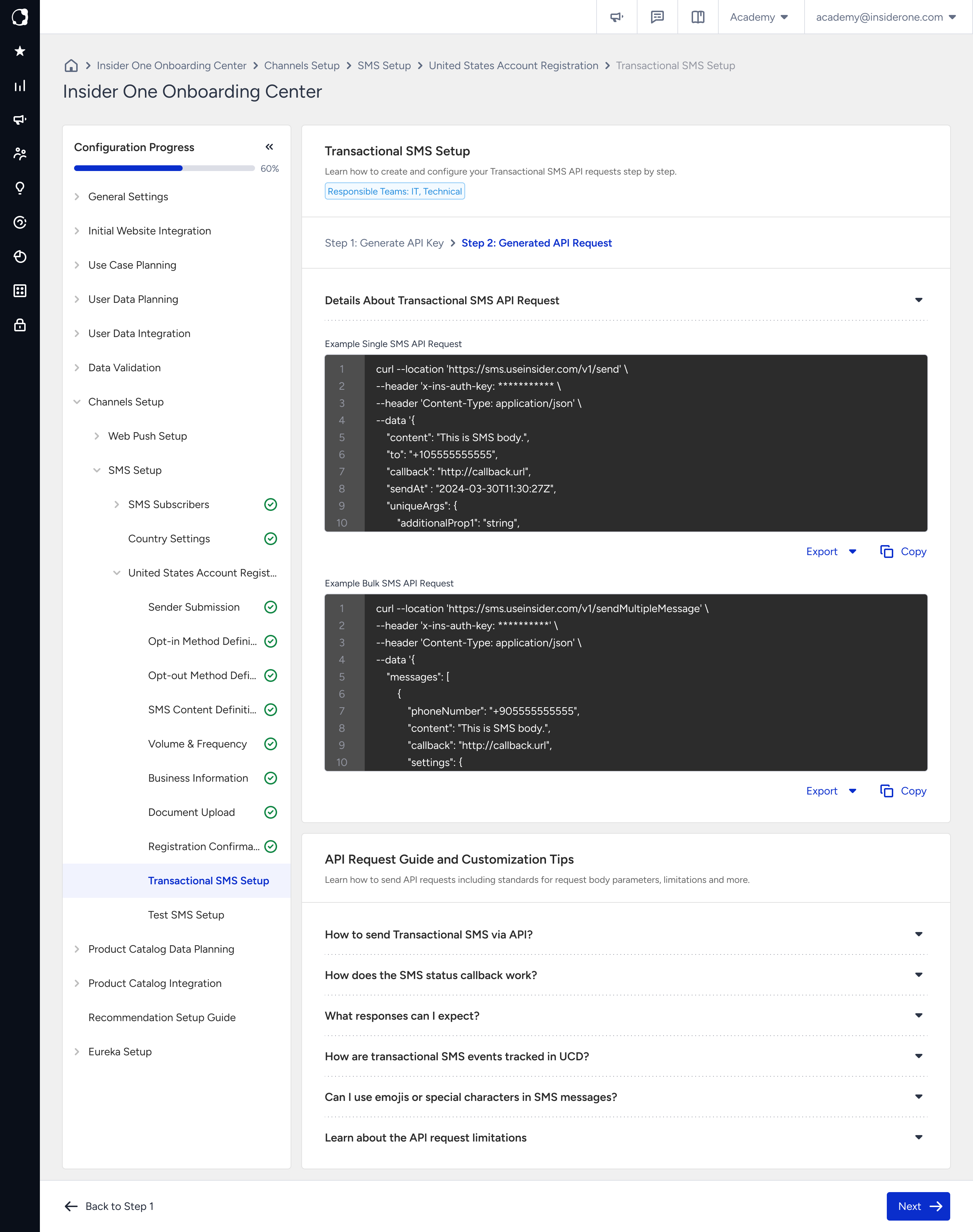
Information to share with your developers
Share the generated request from this page with your developers, along with the following information:
API key: Share it through your secret manager rather than through a message.
Transactional sender: Provide the sender registered for Transactional traffic in this country.
Phone number format: Use E.164 format, which consists of a plus sign, country code, and number without spaces or punctuation.
Message triggers and content: Define which customer actions should trigger a message and what each message should say.
For more information about Transactional SMS and how it differs from Promotional traffic, refer to Transactional SMS. It documents the endpoint, parameters, and error handling.
Common mistakes
Generating the API key without implementing the API call: The API key alone does not send a message. Your systems need to call the API before Transactional SMS can be triggered.
Sending Promotional content through the Transactional integration: Transactional traffic is registered on the basis that it is triggered by a customer action. Sending Marketing content through this integration can put the registration at risk in markets with strict requirements.
Reaching Test SMS Setup before the integration is ready: You cannot verify a Transactional sender without an integration that can trigger a message. Until you can complete the test, the country remains Incomplete.
Next step
Continue with Test SMS Setup, where you verify delivery for each configured sender before the country is marked Completed.